public

Rpg Maker Developers Group

Simple enough for a child, powerful enough for a developer

2 Followers

Moving or Renaming game folder

BMM Archive · July 15, 2026

Preserved forum archive. This topic stores the original first post and locally mirrored RPG Maker Web attachments when available. It is posted by the BMMPlay archive account, not by the original creator.

Original Source

  • Original title: Moving or Renaming game folder
  • Original author: OkeyTokay
  • Original date: June 2, 2016
  • Source thread: https://forums.rpgmakerweb.com/threads/moving-or-renaming-game-folder.62892/
  • Source forum path: Game Development Engines > Legacy Engine Support > RPG Maker MV Support

Summary

I'm sorry if this is answered, I tried searching but didn't find an answer anywhere. So I now have a laptop and so I decided to put my game folders in a drive so that I can work on both the PC and the Laptop when convenient, but when I open up the game all the graphics are gone. The game itself has all the events intact, but no graphics at all. It's weird since everything is still in the folder. I'm guessing I'd need to change the path somewhere, but I...

Archived First Post

I'm sorry if this is answered, I tried searching but didn't find an answer anywhere.


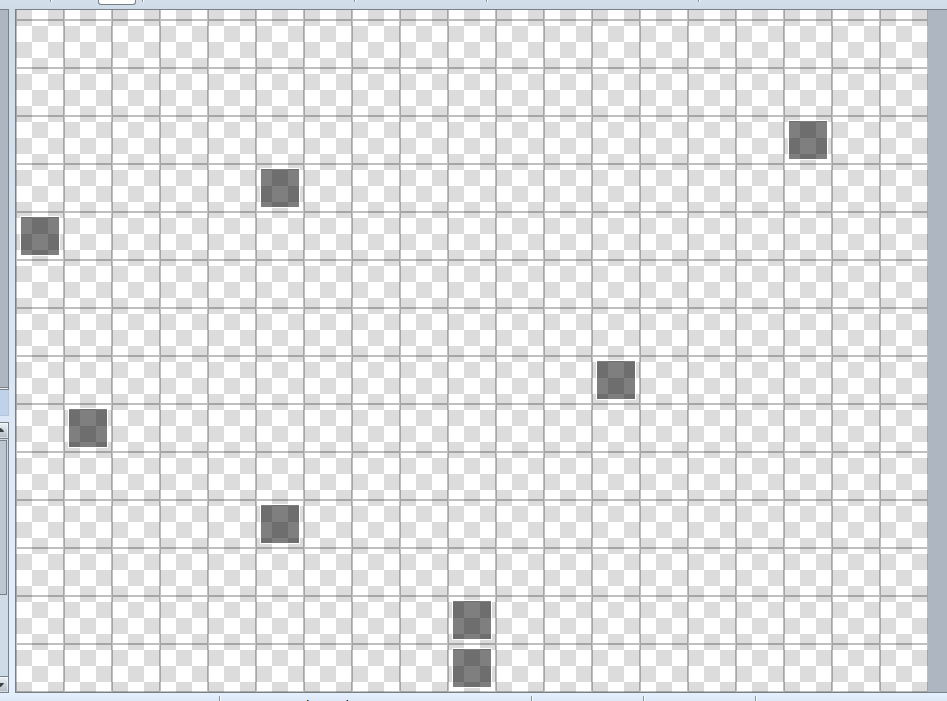
So I now have a laptop and so I decided to put my game folders in a drive so that I can work on both the PC and the Laptop when convenient, but when I open up the game all the graphics are gone. The game itself has all the events intact, but no graphics at all. It's weird since everything is still in the folder.


I'm guessing I'd need to change the path somewhere, but I can't find where? And changing the game's folder name has the same problem, even if it's still in the original directory.


It's acting as if the folders were empty, even though they aren't and I checked multiple times.


This is how the game canvas thing looks, everything is gone except the events(The graphics for events are gone too as you can see):

Protected download

I hope this has a simple solution, because having to work exclusively on my pc forever sounds dark and sad.


Downloads / Referenced Files

Log in to download

Log in, then follow the RPG Maker Developers Group to see these download links.

Log in to download

Referenced Images / Attachments

screenie.png
screenie.png
Creator Claims / Removal

If you are the original creator and want this listing reassigned, edited, or removed, join BMMPlay and contact the moderators with proof that matches the original RPG Maker Web profile, linked GitHub, itch.io page, or another public creator identity.

#039#rpg-maker-archive#mv-support

Replies (0)

No replies yet.

0 replies 1 view

Log in to reply.

User Avatar