


Parallel Process won't consistently set event location?
BMM_Archive · July 15, 2026

Original Source
- Original title: Parallel Process won't consistently set event location?
- Original author: inkhana
- Original date: July 18, 2016
- Source thread: https://forums.rpgmakerweb.com/threads/parallel-process-wont-consistently-set-event-location.65515/
- Source forum path: Game Development Engines > Legacy Engine Support > RPG Maker VXAce Support
Summary
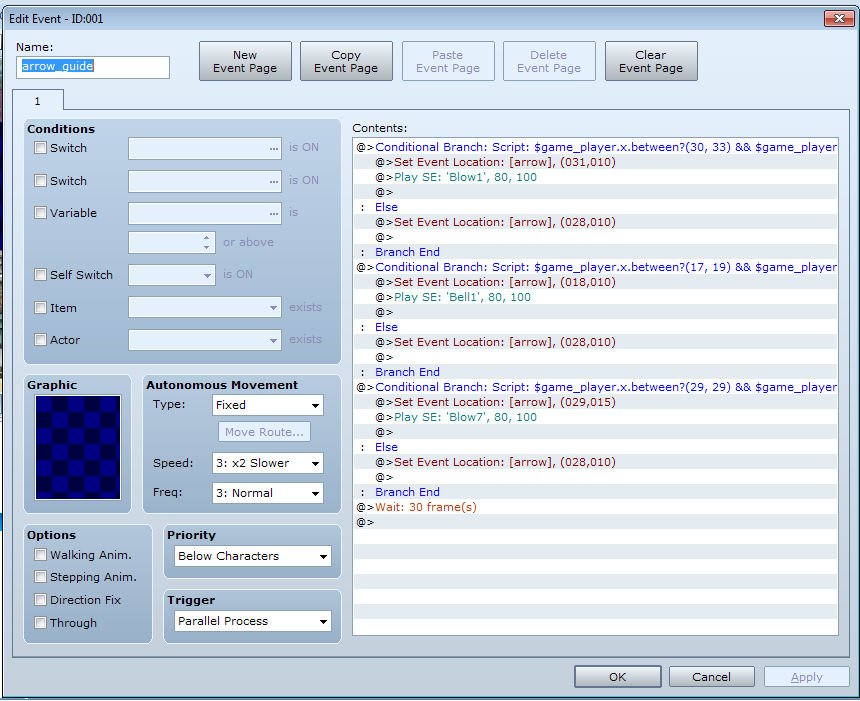
I have a problem when trying to set an event location via parallel process. The intended purpose of my script is to test the player's location, then, if the player is standing within a certain range, place an arrow icon to indicate a nearby area of interest. When the player leaves the location, the arrow returns to its prior location. I set this up with a series of conditional branches inside my parallel process, each one for a set location. Here's the odd thing. The arrow only moves when there's...
Archived First Post
The intended purpose of my script is to test the player's location, then, if the player is standing within a certain range, place an arrow icon to indicate a nearby area of interest. When the player leaves the location, the arrow returns to its prior location. I set this up with a series of conditional branches inside my parallel process, each one for a set location.
Here's the odd thing. The arrow only moves when there's more than one branch inside the process, and if there are multiple conditions, it will only move for the LAST one in the sequence. So if I have an arrow set to appear at (10, 10), (29,15), and (3,7), only the one at (3,7) will appear, and when it does appear, it will also correctly move back when the player leaves. If I delete the one at (3,7), then the one at (29,15) begins to work. As far as I can tell, the branches are identical to each other (copied and pasted) except for the coordinates involved. So, I tested to see if the branches were being executed by applying a sound effect to be played for each testing area. The sound effects play correctly as expected (only one sound in each location, and each location has a unique sound), but for some reason, the "set event location" command right next to it is ignored? Why might that happen?
I have removed all extra scripts from the script editor (it had no effect), and have never altered anything else there. There is another event too, but it only shows text when you approach it. If anyone thinks it might be related somehow, I'll post a pic of that event page as well.
I can think of other ways to execute the idea, but I'm stumped as to why this is occurring and I feel like I have a misunderstanding about how the process is working here, and would like to learn the right way so I can avoid the problem in the future. Thanks in advance for any help you can give me.
Images:
Protected download
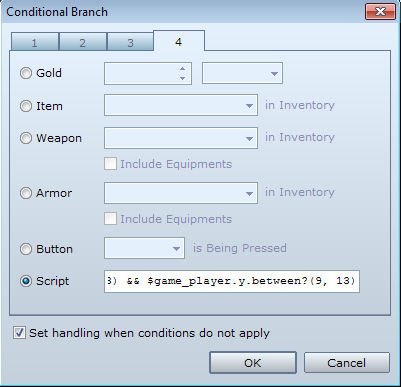
The part of the branch you can't see:
Protected download
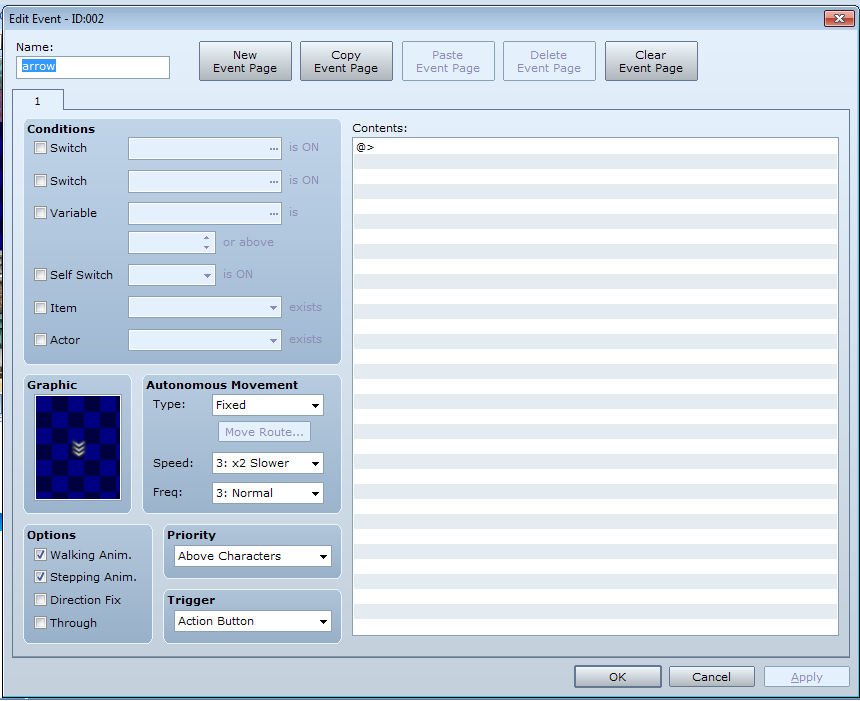
The actual arrow's page (nothing to it, but better to be safe than sorry):
Protected download
Downloads / Referenced Files
Log in, then follow the RPG Maker Developers Group to see these download links.
Log in to downloadReferenced Images / Attachments
Creator Claims / Removal
If you are the original creator and want this listing reassigned, edited, or removed, join BMMPlay and contact the moderators with proof that matches the original RPG Maker Web profile, linked GitHub, itch.io page, or another public creator identity.


Replies (0)
No replies yet.
Topic Summary
Loading summary...
