In
Pokemon X/Y, there's a hotel in a city where you can work. One of the jobs involves remembering an order correctly. I know this is done in other games like
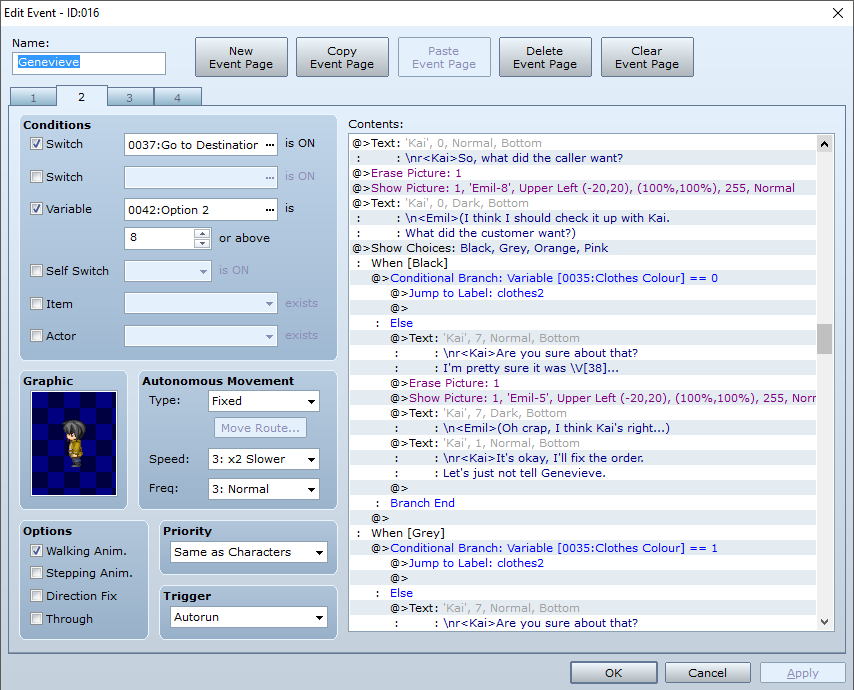
Persona Q where Theodore has to remember people's orders, too. Basically, I was wondering how to be able to do this in VX Ace as there's a part where the protagonist helps someone take orders for clothes down.
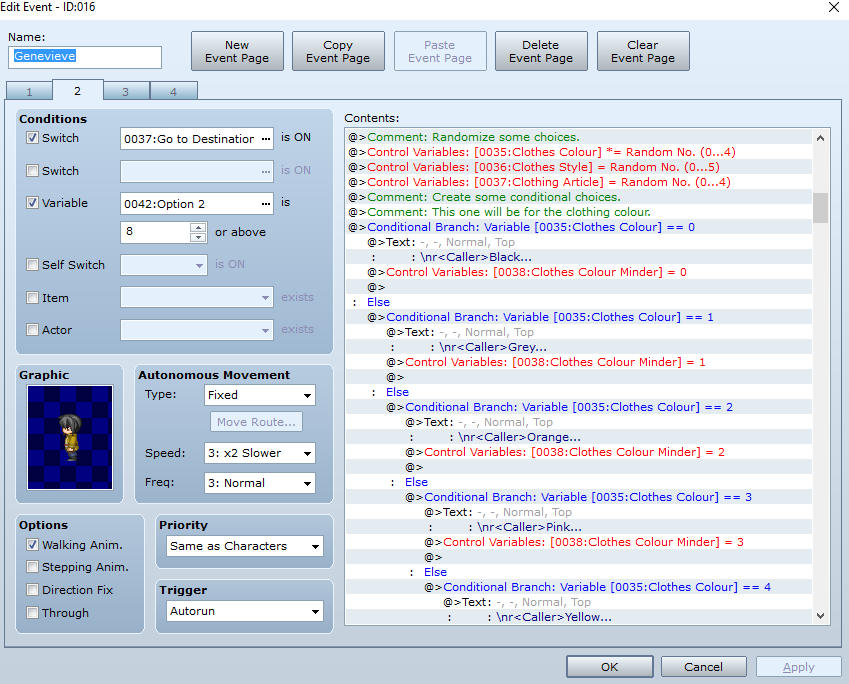
So far, this is what I have:
1. Make three variables Random with a few integers (e.g. 0~4). One for colour; one for flavour/style; one for dish/clothing.
2. Make three more variables that are the "minders" for what traits are noted down. One to mind the colour ; one to mind the flavour /style; one to mind the dish/clothing.
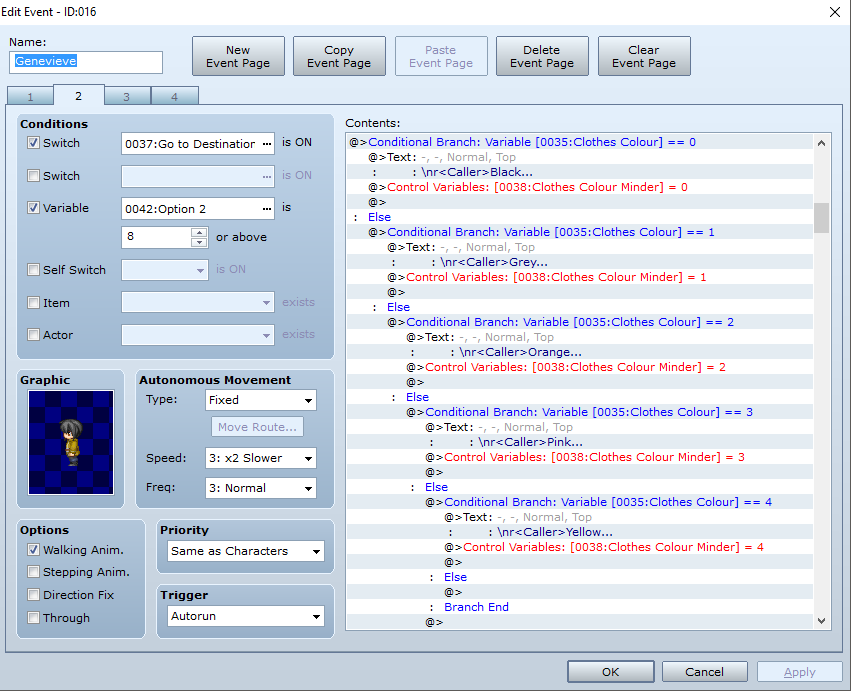
3. Make a conditional branch where if the colour variable equals a certain number, that's a certain colour. (e.g. 0 = black, 1 = grey, 2 = brown, etc.)
4. Make the minder variable for the colour equal the same integer as the colour variable.
5. In else, more conditional branches for the other colours (as mentioned before e.g. 1 = grey, 2 = brown, etc.).
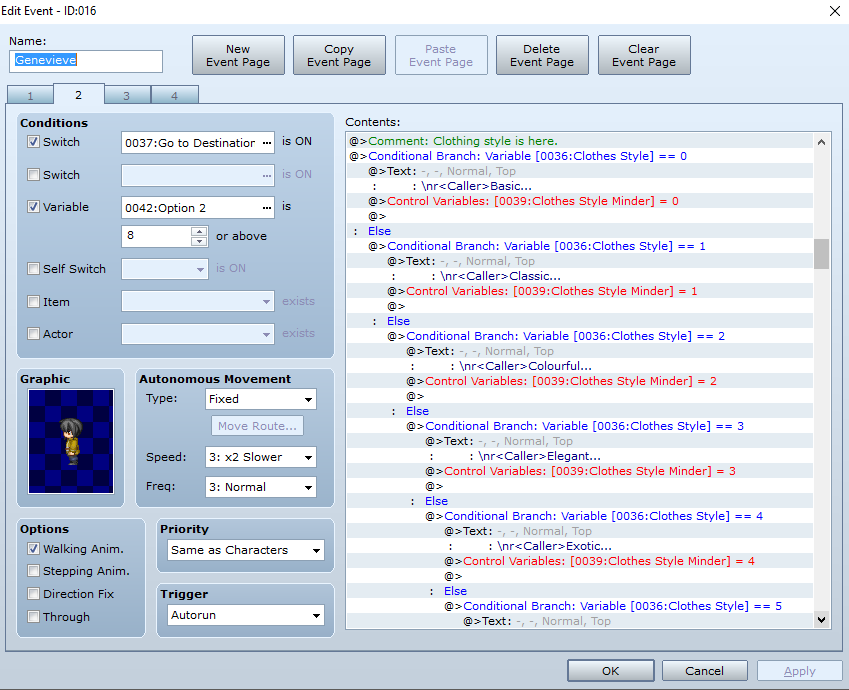
6. Make the next conditional branch where the next variable equals a certain number, that's a certain flavour/style.
7. Repeat steps 3-5 with the Random variable for flavour/style and dish/clothing.
8. Then made a Choices section where there's conditional branches on whether you got it right or wrong.
The problem then steps up where when I put \v[], I get an integer rather than a word, and I was wondering how to be able to make it a word. There's also the idea if I want to make more than one order - should I just copy and paste the above events? Otherwise, feel free to correct me, or share any easier way to do this, please.




 PlayStation DualSense Wireless Controller - White
Extra DualSense controller for couch co-op, backup play, or PC and mobile sessions.
View on Amazon
PlayStation DualSense Wireless Controller - White
Extra DualSense controller for couch co-op, backup play, or PC and mobile sessions.
View on Amazon