

MV and my computer don't agree on in-game files
BMM_Archive · July 15, 2026

Original Source
- Original title: MV and my computer don't agree on in-game files
- Original author: NoniVans
- Original date: May 8, 2016
- Source thread: https://forums.rpgmakerweb.com/threads/mv-and-my-computer-dont-agree-on-in-game-files.61564/
- Source forum path: Game Development Engines > Legacy Engine Support > RPG Maker MV Support
Summary
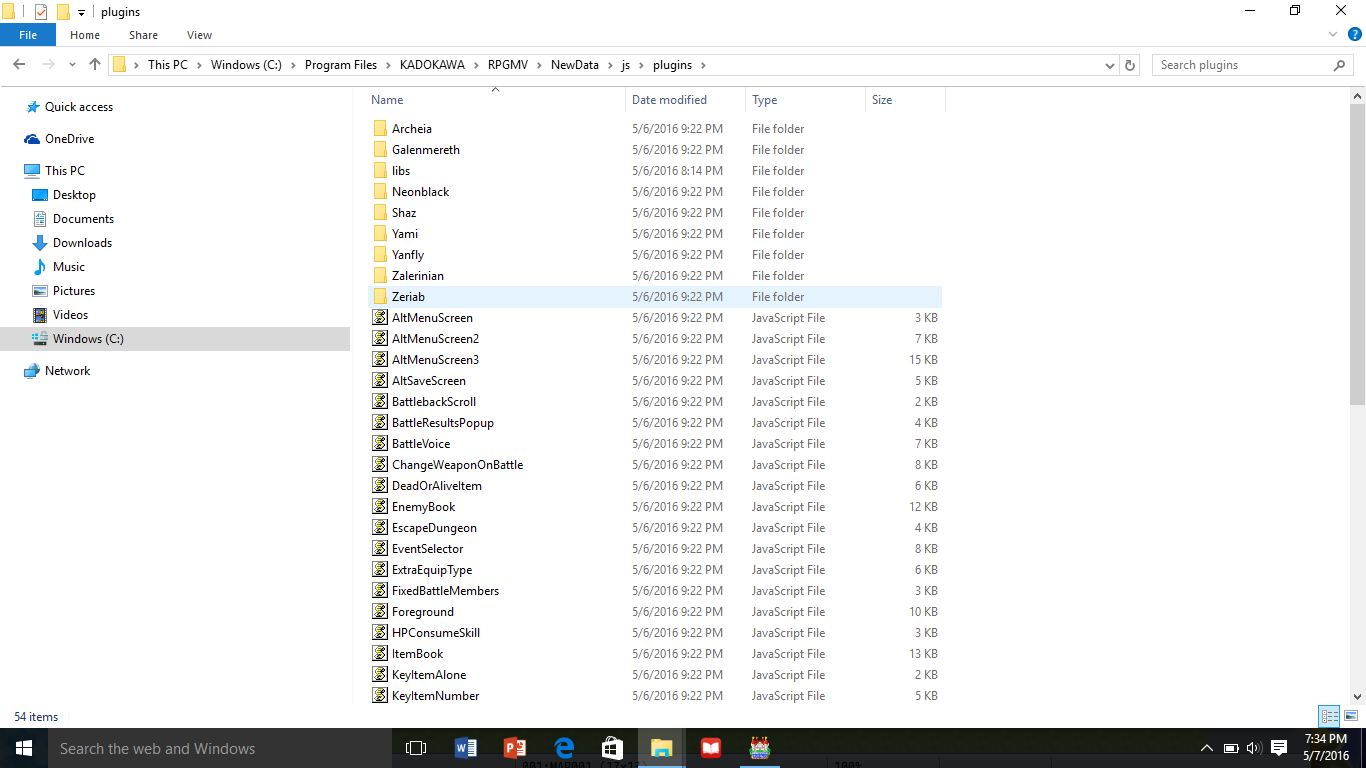
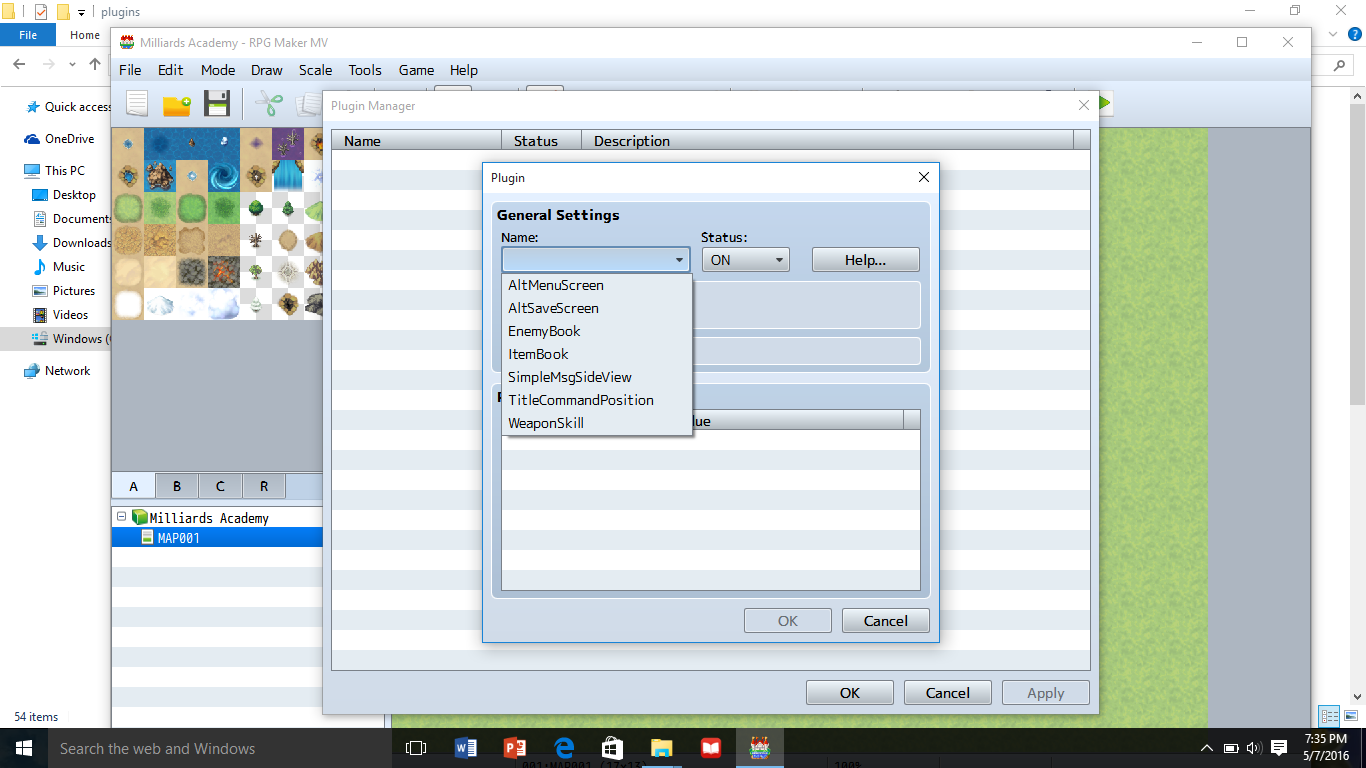
After switching computers I, downloaded MV again. Both computers are Windows 10. The game starts up perfectly, and all pre-existing files show both in-game and on my computer files. However, when I put a new file in the corresponding folder, it does not show in-game, and anything created in the game will not show in the files. I have tried putting the files every place I thought would work put nothing ever shows up. Here are examples of my issue. What should I do to fix this? Spoiler { "lightbox_close": "Close",
Archived First Post
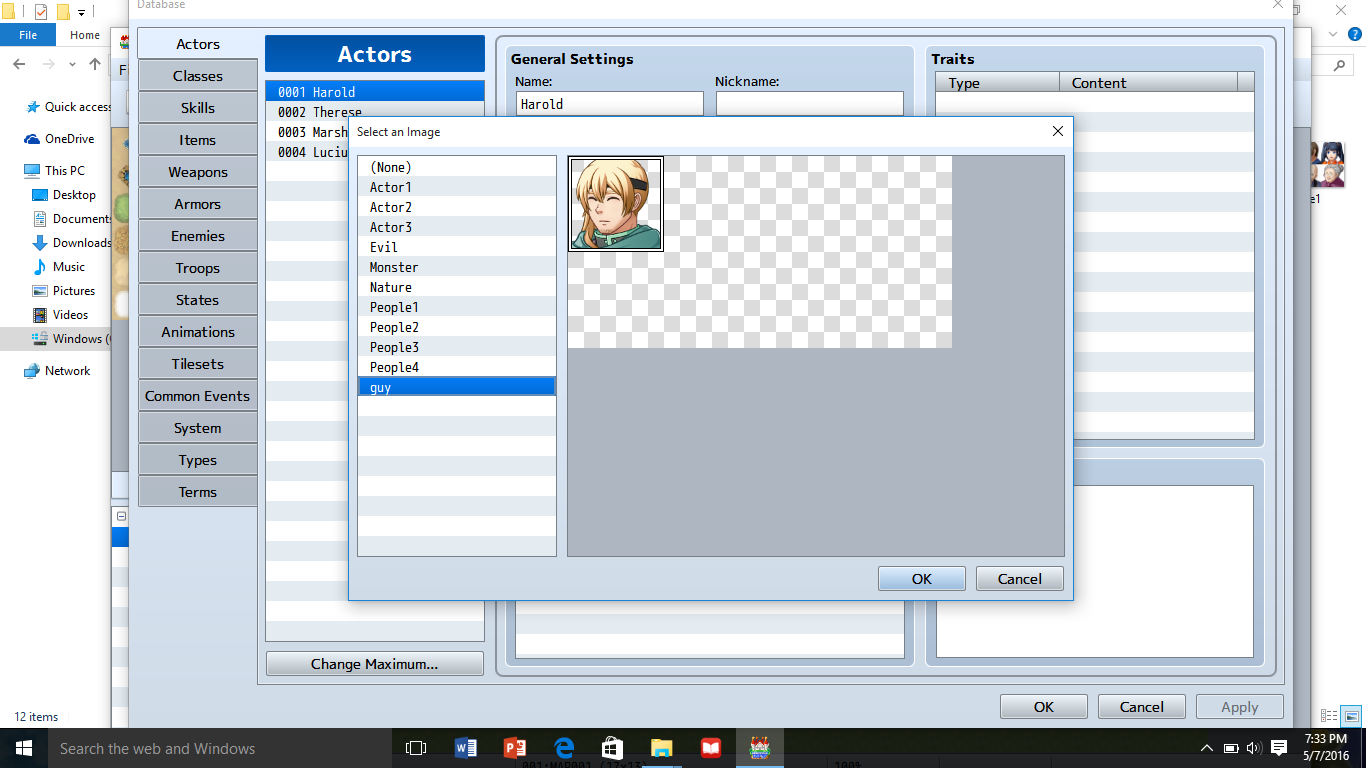
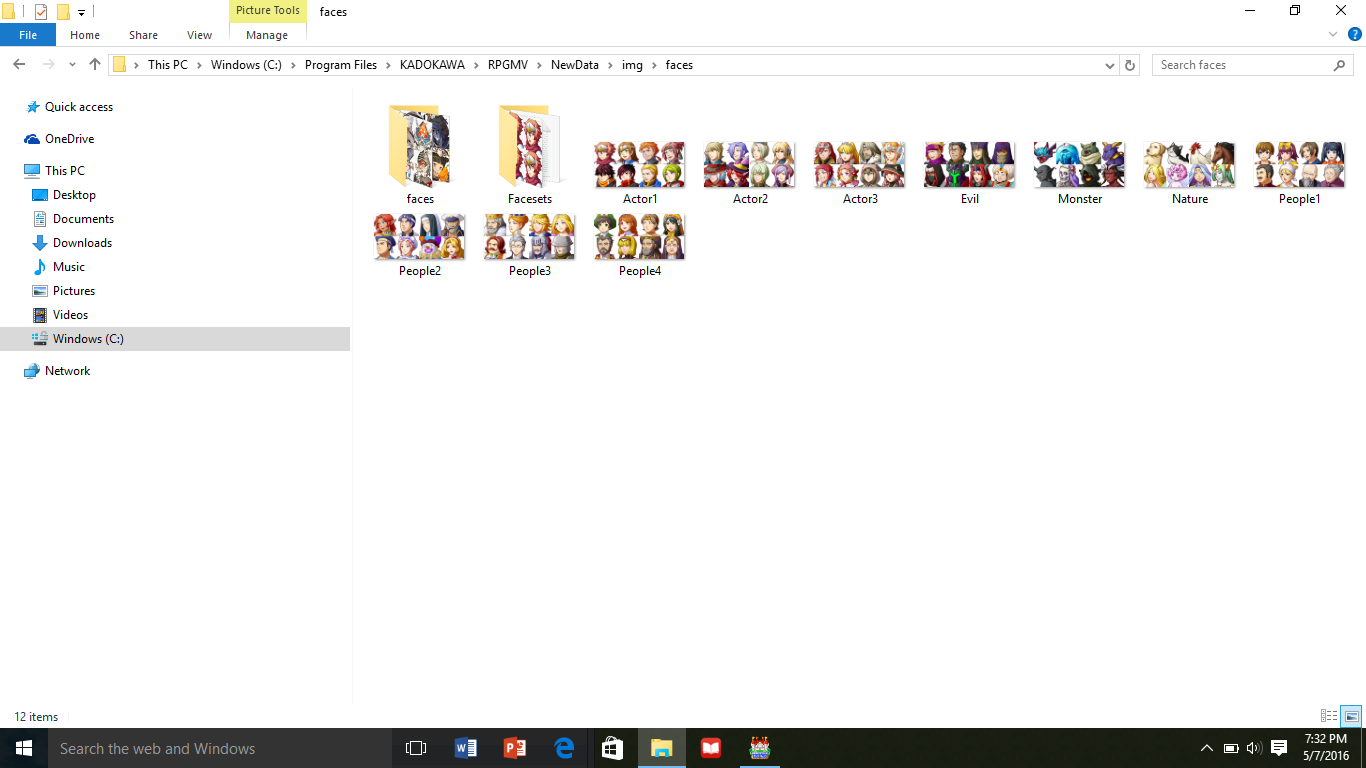
Up there I made a guy, but his image did not appear in the img/character/faces folder, nor did he appear anywhere on my computer.
Down there I have all of the plugins sitting in the same folder, but only the original are appearing in-game.
Downloads / Referenced Files
RPG Maker Web attachments are mirrored locally when available. Other external links remain hosted by their original creator or third-party service.
- Local mirror: 22452-51552f3a665faa946a2a366f8e16d5c0.png
SHA-256:579e0ace8296c758082df6bbdbe01bfd3112bee98278c3b52f8b6328f37ebcae
Original attachment URL: https://forums.rpgmakerweb.com/attachments/screenshot-3-png.37705/ - Local mirror: 22453-2805fde61a2ac0188d855f84c311ca14.png
SHA-256:d2a67d086a2aa573a0d3375f23dd589db6be89b44d17ef33d13476fd0b194019
Original attachment URL: https://forums.rpgmakerweb.com/attachments/screenshot-2-png.37706/ - Local mirror: 22454-973b01fe2b1999f13364ca2b0973f0ed.png
SHA-256:08f9e9f293c1531c58a75717e220095dc9965b9911dbe082fd8b2be33406c5a3
Original attachment URL: https://forums.rpgmakerweb.com/attachments/screenshot-4-png.37707/ - Local mirror: 22455-f4c81b04812d251618ab13ca1fabd11c.png
SHA-256:f12888972063cce19d265a14b05ad1946495434e2fa5269cc12a739b07604146
Original attachment URL: https://forums.rpgmakerweb.com/attachments/screenshot-5-png.37708/
Referenced Images / Attachments
Creator Claims / Removal
If you are the original creator and want this listing reassigned, edited, or removed, join BMMPlay and contact the moderators with proof that matches the original RPG Maker Web profile, linked GitHub, itch.io page, or another public creator identity.
Replies (0)
No replies yet.
Topic Summary
Loading summary...