

Tileset pieces don't show up in-game
BMM_Archive · July 15, 2026

Original Source
- Original title: Tileset pieces don't show up in-game
- Original author: Rukomura
- Original date: May 6, 2016
- Source thread: https://forums.rpgmakerweb.com/threads/tileset-pieces-dont-show-up-in-game.61477/
- Source forum path: Game Development Engines > Legacy Engine Support > RPG Maker MV Support
Summary
I've come across a very weird thing while mapping with MV. Whenever I place a piece of tilesets that overlap with another, it all gets out of place and messed up when I test the game. I thought it was a plugin doing this somehow, so I made a new project and copy-pasted one of the maps with the problem. Well... it didn't solve much.
Archived First Post
Whenever I place a piece of tilesets that overlap with another, it all gets out of place and messed up when I test the game.
I thought it was a plugin doing this somehow, so I made a new project and copy-pasted one of the maps with the problem.
Well... it didn't solve much.
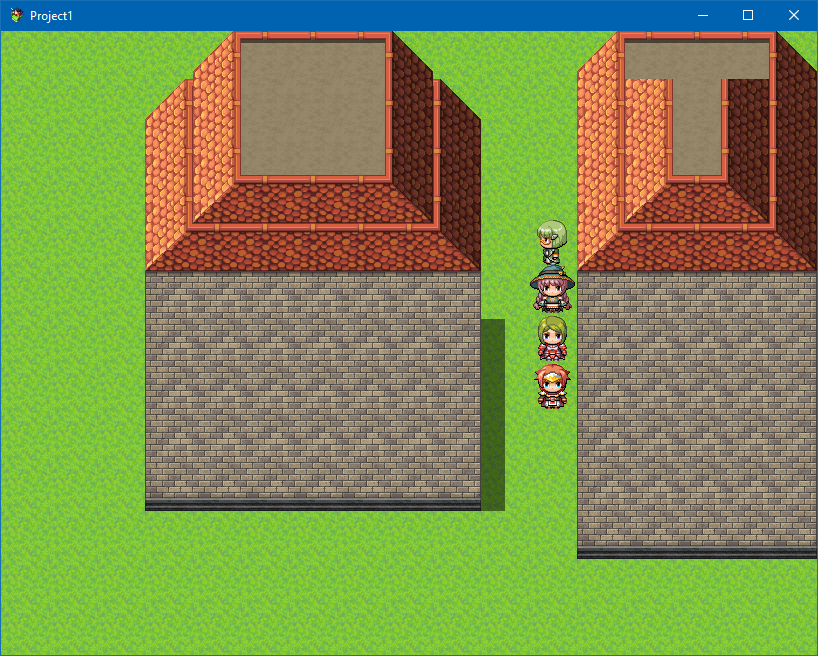
Then I made a completely new map and tried two things:
1 Placed a piece with no other pieces (save for the grass) underneath.
2. Made the same piece but with another underneath.
This is the result:
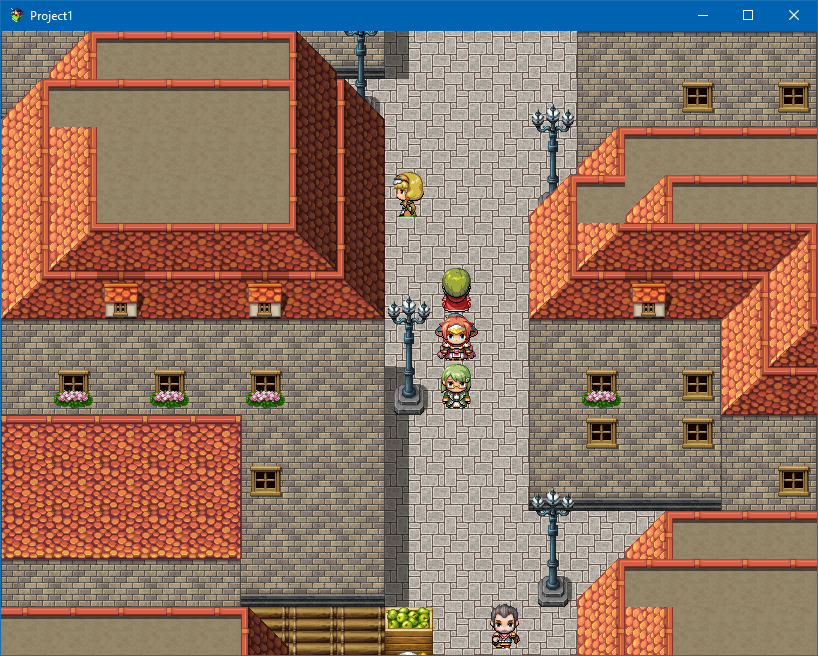
And this is how my map looks like in the game:
Finally, how it looks in the editor:
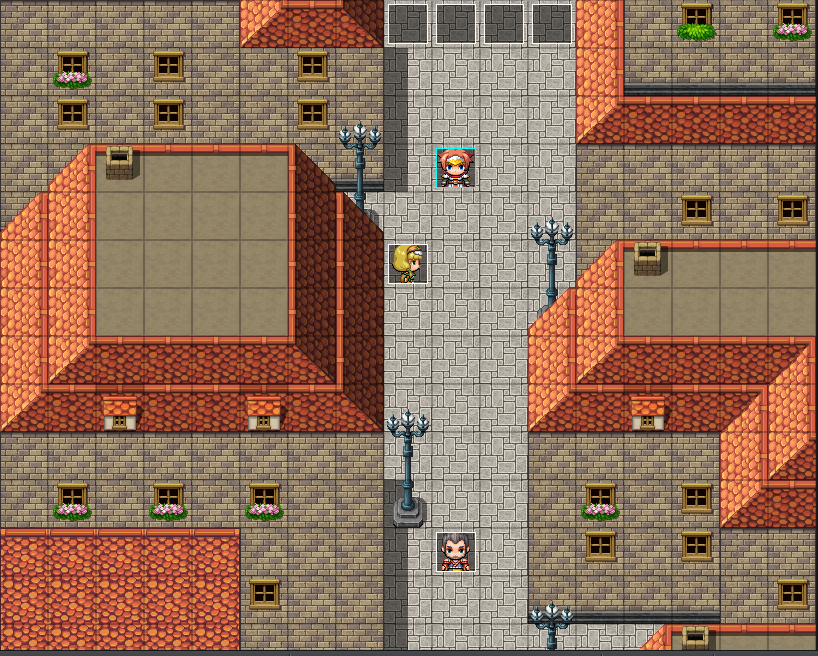
I definitely think It's an overlap problem and cleaning up what's under the current tile resolves the problem, but It's a bit annoying.
Downloads / Referenced Files
RPG Maker Web attachments are mirrored locally when available. Other external links remain hosted by their original creator or third-party service.
- Local mirror: 22365-ea7399b941b1e53be69f659502ca37c2.png
SHA-256:01ff364f60958c1b94855bb546f946cd525ba301089216d264b5413645e47e98
Original attachment URL: https://forums.rpgmakerweb.com/attachments/depprprp-png.37590/ - Local mirror: 22366-50acced83399bf158eb178ba69864499.png
SHA-256:fe3db620954ff146ec25681f14a8363c37aa46787d01a4a265704d67cf46cf82
Original attachment URL: https://forums.rpgmakerweb.com/attachments/depprprp2-png.37591/ - Local mirror: 22367-d65c27c1297d87d4fccffb3357684488.png
SHA-256:efb016d469e0200046b26d06239ec2d368c4bdf68c90cdea986df55960d580d3
Original attachment URL: https://forums.rpgmakerweb.com/attachments/depprprp3-png.37592/
Referenced Images / Attachments
Creator Claims / Removal
If you are the original creator and want this listing reassigned, edited, or removed, join BMMPlay and contact the moderators with proof that matches the original RPG Maker Web profile, linked GitHub, itch.io page, or another public creator identity.
Replies (0)
No replies yet.
Topic Summary
Loading summary...