

Difficulty turning player?
BMM_Archive · July 15, 2026

Original Source
- Original title: Difficulty turning player?
- Original author: shadyalligator
- Original date: May 4, 2016
- Source thread: https://forums.rpgmakerweb.com/threads/difficulty-turning-player.61345/
- Source forum path: Game Development Engines > Legacy Engine Support > RPG Maker MV Support
Summary
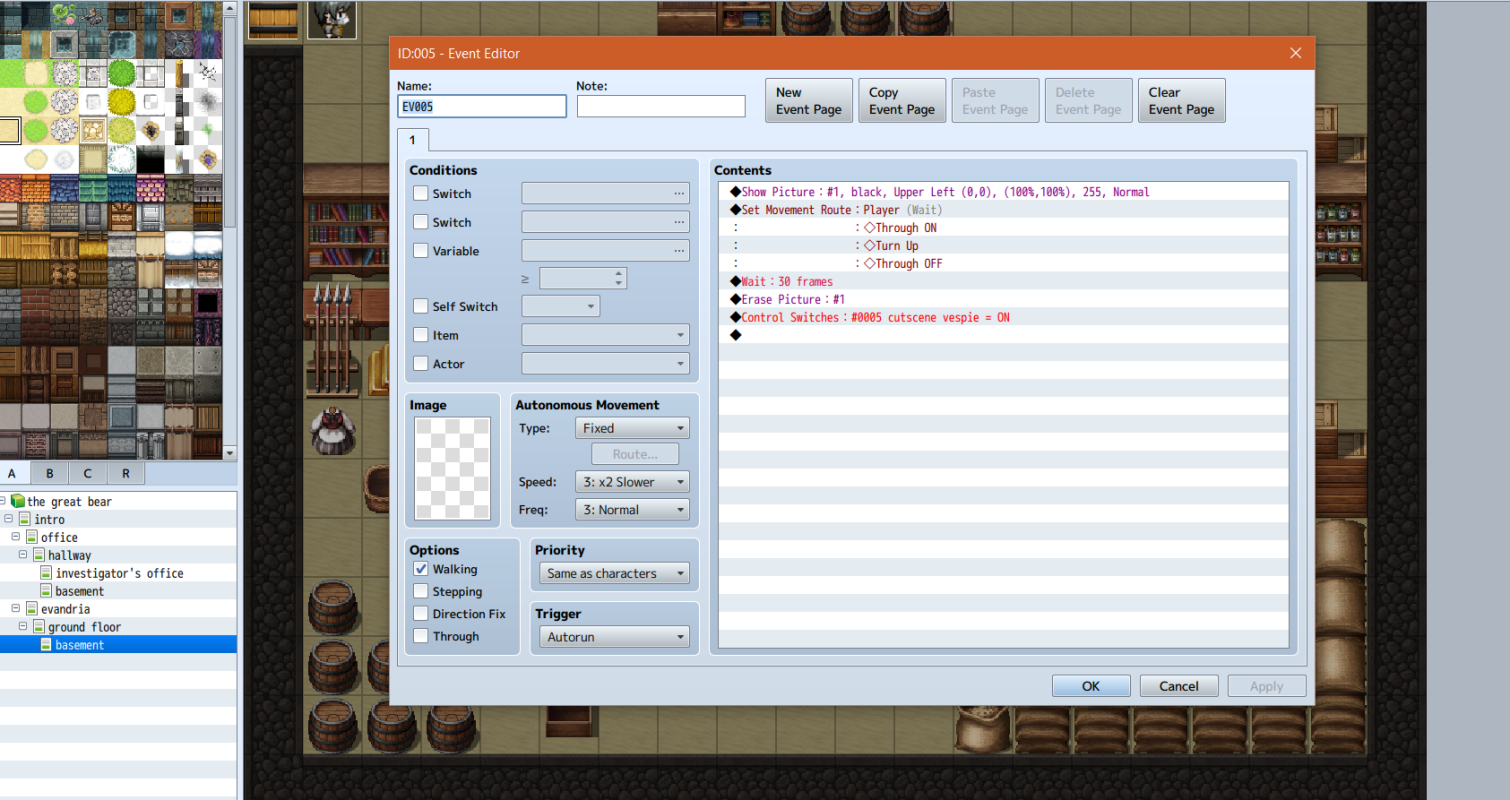
Once again, this is something that seems super simple, so I'm probably just a noob missing something here, but basically I want to transfer the player to a new map (sleeping on a bed) and use an autorun cutscene. I've got one in the bottom left corner to set the screen to black, turn the player character up so it looks like they're sleeping, erase the picture, and then set the variable to start the cutscene. During the cutscene, the player is supposed to have a few bubbles pop up...
Archived First Post
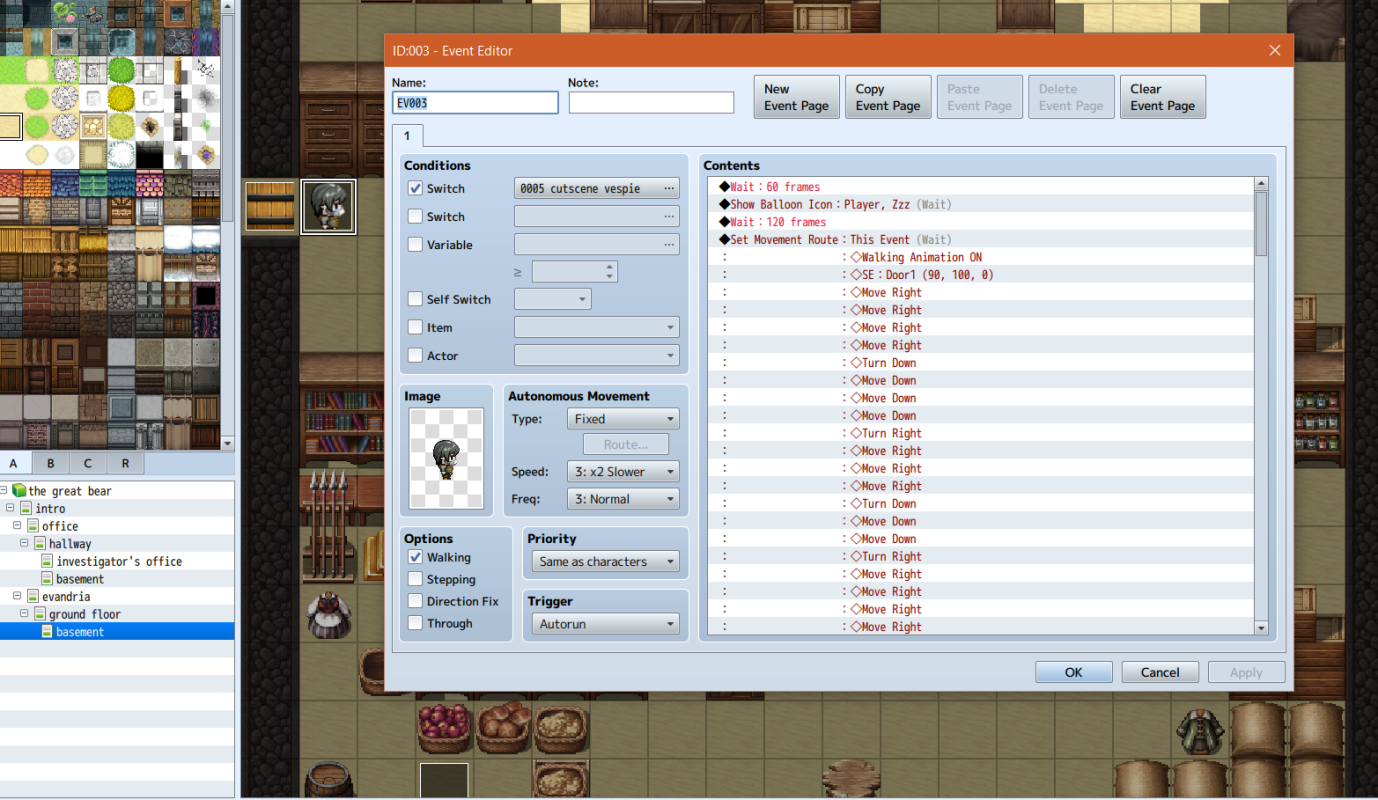
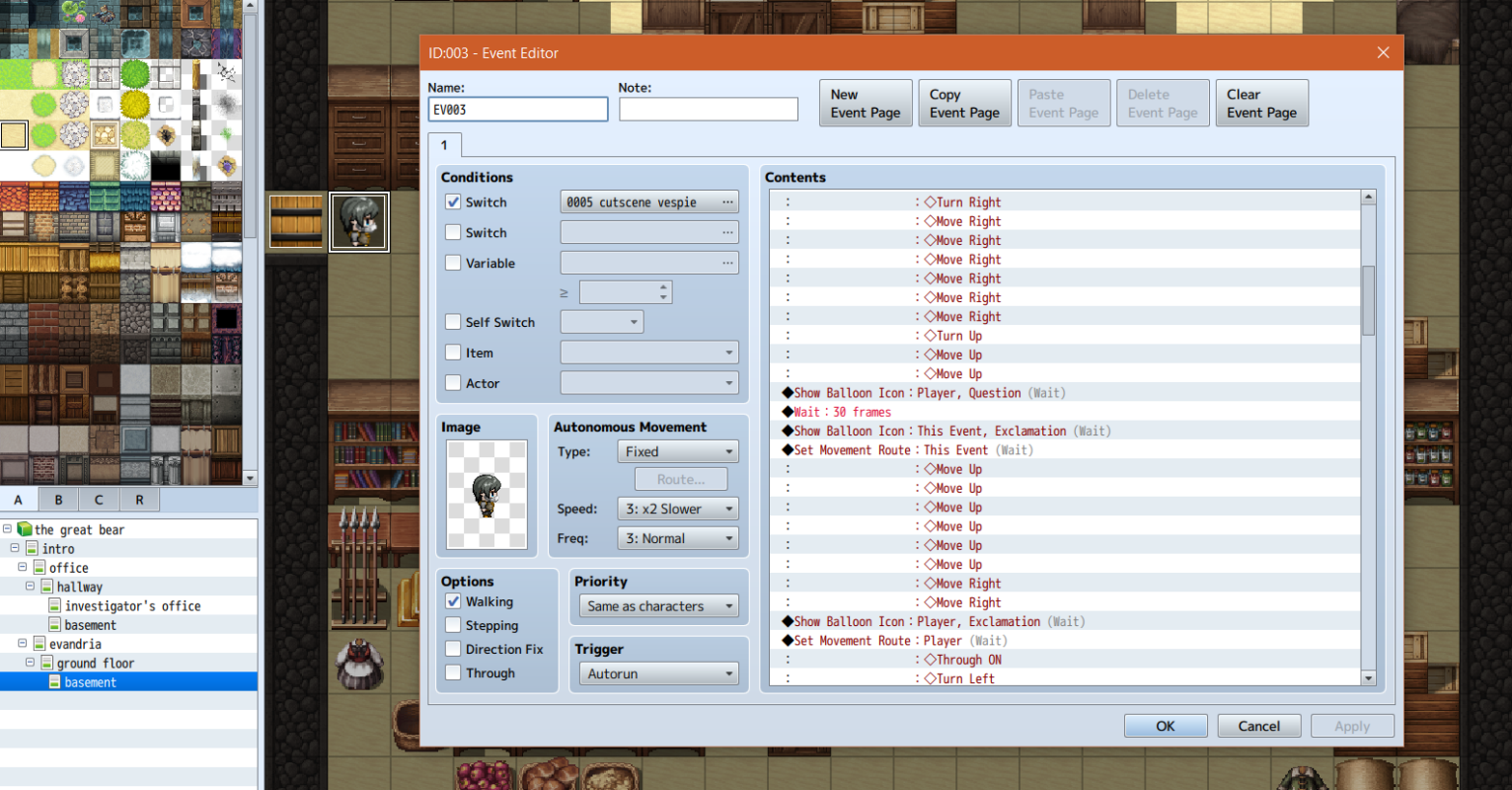
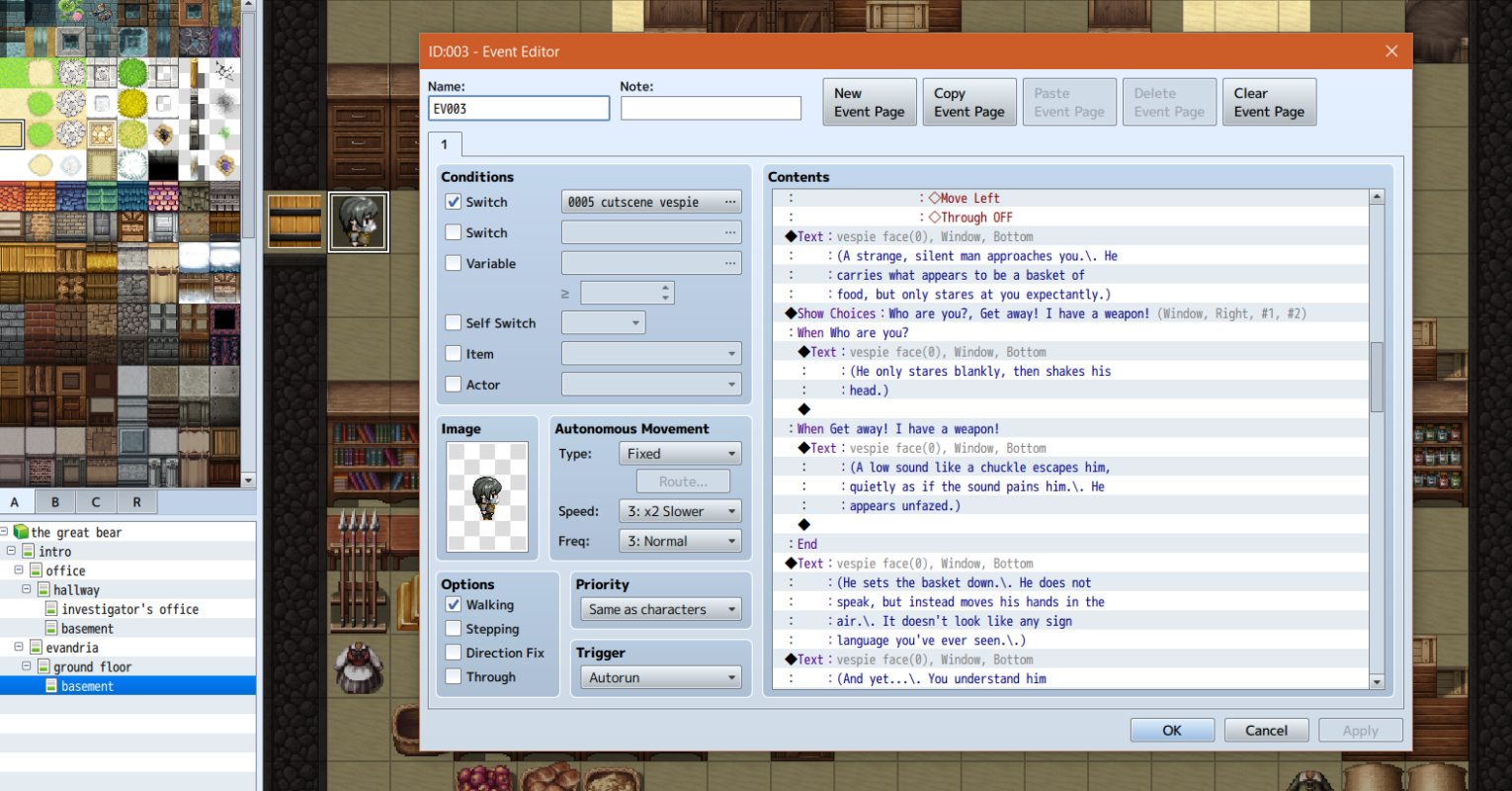
During the cutscene, the player is supposed to have a few bubbles pop up while another is walking toward them (which seems to work just fine), then turn left and move one tile left. However, no matter what I do, it seems that the player just won't turn. It will move, but it acts as if I've turned a direction fix on. I've tried setting the transfer direction to retain or up, but neither of them seems to help: it retains regardless, and whether or not it turns up, it simply will not turn left.
The player is meant to be spawned on the bed, turn, and walk off the tile. This didn't work with just a Turn, Move command, so I included a Through On and Through Off command, but that doesn't seem to work either.
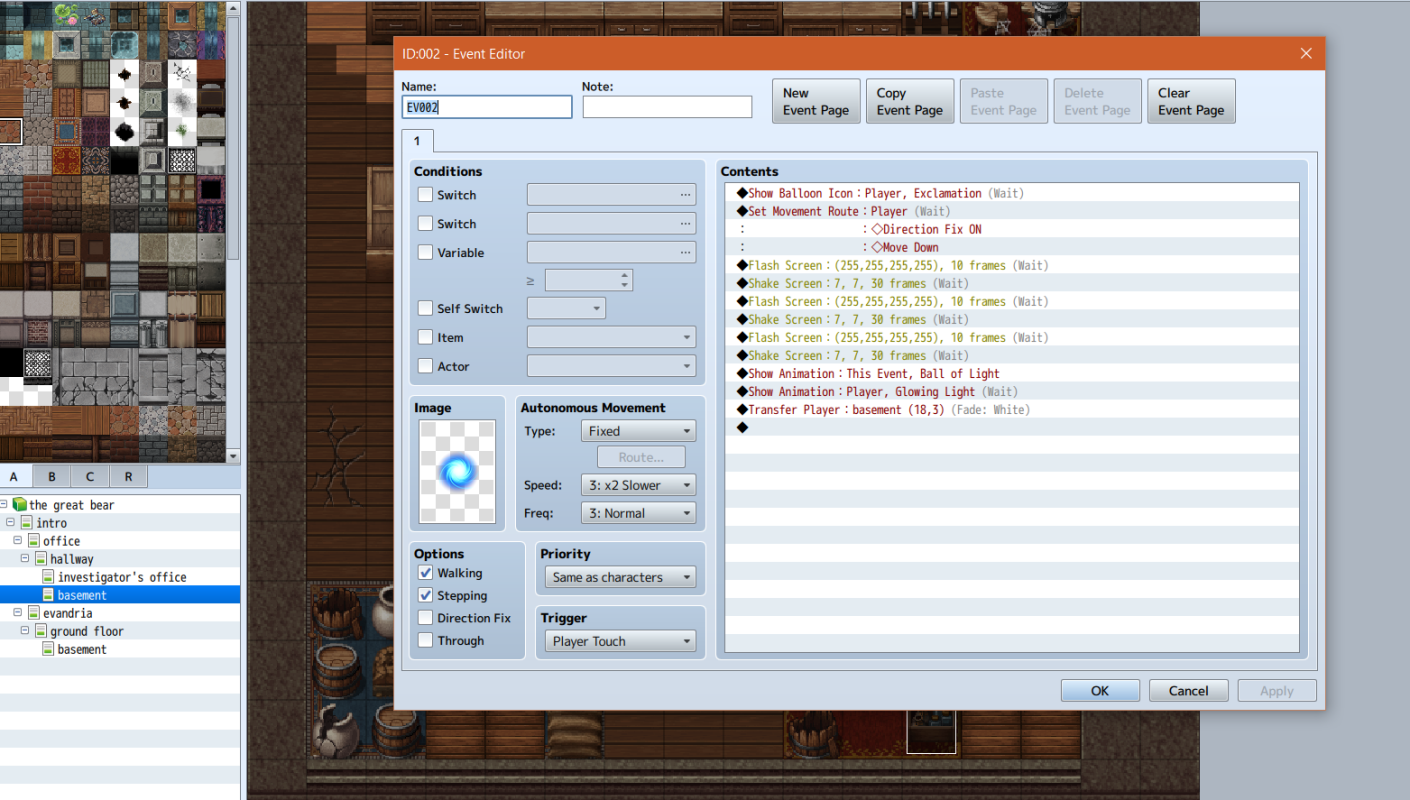
I went ahead and included the portal that transfers the player as well. I didn't bother including anything after the Through Off command, as the rest is all text/dialogue choices.
Downloads / Referenced Files
RPG Maker Web attachments are mirrored locally when available. Other external links remain hosted by their original creator or third-party service.
- Local mirror: 22278-d0a106f813469a0678ae07eab62004c1.png
SHA-256:bf84e7da8171e979ac89ab007e1184d32de25b803c3fa7a8228f984a07802058
Original attachment URL: https://forums.rpgmakerweb.com/attachments/turn1-png.37471/ - Local mirror: 22279-7480b87b6220325a8f0ebb45726524f1.png
SHA-256:7eed0c41b4c3768f6d15d7d861876569b3ce038cdaae6ff72f7015154a452399
Original attachment URL: https://forums.rpgmakerweb.com/attachments/turn2-png.37472/ - Local mirror: 22280-10be444d563cb1ddd15a85093ff6f427.png
SHA-256:e9518b1903267cddef78e75be793f710484095a446b4b2c225d99f46dc407ab3
Original attachment URL: https://forums.rpgmakerweb.com/attachments/turn3-png.37473/ - Local mirror: 22281-c9c19e6a1ec4a377d62d3b9c1d19d3f1.png
SHA-256:10df079336f5b4a70ab7223b9994dede8a6cee70d72b6bd4c2d7c64758d935c3
Original attachment URL: https://forums.rpgmakerweb.com/attachments/turn4-png.37474/ - Local mirror: 22282-e1c9aefaeeb9b1488d9fd8c624ea7246.png
SHA-256:1f308132124af39d4e8fbb7e23c24c34093e82f42fad8649def51acb4be1d1bc
Original attachment URL: https://forums.rpgmakerweb.com/attachments/turn5-png.37475/
Referenced Images / Attachments
Creator Claims / Removal
If you are the original creator and want this listing reassigned, edited, or removed, join BMMPlay and contact the moderators with proof that matches the original RPG Maker Web profile, linked GitHub, itch.io page, or another public creator identity.
Replies (0)
No replies yet.
Topic Summary
Loading summary...