So I'm using the Yanfly System options script where I have made my own switches and variables for certain things, but there's a particular one I can't get running and I need some help.
Inside the core script of Yanfly's there's a possibility to change the animation speed from default:15 to max 60 fps (I use 30 fps as the default animation speed here).
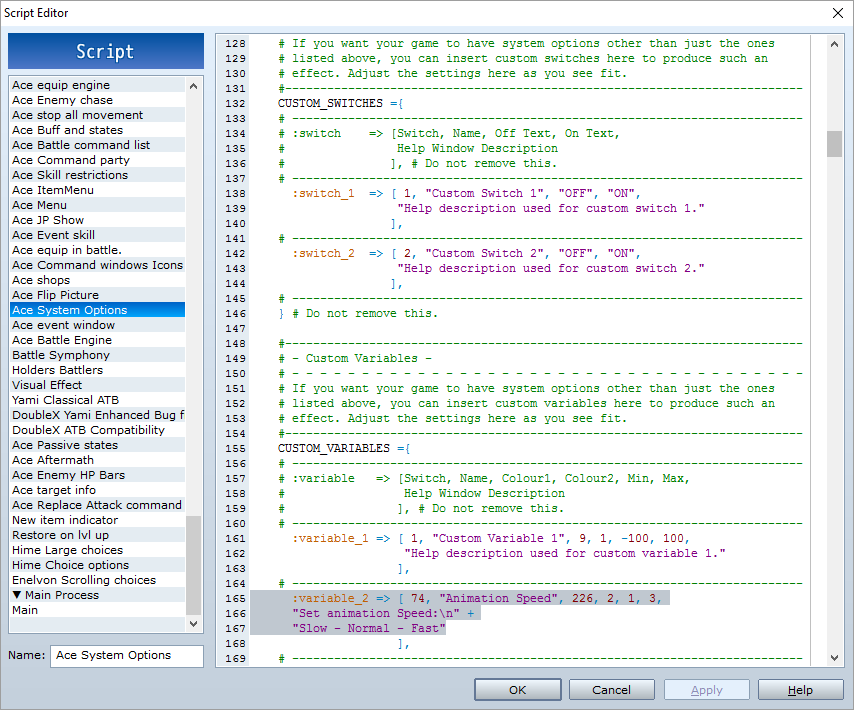
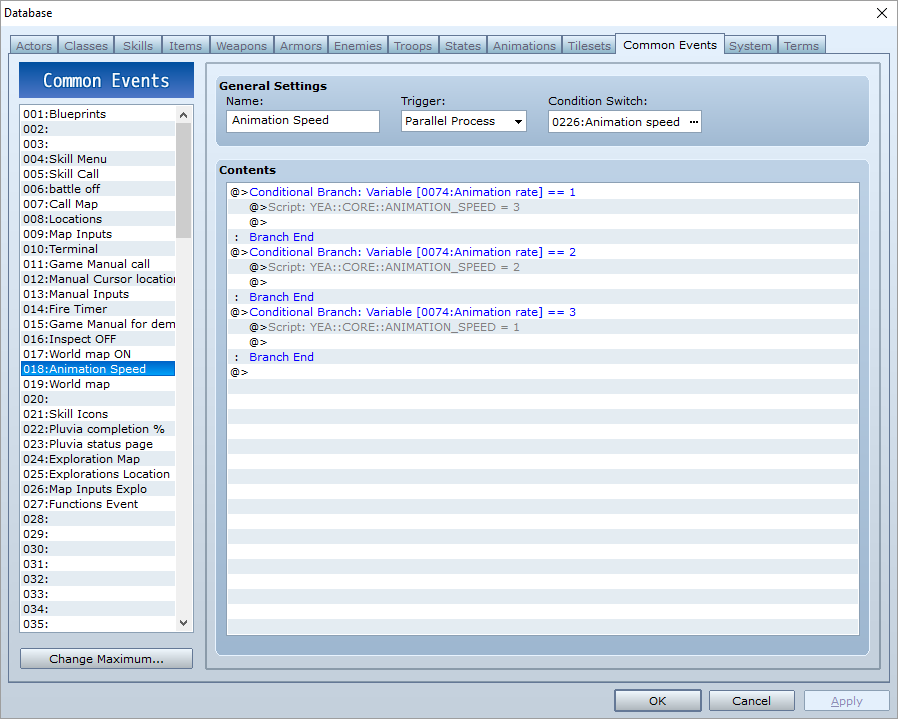
Now what I want to do is to make a custom variable that will let the player change the animation speed from the options menu, here's my complete setup of this:
Variable setup:
Common Event:
Now, I think I might use the wrong script call for changing the speed module for yanfly's core script. But I can't seem to figure it out when looking inside his script.
These are the lines I found about the animation rate:
#--------------------------------------------------------------------------
# overwrite method: set_animation_rate
#--------------------------------------------------------------------------
def set_animation_rate
@ani_rate = YEA::CORE::ANIMATION_RATE
If anyone can find the proper script call, or if I have set this up in the wrong way I would be very thankful!
The scripts can be found here for reference:
Ace core: (For animation script call).
Ace System Options: (For the varaible setup in System options menu).
Hope someone can aid me with this, thanks for your time!




 PlayStation DualSense Wireless Controller - White
Extra DualSense controller for couch co-op, backup play, or PC and mobile sessions.
View on Amazon
PlayStation DualSense Wireless Controller - White
Extra DualSense controller for couch co-op, backup play, or PC and mobile sessions.
View on Amazon