

Switches Inverted?
BMM_Archive · July 15, 2026

BMM_Archive
Preserved forum archive. This topic stores the original first post and locally mirrored RPG Maker Web attachments when available. It is posted by the BMMPlay archive account, not by the original creator.
Original Source
- Original title: Switches Inverted?
- Original author: Orangepaw
- Original date: April 20, 2016
- Source thread: https://forums.rpgmakerweb.com/threads/switches-inverted.60659/
- Source forum path: Game Development Engines > Legacy Engine Support > RPG Maker MV Support
Summary
, #2) :When Yes Comment: This fight is for the character Libiona. Dedicated to Stephanie. Battle Processing: Liboria
Archived First Post
Hey Community!
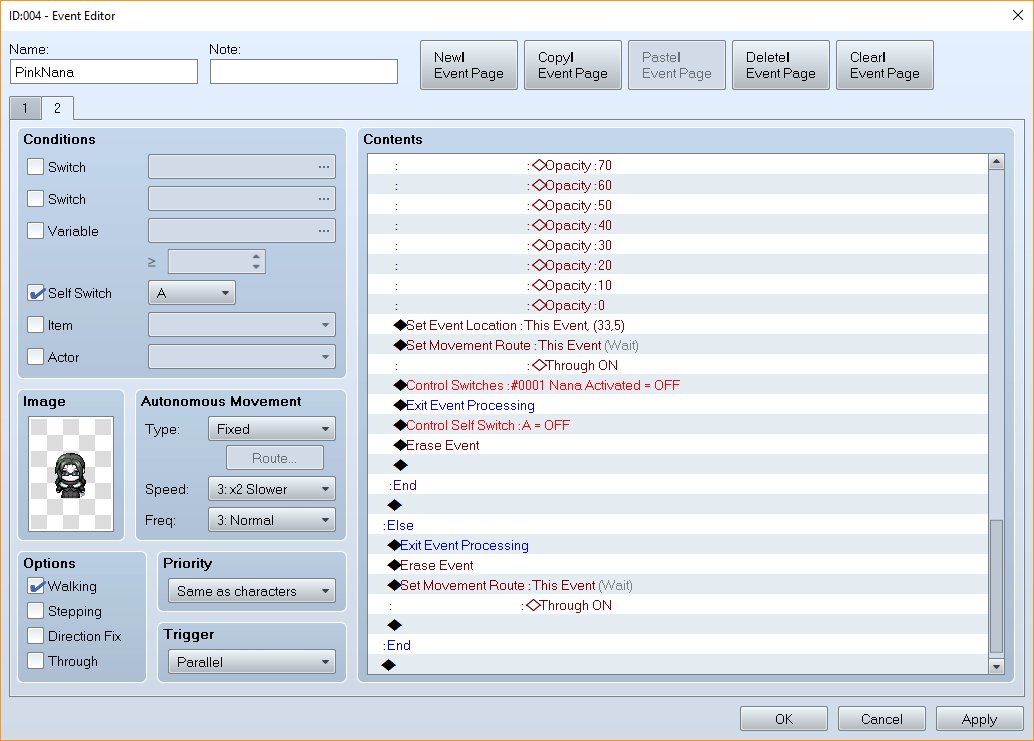
I am trying to design an event where an NPC fights you and then joins you if you win. However, the switches are acting strange. I will show code and explain below.
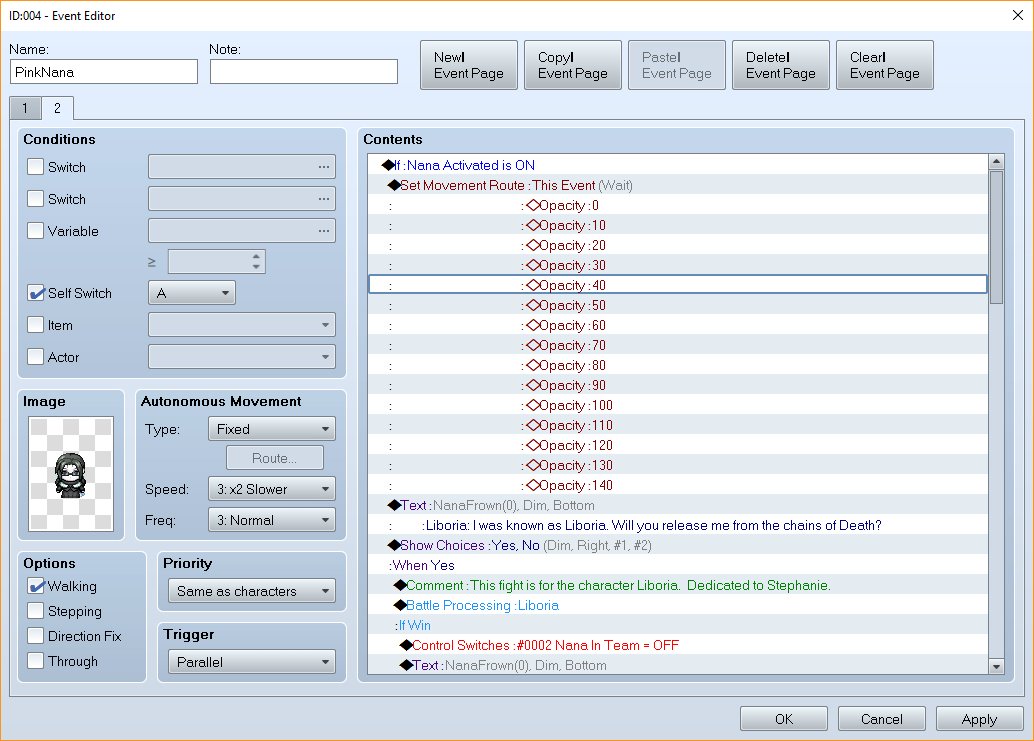
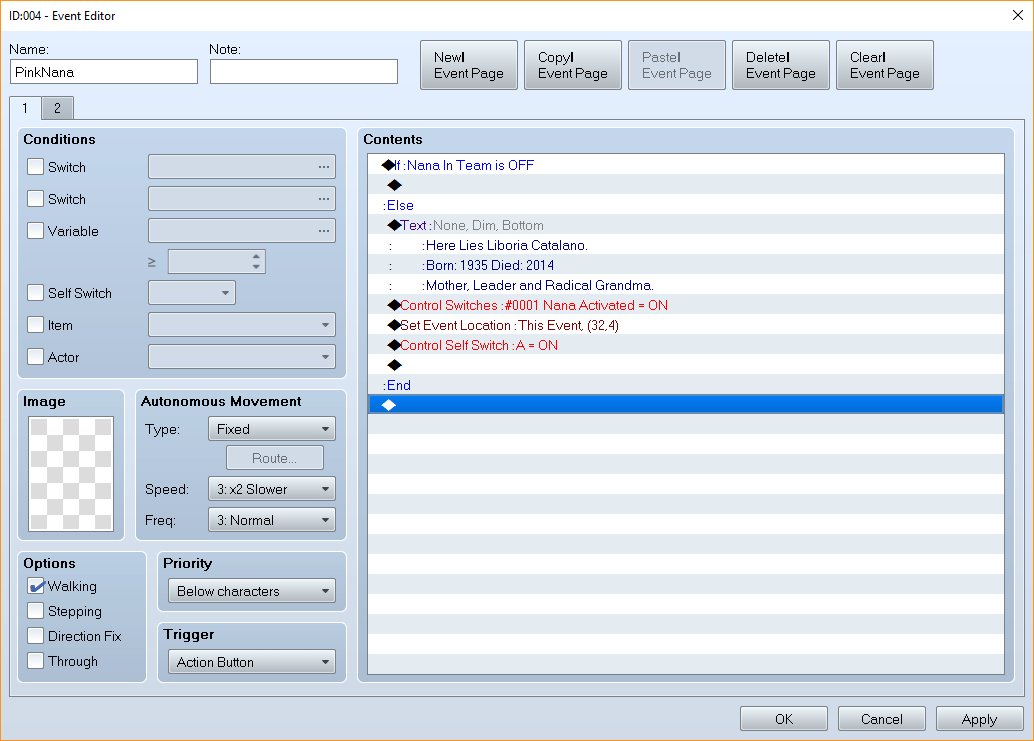
As seen above in the comments in the code, event page 1 has the Switch set to OFF, as my brain understands it, I want that switch to be set to ON after she is defeated so the event no longer appears on the map. However, when I switch it to ON the action press button of event page one doesn't trigger anything. Event page two is set to parallel.
Feel free to help me clean this up --- I am brand new at this. Some pictures are attached.
Thank you in advance.
Please feel free to ask any questions!
- Paw
I am trying to design an event where an NPC fights you and then joins you if you win. However, the switches are acting strange. I will show code and explain below.
Code:
Comment: Event Page 1
If: Nana In Team = OFF

:Else
	Text: None, Dim, Bottom
		:Here Lies Liboria Catalano
		:Born: 1935 Died: 2014
		:Mother, Leader and Radical Grandma
	Control Switches: #0001 Nana Activated = ON
	Set Event Location : This Event, (32,4)
	Control Self Switch: A = ON
:End
Code:
Comment: Event Page 2
If Nana Activated is ON
    Set Movement Route: This Event(Wait)
                Opacity: 0
                Opacity: 10
                Opacity: 20
                Opacity: 30
                Opacity: 40
                Opacity: 50
                Opacity: 60
                Opacity: 70
                Opacity: 80
                Opacity: 90
                Opacity: 100
                Opacity: 110
                Opacity: 120
                Opacity: 130
                Opacity: 140
    Text:NanaFrown(0), Dim, Bottom
        :Liboria: I was known as Liboria.  Will you release me from the chains of Death?
    Show Choices: Yes, No(Dim, Right, #1, #2)
    :When Yes
    Comment: This fight is for the character Libiona.  Dedicated to Stephanie.
    Battle Processing: Liboria
    :If Win
        Control Switches: #0002 Nana In Team = OFF
        Text:NanaFrown(0), Dim, Bottom
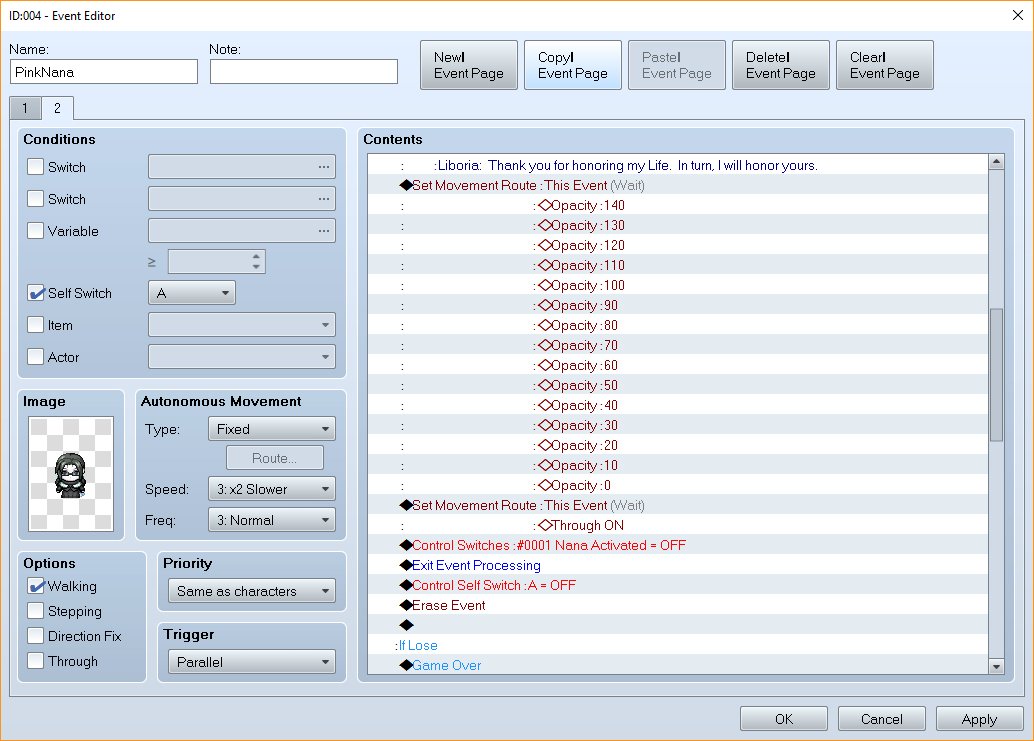
            :Liboria: Thank you for honoring my Life. In turn, I will honor yours.
        Set Movement Route: This Event(Wait)
                    Opacity: 140
                    Opacity: 130
                    Opacity: 120
                    Opacity: 110
                    Opacity: 100
                    Opacity: 90
                    Opacity: 80
                    Opacity: 70
                    Opacity: 60
                    Opacity: 50
                    Opacity: 40
                    Opacity: 30
                    Opacity: 20
                    Opacity: 10
                    Opacity: 0
        Set Movement Route: This Event(Wait)
                            :Through ON
        Control Switches: #0001 Nana Activated = OFF
        Exit Event Processing
        Control Self Switch : A = OFF
        Erase Event

    :If Lose
        Game Over

    :End

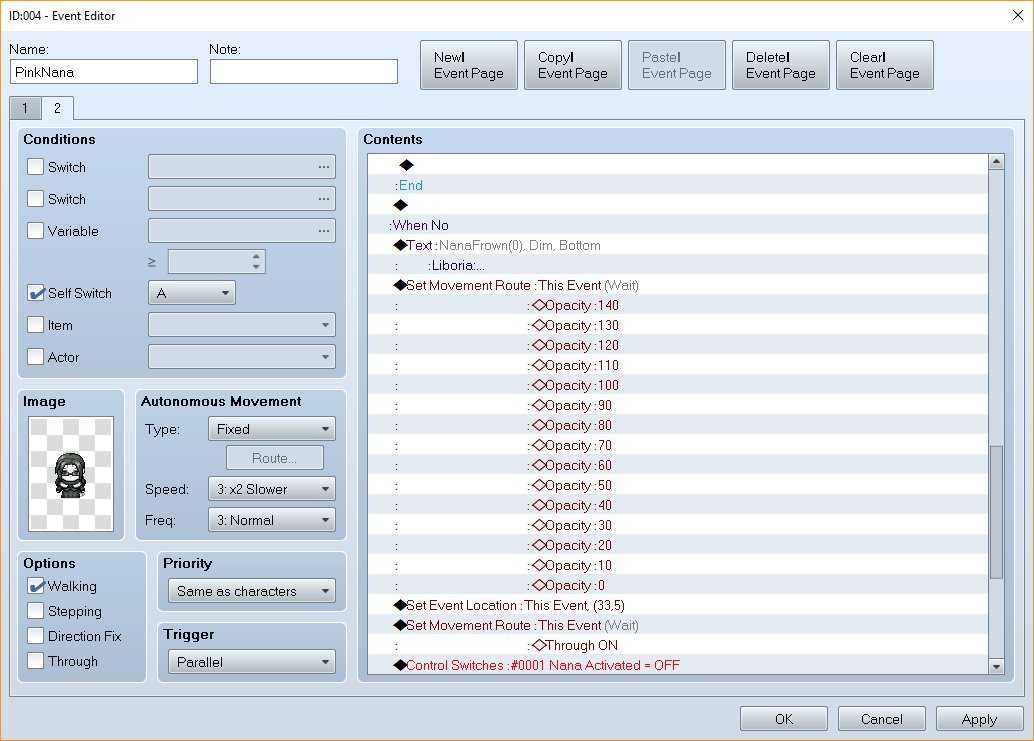
    :When No
        Text:NanaFrown(0), Dim, Bottom
            :Liboria:...
        Set Movement Route: This Event(Wait)
                    Opacity: 140
                    Opacity: 130
                    Opacity: 120
                    Opacity: 110
                    Opacity: 100
                    Opacity: 90
                    Opacity: 80
                    Opacity: 70
                    Opacity: 60
                    Opacity: 50
                    Opacity: 40
                    Opacity: 30
                    Opacity: 20
                    Opacity: 10
                    Opacity: 0
        Set Event Location: This Event, (33,5)
        Set Movement Route: This Event(Wait)
                            :Through ON
        Control Switches: :#0001 Nana Activated = OFF
        Exit Event Processing
        Control Self Switch: A = OFF
        Erase Event
        Set Movement Route: This Event(Wait)
                            :Through ON
    :End
As seen above in the comments in the code, event page 1 has the Switch set to OFF, as my brain understands it, I want that switch to be set to ON after she is defeated so the event no longer appears on the map. However, when I switch it to ON the action press button of event page one doesn't trigger anything. Event page two is set to parallel.
Feel free to help me clean this up --- I am brand new at this. Some pictures are attached.
Thank you in advance.
Please feel free to ask any questions!
- Paw
Downloads / Referenced Files
RPG Maker Web attachments are mirrored locally when available. Other external links remain hosted by their original creator or third-party service.
- Local mirror: 21763-d380bbd4950f3a760670f96b644092fb.jpg
SHA-256:09c01a8f407ce91479a7e9a42f72ad954303476cd63ca3df4c372921c399e2a4
Original attachment URL: https://forums.rpgmakerweb.com/attachments/action-page-2a-jpg.36703/ - Local mirror: 21762-bdd9cc331e6e771830e8c2f3b7811f6c.jpg
SHA-256:f6044b66ca47f4c3ce84c12cf49a3210792a17954c57a792a586c54064d16275
Original attachment URL: https://forums.rpgmakerweb.com/attachments/action-page-1-jpg.36702/ - Local mirror: 21764-a195a6b1c57375a90b9a75acd17af664.jpg
SHA-256:86d4d8a30bd3b8cf20f5592e4bdda7b3376349e87ea5f0ec5064bb8af0b0389b
Original attachment URL: https://forums.rpgmakerweb.com/attachments/action-page-2b-jpg.36704/ - Local mirror: 21765-f54509b957d41a64974f9830baf25904.jpg
SHA-256:8ebc52d9a4a7c919b320888cc9f93683deb94e53c54009a7c236476f75a6f34a
Original attachment URL: https://forums.rpgmakerweb.com/attachments/action-page-2c-jpg.36705/ - Local mirror: 21766-cb82ed84d3deb3316c3dbec8191d2e9f.jpg
SHA-256:91968aaf4a6118a6f9779331e1a073b35e58f7a6a2c5f6d03ea825a3dae21bc7
Original attachment URL: https://forums.rpgmakerweb.com/attachments/action-page-2d-jpg.36706/
Referenced Images / Attachments
Creator Claims / Removal
If you are the original creator and want this listing reassigned, edited, or removed, join BMMPlay and contact the moderators with proof that matches the original RPG Maker Web profile, linked GitHub, itch.io page, or another public creator identity.
Replies (0)
No replies yet.
0
replies
13
views
Topic Summary
Loading summary...