






public

Rpg Maker Developers Group

Simple enough for a child, powerful enough for a developer

2 Followers

[RMVXAce] Picture Event X/Y Variable?

BMM Archive · July 15, 2026

Preserved forum archive. This topic stores the original first post and locally mirrored RPG Maker Web attachments when available. It is posted by the BMMPlay archive account, not by the original creator.

Original Source

  • Original title: [RMVXAce] Picture Event X/Y Variable?
  • Original author: Zheris
  • Original date: May 22, 2016
  • Source thread: https://forums.rpgmakerweb.com/threads/rmvxace-picture-event-x-y-variable.62218/
  • Source forum path: Game Development Engines > Legacy Engine Support > RPG Maker VXAce Support

Summary

I apologize ahead of time for asking such a dumb question. Simply put, I cant figure out how to set the x y coordinates. I am attempting to input the values same as the grid where I want the picture to be. However, it always remains in the top left corner. I have attempted to add for example, 008, 004, ect. To match the grid numbers EXACTLY. It removes the 0's regardless. I attempted to try center screen as well. Also fails. My end result is I'm trying to have...

Archived First Post

I apologize ahead of time for asking such a dumb question.


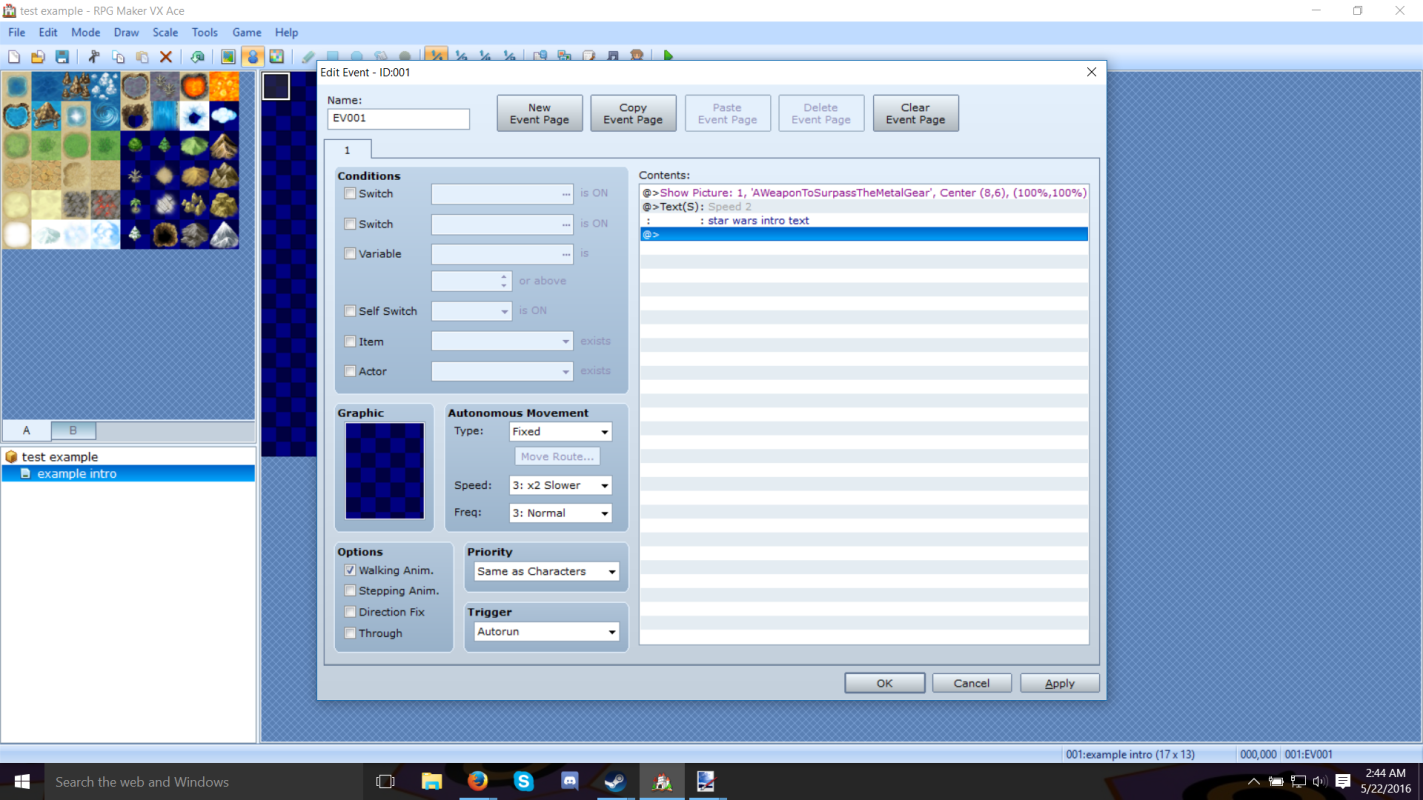
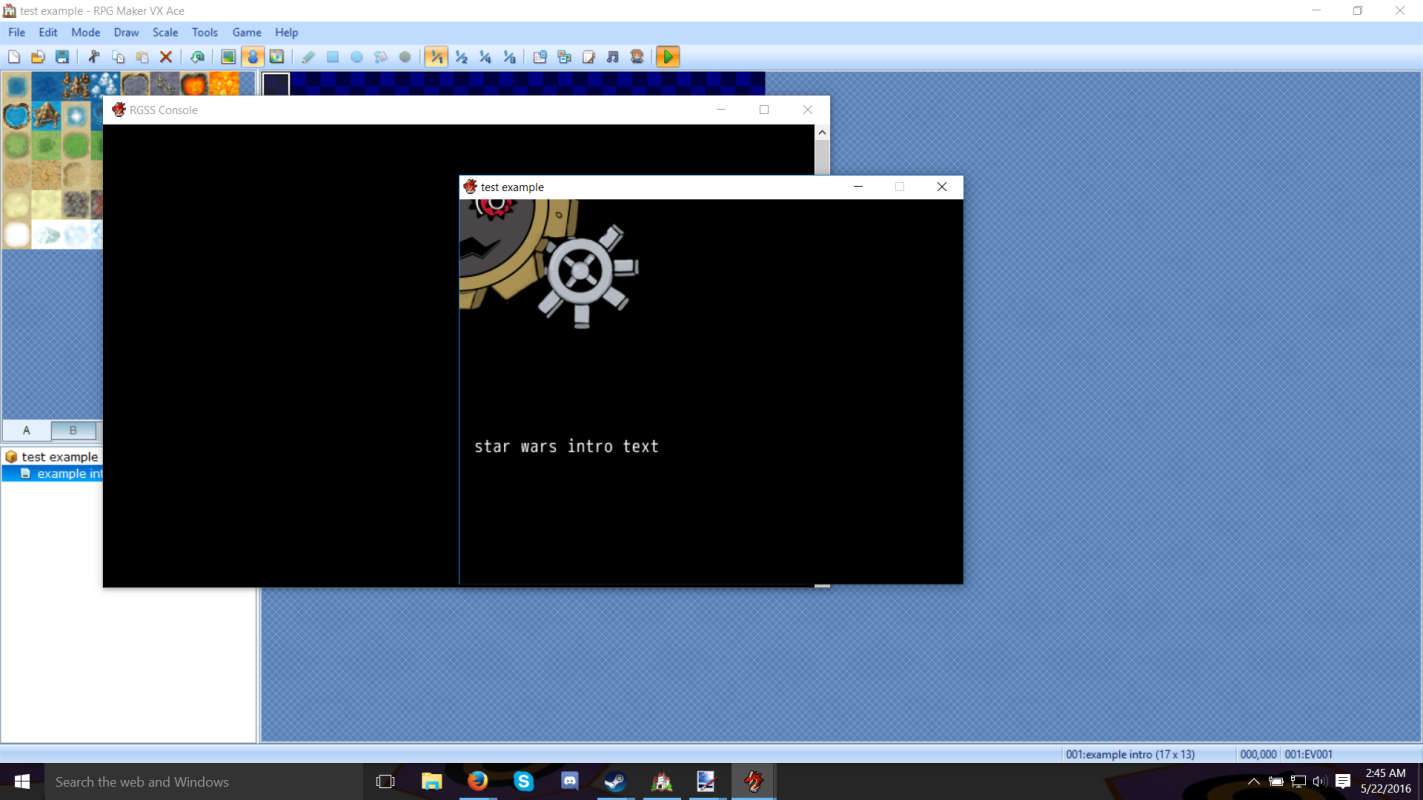
Simply put, I cant figure out how to set the x y coordinates. I am attempting to input the values same as the grid where I want the picture to be. However, it always remains in the top left corner. I have attempted to add for example, 008, 004, ect. To match the grid numbers EXACTLY. It removes the 0's regardless. I attempted to try center screen as well. Also fails.


My end result is I'm trying to have multiple pictures on the screen in different places, if anyone is familiar with the cutscenes from Phantasy Star IV or another possible correlation being a comic book, it's exactly like that.


As you can clearly see in picture one, I put in a picture as a backdrop, I want it kinda centered. Unfortunately I dont have an actual backdrop done because I have a lot to do. So I'm going to use a picture I have finished unrelated, but big enough to work. In picture 2, this is the result.


Any way to fix this?

Protected download

Protected download

Downloads / Referenced Files

Log in to download

Log in, then follow the RPG Maker Developers Group to see these download links.

Log in to download

Referenced Images / Attachments

help1.png
help1.png
help2.png
help2.png
Creator Claims / Removal

If you are the original creator and want this listing reassigned, edited, or removed, join BMMPlay and contact the moderators with proof that matches the original RPG Maker Web profile, linked GitHub, itch.io page, or another public creator identity.

#039#rpg-maker-archive#vxace-support

Replies (0)

No replies yet.

0 replies 1 view

Log in to reply.

User Avatar