


How do i place fences that don't auto link up
BMM_Archive · July 15, 2026

Original Source
- Original title: How do i place fences that don't auto link up
- Original author: Brontanius
- Original date: May 19, 2016
- Source thread: https://forums.rpgmakerweb.com/threads/how-do-i-place-fences-that-dont-auto-link-up.62088/
- Source forum path: Game Development Engines > Legacy Engine Support > RPG Maker VXAce Support
Summary
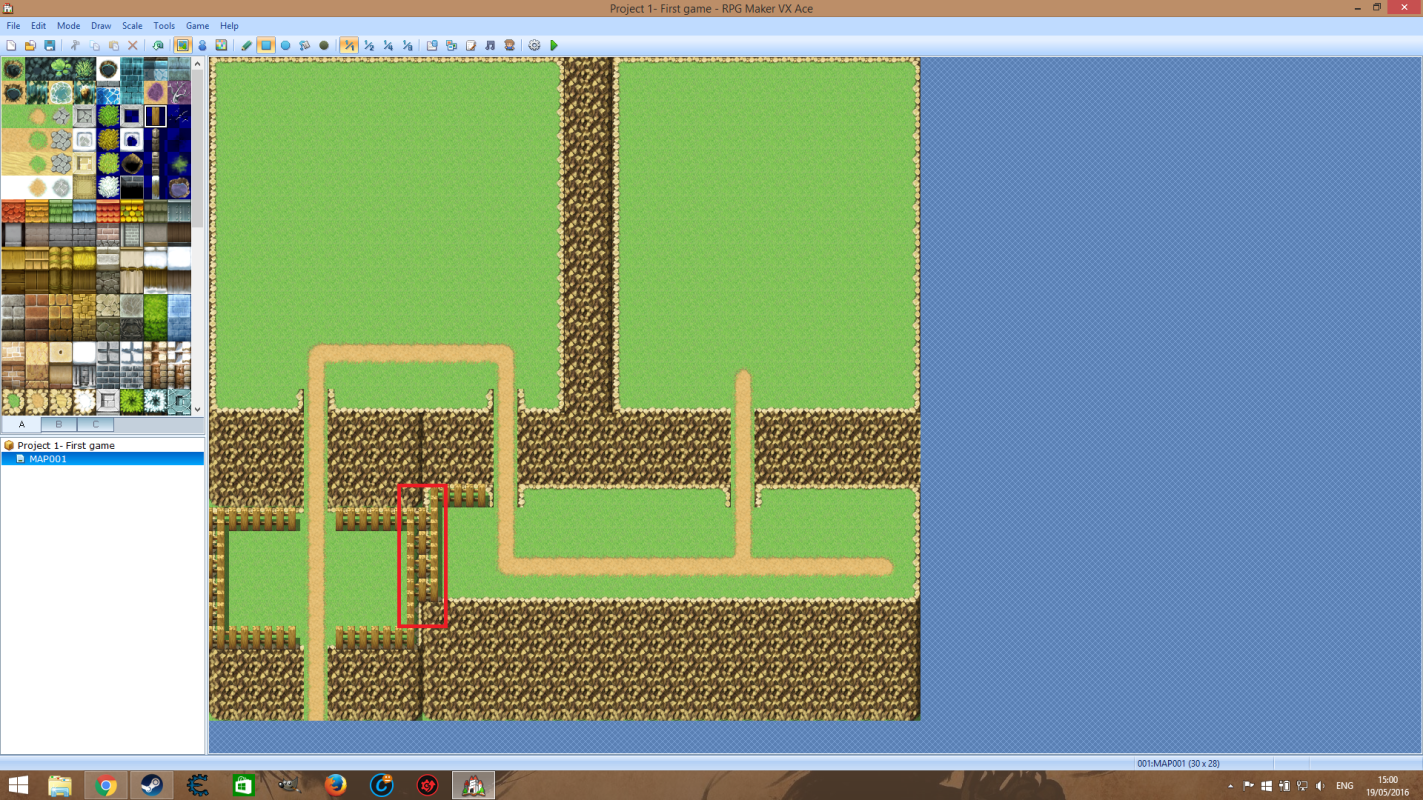
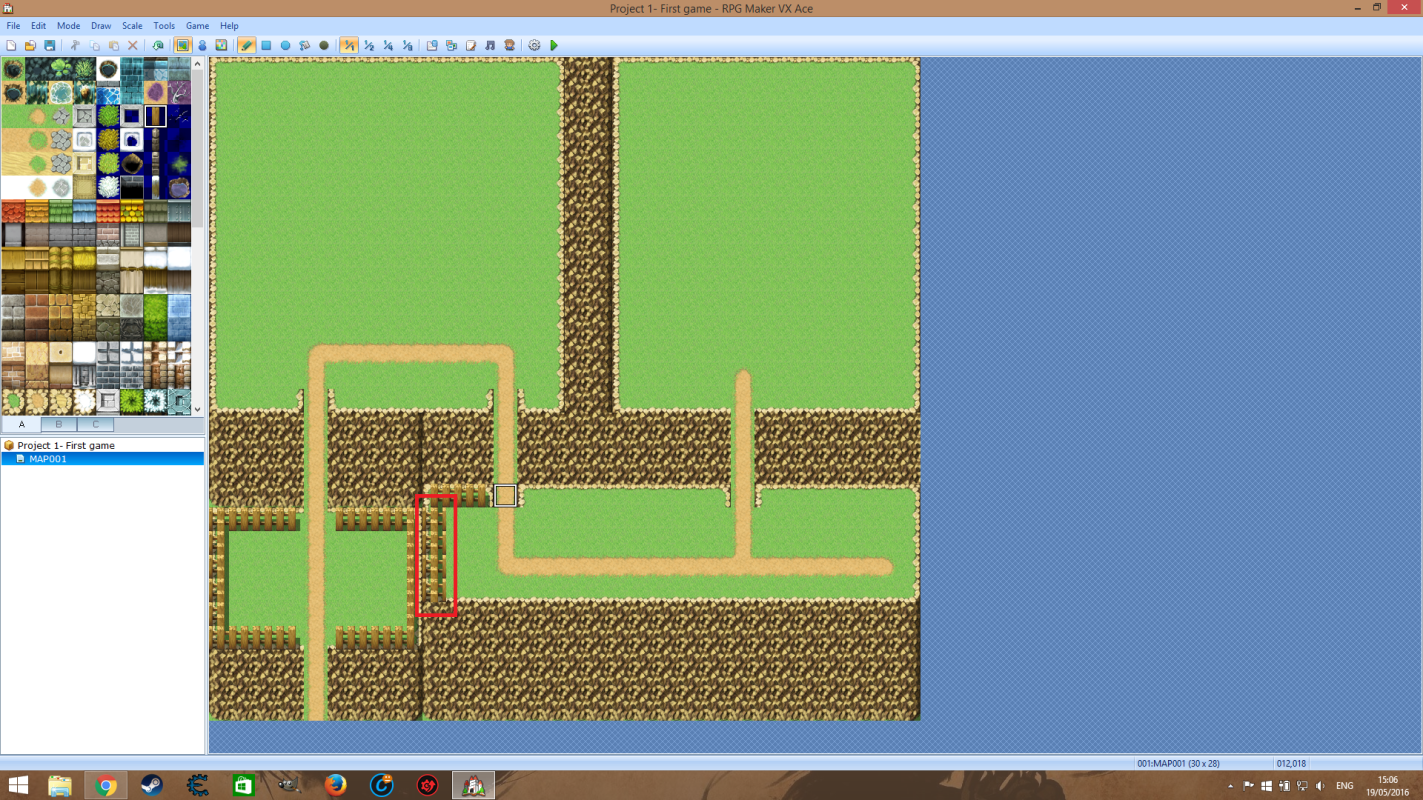
Simply put, I am attempting to use this software to make a game and while designing the first main area of the game, the player home zone, I want to put the illusion of depth in by placing some fences in a way that makes one look like it is above the other. In the zone, I have most of it how i want but if you look to the attached file and the selected area, I want to get rid of the automatic linking of these fences. How do...
Archived First Post
I have attempted to use shift+lclick which does get rid of the initial linking in the fences.png but then they do a wierd automatic look that just looks wrong as shown in fences2.png.
Also trying ctrl+lclick does the same look as in fences.png.
Protected download
Protected download
Downloads / Referenced Files
Log in, then follow the RPG Maker Developers Group to see these download links.
Log in to downloadReferenced Images / Attachments
Creator Claims / Removal
If you are the original creator and want this listing reassigned, edited, or removed, join BMMPlay and contact the moderators with proof that matches the original RPG Maker Web profile, linked GitHub, itch.io page, or another public creator identity.


Replies (0)
No replies yet.
Topic Summary
Loading summary...
