public

Rpg Maker Developers Group

Simple enough for a child, powerful enough for a developer

2 Followers
Preserved forum archive. This topic stores the original first post and locally mirrored RPG Maker Web attachments when available. It is posted by the BMMPlay archive account, not by the original creator.

Original Source

  • Original title: Picture Error
  • Original author: Ultimate-Gamer
  • Original date: May 4, 2016
  • Source thread: https://forums.rpgmakerweb.com/threads/picture-error.61359/
  • Source forum path: Game Development Engines > Legacy Engine Support > RPG Maker VXAce Support

Summary

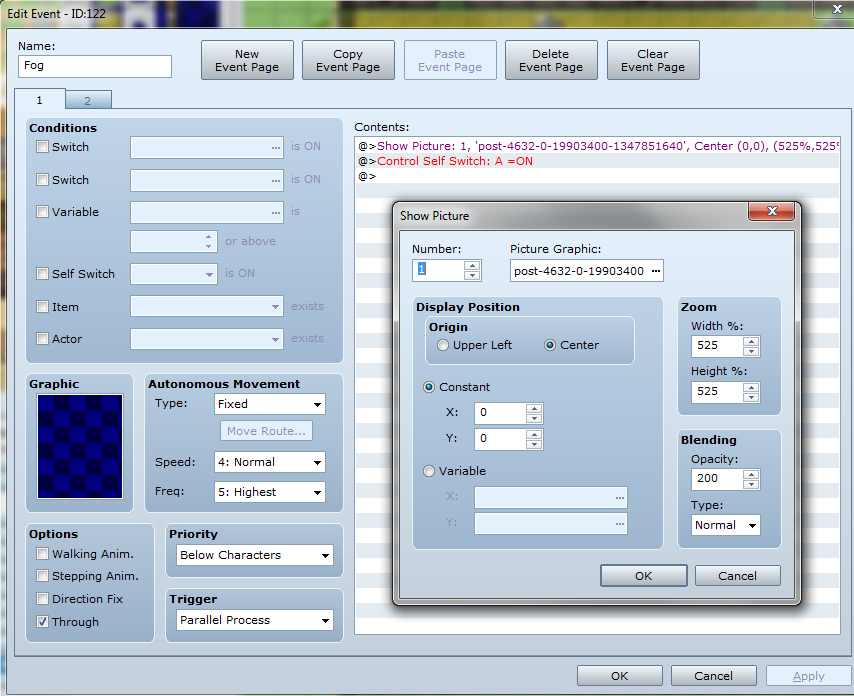
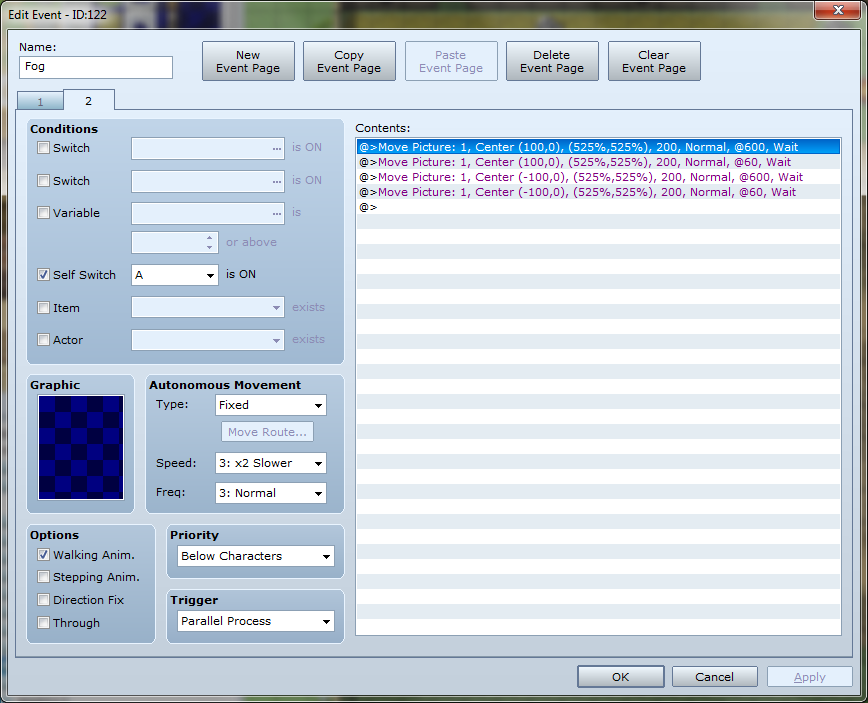
Hey guys, I tried searching this forum for the answer and couldn't find one. So, in my game I'm trying to create a cool fog (or smoke in my case) effect. I used This nifty tutorial for it. Everything works fine for the most part when I enter the map with the fog it looks amazing. However, when I left, the fog persisted. Not something I wanted. Following the advice in the thread I created an "Erase Picture" event on the next maps to get rid of the fog. That...

Archived First Post

Hey guys, I tried searching this forum for the answer and couldn't find one.


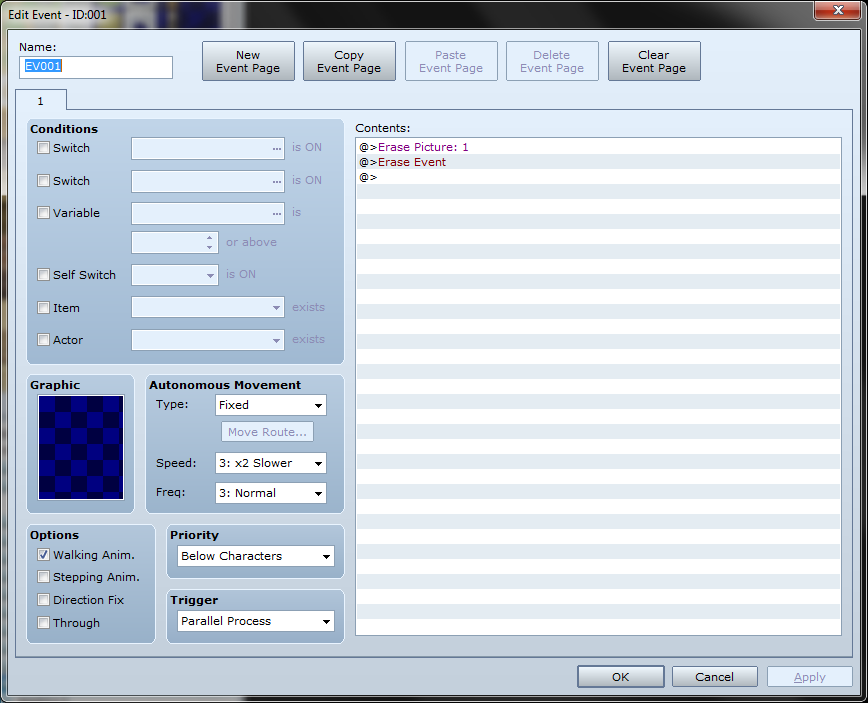
So, in my game I'm trying to create a cool fog (or smoke in my case) effect. I used This nifty tutorial for it. Everything works fine for the most part when I enter the map with the fog it looks amazing. However, when I left, the fog persisted. Not something I wanted. Following the advice in the thread I created an "Erase Picture" event on the next maps to get rid of the fog. That worked too, the fog was gone and the screen was back to normal.


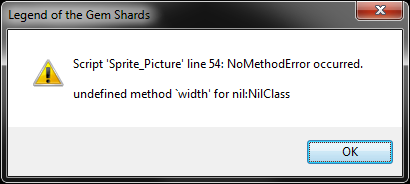
Now, when I go back into the fog map, I get the following error:


"Script 'sprite_Picture' line 54: NoMethodError occurred.


undefined method 'width' for nil:NilClass"


Neither the mentioned thread, nor any other seem to answer have the answer, I was wondering if anyone has any ideas.


I apologize if this has already been answered, but I checked like maybe four pages of search results and came up empty.


Below are pictures of both the error, and the events in question. Let me know if you need anything else.

Protected download

Protected download

Protected download

Protected download


Downloads / Referenced Files

Log in to download

Log in, then follow the RPG Maker Developers Group to see these download links.

Log in to download

Referenced Images / Attachments

Error4.png
Error4.png
Error.png
Error.png
Error2.png
Error2.png
Error3.png
Error3.png
Creator Claims / Removal

If you are the original creator and want this listing reassigned, edited, or removed, join BMMPlay and contact the moderators with proof that matches the original RPG Maker Web profile, linked GitHub, itch.io page, or another public creator identity.

#039#rpg-maker-archive#vxace-support

Replies (0)

No replies yet.

0 replies 1 view

Log in to reply.

User Avatar