

Image for rock is changing.
BMM_Archive · July 15, 2026

Original Source
- Original title: Image for rock is changing.
- Original author: zomina
- Original date: April 2, 2016
- Source thread: https://forums.rpgmakerweb.com/threads/image-for-rock-is-changing.59847/
- Source forum path: Game Development Engines > Legacy Engine Support > RPG Maker MV Support
Summary
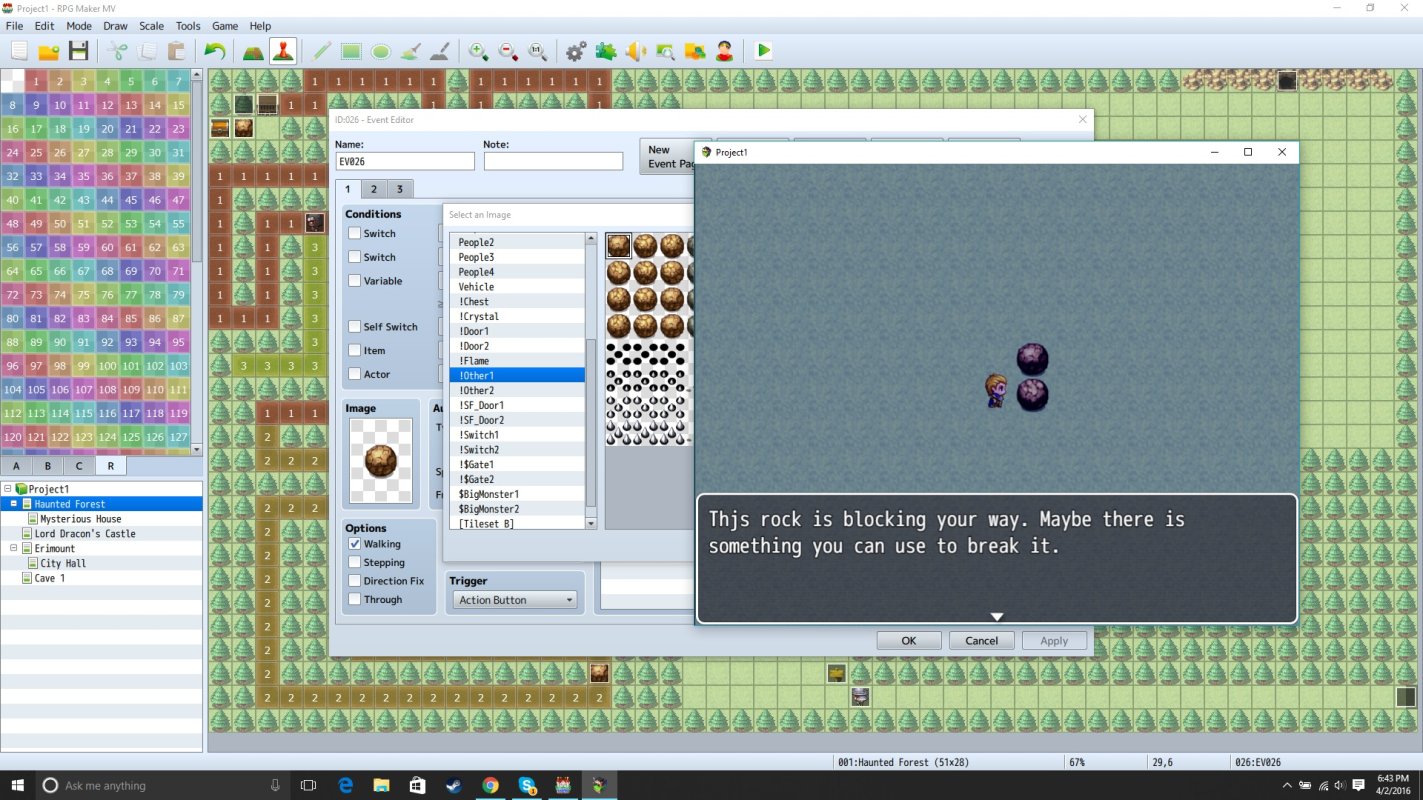
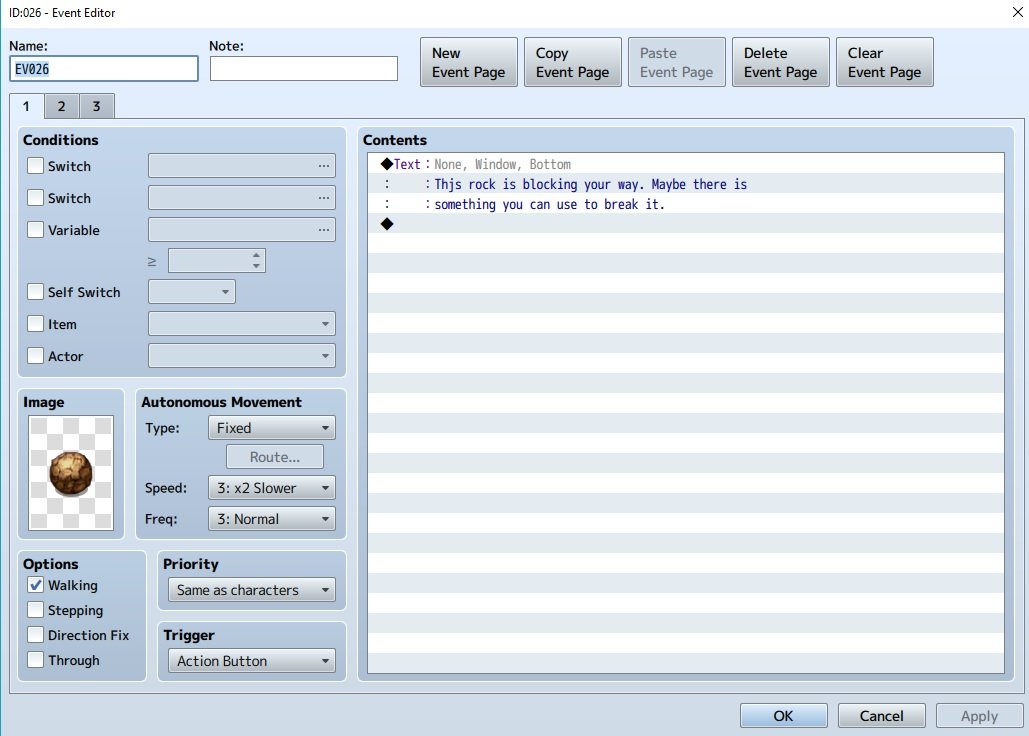
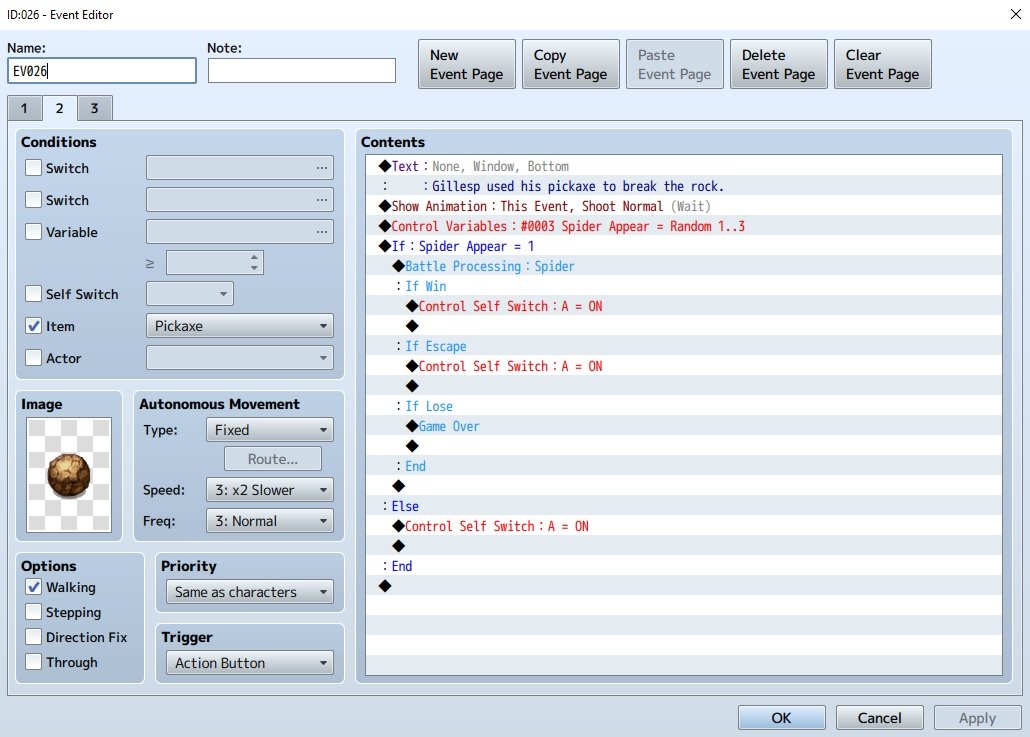
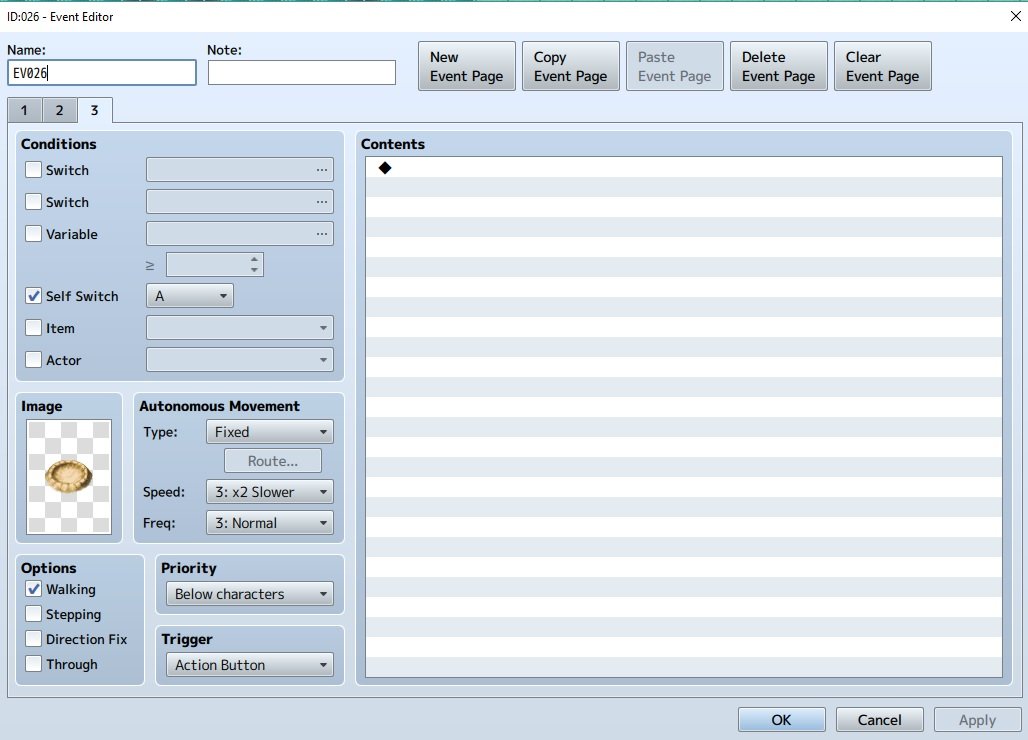
Hi so in my game I have a bunch of rocks that have the correct art but when I click on them (this triggers an event that causes text to appear), the art changes. In the first images the rock (with the correct art) is shown and another rock (with the incorrect art) is also shown. Here are the screenshots { "lightbox_close": "Close", "lightbox_next": "Next",
Archived First Post
Downloads / Referenced Files
RPG Maker Web attachments are mirrored locally when available. Other external links remain hosted by their original creator or third-party service.
- Local mirror: 20858-1fd43c1aac4ba0beba293f1aa3ab13b0.jpg
SHA-256:7799aea82f10161953a8084a262ea798cc5b5a954a94f553e552b671ec8a10b2
Original attachment URL: https://forums.rpgmakerweb.com/attachments/screenshot1-jpg.35354/ - Local mirror: 20859-221b292298a72a7fdbe2df6f5e512ea6.jpg
SHA-256:ddf4b45fdb841a1d97c735505abe1e4ec5aa77d1cb910c96cd605c7df87dc032
Original attachment URL: https://forums.rpgmakerweb.com/attachments/screenshot2-jpg.35355/ - Local mirror: 20863-318e743b6460b2fa88fb6e9a83001cc3.jpg
SHA-256:94af67c2f76a9f1b9d6dc96efff8925f11299a7959151005090181c9d38ee39e
Original attachment URL: https://forums.rpgmakerweb.com/attachments/screenshot3-jpg.35359/ - Local mirror: 20864-c978aed243f7d0032048ae1715e9e37c.jpg
SHA-256:94a26fee3b2bad61bc12c4503e77fb27b118e7e715c0124de52d74b2e39962b2
Original attachment URL: https://forums.rpgmakerweb.com/attachments/screenshot4-jpg.35360/
Referenced Images / Attachments
Creator Claims / Removal
If you are the original creator and want this listing reassigned, edited, or removed, join BMMPlay and contact the moderators with proof that matches the original RPG Maker Web profile, linked GitHub, itch.io page, or another public creator identity.
Replies (0)
No replies yet.
Topic Summary
Loading summary...