Preserved forum archive. This topic stores the original first post and locally mirrored RPG Maker Web attachments when available. It is posted by the BMMPlay archive account, not by the original creator.
Original Source
Original title: How to set other items/graphics as chests?
Source forum path: Game Development Engines > Legacy Engine Support > RPG Maker VXAce Support
Summary
I am having trouble figuring out how to create lootable containers other than the treasure chests. For example, I want to have and end table or cabinet that it lootable, and only once. I have had numerous issues figuring this out. I tried importing some graphics of containers into Graphics/Characters, but if I use an imported graphic, nothing happens at all. If a do a "quick even creation","treasure chest" and change the graphic, as soon as a select the container in game, it switches to a graphic of a chest....
Archived First Post
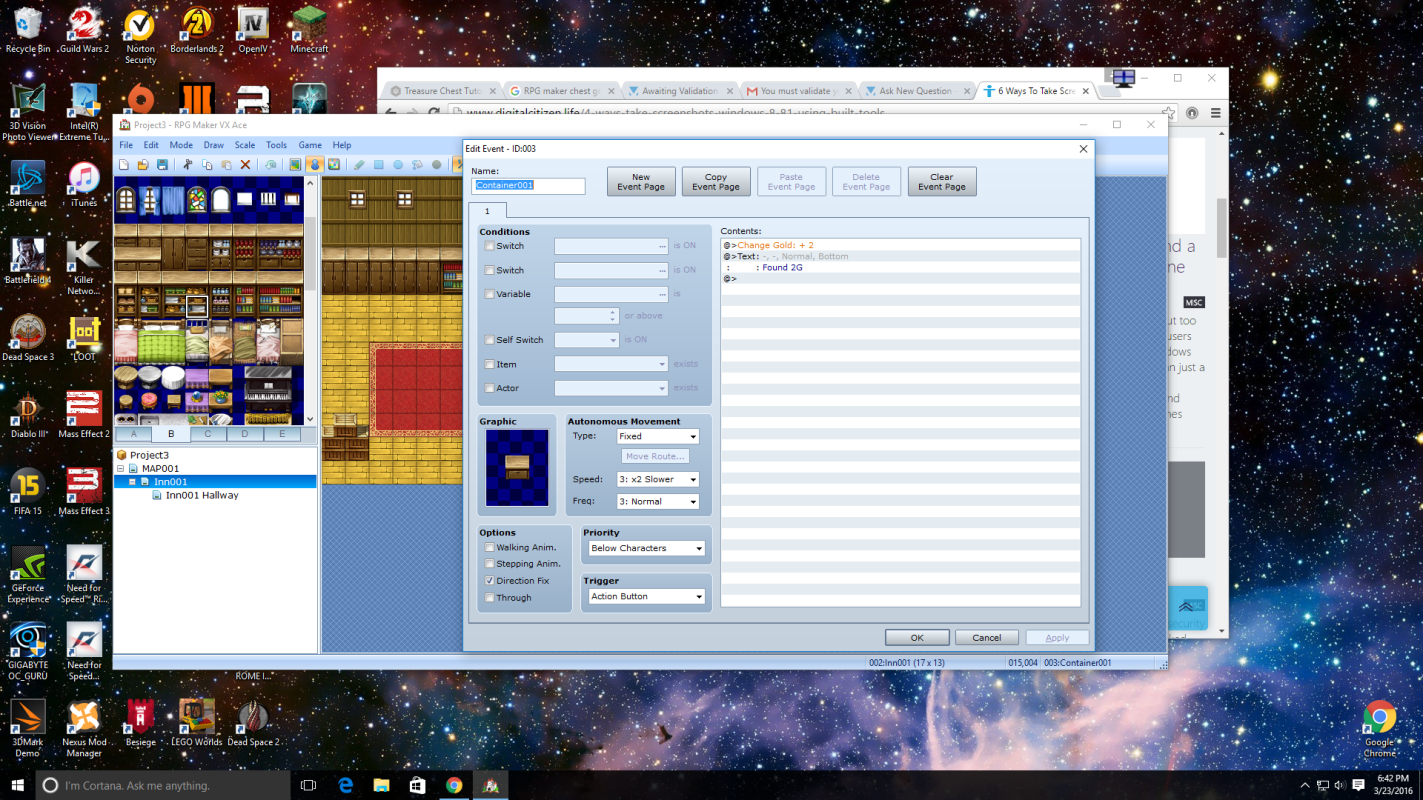
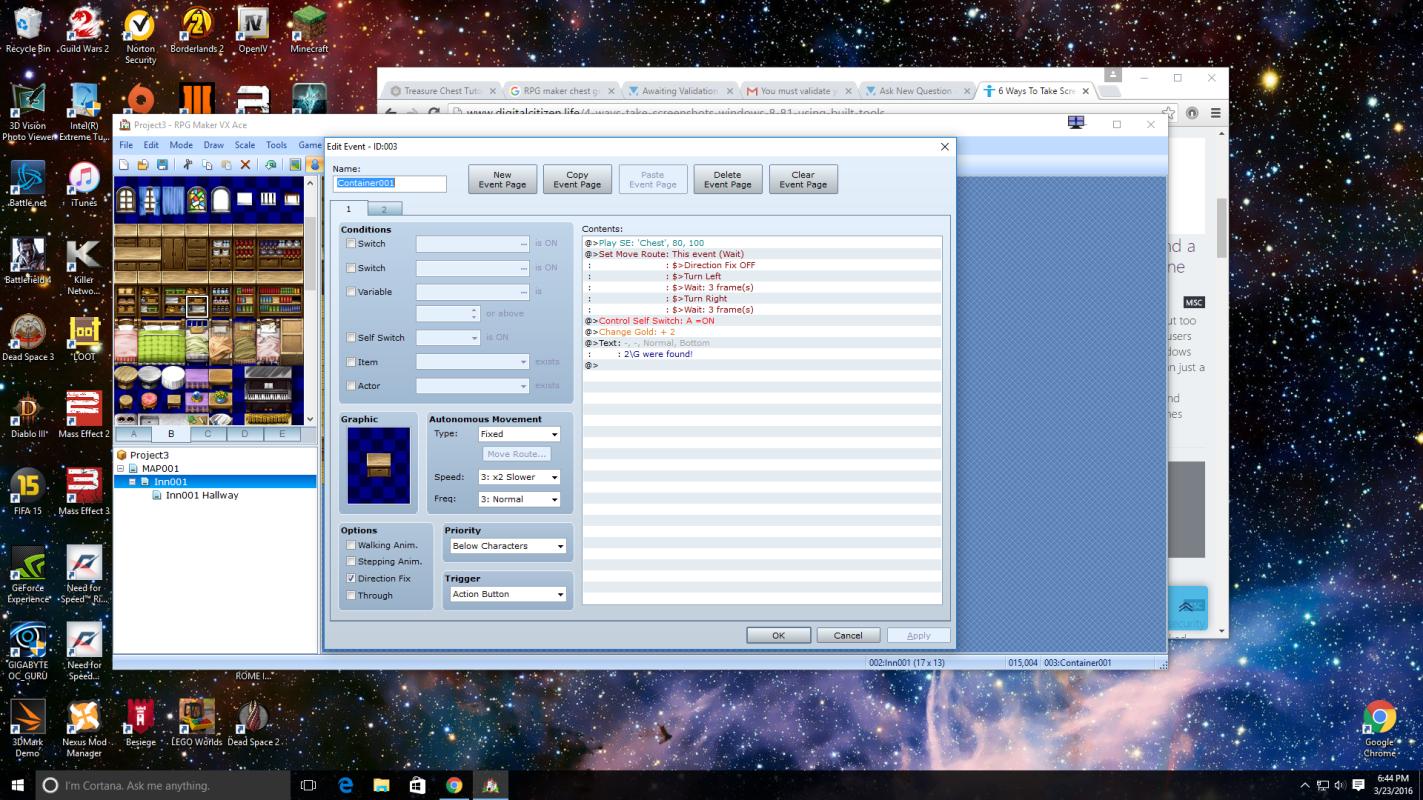
I am having trouble figuring out how to create lootable containers other than the treasure chests. For example, I want to have and end table or cabinet that it lootable, and only once. I have had numerous issues figuring this out. I tried importing some graphics of containers into Graphics/Characters, but if I use an imported graphic, nothing happens at all. If a do a "quick even creation","treasure chest" and change the graphic, as soon as a select the container in game, it switches to a graphic of a chest. I can create a new event on a black space in front of the container, and do an "add gold"/"show text", but I am able to do this over and over again infinitely. In the first Screenshot, I made a new event directly on the item I want to loot. But when I walk up to it and hit enter, nothing happens at all. I can use this process on a blank tile in front of the object I want to loot, but I am able to do it over and over again. In the second screenshot, I do a quick event creation, which forces me to pick a graphic of a treasure chest. If I go back and edit the quick event, and change the graphic to one that I imported (such as the one in the screenshot), I can loot the object, but the graphic changes to one of the chest I was forced to pick originally. Any help with this is appreciated.
Protected download
Protected download
Downloads / Referenced Files
Log in to download
Log in, then follow the RPG Maker Developers Group to see these download links.
If you are the original creator and want this listing reassigned, edited, or removed, join BMMPlay and contact the moderators with proof that matches the original RPG Maker Web profile, linked GitHub, itch.io page, or another public creator identity.




 Antlion Audio ModMic USB Attachable Microphone
Attachable USB microphone that turns favorite headphones into a stream or chat headset.
View on Amazon
Antlion Audio ModMic USB Attachable Microphone
Attachable USB microphone that turns favorite headphones into a stream or chat headset.
View on Amazon