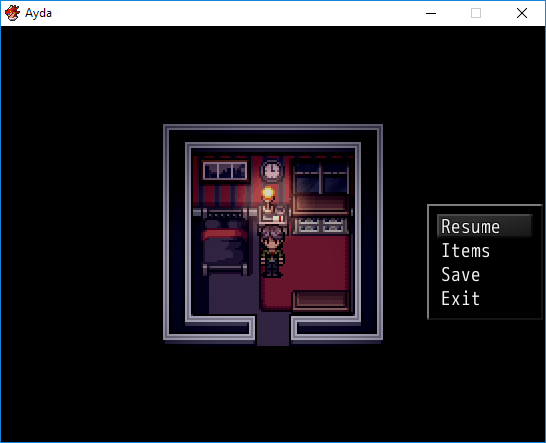
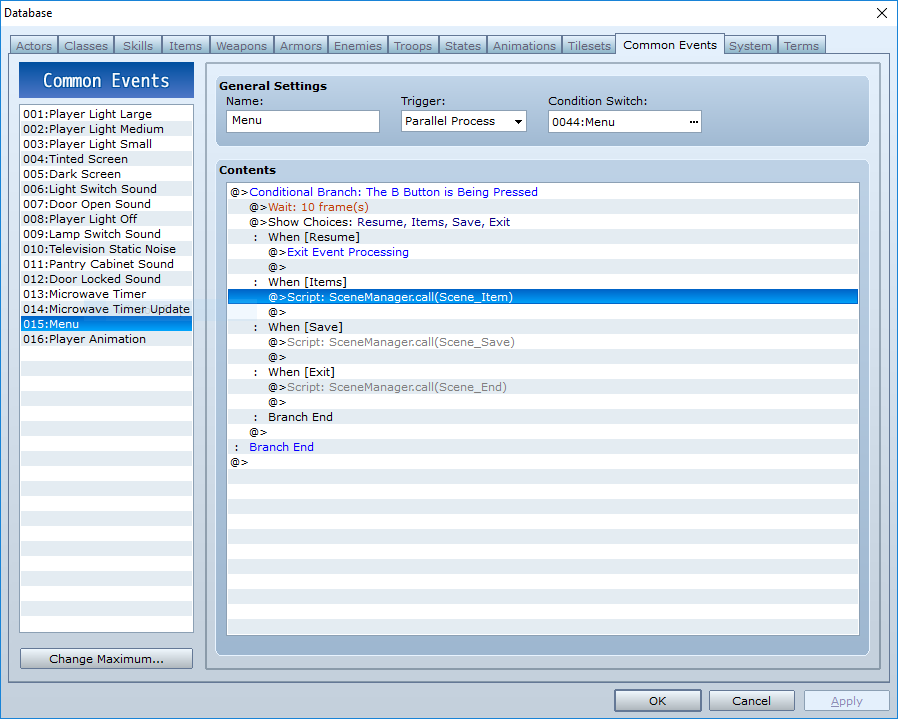
I am using events to create a custom menu for Items, Save, and End Game as the player does not need to see the character's HP, status, etc. Spoiler { "lightbox_close": "Close",
I am using events to create a custom menu for Items, Save, and End Game as the player does not need to see the character's HP, status, etc.
Protected download
Protected download
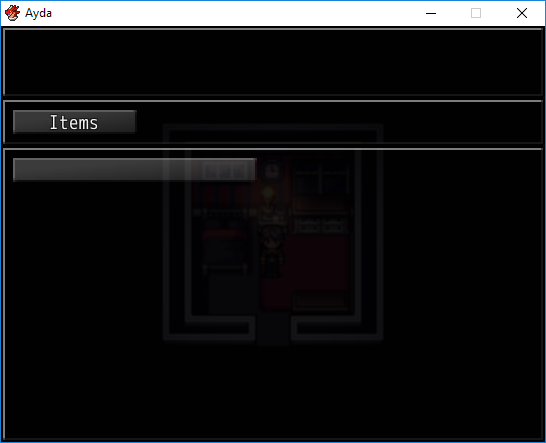
I use the script call, SceneManager.call(Scene_Item) to bring up the Items menu. Since I do not need the Weapons, Armors, or Key Items categories, I have removed those. However, the player still needs to press an extra confirm button in the Item Categories menu to start browsing the actual items. This is redundant, as one confirm button from the original evented menu should be enough to start browsing their items.
So I am asking if there is a SceneManager.Call or equivalent that brings the player directly to browsing their collection of items. I suppose the next step would be figuring out a way for the player to not need to press the cancel button twice to get out of the menu.
Thanks for any help and insight on this topic!




 Blue Compass Premium Tube-Style Broadcast Boom Arm
Desktop boom arm with cable management for podcast, stream, and voice recording setups.
View on Amazon
Blue Compass Premium Tube-Style Broadcast Boom Arm
Desktop boom arm with cable management for podcast, stream, and voice recording setups.
View on Amazon