Preserved forum archive. This topic stores the original first post and locally mirrored RPG Maker Web attachments when available. It is posted by the BMMPlay archive account, not by the original creator.
Source forum path: Game Development Engines > Legacy Engine Support > RPG Maker VXAce Support
Summary
Alright, so, I've done some searching and cant find anything on this. In my game, there's a section where everything has a nighttime tint with a bit more blue to it, I'm using a parallel process to tint the screen, then I have it erase the event, however, after the event gets erased, the map fades back to normal tint, regardless of there not being ANY events that do that. I've tested it with other maps using autorun, and it seems to work just fine, event erases and the tint...
Archived First Post
Alright, so, I've done some searching and cant find anything on this.
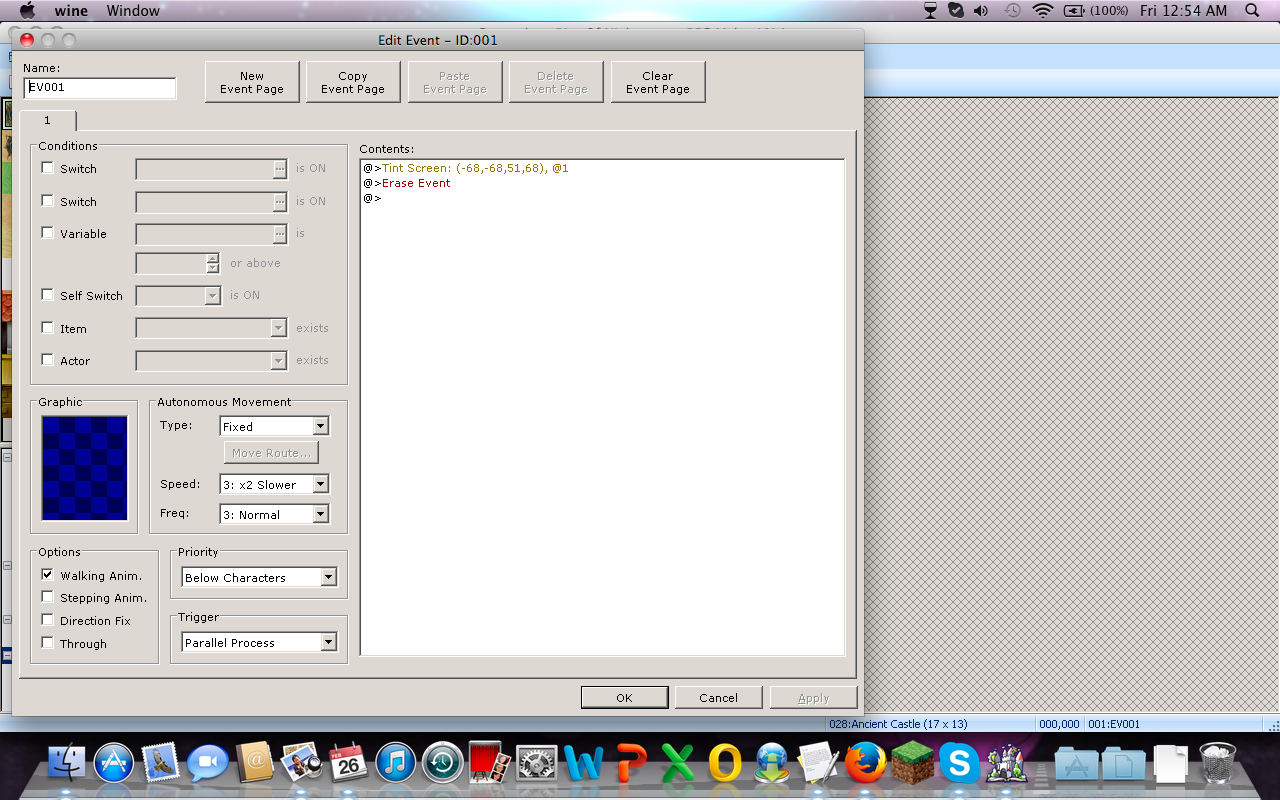
In my game, there's a section where everything has a nighttime tint with a bit more blue to it, I'm using a parallel process to tint the screen, then I have it erase the event, however, after the event gets erased, the map fades back to normal tint, regardless of there not being ANY events that do that. I've tested it with other maps using autorun, and it seems to work just fine, event erases and the tint remains, yet when it's set to parallel process, the screen will tint, then fade to normal. Any ideas on whats going on? Or how to fix it?
I did include a screenshot (yes i'm running with wine on mac) of exactly what the event is doing.
Protected download
Downloads / Referenced Files
Log in to download
Log in, then follow the RPG Maker Developers Group to see these download links.
If you are the original creator and want this listing reassigned, edited, or removed, join BMMPlay and contact the moderators with proof that matches the original RPG Maker Web profile, linked GitHub, itch.io page, or another public creator identity.




 Amaran Halo 100X COB LED Video Light
Compact bi-color studio light for YouTube, TikTok, product shots, and live streaming.
View on Amazon
Amaran Halo 100X COB LED Video Light
Compact bi-color studio light for YouTube, TikTok, product shots, and live streaming.
View on Amazon

