




Original Source
- Original title: How MV Reads Sprites
- Original author: Nova Toby
- Original date: March 17, 2016
- Source thread: https://forums.rpgmakerweb.com/threads/how-mv-reads-sprites.58873/
- Source forum path: Game Development Engines > Legacy Engine Support > RPG Maker MV Support
Summary
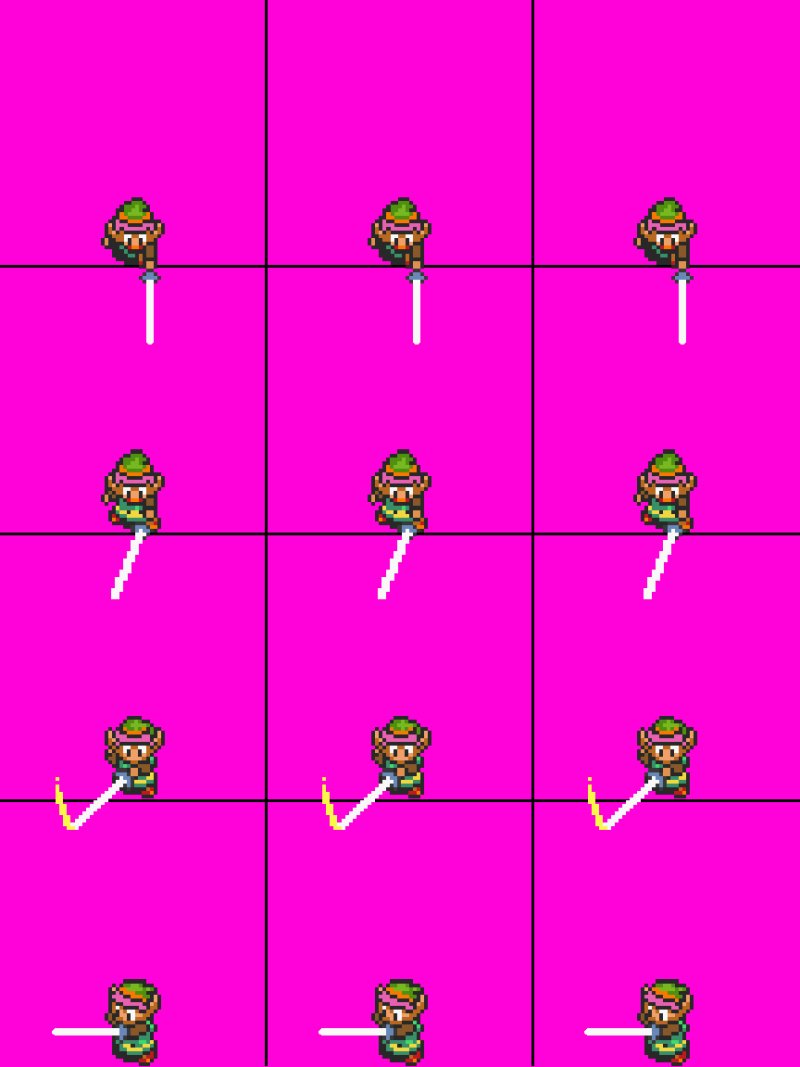
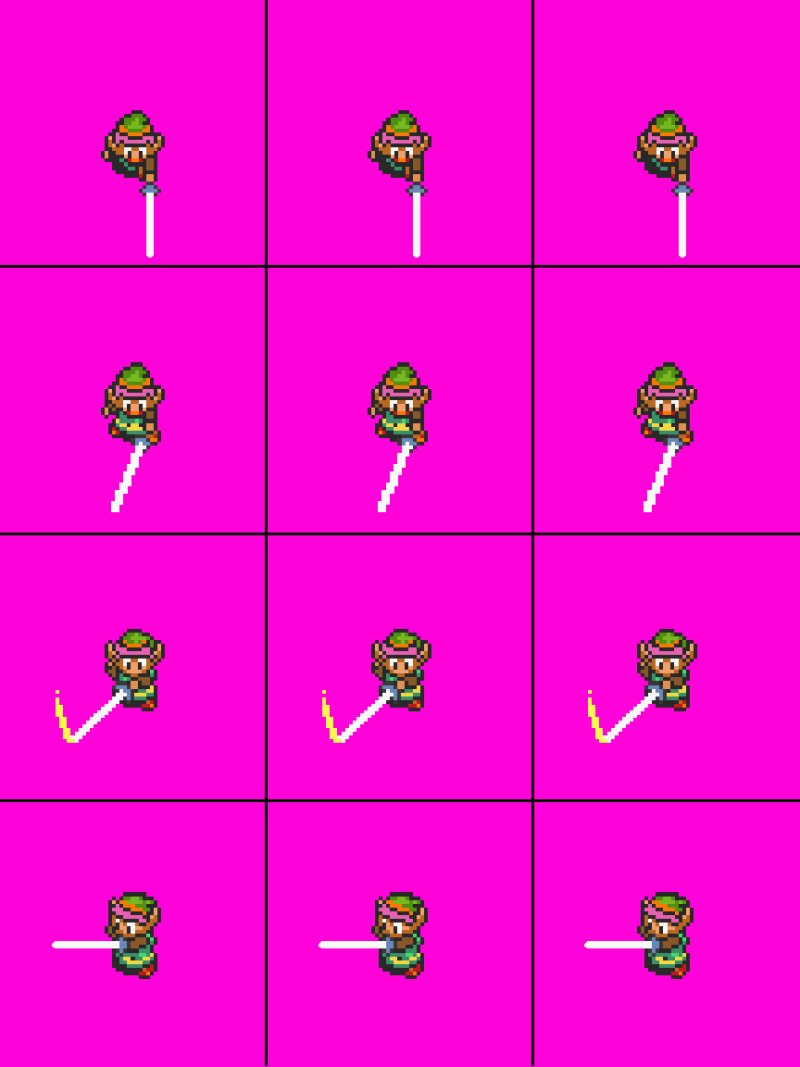
I'm having an issue with how RPG Maker MV Reads Sprite sheets. The program always reads the bottom of each frame on a sheet for placement on the map. I need it to read the middle of the frame instead. I have resized my sprites to allow for the sword swing animation. The reason for this is I'm making an action RPG and the characters sword needs to be able to be swung below his feet when facing down but since you cant have anything go below the feet...
Archived First Post
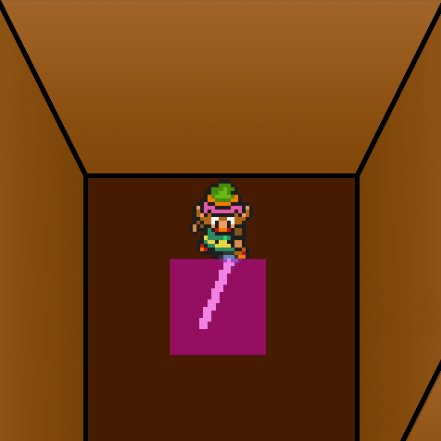
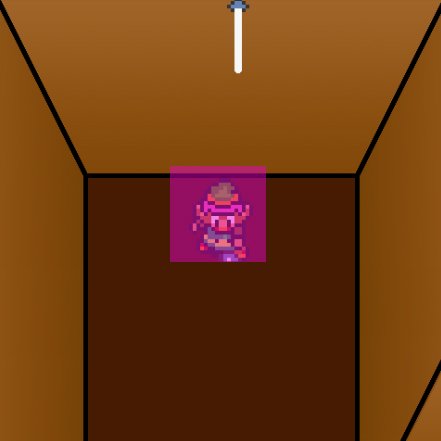
The reason for this is I'm making an action RPG and the characters sword needs to be able to be swung below his feet when facing down but since you cant have anything go below the feet of your sprite it reads it wrong. I've attached some images to help. I have Link as a placeholder to give you an idea of what I mean.
The Pink sqaure represents the tile the game thinks the player is on and is the 'collision tile'. If I move the sprite up to the middle it looks right but the collision is wrong. If I move him to the bottom his sword gets cut off and the frame above him overlaps thus his sword appears above his head.
Is there a way for the game to read the spritesheets from the middle instead of the bottom?
Protected download
Protected download
Protected download
Protected download
Downloads / Referenced Files
Log in, then follow the RPG Maker Developers Group to see these download links.
Log in to downloadReferenced Images / Attachments
Creator Claims / Removal
If you are the original creator and want this listing reassigned, edited, or removed, join BMMPlay and contact the moderators with proof that matches the original RPG Maker Web profile, linked GitHub, itch.io page, or another public creator identity.
Replies (0)
No replies yet.
Topic Summary
Loading summary...


