






Original Source
- Original title: Graphics off center?
- Original author: PhoenixX92
- Original date: December 1, 2015
- Source thread: https://forums.rpgmakerweb.com/threads/graphics-off-center.51961/
- Source forum path: Game Development Engines > Legacy Engine Support > RPG Maker VXAce Support
Summary
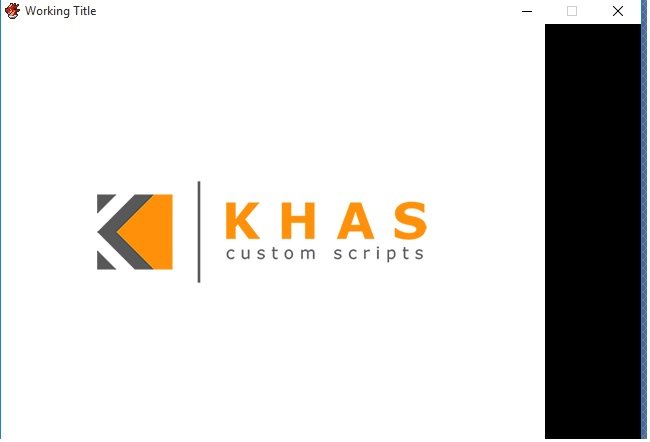
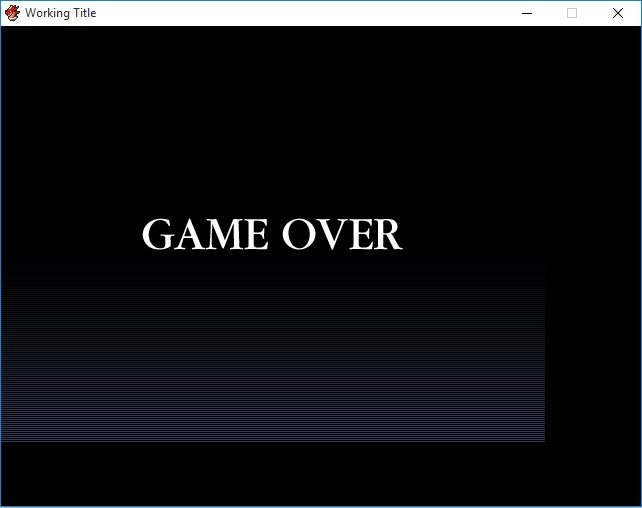
So I've got a bit of a dilemma here, I seem to have the "Game Over" screen off center, as well as graphics when you start up the project for tests. Using some of Khas's scripts, so I put his logo in at start-up. However, Khas' scripts aren't what are causing this, I've had the Gameover screen off-center for awhile now, I just simply shrugged it off because it really wasn't that big of a deal until it got to the point of a pure white screen having a huge...
Archived First Post
Using some of Khas's scripts, so I put his logo in at start-up. However, Khas' scripts aren't what are causing this, I've had the Gameover screen off-center for awhile now, I just simply shrugged it off because it really wasn't that big of a deal until it got to the point of a pure white screen having a huge black bar on the far right of the screen.
Anyways, here's a couple screencaps:
Protected download
Protected download
Anybody know what the problem is with this? Have any of you ever had this issue and know how to fix it?
I haven't done anything to move pictures/graphics or knock them off center that I know of.
The only thing I've done at all relating to pictures is I made an event that calls a picture for a map, lol.
Downloads / Referenced Files
Log in, then follow the RPG Maker Developers Group to see these download links.
Log in to downloadReferenced Images / Attachments
Creator Claims / Removal
If you are the original creator and want this listing reassigned, edited, or removed, join BMMPlay and contact the moderators with proof that matches the original RPG Maker Web profile, linked GitHub, itch.io page, or another public creator identity.
Replies (0)
No replies yet.
Topic Summary
Loading summary...

