Preserved forum archive. This topic stores the original first post and locally mirrored RPG Maker Web attachments when available. It is posted by the BMMPlay archive account, not by the original creator.
Source forum path: Game Development Engines > Legacy Engine Support > RPG Maker VXAce Support
Summary
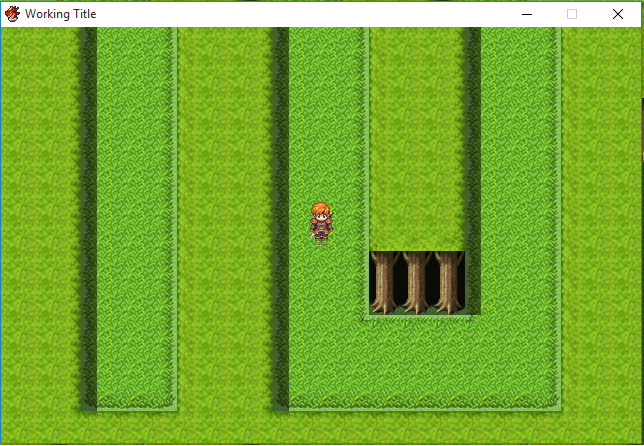
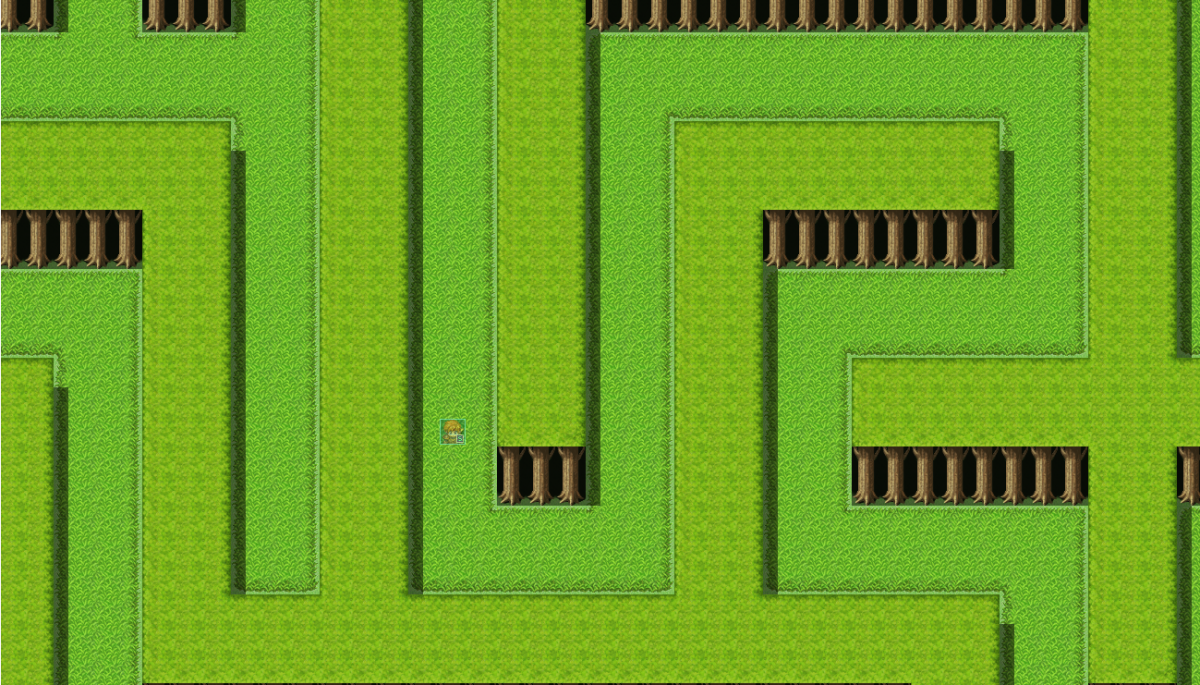
This question has probably been asked many, many times, but I haven't found exactly what I'm looking for, so feel free to kill this thread with a link. I'm wanting a resolution change for the game, however, I don't want it to be, idk? Stretched? I just simply want the screen borders extended to where my game screen sees what the editor's screen can see. What the game sees: {
Archived First Post
This question has probably been asked many, many times, but I haven't found exactly what I'm looking for, so feel free to kill this thread with a link.
I'm wanting a resolution change for the game, however, I don't want it to be, idk? Stretched? I just simply want the screen borders extended to where my game screen sees what the editor's screen can see.
What the game sees:
Protected download
What the editor sees:
Protected download
I want the game's resolution to be as wide as the editor, so it's not like I'm zooming in or out and losing image quality, just simply expanding the border.
How could I do that? I don't want to lose quality, I just happen to have some puzzles/mazes that would greatly benefit from the viewing angle being wider than normal.
I saw on an older post that increasing beyond 640x480 would require hacking the exe, which is against the EULA. So, you know... Don't want to do that.
Also, just to clarify, this IS VX Ace, I'm just using XP sprites.
Downloads / Referenced Files
Log in to download
Log in, then follow the RPG Maker Developers Group to see these download links.
If you are the original creator and want this listing reassigned, edited, or removed, join BMMPlay and contact the moderators with proof that matches the original RPG Maker Web profile, linked GitHub, itch.io page, or another public creator identity.




 ULANZI D200X Creative Deck Macro Keyboard
Programmable shortcut deck for OBS, streaming controls, editing macros, and studio workflows.
View on Amazon
ULANZI D200X Creative Deck Macro Keyboard
Programmable shortcut deck for OBS, streaming controls, editing macros, and studio workflows.
View on Amazon