Preserved forum archive. This topic stores the original first post and locally mirrored RPG Maker Web attachments when available. It is posted by the BMMPlay archive account, not by the original creator.
Original Source
Original title: Extending the Message Bar Cut-Off Area
Source forum path: Game Development Engines > Legacy Engine Support > RPG Maker MV Support
Summary
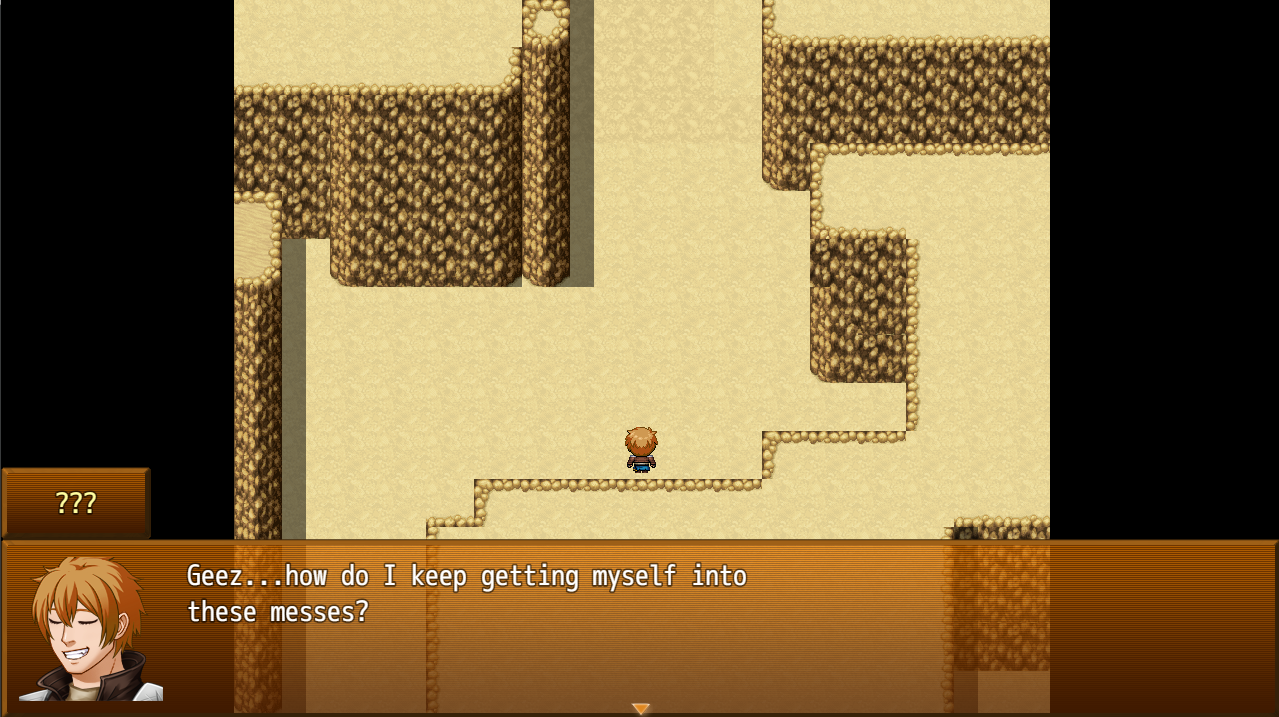
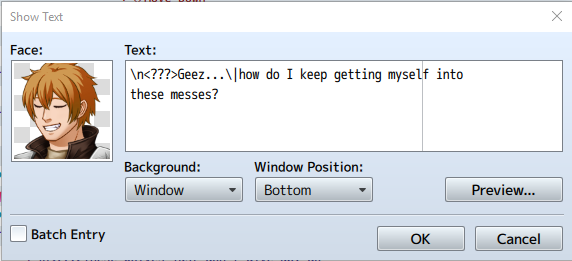
Something I've always been curious about. How to extend the cutoff line where you type in your messages (points to 2nd image where "myself" is seemingly cut)? I need to know when it's good to enter another line of text based on the 1280x720 resolution so there's no gap on the right side of the message screen as seen in 1st image. { "lightbox_close": "Close", "lightbox_next": "Next",
Archived First Post
Something I've always been curious about. How to extend the cutoff line where you type in your messages (points to 2nd image where "myself" is seemingly cut)? I need to know when it's good to enter another line of text based on the 1280x720 resolution so there's no gap on the right side of the message screen as seen in 1st image.
Downloads / Referenced Files
RPG Maker Web attachments are mirrored locally when available. Other external links remain hosted by their original creator or third-party service.
Local mirror:17971-f21256addcdf5e119efea6ac4b777476.png SHA-256: 8393e5e811b65703aaa2cc5a74fd4872fd4647b8b15c51d972ee348c318f7dc2 Original attachment URL: https://forums.rpgmakerweb.com/attachments/screenshot_2-png.31178/
Local mirror:17970-62d1c396cae363e3d3b0777d0eb0743c.png SHA-256: 87b595af645b58eb7cfef55d969d48ea2cacaedf9c5d6611442fc47aa0d14836 Original attachment URL: https://forums.rpgmakerweb.com/attachments/screenshot_1-png.31177/
Referenced Images / Attachments
Screenshot_2.pngScreenshot_1.png
Creator Claims / Removal
If you are the original creator and want this listing reassigned, edited, or removed, join BMMPlay and contact the moderators with proof that matches the original RPG Maker Web profile, linked GitHub, itch.io page, or another public creator identity.