Original Source
- Original title: My npc looks like it just "disappears"
- Original author: L42cf
- Original date: October 8, 2015
- Source thread: https://forums.rpgmakerweb.com/threads/my-npc-looks-like-it-just-disappears.45617/
- Source forum path: Game Development Engines > Legacy Engine Support > RPG Maker VXAce Support
Summary
So far what I've done is I've made it so that I follow an npc to a certain path, and I make it so that when she drops me off, she disappears. In order for a realistic drop off, I either need to make her walk off screen without making it possible for the player to follow to see her disappear, which I have failed to do. I also tried a fadeout/fade in effect so when she "leaves", it doesn't seem like she just disappeared, but walked off while the...
Archived First Post
In order for a realistic drop off, I either need to make her walk off screen without making it possible for the player to follow to see her disappear, which I have failed to do.
I also tried a fadeout/fade in effect so when she "leaves", it doesn't seem like she just disappeared, but walked off while the screen was faded.
I don't know any other ways to make it seem like the npc leaves without either the npc seeming like they just teleported away, or without the npc walking off screen in order to disappear, only to have it possible for the player to see the npc walk off screen and vanish in mid air.
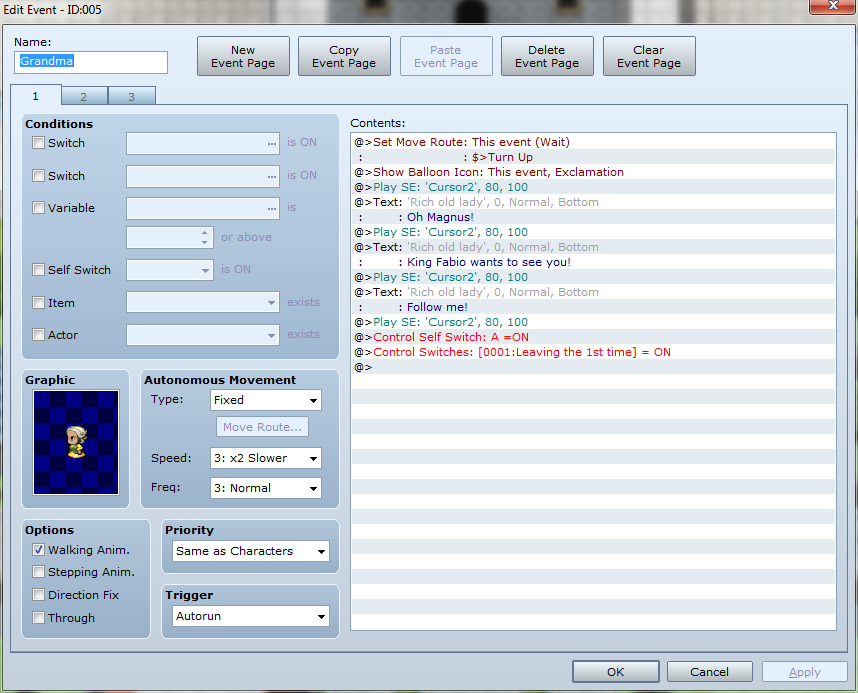
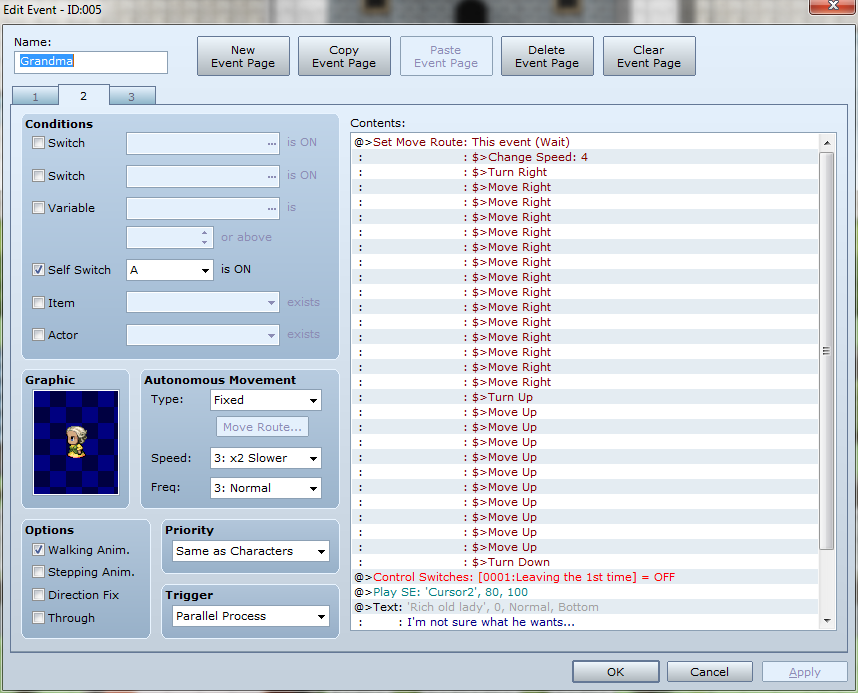
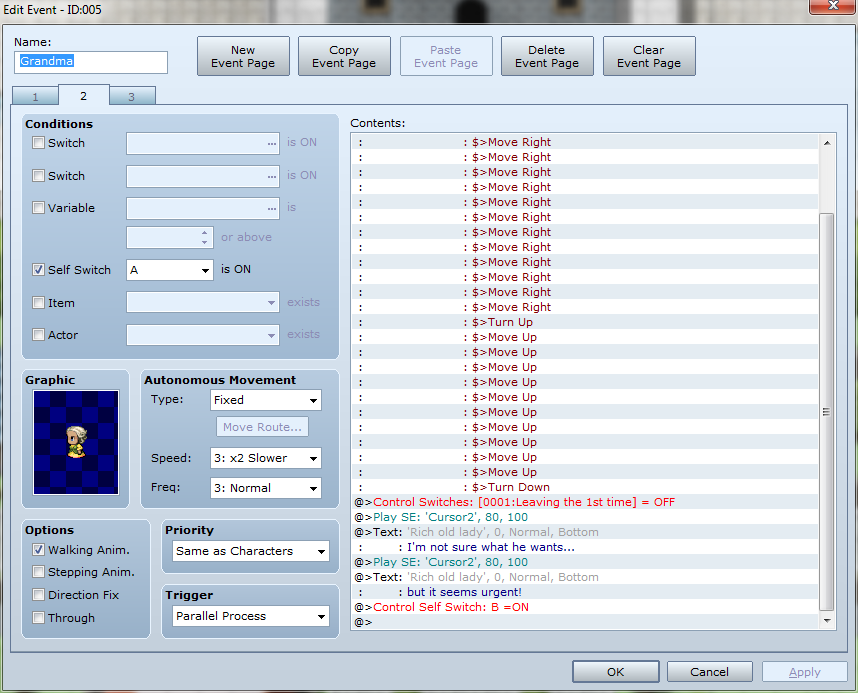
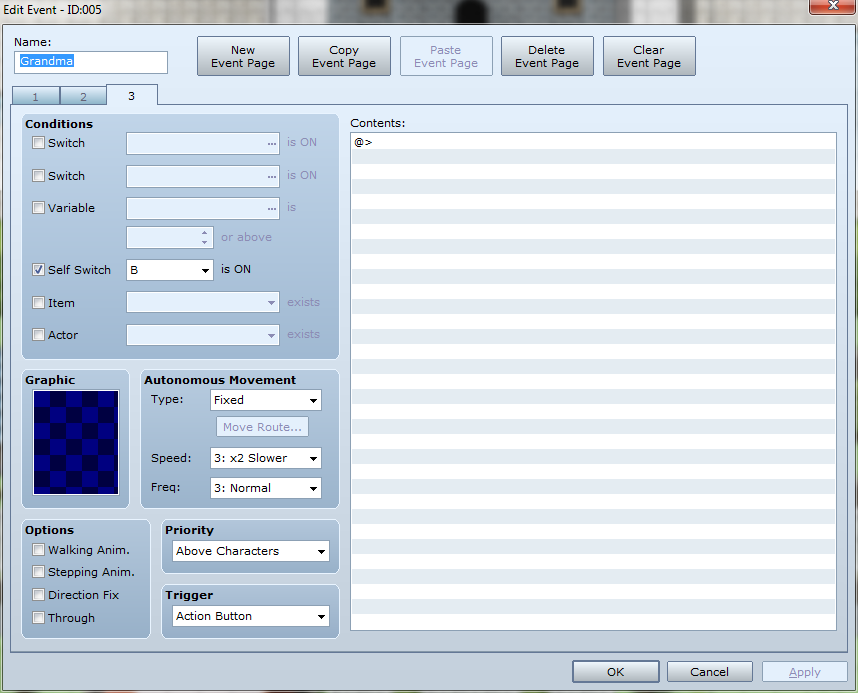
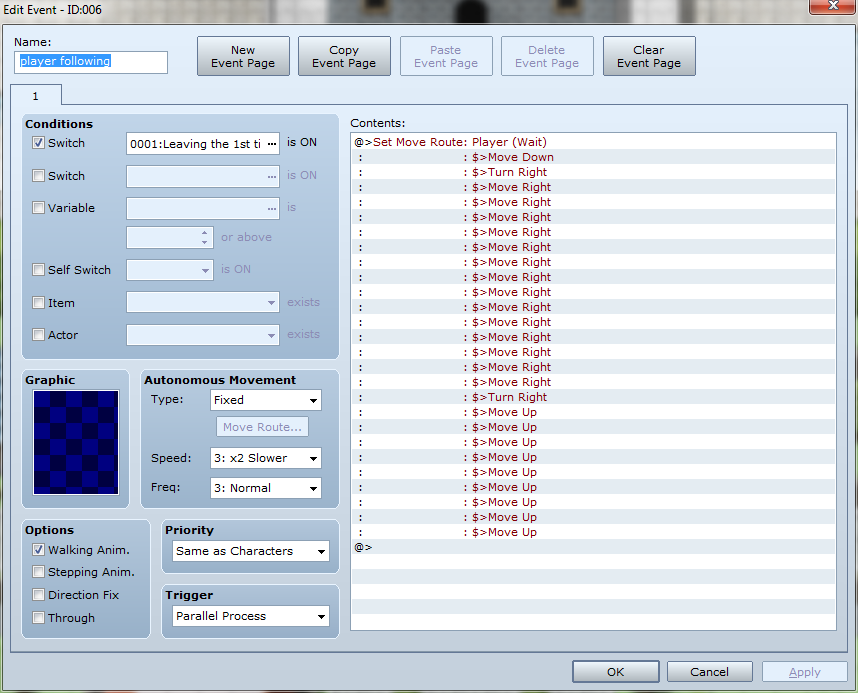
The screenshots show how I have everything running, but whenever I try the above methods, either the player is stuck in place and can no longer move, or the npc bugs out and doesn't complete her path.
I know this all sounds confusing but it's because I'm just as confused. Just imagine an npc saying goodbye and then literally the moment you press next the npc is gone as if she was never there.
I hope this provides enough detail in order to help me because I want to just move on but this one thing is holding me back.
Protected download
Protected download
Protected download
Protected download
Protected download
Downloads / Referenced Files
Log in, then follow the RPG Maker Developers Group to see these download links.
Log in to downloadReferenced Images / Attachments
Creator Claims / Removal
If you are the original creator and want this listing reassigned, edited, or removed, join BMMPlay and contact the moderators with proof that matches the original RPG Maker Web profile, linked GitHub, itch.io page, or another public creator identity.
Replies (0)
No replies yet.
Topic Summary
Loading summary...