


Parallax Mapping: Crashes because of pixi.js
BMM_Archive · July 15, 2026

Preserved forum archive. This topic stores the original first post and locally mirrored RPG Maker Web attachments when available. It is posted by the BMMPlay archive account, not by the original creator.
Original Source
- Original title: Parallax Mapping: Crashes because of pixi.js
- Original author: Kimimant
- Original date: January 15, 2016
- Source thread: https://forums.rpgmakerweb.com/threads/parallax-mapping-crashes-because-of-pixi-js.55034/
- Source forum path: Game Development Engines > Legacy Engine Support > RPG Maker MV Support
Summary
Hello makers, I have a problem with game crashes when my game loads the pictures I need for my "parallaxmaps". A week ago I started to use this technique for my maps and it looked beautiful so I began to rework all my maps.
Archived First Post
Hello makers,
I have a problem with game crashes when my game loads the pictures I need for my "parallaxmaps".
A week ago I started to use this technique for my maps and it looked beautiful so I began to rework all my maps.
I use these following plugins for my maps:
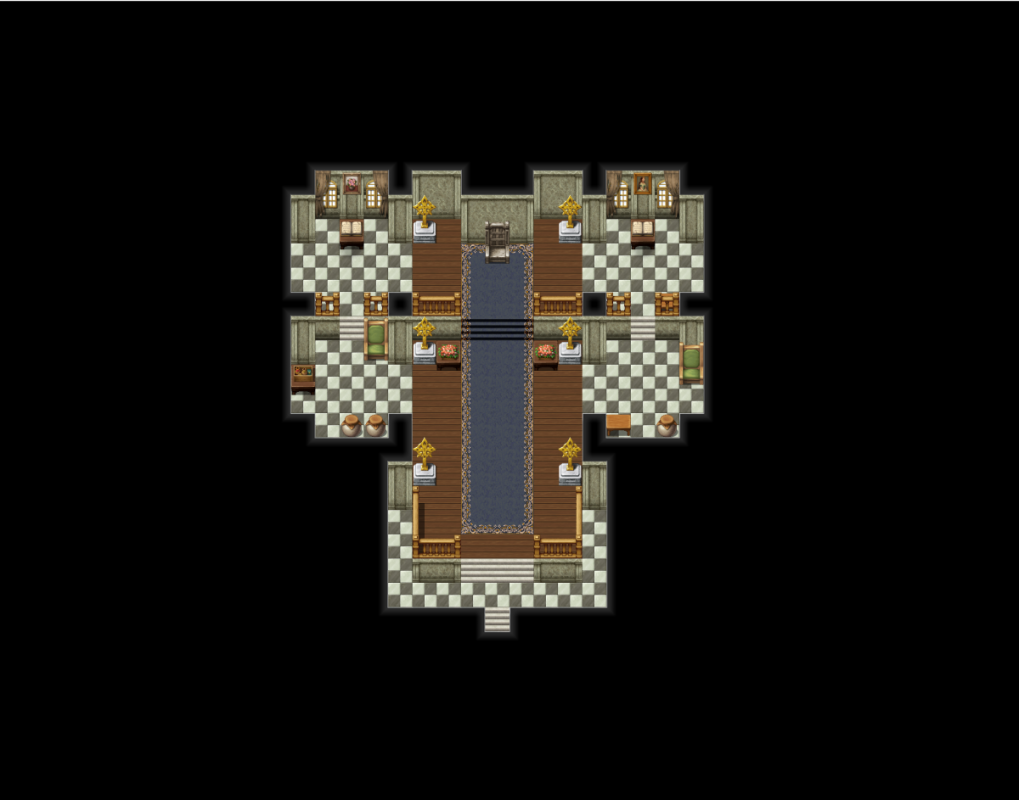
Then I save 3 images of the basic map layer.
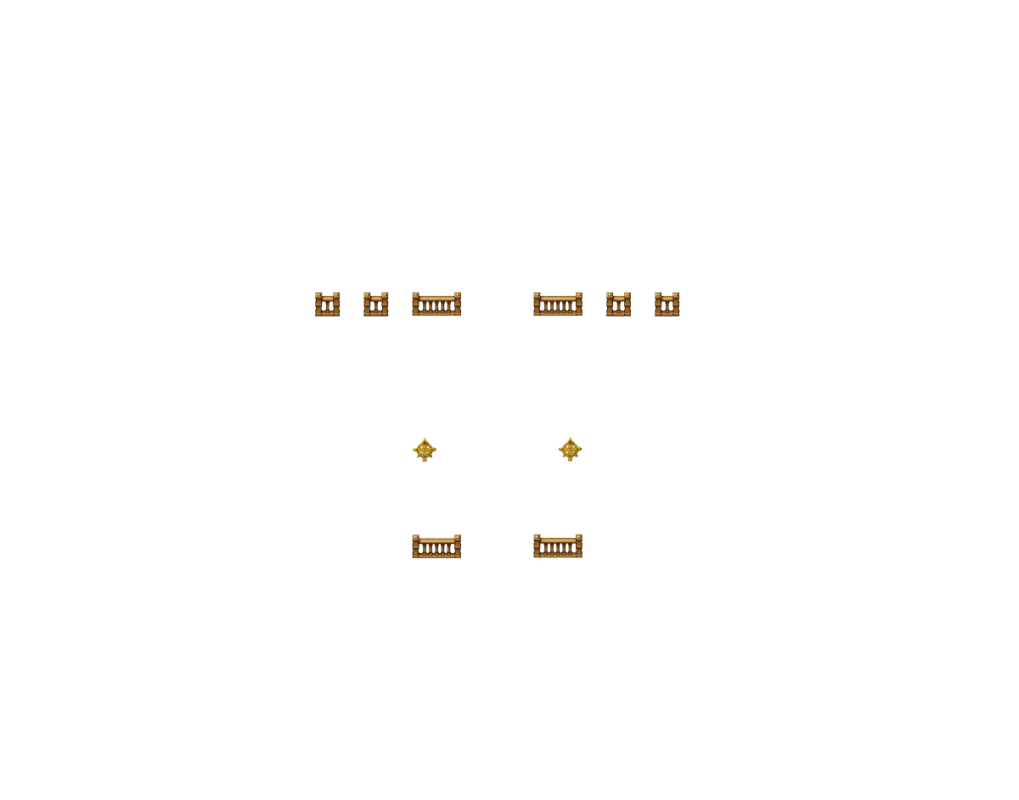
The overlay layer for textures above the characters.
And finally the shadow layer.
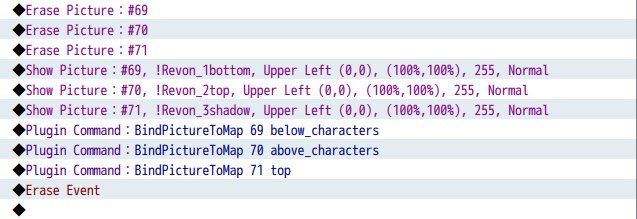
Then create an event with these pictures being shown and delete the event.
But I still use the normal map for the collisions 'n stuff.
I tested out some maps and after about 3 maptransfers (not even different maps)
At first it appeared to be a memory overflow error with these tons of images being loaded into the cache but then I don't understand the error message.
I use the PreloadManager because I don't want these 5 or 10 frames delay in which the images don't show up and it should have something to do with the loading as not even the loading screen shows up.
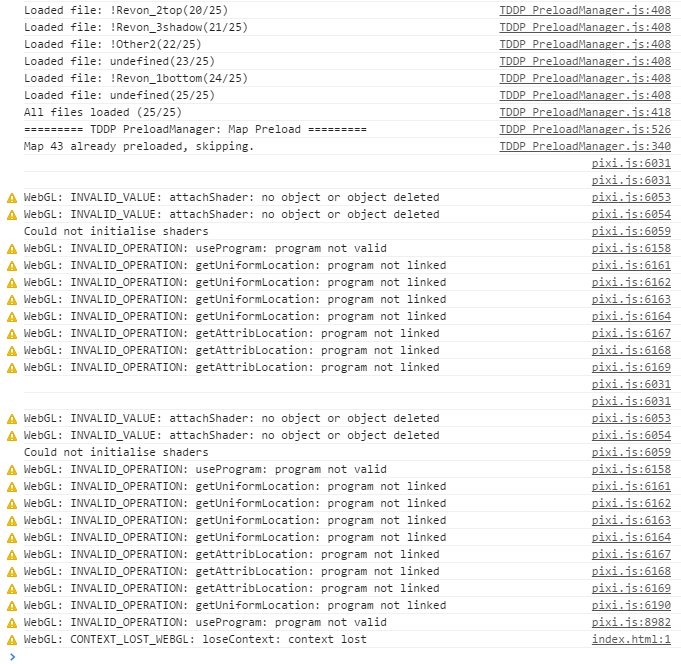
This is the error message I was able to take before it disappeared because of the crash.
I have a problem with game crashes when my game loads the pictures I need for my "parallaxmaps".
A week ago I started to use this technique for my maps and it looked beautiful so I began to rework all my maps.
I use these following plugins for my maps:
- TDDP_PreloadManager (by Tor Damian Design / Galenmereth)
- TDDP_BindPicturesToMap (by Tor Damian Design / Galenmereth)
- No Autoshadow (by Archeia)
Then I save 3 images of the basic map layer.
Protected download
The overlay layer for textures above the characters.
Protected download
And finally the shadow layer.
Protected download
Then create an event with these pictures being shown and delete the event.
Protected download
But I still use the normal map for the collisions 'n stuff.
I tested out some maps and after about 3 maptransfers (not even different maps)
At first it appeared to be a memory overflow error with these tons of images being loaded into the cache but then I don't understand the error message.
I use the PreloadManager because I don't want these 5 or 10 frames delay in which the images don't show up and it should have something to do with the loading as not even the loading screen shows up.
This is the error message I was able to take before it disappeared because of the crash.
Protected download
Downloads / Referenced Files
Log in to download
Log in, then follow the RPG Maker Developers Group to see these download links.
Log in to downloadReferenced Images / Attachments

Creator Claims / Removal
If you are the original creator and want this listing reassigned, edited, or removed, join BMMPlay and contact the moderators with proof that matches the original RPG Maker Web profile, linked GitHub, itch.io page, or another public creator identity.
Replies (0)
No replies yet.
0
replies
6
views
Topic Summary
Loading summary...

