

Help with intro and Parallel Processes
BMM_Archive · July 15, 2026

Original Source
- Original title: Help with intro and Parallel Processes
- Original author: bh1010
- Original date: December 29, 2015
- Source thread: https://forums.rpgmakerweb.com/threads/help-with-intro-and-parallel-processes.53921/
- Source forum path: Game Development Engines > Legacy Engine Support > RPG Maker MV Support
Summary
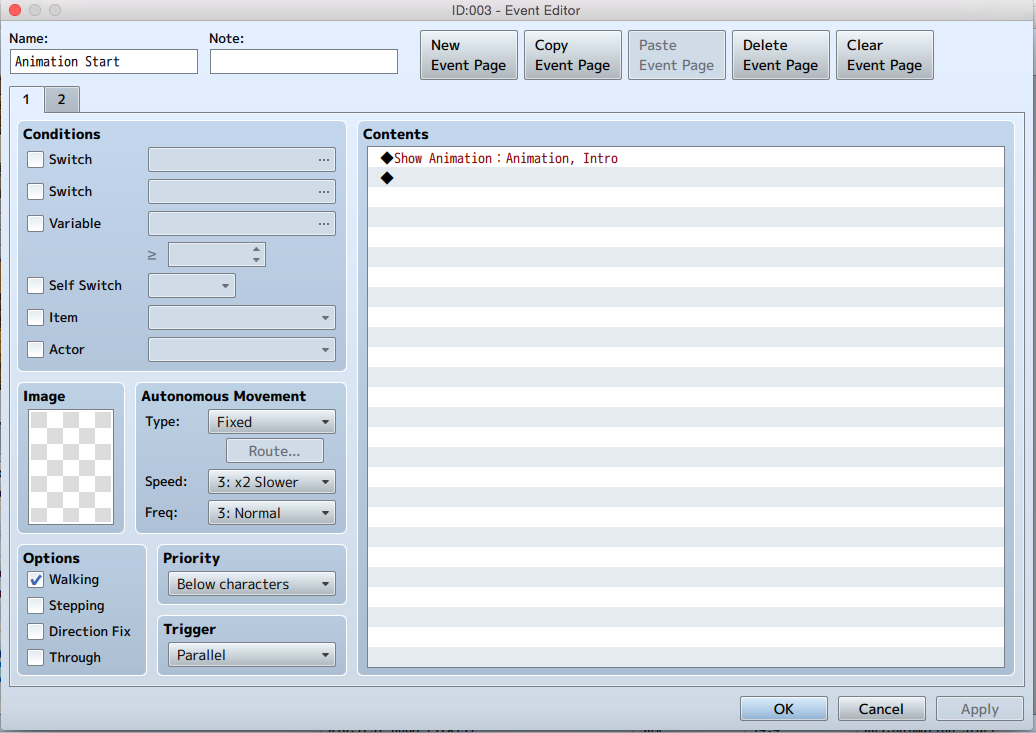
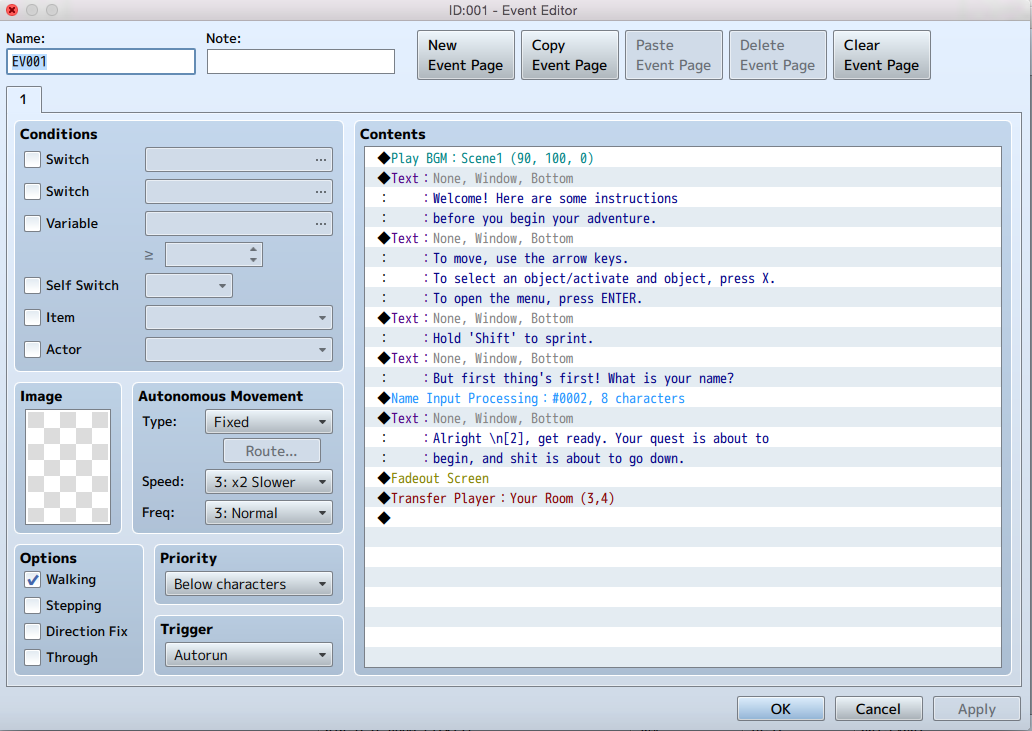
Hello, I've only posted on this site once before, so if I do something wrong please forgive me! So I'm trying to create an intro to my game where there an animation playing in the background and text happening over it. I created the animation, and set it up like so: There is an autorun event which plays music and begins the dialogue in a box on the bottom. There is another seperate event, which I set to Parallel Process, that is supposed to play the animation.
Archived First Post
I've only posted on this site once before, so if I do something wrong please forgive me!
So I'm trying to create an intro to my game where there an animation playing in the background and text happening over it. I created the animation, and set it up like so:
There is an autorun event which plays music and begins the dialogue in a box on the bottom. There is another seperate event, which I set to Parallel Process, that is supposed to play the animation.
Every time I boot up the game, the autorun event with the text and music is all I get. No animation. I'm not sure what I'm doing wrong. I tried with some different animations and none of them show up in the background either, so I'm assuming that the parallel process event just isn't running.
I also tried to set the parallel process to run by activating a switch in the autorun event, but still got nothing. Any help to get this working would be greatly appreciated. Again, the main goal is to simply get the animation going in the background while the text is happening.
Thanks!
p.s. Attached are the scripts I made for the dialogue and the animation.
Downloads / Referenced Files
RPG Maker Web attachments are mirrored locally when available. Other external links remain hosted by their original creator or third-party service.
- Local mirror: 15954-43aac3074632f78891d3e105b0b83e95.png
SHA-256:2fae4eb7e2e0c0960f2e1d0ba3f96b70069fd086ae65660142690bbd7cfcea76
Original attachment URL: https://forums.rpgmakerweb.com/attachments/screen-shot-2015-12-29-at-2-46-44-pm-png.27871/ - Local mirror: 15955-4b9e9ee3116e43260507f53aad1f7880.png
SHA-256:0f07fd692b6d12e5c3a2c8b3b345a9c6e64d142e40a617ab5814b02f2f02a10a
Original attachment URL: https://forums.rpgmakerweb.com/attachments/screen-shot-2015-12-29-at-2-45-58-pm-png.27872/
Referenced Images / Attachments
Creator Claims / Removal
If you are the original creator and want this listing reassigned, edited, or removed, join BMMPlay and contact the moderators with proof that matches the original RPG Maker Web profile, linked GitHub, itch.io page, or another public creator identity.
Replies (0)
No replies yet.
Topic Summary
Loading summary...