


Pressure Plate Puzzle driving me nuts
BMM_Archive · July 15, 2026

Original Source
- Original title: Pressure Plate Puzzle driving me nuts
- Original author: Valkymie
- Original date: July 30, 2015
- Source thread: https://forums.rpgmakerweb.com/threads/pressure-plate-puzzle-driving-me-nuts.43016/
- Source forum path: Game Development Engines > Legacy Engine Support > RPG Maker VXAce Support
Summary
causes. But pushing through the noise and lag, it seemed that when I stood on or moved a boulder onto the second switch, the background did not change. a) I'm assuming that even if it did, it won't change back either (if the actor was on the second switch and moves off to try and get the prize) I'm assuming it's a problem with how my event pages are set up? But I just, don't have the knowledge of how that really works I tried switching them around, merging...
Archived First Post
I was trying to follow this tutorial http://finalbossblues.com/rmvxace-using-map-coordinates-p1/ (along with part 2)
But the difference is that my puzzle involves:
a) two switches (and thus two boulders) that must both be activated to progress
one boulder starts off in the preceding room
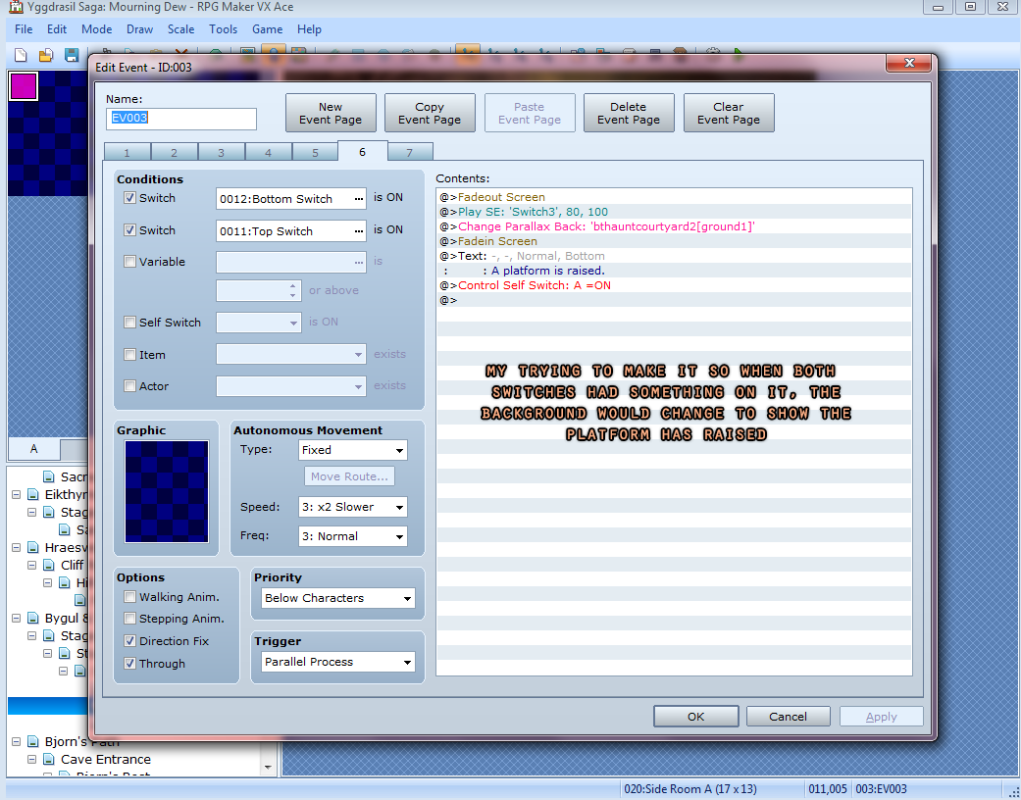
c) both switches activating will change the parallax background, rather than toggle a sprite
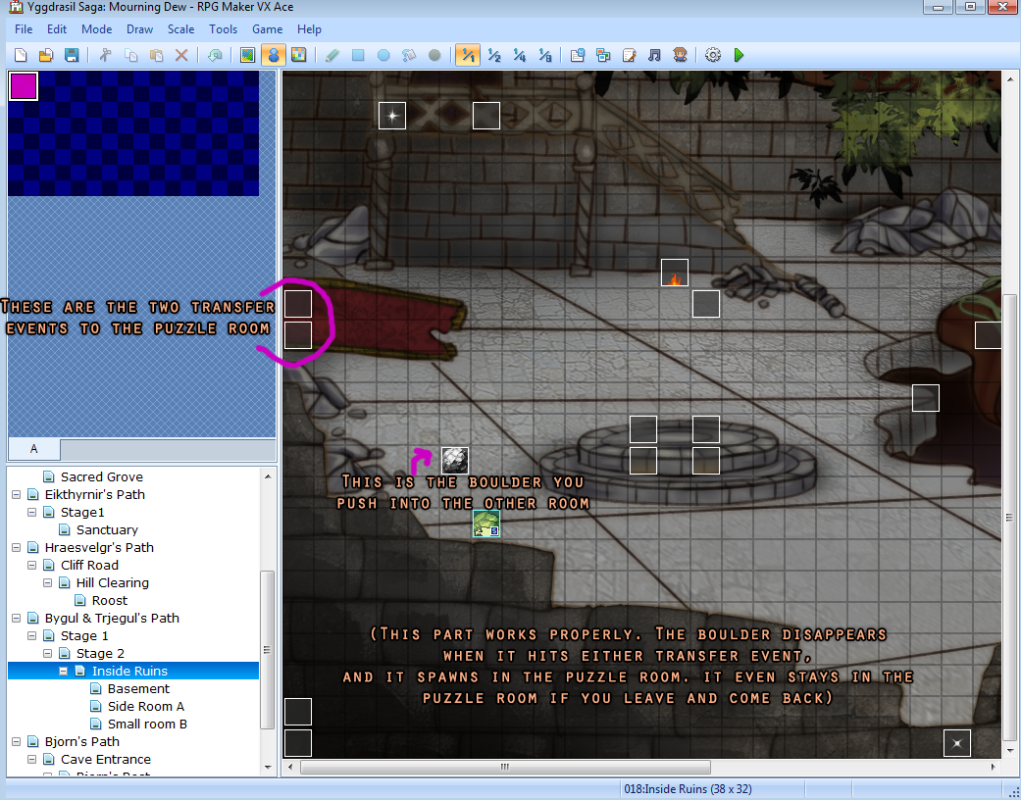
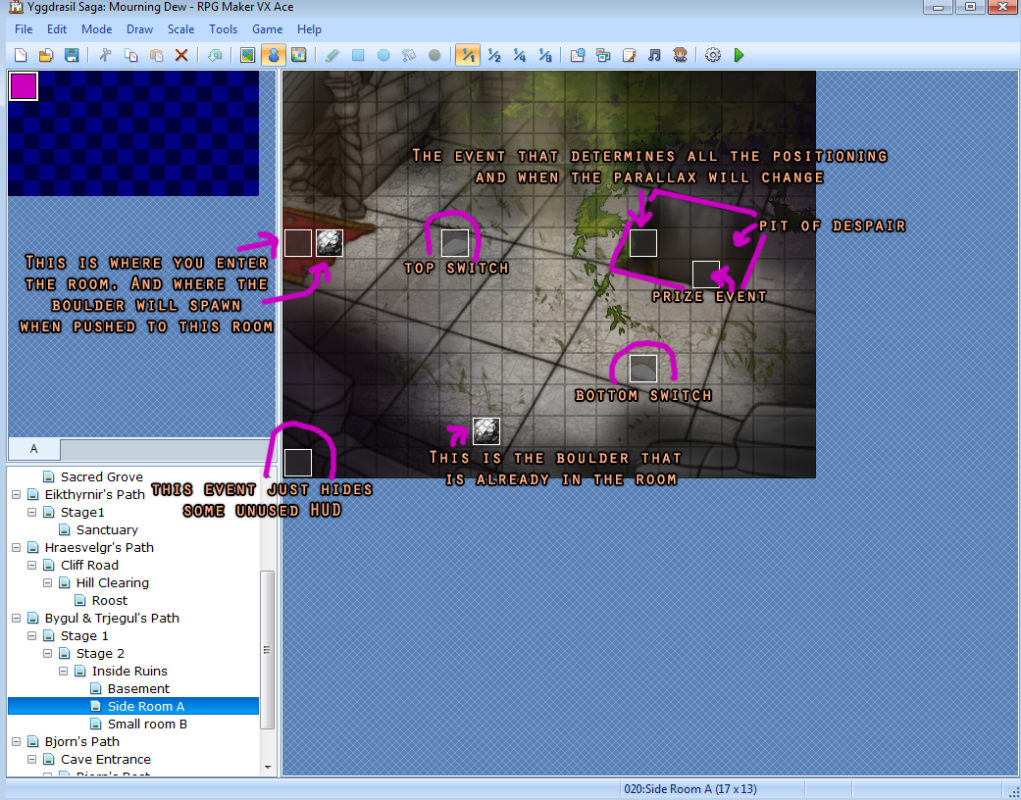
The Goal: Player walks into this side room to see a square pit in the floor, two raised stones (switches), and a boulder. Player should realize they need the other boulder seen in the previous room.
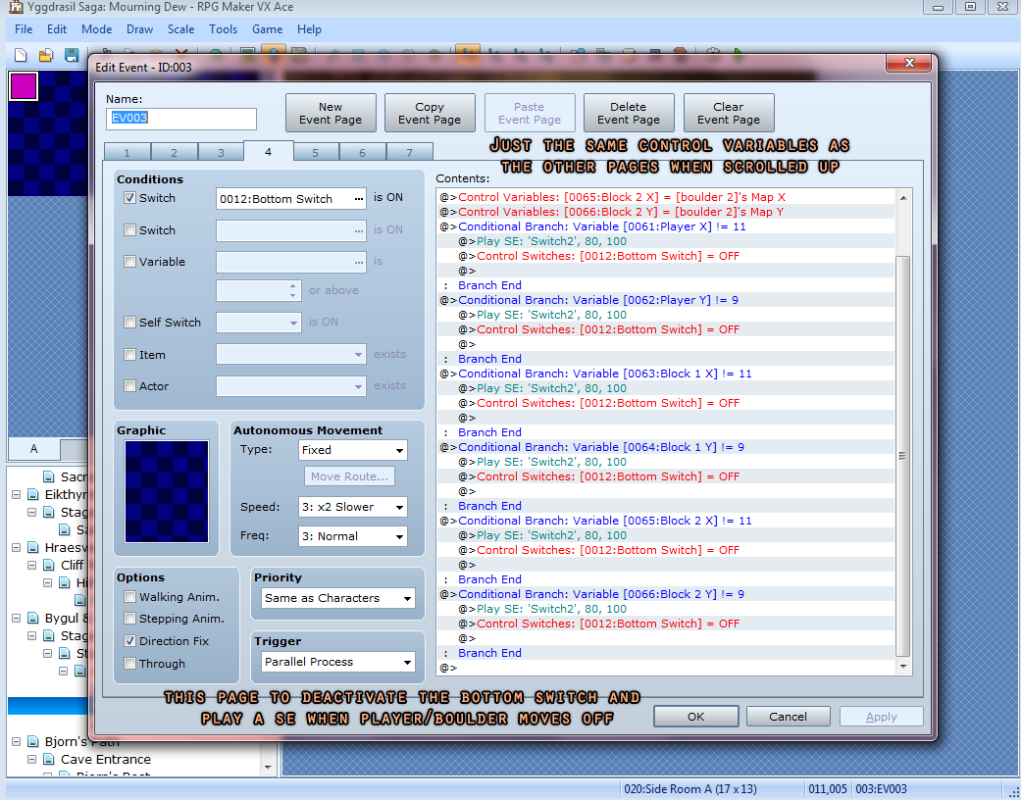
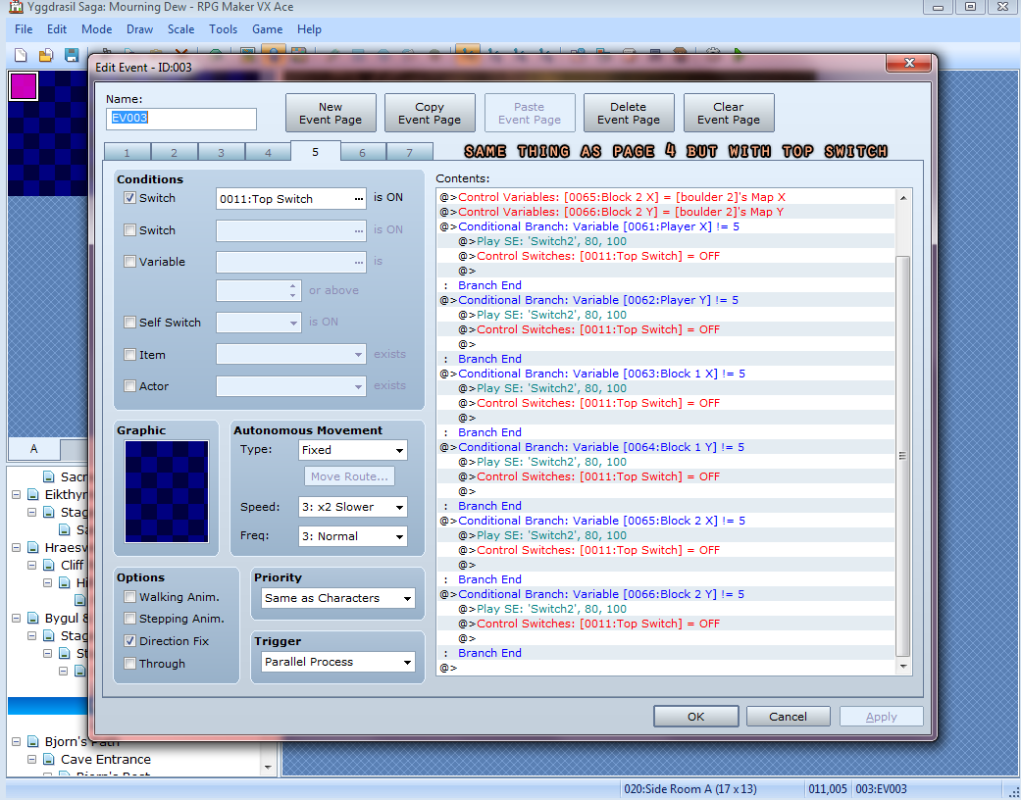
The player can walk onto either switch, playing a SE. Walking off of the switch will play the same SE. Pushing either boulder onto (or off) either switch will play that same SE, and if the player then stands on the other switch, the parallax will change to show the platform has raised from the pit, also revealing the prize event for them to pick up. However, if they walk off the switch to get it, the parallax will change back, and the prize event will be inaccessible again.
Player needs to go back to the previous room and push that boulder to this room. Then they can move both boulders onto the switches, making the parallax change & prize revealed, while flipping a switch to make this a permanent change, as the puzzle is properly solved. Once the player walks over to collect the prize, the prize event should disappear.
but since this is my first game, my inexperience means that i cannot even get this corny, simple puzzle to work
There are a few problems I have so far.
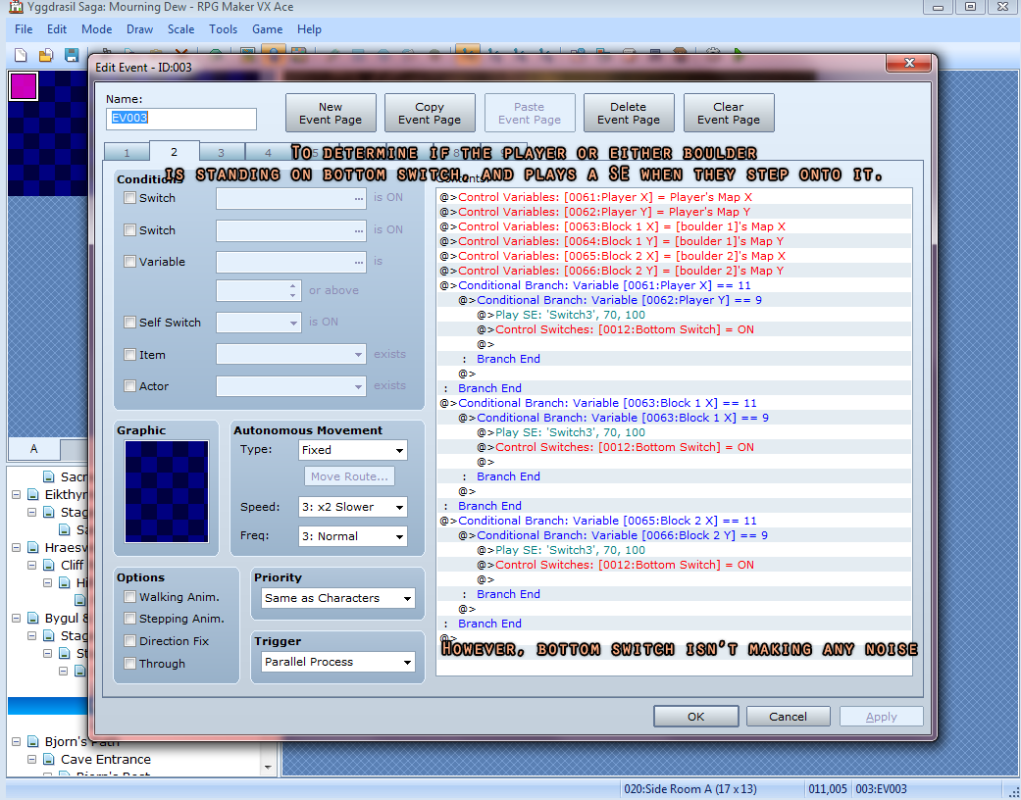
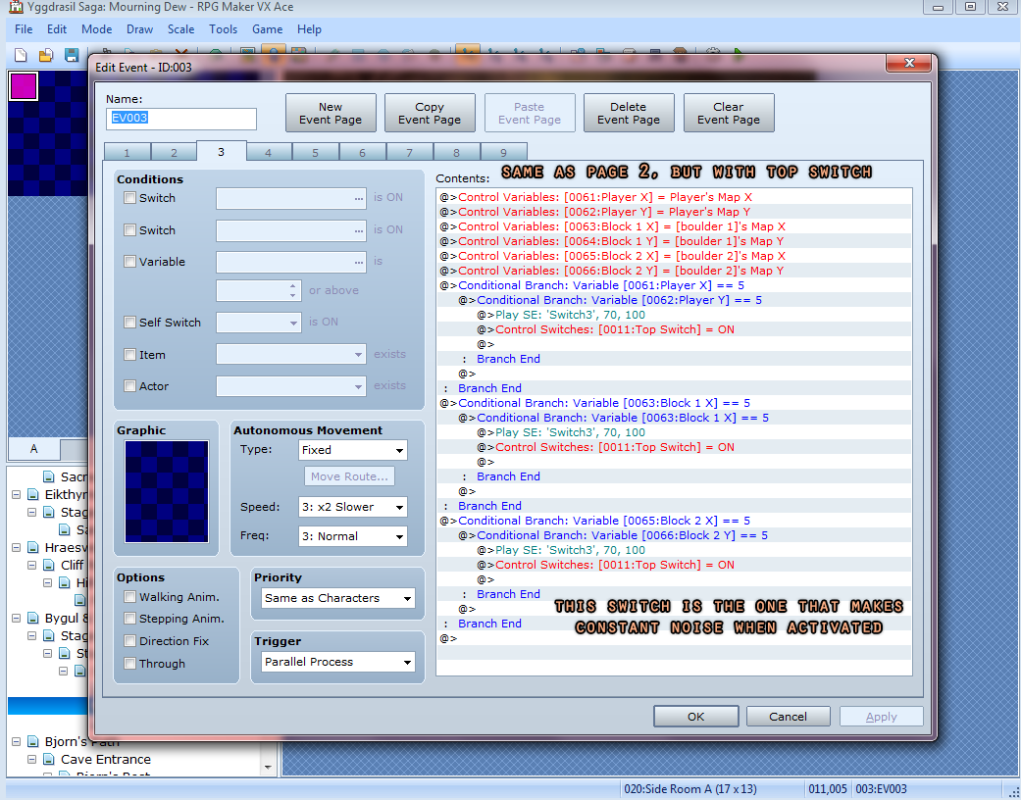
1) Anything on the top switch makes the SE play infinitely, stopping only when the player/boulder moves off of it.
a) The bottom switch won't make any noise at all.
2) I can't even truly test if the parallax will change when both switches are activated thanks to the lag problem #1 causes. But pushing through the noise and lag, it seemed that when I stood on or moved a boulder onto the second switch, the background did not change.
a) I'm assuming that even if it did, it won't change back either (if the actor was on the second switch and moves off to try and get the prize)
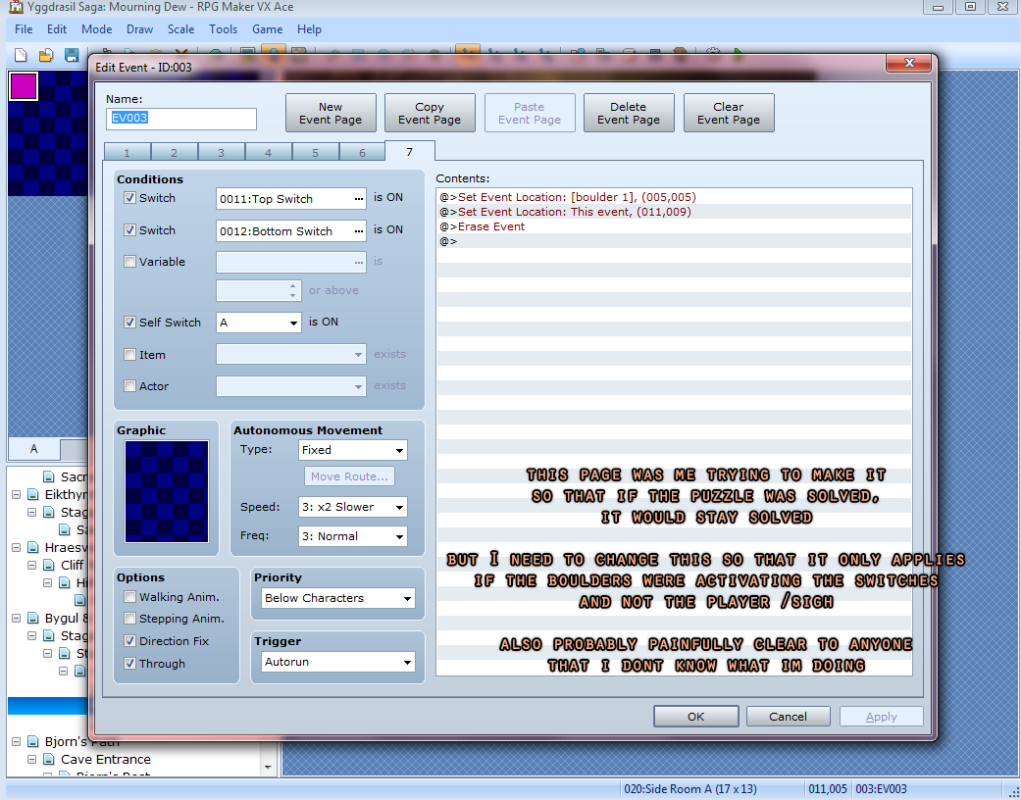
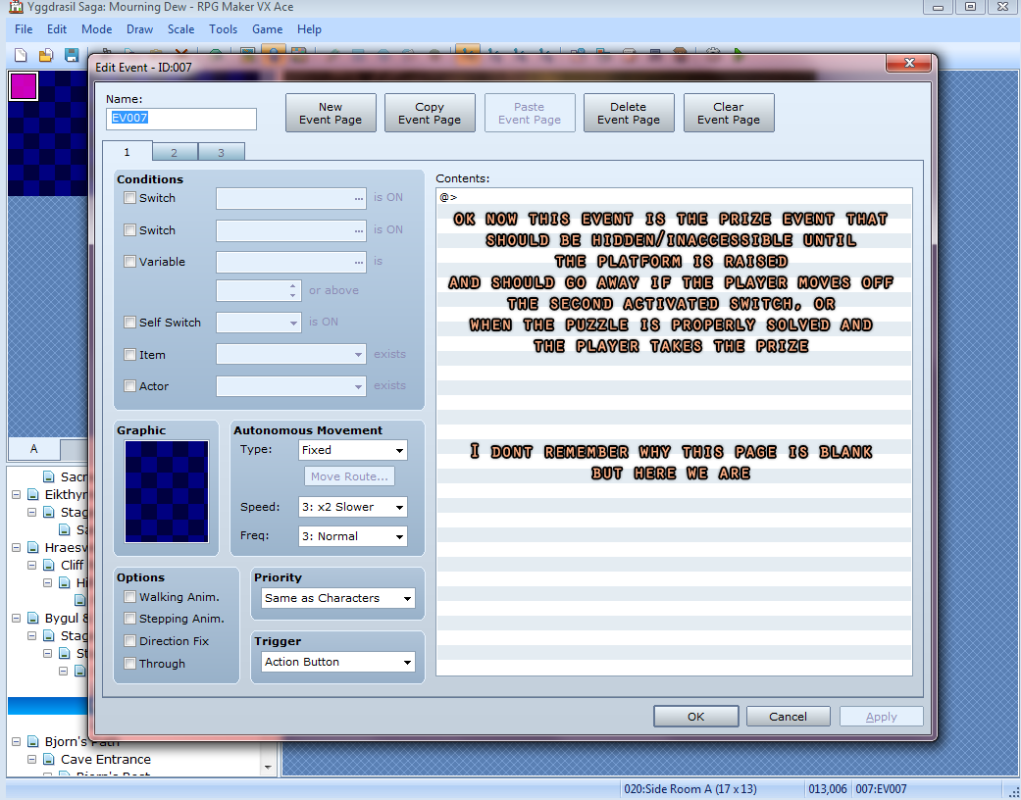
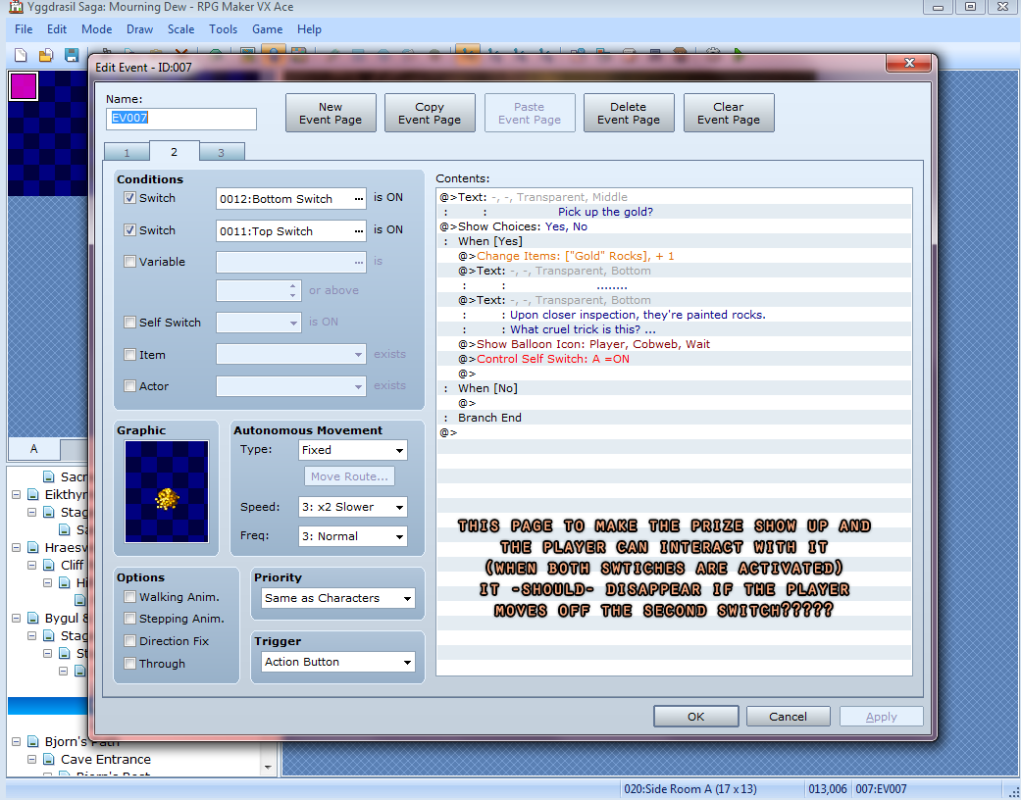
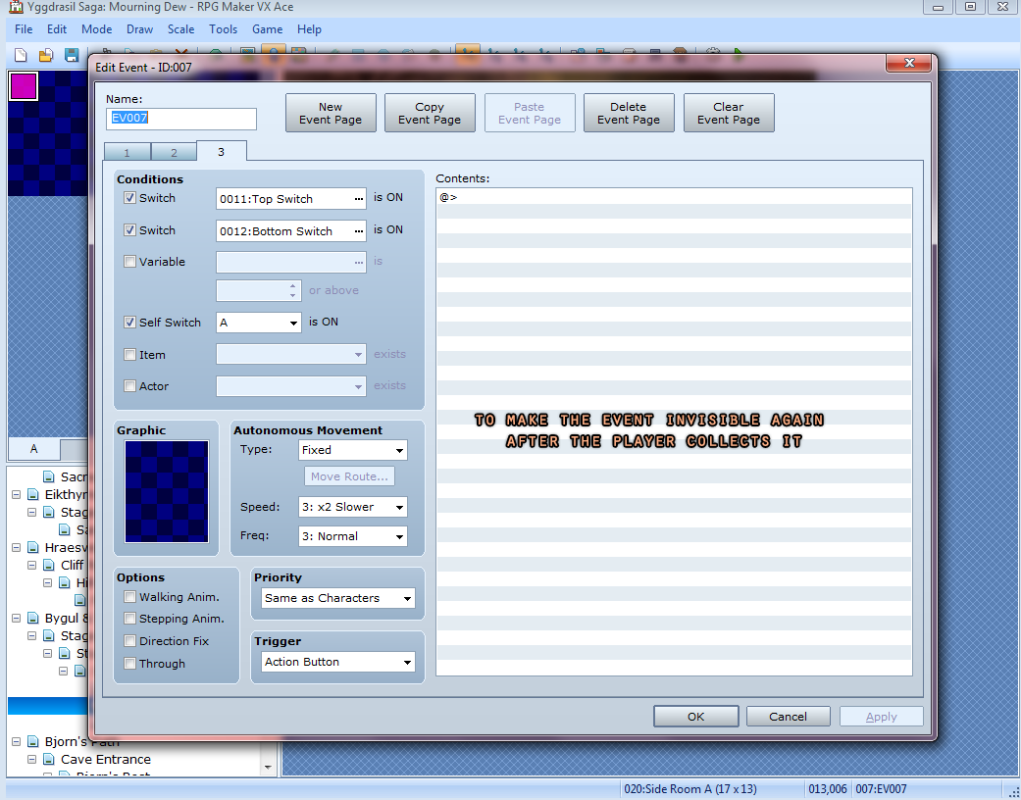
I'm assuming it's a problem with how my event pages are set up? But I just, don't have the knowledge of how that really works
I tried switching them around, merging some, separating some, but nothing i tried seemed to work. there must be something or some combination i didnt try yet. but i just dont know what to look for. Or really what I'm doing much at all. I've only been using/learning this program for like 2 weeks now... I usually have my brother do/help me with this stuff since he's an actual programmer, but he's been busy with his job and hasn't responded to my messages..
-I'll attach some screenshots of the maps I'm using, and how my event pages look. (If the notes I added to the screenshots are too intrusive, let me know and I'll get rid of them. Also there's a lot of screenshots, but I wanted to show as much information as possible so we can get to the bottom of this. There's a lot going on so event just looking through all of this will get you a high five)
If anyone knows how to fix this so I can move on (to the other, probably more frustrating, puzzles), I'd greatly appreciate it.
Note: The screenshots seem to be in backwards order, so from the right:
Screenshots 1 & 2 show the layout of the maps and where any relevant events are.
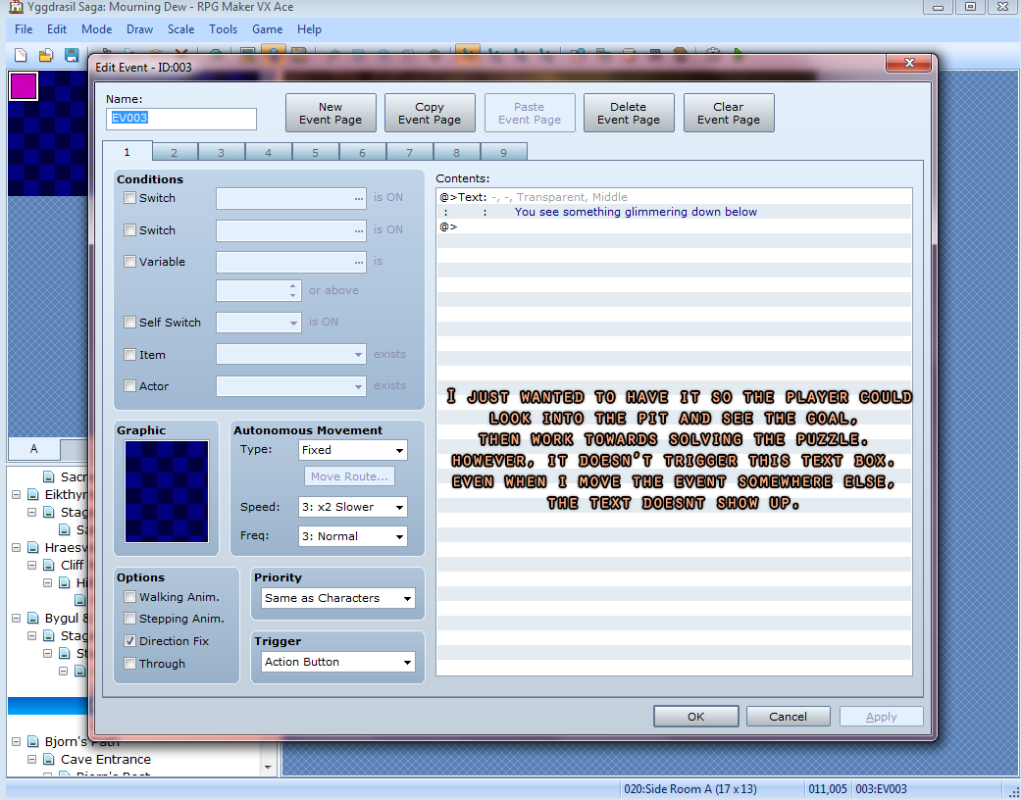
3 through 9 is the main event
10-12 is the prize's event
Thanks in advance,
Valkymie (evelastina)
Protected download
Protected download
Protected download
Protected download
Protected download
Protected download
Protected download
Protected download
Protected download
Protected download
Protected download
Protected download
Downloads / Referenced Files
Log in, then follow the RPG Maker Developers Group to see these download links.
Log in to downloadReferenced Images / Attachments
Creator Claims / Removal
If you are the original creator and want this listing reassigned, edited, or removed, join BMMPlay and contact the moderators with proof that matches the original RPG Maker Web profile, linked GitHub, itch.io page, or another public creator identity.


Replies (0)
No replies yet.
Topic Summary
Loading summary...
