public

Rpg Maker Developers Group

Simple enough for a child, powerful enough for a developer

2 Followers
Preserved forum archive. This topic stores the original first post and locally mirrored RPG Maker Web attachments when available. It is posted by the BMMPlay archive account, not by the original creator.

Original Source

  • Original title: Event condition
  • Original author: salvador5266
  • Original date: June 30, 2015
  • Source thread: https://forums.rpgmakerweb.com/threads/event-condition.41765/
  • Source forum path: Game Development Engines > Legacy Engine Support > RPG Maker VXAce Support

Summary

I could use some help with an event I'm working on. In my game once my player collects items I have a place where he can store them, that is all working fine. Once he stores an item it turns on a switch for that item being stored. In a seperate event I want it to first check if he has a particular item in inventory and if he does go through one set of dialog. This works with condition "item" but then I also want it to check if...

Archived First Post

I could use some help with an event I'm working on.

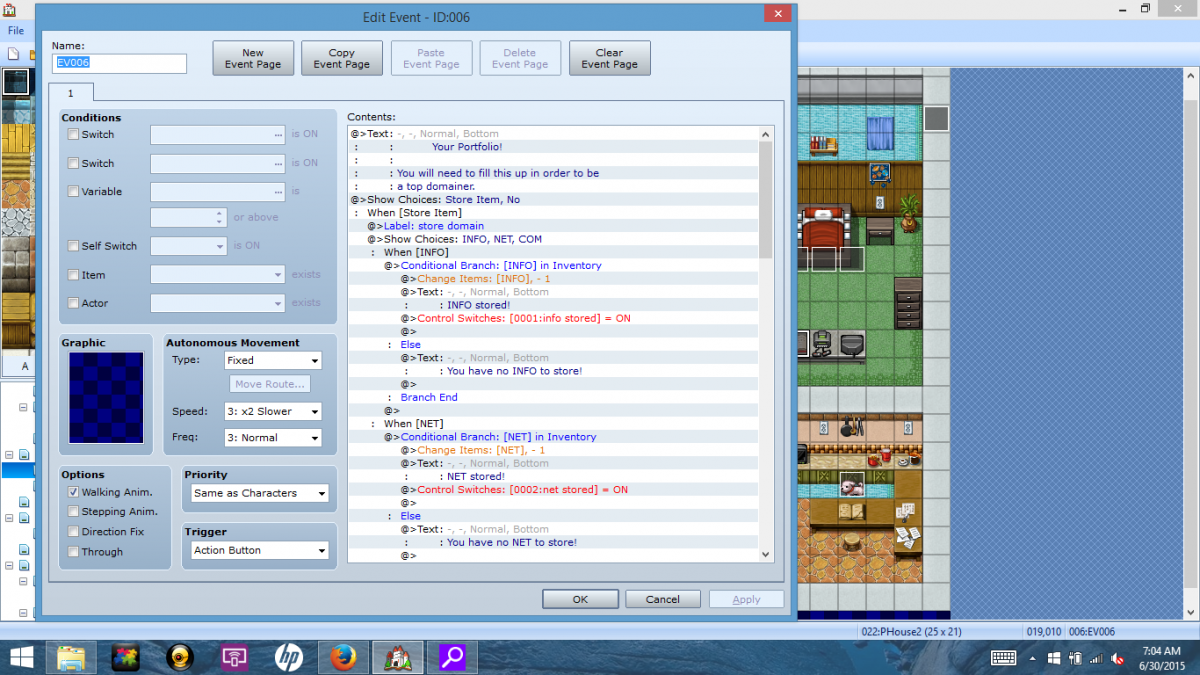
In my game once my player collects items I have a place where he can store them, that is all working fine. Once he stores an item it turns on a switch for that item being stored.

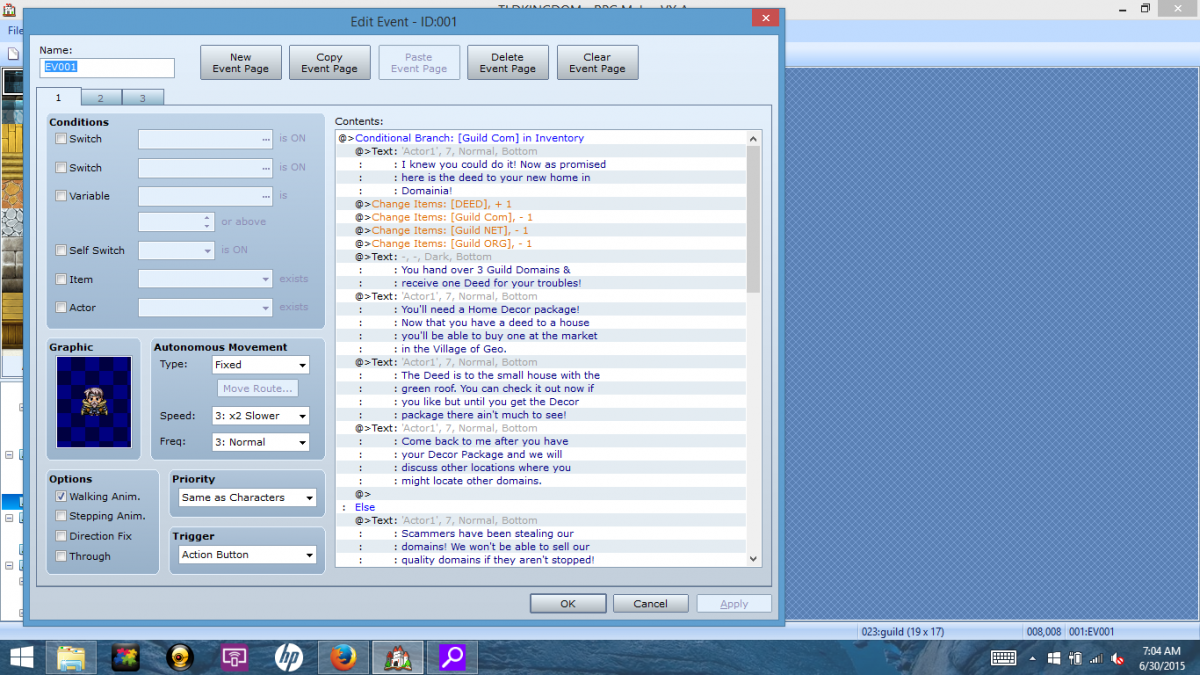
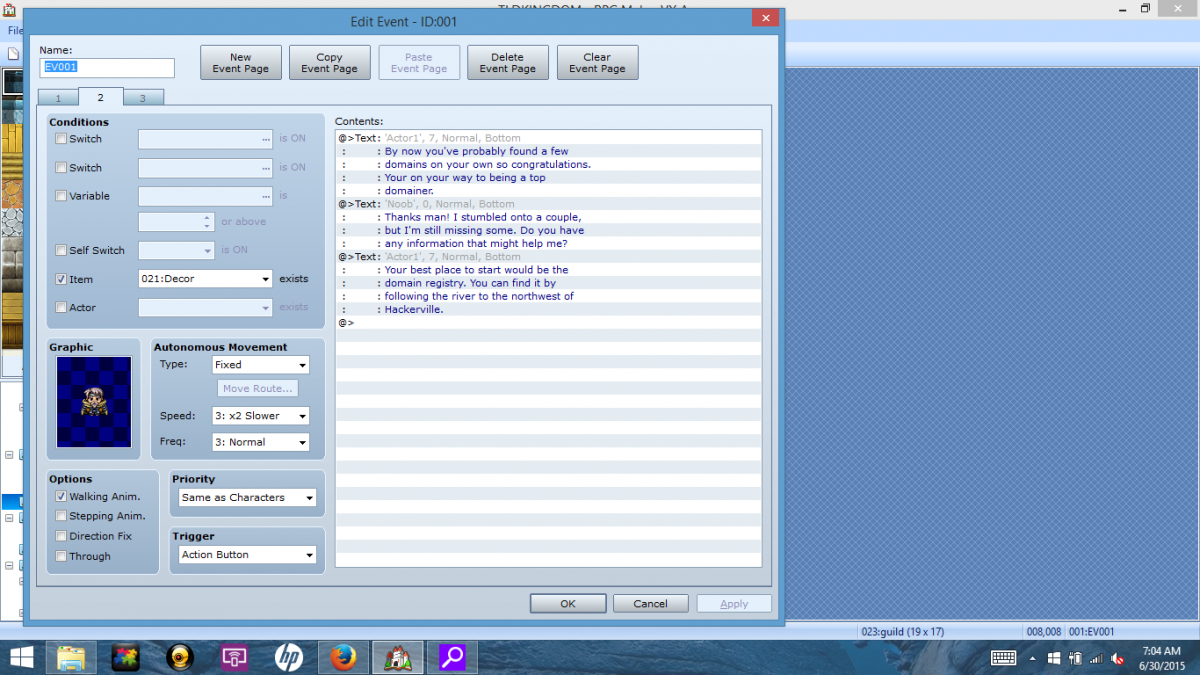
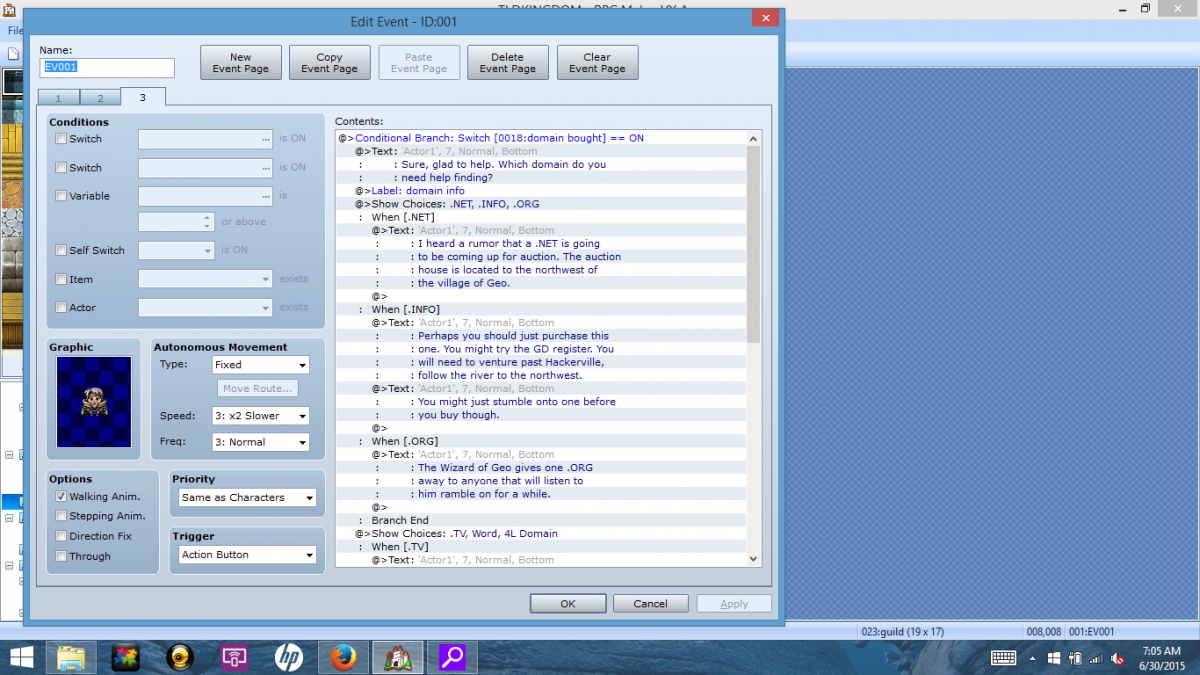
In a seperate event I want it to first check if he has a particular item in inventory and if he does go through one set of dialog. This works with condition "item" but then I also want it to check if same item is already stored and if it is go to a differnt set of dialog. I've tried conditional branch on a seperate page to look for stored switch on, I've tried it on the same page. I've tried setting both "item" and "switch" in the conditional box. I can't think of anything else to try. No matter what I do it's like it doesn't recognize that switch has been turned on.

Any help would be great. ;_;

Protected download

Protected download

Protected download


Protected download

Downloads / Referenced Files

Log in to download

Log in, then follow the RPG Maker Developers Group to see these download links.

Log in to download

Referenced Images / Attachments

Screenshot (2).png
Screenshot (2).png
Screenshot (3).png
Screenshot (3).png
Screenshot (4).png
Screenshot (4).png
Screenshot (5).png
Screenshot (5).png
Creator Claims / Removal

If you are the original creator and want this listing reassigned, edited, or removed, join BMMPlay and contact the moderators with proof that matches the original RPG Maker Web profile, linked GitHub, itch.io page, or another public creator identity.

#039#rpg-maker-archive#vxace-support

Replies (0)

No replies yet.

0 replies 1 view

Log in to reply.

User Avatar