

Sideview Combat and Custom Enemies
BMM_Archive · July 15, 2026

Original Source
- Original title: Sideview Combat and Custom Enemies
- Original author: chrisgee
- Original date: October 27, 2015
- Source thread: https://forums.rpgmakerweb.com/threads/sideview-combat-and-custom-enemies.47914/
- Source forum path: Game Development Engines > Legacy Engine Support > RPG Maker MV Support
Summary
Hi All, Sorry if this is a newbie question, but I'm just getting started with RPG Maker, and MV is my first RM version. I've created several custom monsters that I've imported to the /img/enemies folder. They appear when I create monsters, but when I switch the settings to Sideview combat, the image assets disappear. 1) Drop file into img/Enemies folder of the Project 2) Create Enemy, image appears when searched for
Archived First Post
Sorry if this is a newbie question, but I'm just getting started with RPG Maker, and MV is my first RM version. I've created several custom monsters that I've imported to the /img/enemies folder. They appear when I create monsters, but when I switch the settings to Sideview combat, the image assets disappear.
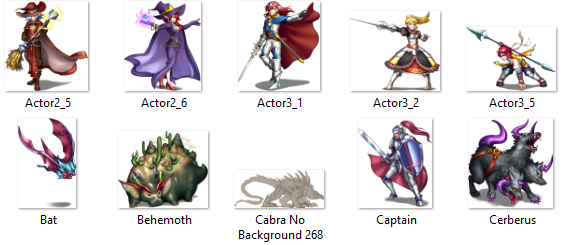
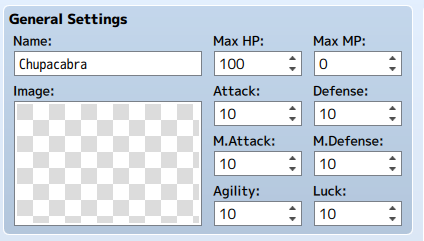
1) Drop file into img/Enemies folder of the Project
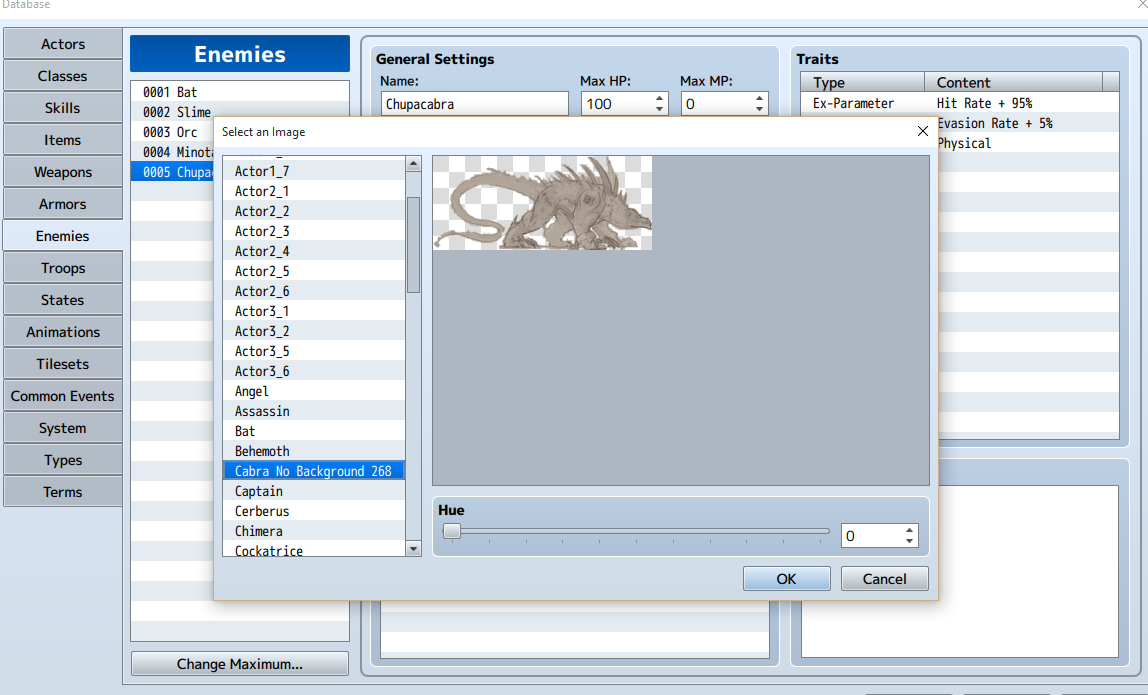
2) Create Enemy, image appears when searched for
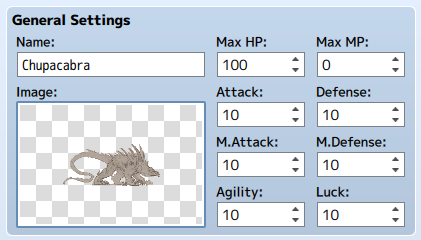
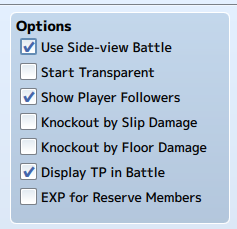
3) Select "Side-view Battle" in settings.
4) Image is now gone from Enemy entry.
Is this a bug or am I just doing this wrong?
Downloads / Referenced Files
RPG Maker Web attachments are mirrored locally when available. Other external links remain hosted by their original creator or third-party service.
- Local mirror: 13855-0e814668c8c9e9e76c0cec1ffe9963c1.png
SHA-256:78dc32a39a9a4a14bac418d34a56bc404418cc54df5177e0ee6ef41cf17421b2
Original attachment URL: https://forums.rpgmakerweb.com/attachments/1-image-in-folder-png.24888/ - Local mirror: 13856-949397a78a1bdbff24356e12d7c67e5e.png
SHA-256:3b63b32dae46840f458e7f589323b30fdfcf6089045b189244e0c57b198b78fd
Original attachment URL: https://forums.rpgmakerweb.com/attachments/2-add-image-to-enemy-png.24889/ - Local mirror: 13857-81c3bd07766bbcde9822aa96d9e2c146.png
SHA-256:bfef7a976d0d879d43c3a62e2d147136d88a1939996856b3384e18e61a90520e
Original attachment URL: https://forums.rpgmakerweb.com/attachments/3-image-loaded-png.24890/ - Local mirror: 13858-36ae7e004e1db7a9f779d57dff3654d3.png
SHA-256:c6510009fb39ef1ff1222ff000d8af969fb139c113c30194a226947aed4b89dc
Original attachment URL: https://forums.rpgmakerweb.com/attachments/4-sideview-battle-png.24891/ - Local mirror: 13859-177d2c1a5999a33bbae4b4e3045a911b.png
SHA-256:c13d87620136d4c2c075d5562c1f0de8aa03c986018b0367b63fc8eae889dc12
Original attachment URL: https://forums.rpgmakerweb.com/attachments/5-image-gone-png.24892/
Referenced Images / Attachments
Creator Claims / Removal
If you are the original creator and want this listing reassigned, edited, or removed, join BMMPlay and contact the moderators with proof that matches the original RPG Maker Web profile, linked GitHub, itch.io page, or another public creator identity.
Replies (0)
No replies yet.
Topic Summary
Loading summary...