

Imported Enemy doesn't show up in the Database
BMM_Archive · July 15, 2026

Original Source
- Original title: Imported Enemy doesn't show up in the Database
- Original author: Kotaro
- Original date: October 24, 2015
- Source thread: https://forums.rpgmakerweb.com/threads/imported-enemy-doesnt-show-up-in-the-database.46689/
- Source forum path: Game Development Engines > Legacy Engine Support > RPG Maker MV Support
Summary
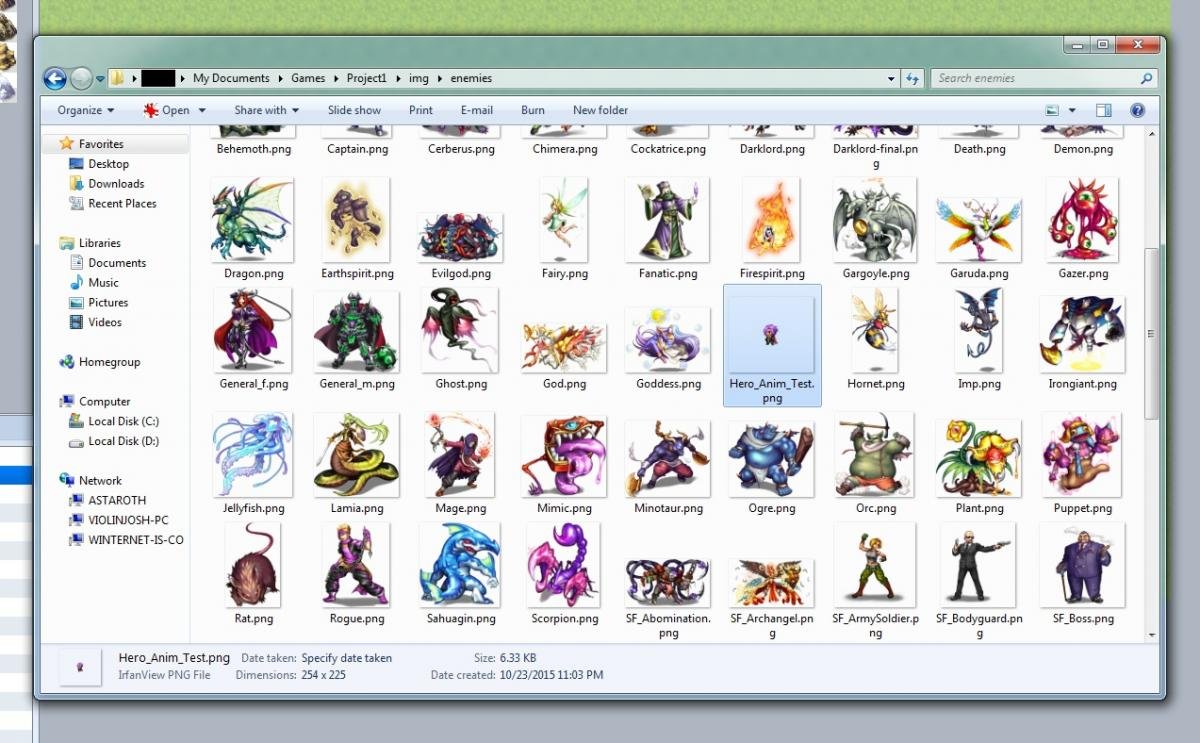
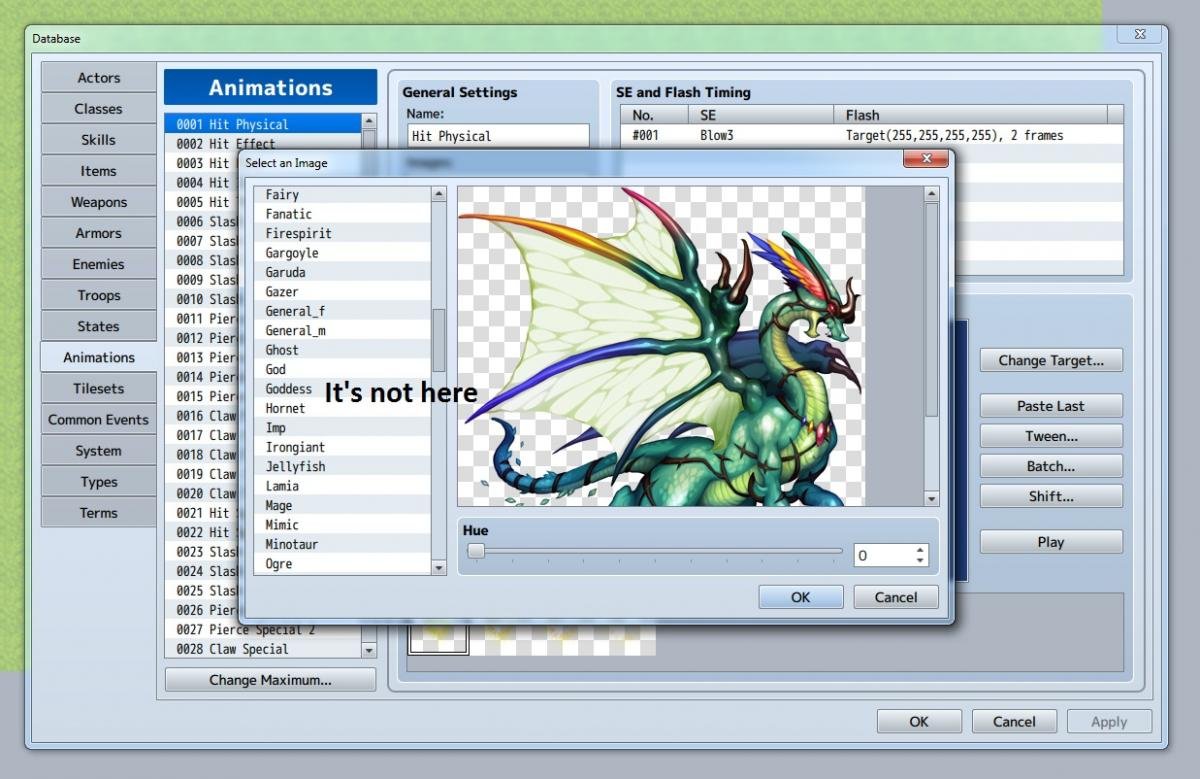
For the purpose of editing and testing casting animations and the like, I created an enemy battler image from a single frame of one of my actors' sideview battle animations and dropped that into the enemies folder. But when I go into the animation tab of the database and select change target, so I can see, roughly, how the animation will look when played on an actor. it's not there in the list of enemy graphics. I also checked in the enemies tab, and it isn't there, either. Screenshots attached....
Archived First Post
But when I go into the animation tab of the database and select change target, so I can see, roughly, how the animation will look when played on an actor. it's not there in the list of enemy graphics. I also checked in the enemies tab, and it isn't there, either.
Screenshots attached.
Downloads / Referenced Files
RPG Maker Web attachments are mirrored locally when available. Other external links remain hosted by their original creator or third-party service.
- Local mirror: 13539-a75d9627283d5adbf5b10d43b4c9fc7a.jpg
SHA-256:415c109d68e7f1996379f7d18a02a6c6cfe010abac927344cf758af0364c6050
Original attachment URL: https://forums.rpgmakerweb.com/attachments/rmmv_screen_1-jpg.24455/ - Local mirror: 13540-dc163fc1cc53cfbe322cb1f76c209d8a.jpg
SHA-256:9439600d04ea58a86b6911a9c8623d002a5539ad9ae0fafc829d1166b47ba8d6
Original attachment URL: https://forums.rpgmakerweb.com/attachments/rmmv_screen_2-jpg.24456/
Referenced Images / Attachments
Creator Claims / Removal
If you are the original creator and want this listing reassigned, edited, or removed, join BMMPlay and contact the moderators with proof that matches the original RPG Maker Web profile, linked GitHub, itch.io page, or another public creator identity.
Replies (0)
No replies yet.
Topic Summary
Loading summary...