


Event not following through
BMM_Archive · July 15, 2026

Original Source
- Original title: Event not following through
- Original author: Shadow3766
- Original date: November 23, 2014
- Source thread: https://forums.rpgmakerweb.com/threads/event-not-following-through.34237/
- Source forum path: Game Development Engines > Legacy Engine Support > RPG Maker VXAce Support
Summary
Sorry for posting something that I think should be so simple to fix, but I have gone through my events multiple times adding in additional moves or copying from a previous event to this one and it just isn't working like I am wanting it too. I have also looked through this forum for 7 pages and wasn't able to see anything helpful to this situation but if I did miss that forum please let me know. This photo is for the first event I am having issues with. I...
Archived First Post
I have also looked through this forum for 7 pages and wasn't able to see anything helpful to this situation but if I did miss that forum please let me know.
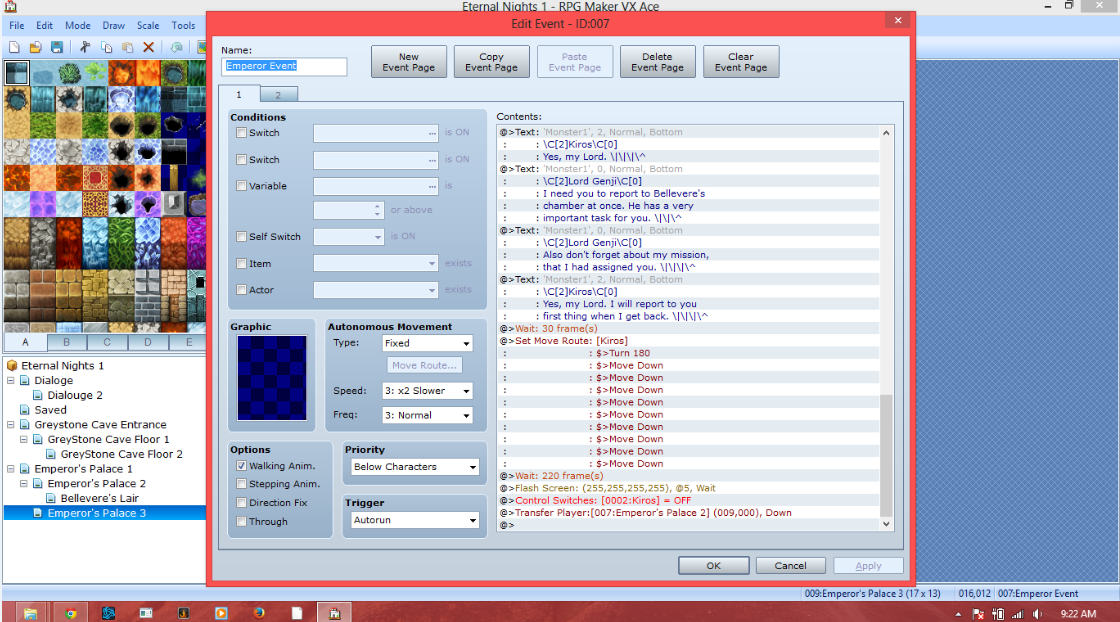
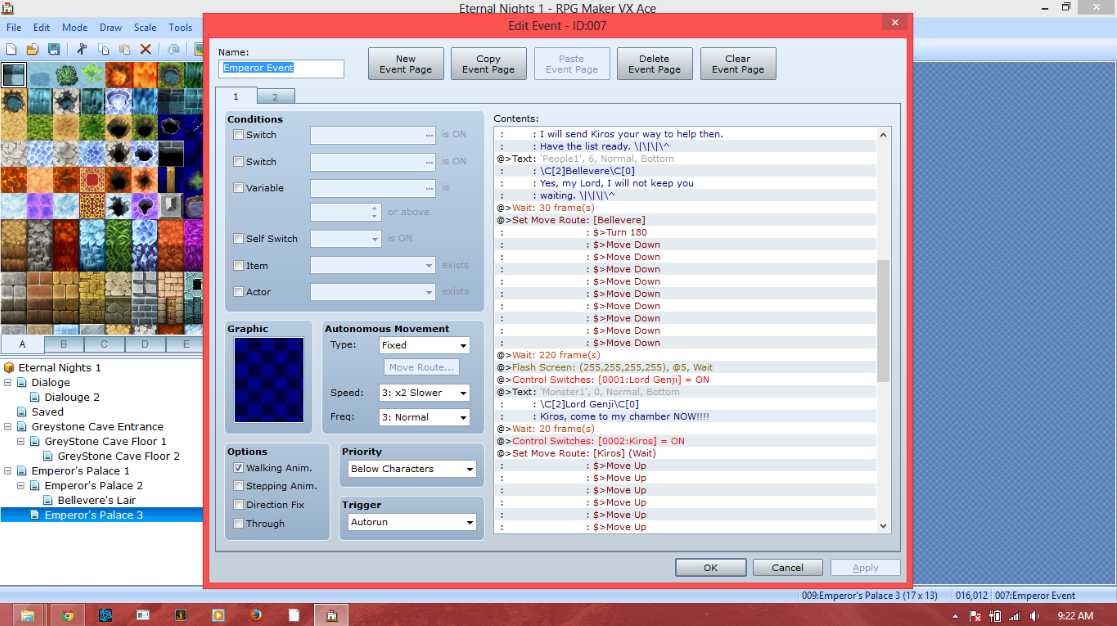
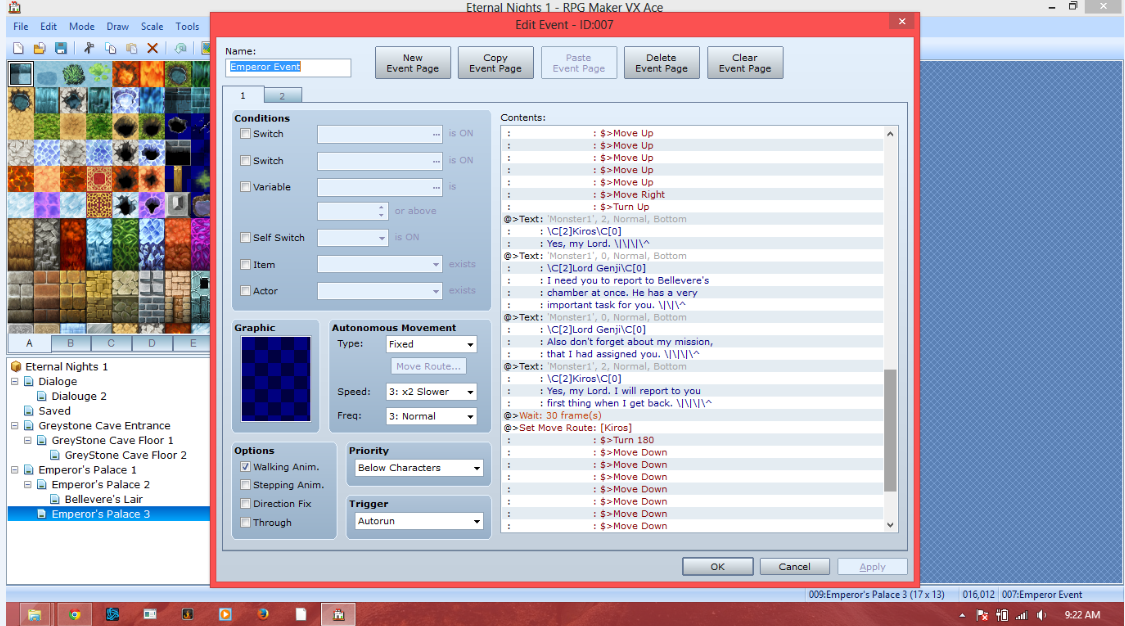
This photo is for the first event I am having issues with. I have 2 NPC's that are suppose to walk back down to the edge of the screen before disappearing but they go to about 3 steps from the edge stop for a second then disappear.
Protected download
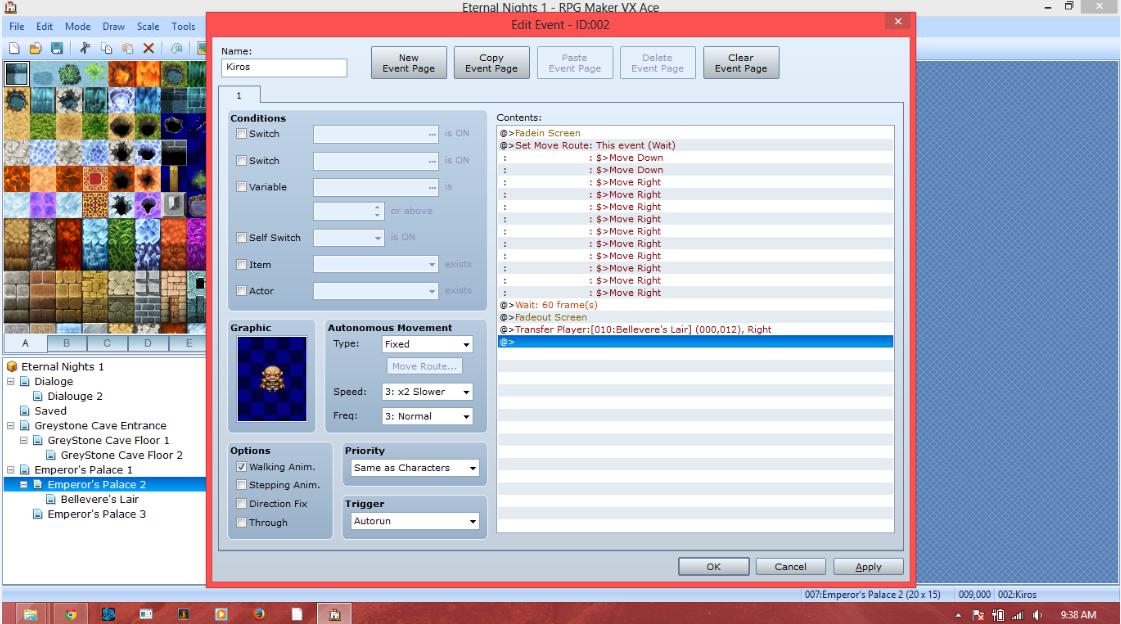
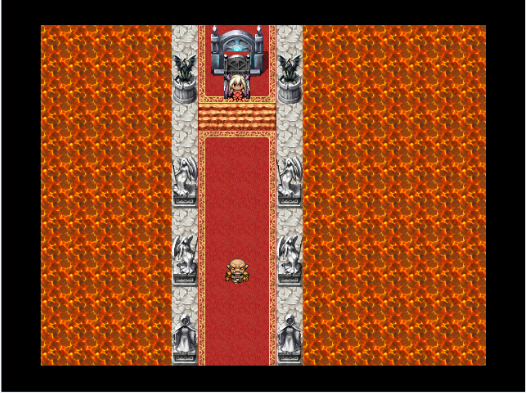
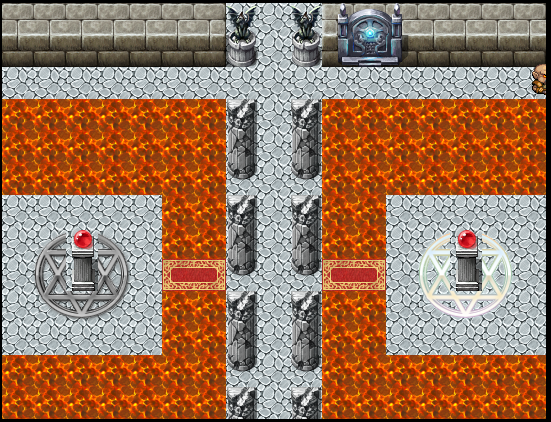
In this photo, the one NPC that is moving is suppose to go to the right edge of the screen and then the screen is to change to the next area but the NPC just walks off the screen and nothing happens. I have tried creating the event in a different location and using a switch but that had no effect, the NPC wasn't even showing up on the screen for some reason not sure what I had missed there?
Protected download
Here is a link for the Game that is unencrypted so that you may open it and edit or get a better look at the events?
https://drive.google.com/file/d/0BzEXM2Th3_JyM000V2M1d3ZXTDA/view?usp=sharing
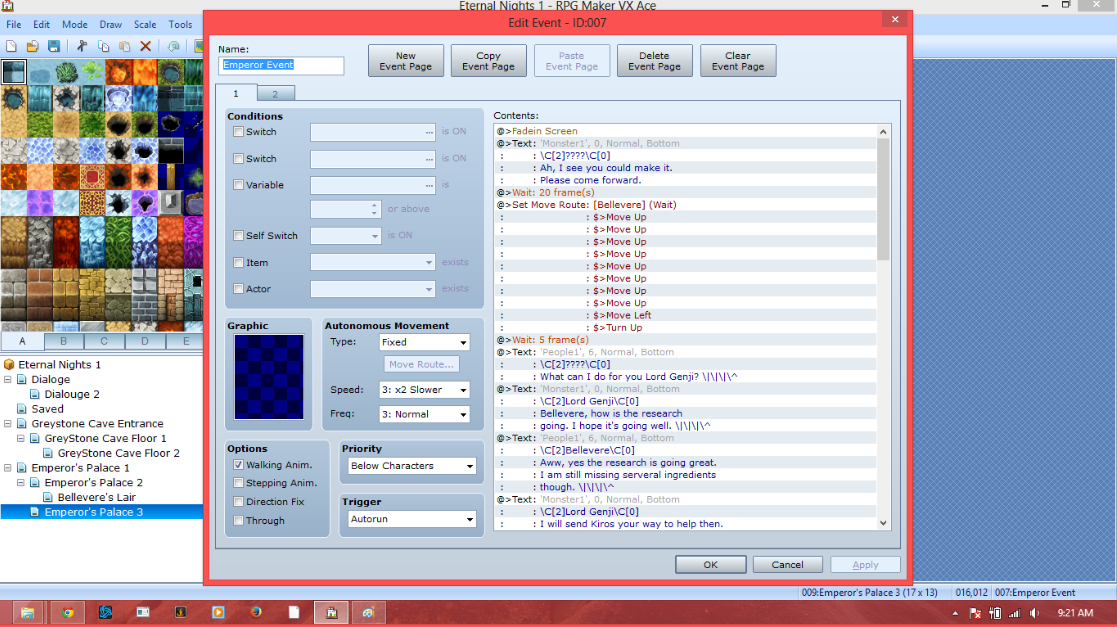
Also if you want to skip the Introduction you may, it is still under construction and has nothing to do with either of the events in question.
Protected download
Protected download
Protected download
Protected download
Protected download
Downloads / Referenced Files
Log in, then follow the RPG Maker Developers Group to see these download links.
Log in to downloadReferenced Images / Attachments
Creator Claims / Removal
If you are the original creator and want this listing reassigned, edited, or removed, join BMMPlay and contact the moderators with proof that matches the original RPG Maker Web profile, linked GitHub, itch.io page, or another public creator identity.
Replies (0)
No replies yet.
Topic Summary
Loading summary...

