






Original Source
- Original title: Palette problem
- Original author: Fippy_Darkpaw
- Original date: October 31, 2014
- Source thread: https://forums.rpgmakerweb.com/threads/palette-problem.33482/
- Source forum path: Game Development Engines > Legacy Engine Support > RPG Maker VXAce Support
Summary
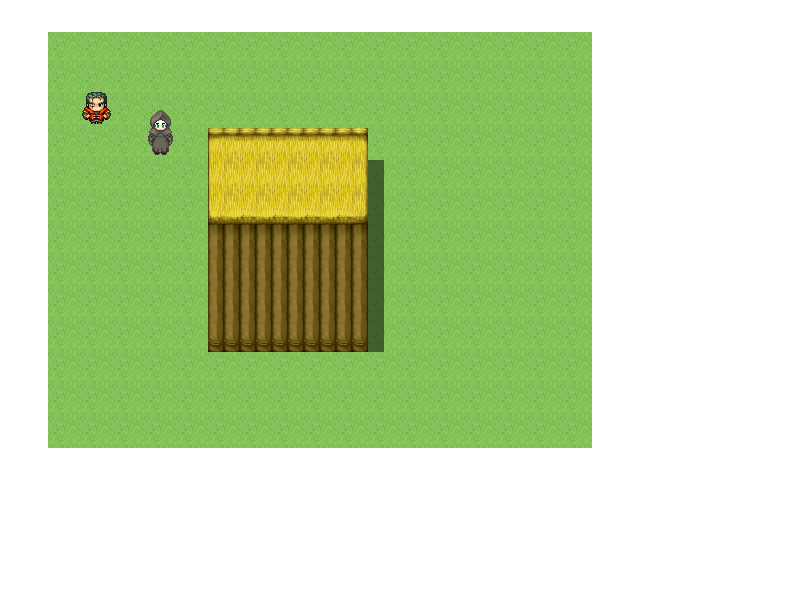
Thanks in advance for your help! I am currently trying to fit XP sized characters in the VX Ace settings by using the Game Character Generator. As you can see, it's going swimmingly. However I notice a huge eyeball issue in that the palette of my created characters are always much more washed out than the characters and the backdrops from VX Ace. I have tried googling and looking on Youtube, but there is very little info out there on the GCG. Can anyone tell me how I can...
Archived First Post
I am currently trying to fit XP sized characters in the VX Ace settings by using the Game Character Generator. As you can see, it's going swimmingly. However I notice a huge eyeball issue in that the palette of my created characters are always much more washed out than the characters and the backdrops from VX Ace. I have tried googling and looking on Youtube, but there is very little info out there on the GCG.
Can anyone tell me how I can match the palette of my created character to that of the VX Ace assets so that I can have tall characters with nice vibrant outfits that fit in their settings?
Protected download
Downloads / Referenced Files
Log in, then follow the RPG Maker Developers Group to see these download links.
Log in to downloadReferenced Images / Attachments
Creator Claims / Removal
If you are the original creator and want this listing reassigned, edited, or removed, join BMMPlay and contact the moderators with proof that matches the original RPG Maker Web profile, linked GitHub, itch.io page, or another public creator identity.
Replies (0)
No replies yet.
Topic Summary
Loading summary...
