


Custom Character Sprites Slipping
BMM_Archive · July 15, 2026

Original Source
- Original title: Custom Character Sprites Slipping
- Original author: bfamig20
- Original date: September 13, 2014
- Source thread: https://forums.rpgmakerweb.com/threads/custom-character-sprites-slipping.32007/
- Source forum path: Game Development Engines > Legacy Engine Support > RPG Maker VXAce Support
Summary
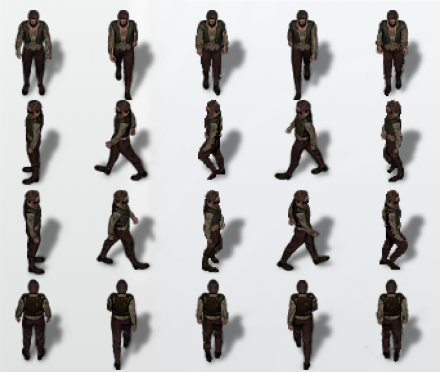
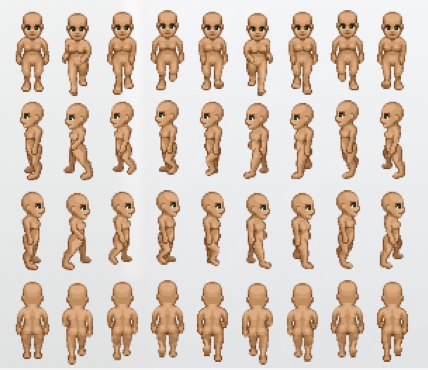
I've been using HF Mega Pack sprites and tiles (downloaded from the RPG Maker Resources page) to make my game and everything imported and works. I then decided to add a few extra fames to my hero sprite's walk cycle by painting them photoshop and using an "Extra Movement Frame" script (by Modern Algebra). When I tested the script with a 9 frame sprite I found online, it looked great. But when I import my 5 frame custom hero sprite, the character animation jumps around a bit while walking. I...


Archived First Post
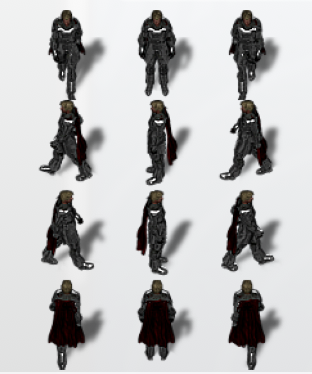
I can't figure out how to fix this and importing the files into photoshop and comparing them only made things more confusing. None of these sprites follow the 32x32 pixel size… and when comparing my 5 frame sprite to the original 3 frame one, the sprite animations are spaced out the same way. I've attached screenshots of my sprite, the custom 9 frame sprite I downloaded (which worked) and another 3 frame sprite from the HF Mega Pack download (which also works).
Any help would be greatly appreciated!
Protected download
Protected download
Protected download
Downloads / Referenced Files
Log in, then follow the RPG Maker Developers Group to see these download links.
Log in to downloadReferenced Images / Attachments
Creator Claims / Removal
If you are the original creator and want this listing reassigned, edited, or removed, join BMMPlay and contact the moderators with proof that matches the original RPG Maker Web profile, linked GitHub, itch.io page, or another public creator identity.
Replies (0)
No replies yet.
Topic Summary
Loading summary...
