public

Rpg Maker Developers Group

Simple enough for a child, powerful enough for a developer

2 Followers

I have a lot to learn so let's get started!

BMM Archive · July 15, 2026

Preserved forum archive. This topic stores the original first post and locally mirrored RPG Maker Web attachments when available. It is posted by the BMMPlay archive account, not by the original creator.

Original Source

  • Original title: I have a lot to learn so let's get started!
  • Original author: Duranin
  • Original date: July 8, 2014
  • Source thread: https://forums.rpgmakerweb.com/threads/i-have-a-lot-to-learn-so-lets-get-started.29642/
  • Source forum path: Game Development Engines > Legacy Engine Support > RPG Maker VXAce Support

Summary

HELLO THERE!  I'm relatively new to the RPG Maker community, even so more the VX Ace community.\ So I'll get right to the chase: After over a year of developing in our free/boredom time, me and a couple of friends of mine were working on a game in RPG Maker XP, and wouldn't you know it, the Humble Indie bundle had a $12 special that us poor college students (and one of us just working) just had to grab on!

Archived First Post

HELLO THERE! 

I'm relatively new to the RPG Maker community, even so more the VX Ace community.\

So I'll get right to the chase:

After over a year of developing in our free/boredom time, me and a couple of friends of mine were working on a game in RPG Maker XP, and wouldn't you know it, the Humble Indie bundle had a $12 special that us poor college students (and one of us just working) just had to grab on!

So we got RPG Maker VX Ace, and after long debates we finally managed to convince the main developer of our game to start using VX Ace instead of XP. HUZZAH MORE MODERN SOFTWARE!

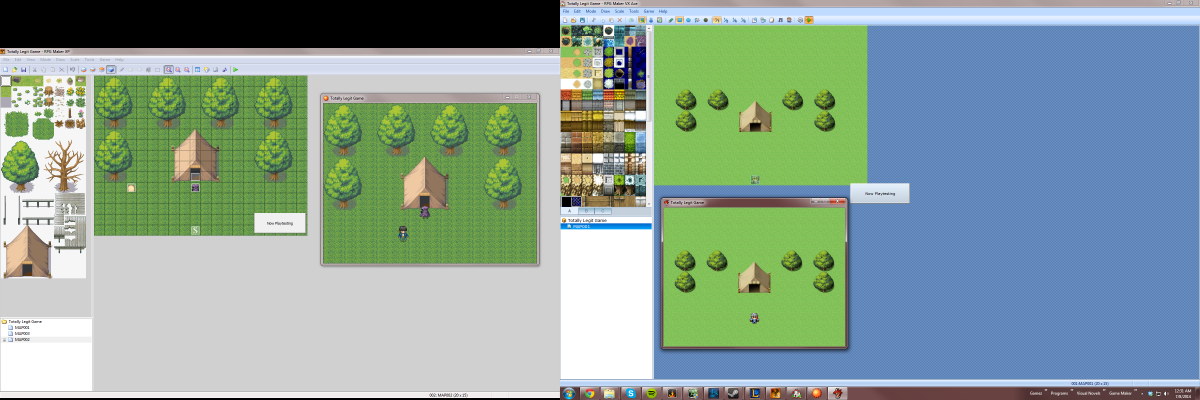
Since I was the one pushing this change it was my job to start working on re-making the maps, while the other two continued working on the story of the game. Well I got VX Ace and XP installed, I open both programs up (so I can pretty much copy the maps as I make them, since I can't just export from XP to VX Ace from what I know), and as I have both of the programs running...I get into a dilemma.....the scaling of the tilesets and character(s) are completely different....but in a bad way....the tilesets in VX Ace are so incredibly smaller and limited that I didn't know what to do.

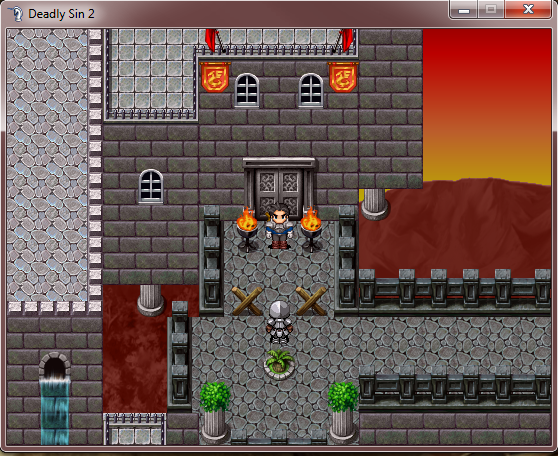
I've played a little bit of Skyborn, Deadly Sin 2, and other games I got in the bundle, and other RPG Maker games I've played, and this just kinda confused me.

Why can't I use bigger models and more realistic scaling in VX Ace like I did in XP....I don't want my character being 1/3 the size of a castle....I want to build a wall and have my character walk up to it and have it cover my whole screen,

So how do I get around this? I mean the RPG Maker VX Ace promotion video showed that not everything is in a small scale like the default, and not just the environment....the characters are super small too!

Can someone please help me here? Are there some settings I need to change? Is it a issue of tilesets and I need to get new ones? HAAALPH!!! :'(

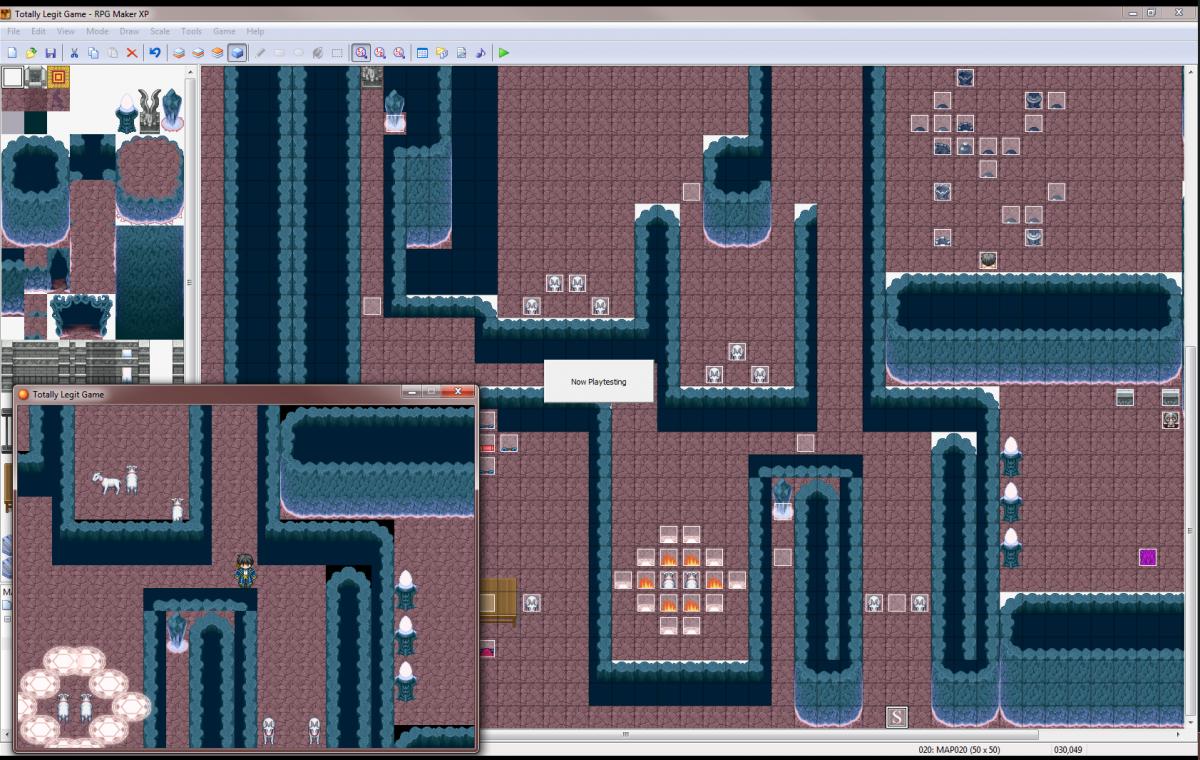
I'll post a few screenshots....one of the two programs together and the others will be a few screenshots of our game in XP.

I hope to hear from anyone soon, I look forward into reading what all of you have to say.

Protected download

Protected download

Protected download

Downloads / Referenced Files

Log in to download

Log in, then follow the RPG Maker Developers Group to see these download links.

Log in to download

Referenced Images / Attachments

Screenshot 2014-07-08 00.31.11.png
Screenshot 2014-07-08 01.04.22.png
Screenshot 2014-07-08 01.08.22.png
Creator Claims / Removal

If you are the original creator and want this listing reassigned, edited, or removed, join BMMPlay and contact the moderators with proof that matches the original RPG Maker Web profile, linked GitHub, itch.io page, or another public creator identity.

#039#rpg-maker-archive#vxace-support

Replies (0)

No replies yet.

0 replies 1 view

Log in to reply.

User Avatar