Preserved forum archive. This topic stores the original first post and locally mirrored RPG Maker Web attachments when available. It is posted by the BMMPlay archive account, not by the original creator.
Original Source
Original title: How to lay bombs - Bomberman system
Source forum path: Game Development Engines > Legacy Engine Support > RPG Maker VXAce Support
Summary
Hello all! My goal is to integrate a Bomberman-like system into the game. By pressing a key, you lay down a bomb, which will stay in position for a few seconds, explode and then reset. I've been trying to get this working for hours now, tried different approaches from forum posts but it does not work as intended for the moment. I didn't find any bomberman programs for VX Ace, from which I could learn anything, only Youtube videos showing, that it is possible (at least for RPG Maker 2000)....
Archived First Post
Hello all!
My goal is to integrate a Bomberman-like system into the game. By pressing a key, you lay down a bomb, which will stay in position for a few seconds, explode and then reset. I've been trying to get this working for hours now, tried different approaches from forum posts but it does not work as intended for the moment. I didn't find any bomberman programs for VX Ace, from which I could learn anything, only Youtube videos showing, that it is possible (at least for RPG Maker 2000).
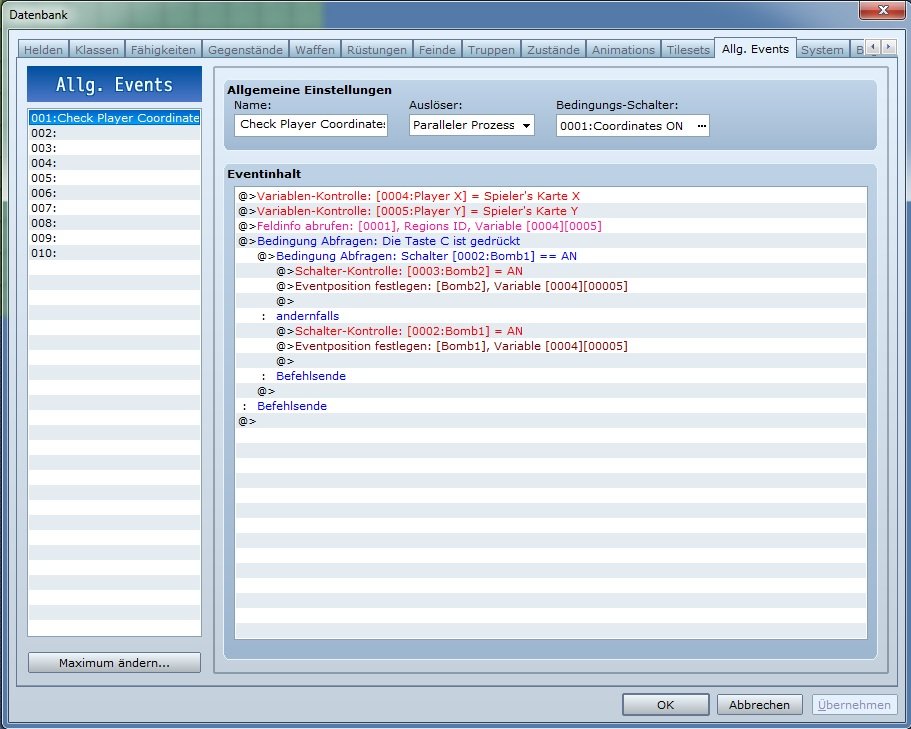
My idea is (derivated from the tips I have from different forum posts) to have a common event running, which is on parallel process and constantly checks for the players position on the map and if the "lay bomb" key is pressed.
The common event then turns on the switch for the bomb-event which is positioned on the map and puts said event on the players coordinates.
(Program language still german - Steam wouldn't let me switch language as easy as I thought).
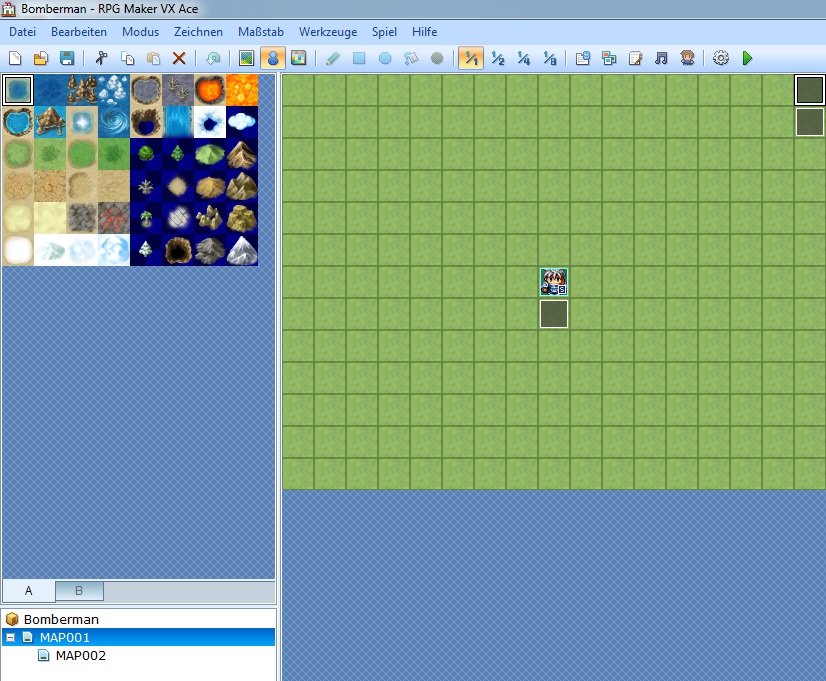
Global setting with "activate by touch" event close to the player, so that the common event will start and the two bombs at the edge.
Protected download
Common event page.
Protected download
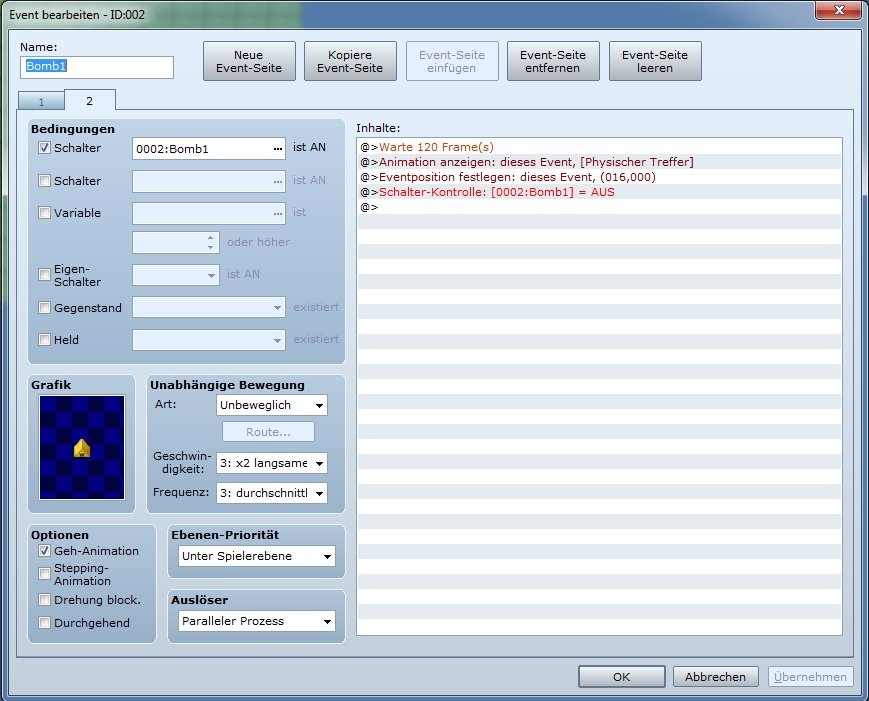
Bomb-event. First page is clean as it only waits for activation by the common event.
Protected download
As for now, when I press the button, both bombs are laid at the same time, with a second hit of the button, the first bomb will be refreshed on spot and the second one will be placed at the players position. Both bombs explode and reset at the same time.
I guess the problem isn't complicated to solve, but my brain turned into a big flubber in the past few hours. Thank you all in advance for your help and patience.
Downloads / Referenced Files
Log in to download
Log in, then follow the RPG Maker Developers Group to see these download links.
If you are the original creator and want this listing reassigned, edited, or removed, join BMMPlay and contact the moderators with proof that matches the original RPG Maker Web profile, linked GitHub, itch.io page, or another public creator identity.






 7-in-2 USB-C Multiport Adapter for MacBook Pro and Air
Slim USB-C hub for HDMI, USB, card access, and everyday laptop expansion.
View on Amazon
7-in-2 USB-C Multiport Adapter for MacBook Pro and Air
Slim USB-C hub for HDMI, USB, card access, and everyday laptop expansion.
View on Amazon