


Add Variable Bug
BMM_Archive · July 15, 2026

Original Source
- Original title: Add Variable Bug
- Original author: frederik850
- Original date: June 3, 2014
- Source thread: https://forums.rpgmakerweb.com/threads/add-variable-bug.27791/
- Source forum path: Game Development Engines > Legacy Engine Support > RPG Maker VXAce Support
Summary
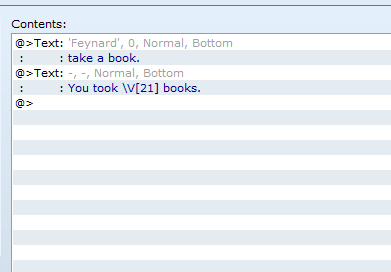
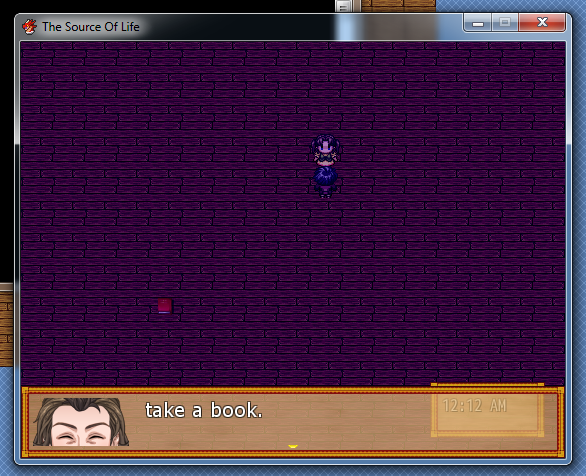
I have a problem with adding values to variables and display them. Everytime I add a value to the variable the window size changes. The first time it looks normal, but after I took two books it looks like the last image I added. I think everything I did was right. So, is it a bug, or is something else wrong? Also, it's not possible one of my scripts caused the problem, cause I copied a map from the variables guide and it worked. { "lightbox_close": "Close", "lightbox_next": "Next",
Archived First Post
Protected download
Protected download
Protected download
Downloads / Referenced Files
Log in, then follow the RPG Maker Developers Group to see these download links.
Log in to downloadReferenced Images / Attachments

Creator Claims / Removal
If you are the original creator and want this listing reassigned, edited, or removed, join BMMPlay and contact the moderators with proof that matches the original RPG Maker Web profile, linked GitHub, itch.io page, or another public creator identity.


Replies (0)
No replies yet.
Topic Summary
Loading summary...
