






public

Rpg Maker Developers Group

Simple enough for a child, powerful enough for a developer

2 Followers

What am I doing wrong? (Parralax and Tilesets)

BMM Archive · July 15, 2026

Preserved forum archive. This topic stores the original first post and locally mirrored RPG Maker Web attachments when available. It is posted by the BMMPlay archive account, not by the original creator.

Original Source

  • Original title: What am I doing wrong? (Parralax and Tilesets)
  • Original author: GeorgeTate
  • Original date: April 12, 2014
  • Source thread: https://forums.rpgmakerweb.com/threads/what-am-i-doing-wrong-parralax-and-tilesets.25999/
  • Source forum path: Game Development Engines > Legacy Engine Support > RPG Maker VXAce Support

Summary

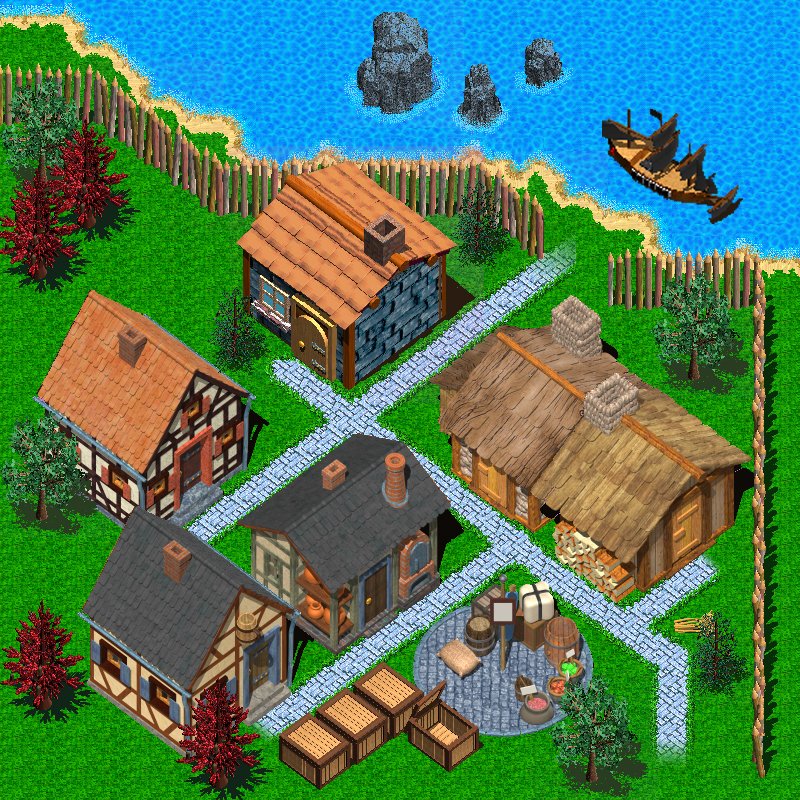
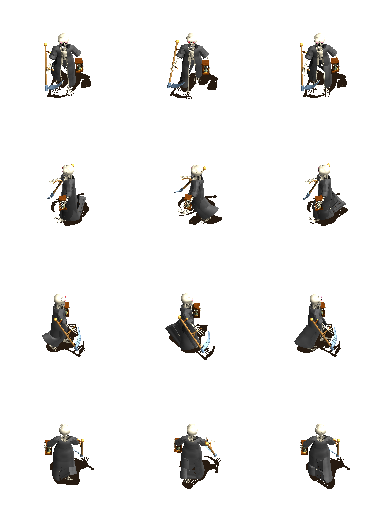
Afternoon All. I am in need of your help. I am playing with a parralax background and a large sprite, but am having problems with collision detection. Attached is the parralax (GV) {

Archived First Post

Afternoon All.

I am in need of your help. I am playing with a parralax background and a large sprite, but am having problems with collision detection.

Attached is the parralax (GV)

Protected download

And the sprite which uses the "$" title.

Protected download

I want the sprite to be limited to walking on the stone cobbles. So I got to create the map, size it accordingly, and then click on "show in editor".

I then go to the Resource Manager, got to tilesets and import "Masks"

Protected download

Then, I go into Database Manager, change the "Mode" to "Field Type" and from "A5 (normal) select "Masks" I then click on the passage tab and set green to "O" and red to "X".

I then colour the path and doors in green and everything else in red.

I then go back to the Resource Manager delete the existing "Masks" and replace it with a new "Masks" (so that the parrallax can now be seen).

Protected download

... and when I come to play test, my sprite walks all over the buildings without any restrictions.

What am I doing wrong?

Thank you

GT

Downloads / Referenced Files

Log in to download

Log in, then follow the RPG Maker Developers Group to see these download links.

Log in to download

Referenced Images / Attachments

GV.jpg
GV.jpg
$MrDeath.png
$MrDeath.png
masks.png
masks.png
masks.png
masks.png
Creator Claims / Removal

If you are the original creator and want this listing reassigned, edited, or removed, join BMMPlay and contact the moderators with proof that matches the original RPG Maker Web profile, linked GitHub, itch.io page, or another public creator identity.

#rpg-maker-archive#vxace-support

Replies (0)

No replies yet.

0 replies 1 view

Log in to reply.

User Avatar
