Preserved forum archive. This topic stores the original first post and locally mirrored RPG Maker Web attachments when available. It is posted by the BMMPlay archive account, not by the original creator.
Source forum path: Game Development Engines > RPG Maker Javascript Plugins > JS Plugin Requests
Summary
I'm currently using the YEP Save Core plugin, and it kind of leaves some things to be desired, aesthetically, so I'm looking for an add-on that automatically does what I'm requesting below After playing around with the options available, I managed to get it to looks like this; { "lightbox_close": "Close",
Archived First Post
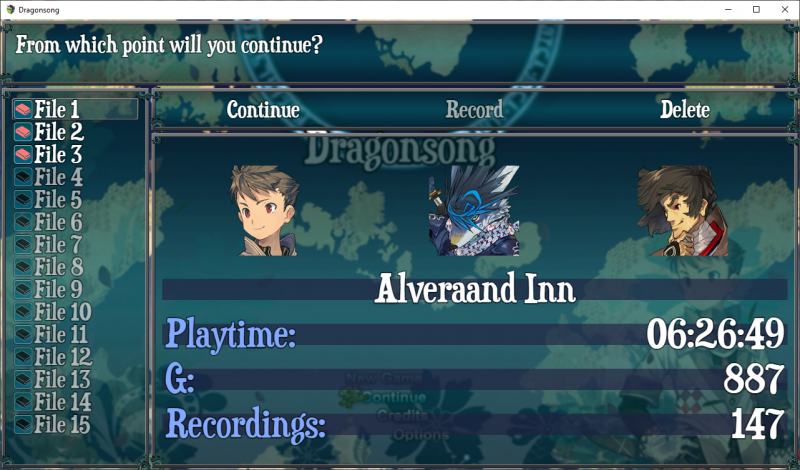
I'm currently using the YEP Save Core plugin, and it kind of leaves some things to be desired, aesthetically, so I'm looking for an add-on that automatically does what I'm requesting below
After playing around with the options available, I managed to get it to looks like this;
Protected download
The way the plugin is set up, it will only draw the battle party.
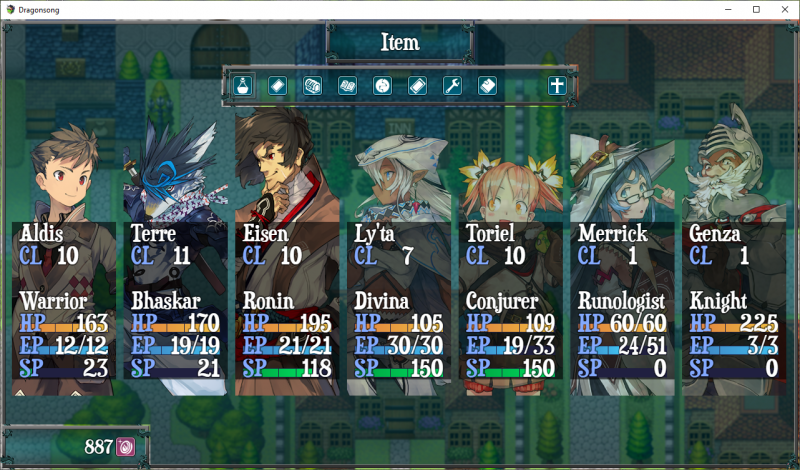
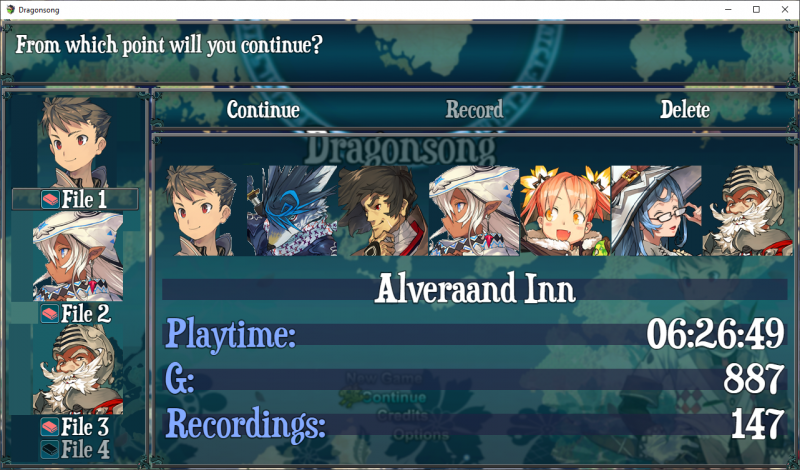
So in my case, it only draws the 3 character's faces that are currently in my battle party, and I'd like it to be able to show ALL allies I've gained so far, mirroring my Main Menu.
Protected download
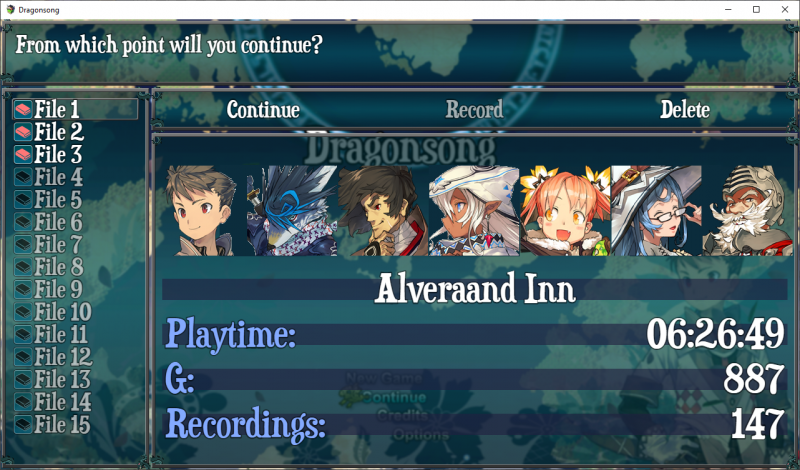
There's only 7 characters total in my game, and I provided a mock-up what I'd like/think it could look like below.
Protected download
The portraits above are still 144x144, as my game's resolution is 1280x720. So they fit perfectly at 2 pixels apart in my mock-up above, if that helps any.
Additionally, I'd also like to be able to change the standard file selection look where it's the 'lead' battle character's face with the 'file #' icon/text positioned below and centered.
I've provided an image for that below, as well
Protected download
Lastly, I'd also like to be rid of those dimmed,blue text-box backgrounds D:
Any help is greatly appreciated!
Downloads / Referenced Files
Log in to download
Log in, then follow the RPG Maker Developers Group to see these download links.
If you are the original creator and want this listing reassigned, edited, or removed, join BMMPlay and contact the moderators with proof that matches the original RPG Maker Web profile, linked GitHub, itch.io page, or another public creator identity.




 SPEEDLINK Competition Pro Extra USB Joystick
Retro USB arcade joystick for classic PC and Android gaming sessions.
View on Amazon
SPEEDLINK Competition Pro Extra USB Joystick
Retro USB arcade joystick for classic PC and Android gaming sessions.
View on Amazon