


MVSpokenWord: A Text-To-Speech Plugin
BMM_Archive · July 15, 2026

Original Source
- Original title: SpokenWord: A Text-To-Speech Plugin
- Original author: aporokizzu
- Original date: May 30, 2020
- Source thread: https://forums.rpgmakerweb.com/threads/spokenword-a-text-to-speech-plugin.122233/
- Source forum path: Game Development Engines > RPG Maker Javascript Plugins > JS Plugin Releases (RMMV)
Summary
SpokenWord: A Text-To-Speech Plugin v1.0 by dismal_science__ SpokenWord is a plugin for RPG Maker MV that allows you to easily include text-to-speech in your projects using plugin commands, script, and/or message control characters. Screenshots
Archived First Post
by dismal_science__
Features
SpokenWord is a plugin for RPG Maker MV that allows you to easily include text-to-speech in your projects using plugin commands, script, and/or message control characters.
Screenshots
How To Use
Once the plugin has been successfully added to your project, the easiest way to use SpokenWord text-to-speech in your game is by using control characters in a Show Text event command.
To do this, create a new event or edit an existing event:
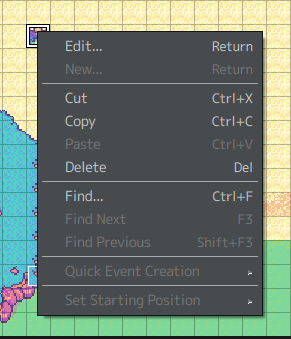
The Edit command should bring up that event's Editor window:
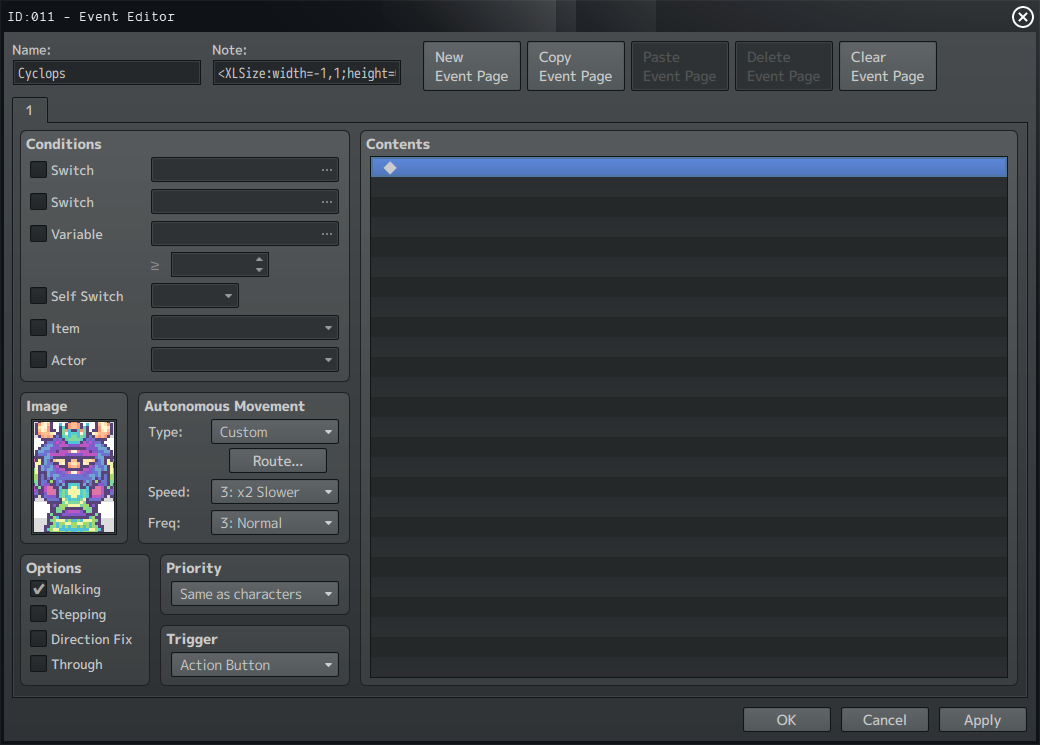
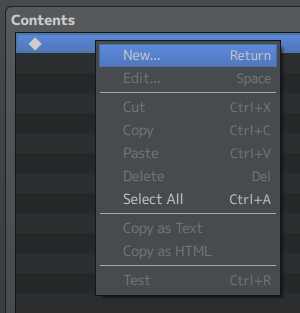
In the contents section, right-click and select New:
Now, in the Event Commands window, click on the 1 tab and choose Show Text under the Message section:
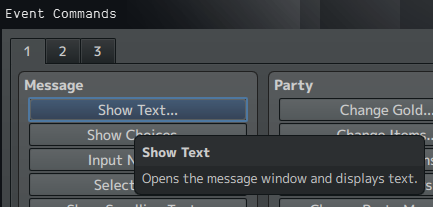
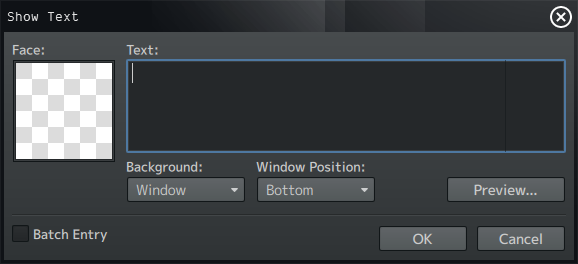
This will bring up the Show Text window, where you can specify what text should appear in the message window when your player character interacts with this event.
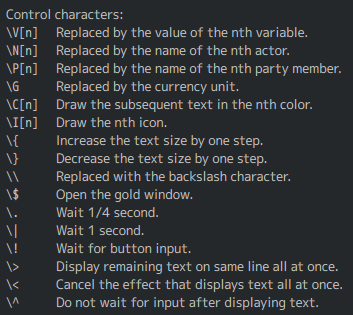
RPG Maker MV uses control characters as a way to "display values of variables and names of actors by entering [them] into the text":
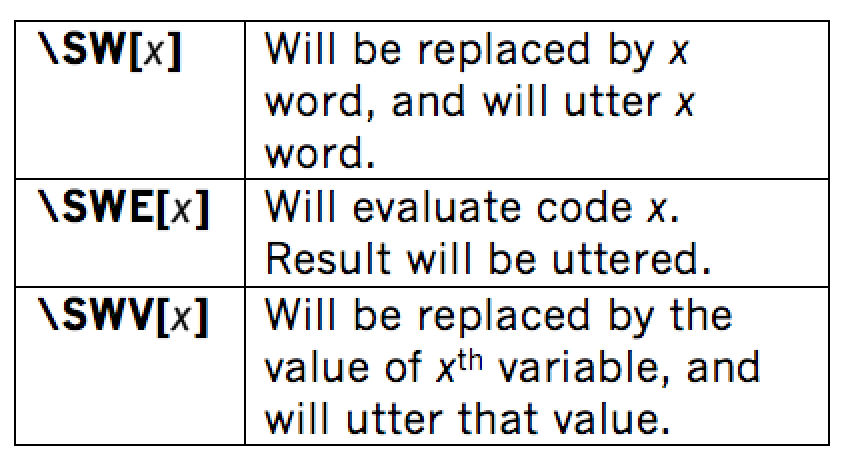
SpokenWord adds three additional control characters, which can be used in addition to the ones listed above:
So, let's try it out- in the Text section of the window type in the following:
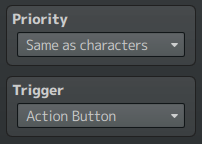
\SW[Hello], can you hear me?Now click OK to return to the Event Editor, and make sure Priority is set to "Same as characters" and Trigger is set to "Action Button" before hitting OK again and returning to the Map Editor.
Now we're ready to go! Click on the Playtest button and test it out:

That is the simplest way to implement SpokenWord in your project. For more flexibility, the plugin also offers more advanced commands.
ADVANCED COMMANDS
In the most basic example, we only used the \SW[x] control character. But what about the other two?
\SWE['x'] allows you to evaluate (execute JavaScript) x as code and display the result. So if your text was:
\SW[Hello], \SWE['$gameActors.actor(1)._name'] can you hear me?The message box should display something like:
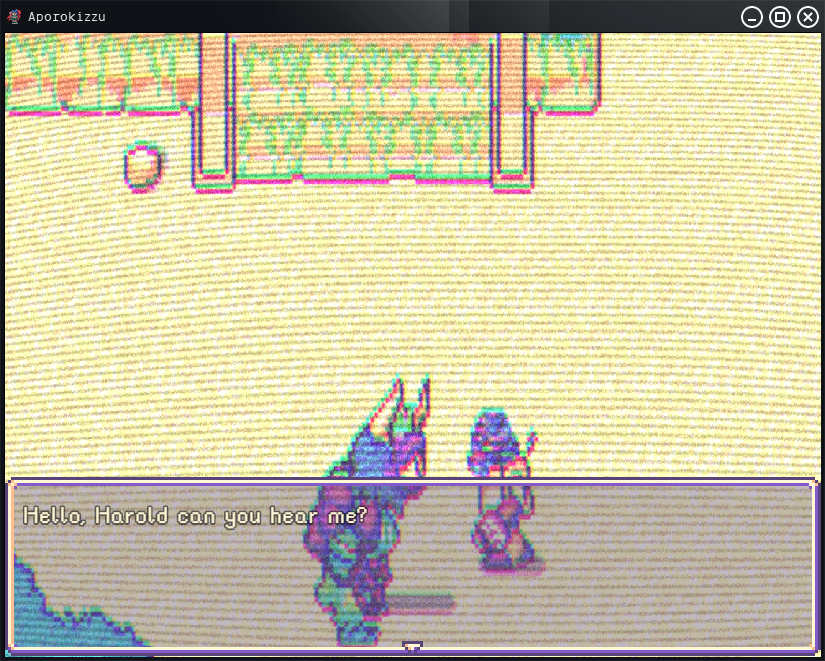
And you should hear "Hello" and "Harold".
* Please note that the code / expression you wish to evaluate must be wrapped in 'single quotes' for it to work.
Similarly, \SWV[x] lets you display and utter the value of the xth variable. In this example $gameVariable 5 is equal to 3, so:
\SW[Hello], \SWE['$gameActors.actor(1)._name'] can you hear me?

\C[1]You owe me \SWV[5] cookies!
Should display:
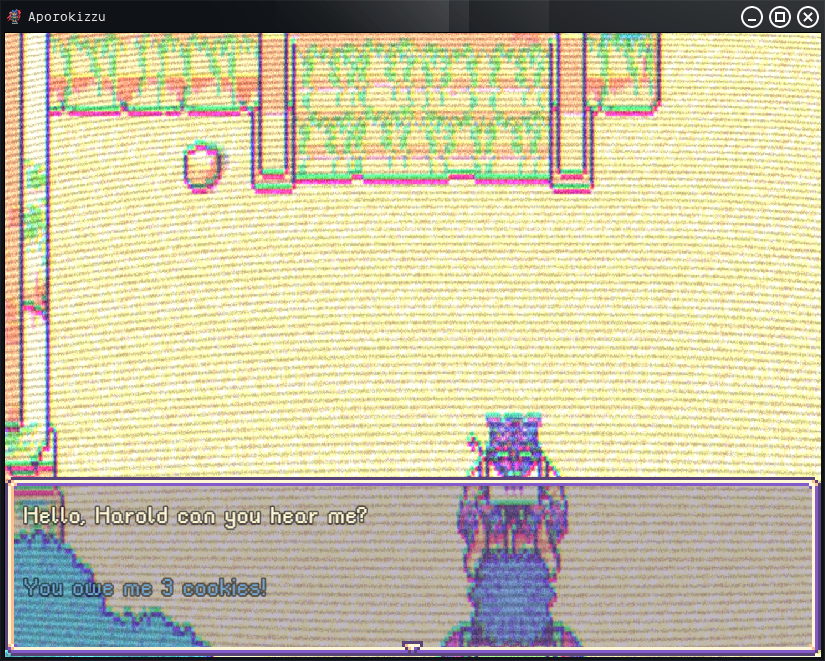
And you should hear "Hello", "Harold" and "3".
Beyond control characters, SpokenWord can also be invoked using plugin commands.
spokenWord word

spokenWord #VariableID

spokenWord e:JavaScriptCode
Similar to control characters this will utter either a specified word, variable ID or expression.
Examples include-
spokenWord dopeYou should hear "dope".
spokenWord #5If $gameVariable 5's value is 3, you should hear "3".
spokenWord e:$gameActors.actor(1)._nameYou should hear "Harold".
The second plugin command is setVoice-
setVoice vValue pValue rValueThis changes the settings (see plugin parameters in the Setup section) of volume (v), pitch (p), and speech rate (r).
So-
setVoice p2 r3Would set the pitch to 2 and speech rate to 3.
setVoice v0.5 p0.7Would set volume to 0.5 and pitch to 0.7.
Finally, SpokenWord has two script commands-
dismal.SpokenWord.utter("word")Again, like the \SW[x] control character and the spokenWord plugin command, this will utter the specified word.
And lastly,
dismal.SpokenWord.setVoice(volume, pitch, rate)This script function is similar to the setVoice plugin command.
Script
Download here (itch.io)
Terms of Use
This plugin is released under a modified X11 license.
Copyright ©MMXX dismal_science__. All Rights Reserved.
Permission to use and distribute for any purpose is hereby granted without fee, provided that the above copyright notice appear in all copies and that both copyright notice and this permission notice appear in supporting documentation.
Additional Terms of Use
- "dismal_science" must be given credit in your games.
- Do NOT change the code, filename, parameters, and information of the plugin.
- Do NOT take code for your own released plugins.
THE PLUGIN IS PROVIDED "AS IS", WITHOUT WARRANTY OF ANY KIND, EXPRESS OR IMPLIED, INCLUDING BUT NOT LIMITED TO THE WARRANTIES OF MERCHANTABILITY, FITNESS FOR A PARTICULAR PURPOSE AND NON-INFRINGEMENT. IN NO EVENT SHALL THE COPYRIGHT HOLDER BE LIABLE FOR ANY CLAIM, DAMAGES OR OTHER LIABILITY, WHETHER IN ACTION OF CONTRACT, TORT OR OTHERWISE, ARISING FROM, OUT OF OR IN CONNECTION WITH THE PLUGIN OR THE USE OR OTHER DEALINGS IN THE PLUGIN.
CHANGELOG
2020.05.29 Initial Release.
Enjoy!
Features Mentioned
- SpokenWord is a plugin for RPG Maker MV that allows you to easily include text-to-speech in your projects using plugin commands, script, and/or message control characters.
Downloads / Referenced Files
Log in, then follow the RPG Maker Developers Group to see these download links.
Log in to downloadLicense / Terms Note
Terms of Use This plugin is released under a modified X11 license. Copyright ©MMXX dismal_science__. All Rights Reserved. Permission to use and distribute for any purpose is hereby granted without fee, provided that the above copyright notice appear in all copies and that both copyright notice and this permission notice appear in supporting documentation.
Referenced Images / Attachments
Creator Claims / Removal
If you are the original creator and want this listing reassigned, edited, or removed, join BMMPlay and contact the moderators with proof that matches the original RPG Maker Web profile, linked GitHub, itch.io page, or another public creator identity.
Replies (0)
No replies yet.
Topic Summary
Loading summary...

