





Original Source
- Original title: Need some help on a few questions I have got
- Original author: DerKruste
- Original date: March 8, 2020
- Source thread: https://forums.rpgmakerweb.com/threads/need-some-help-on-a-few-questions-i-have-got.118936/
- Source forum path: Game Development Engines > RPG Maker Javascript Plugins > JS Plugin Requests
Summary
I'm doing an open world dating sim as my first real project and need a bit of help here and there if you know how to do this or can give me any pointers on what to look for please do so, every bit of help is appreciated : Spoiler: Disable the ability to go into the menu: I recently started doing the intro to the game and came across a bit of a problem pretty quick: On the menu (that opens when you hit x or escape) there are...
Archived First Post
Also I want to apologize in advance for my low effort placeholder images
Protected download
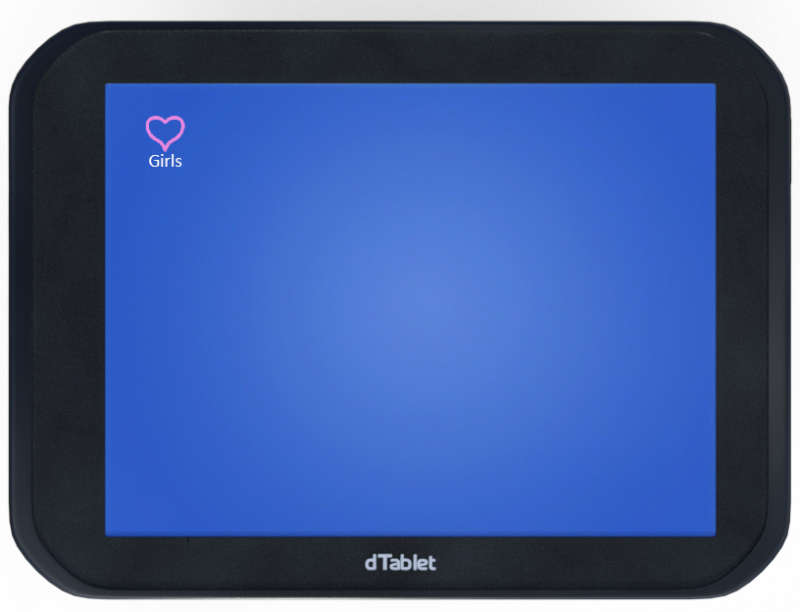
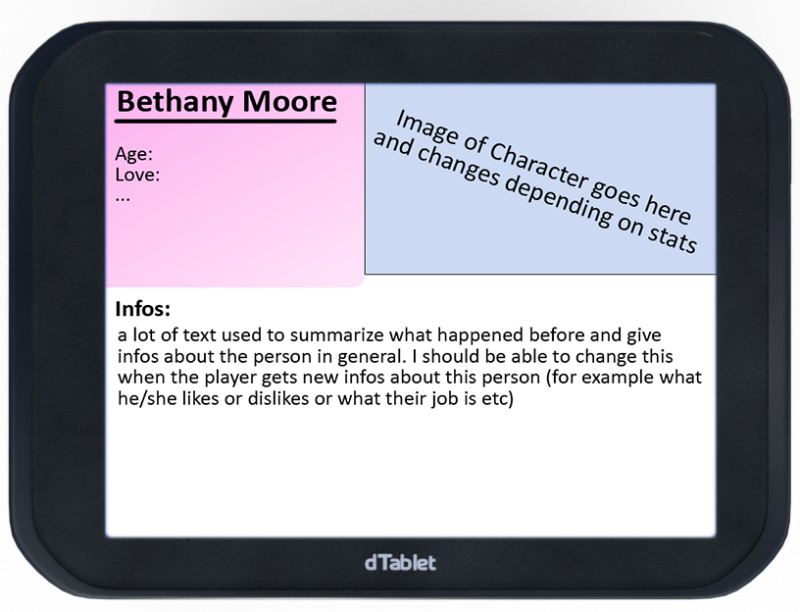
This is the screen that should appear when pressing x/escape/numpad0 and there should be apps for saving, inventory, and a menu where you can look up the stats of girls / how far you've come with her (as seen below).
Protected download
This should all be accessible through clicking on the "app" that you want to launch. And also in the apps you should be able to do everything with just the mouse / have a moveable mouse via keyboard.
And now probably the biggest of all problems with that, I need to be able to edit everything in Editor (so I don't have to make a new png in Photoshop for every combination possible.) So for example in the inventory app (which I have yet to make a placeholder for) it should be the real in game library. And in the Girls app the main screen (of which I also don't have a placeholder yet) should show the girls which you have found and have black placeholders for girls you don't yet know.
Downloads / Referenced Files
Log in, then follow the RPG Maker Developers Group to see these download links.
Log in to downloadReferenced Images / Attachments
Creator Claims / Removal
If you are the original creator and want this listing reassigned, edited, or removed, join BMMPlay and contact the moderators with proof that matches the original RPG Maker Web profile, linked GitHub, itch.io page, or another public creator identity.
Replies (0)
No replies yet.
Topic Summary
Loading summary...

