Preserved forum archive. This topic stores the original first post and locally mirrored RPG Maker Web attachments when available. It is posted by the BMMPlay archive account, not by the original creator.
Original Source
- Original title: Picture coordinance placement issue.
- Original author: Zoltor
- Original date: January 24, 2014
- Source thread: https://forums.rpgmakerweb.com/threads/picture-coordinance-placement-issue.22830/
- Source forum path: Game Development Engines > Legacy Engine Support > RPG Maker VXAce Support
Summary
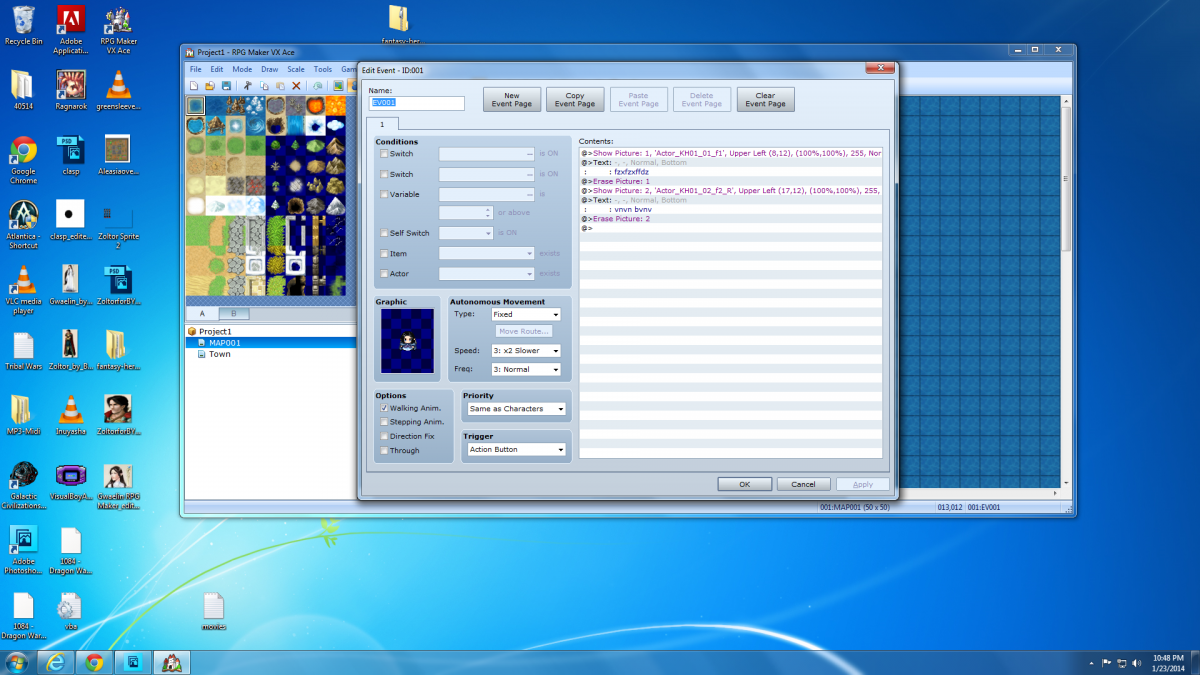
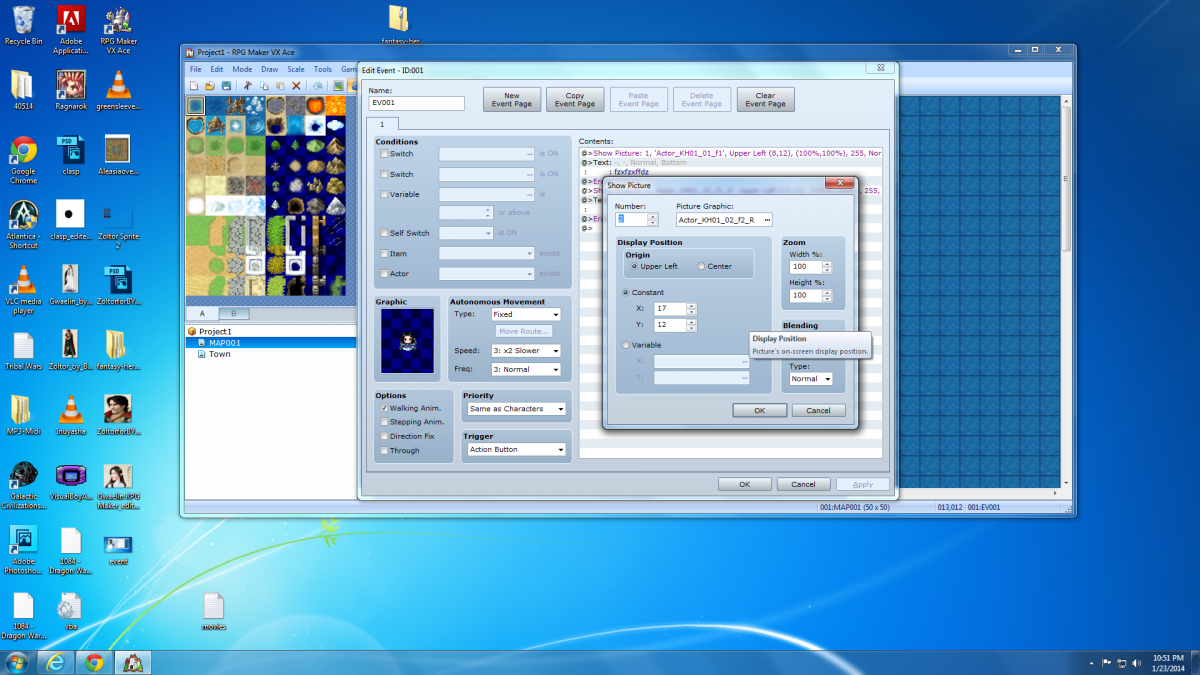
I can't believe I'm having a issue with this, It's so strait forward, and clean cut. Is it perhaps a bug in the engine(RPG Maker) its self? The first pic shows the overall event, the 2nd pic shows the display pic options. No matter what I put into the coordinance option, the pictures show up in the same spot
Archived First Post
I can't believe I'm having a issue with this, It's so strait forward, and clean cut.
Is it perhaps a bug in the engine(RPG Maker) its self?
The first pic shows the overall event, the 2nd pic shows the display pic options.
No matter what I put into the coordinance option, the pictures show up in the same spot
What seems to be going on, is the Origin(side note: center option puts it in the upper left corner, and the upper left option, puts it on the left, like you see it, so even that's not working as is intended) display position options are overriding the specific coordinance option(however you are forced to select one of the origin options, you can't choose to select neither).
Note: I'm using the newly released pics, if that matters any.
Protected download
Protected download
Is it perhaps a bug in the engine(RPG Maker) its self?
The first pic shows the overall event, the 2nd pic shows the display pic options.
No matter what I put into the coordinance option, the pictures show up in the same spot
What seems to be going on, is the Origin(side note: center option puts it in the upper left corner, and the upper left option, puts it on the left, like you see it, so even that's not working as is intended) display position options are overriding the specific coordinance option(however you are forced to select one of the origin options, you can't choose to select neither).
Note: I'm using the newly released pics, if that matters any.
Protected download
Protected download
Downloads / Referenced Files
Log in to download
Log in, then follow the RPG Maker Developers Group to see these download links.
Log in to downloadReferenced Images / Attachments
Creator Claims / Removal
If you are the original creator and want this listing reassigned, edited, or removed, join BMMPlay and contact the moderators with proof that matches the original RPG Maker Web profile, linked GitHub, itch.io page, or another public creator identity.
Replies (0)
No replies yet.
0
replies
1
view
Topic Summary
Loading summary...