


Pictures not displaying in correct positions
BMM_Archive · July 15, 2026

Original Source
- Original title: Pictures not displaying in correct positions
- Original author: Autipup
- Original date: December 16, 2013
- Source thread: https://forums.rpgmakerweb.com/threads/pictures-not-displaying-in-correct-positions.21060/
- Source forum path: Game Development Engines > Legacy Engine Support > RPG Maker VXAce Support
Summary
So, I want to display 3 images that appear directly behind the main character as part of my game's original battle system . As I don't know scripting, I'm doing this all with events. What it is supposed to do: When a player touches an enemy on the field, the game game detects the direction the player is facing and the enemy moves one square away from the player and then faces the player. Thus leaving a one square gap between them and then activates a common event called: "Where...
Archived First Post
What it is supposed to do:
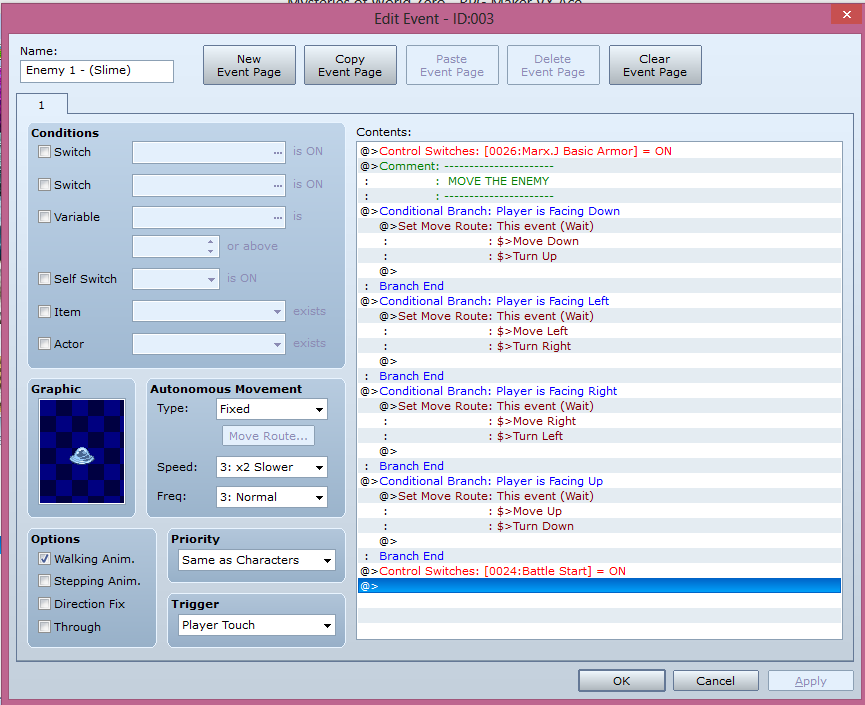
- When a player touches an enemy on the field, the game game detects the direction the player is facing and the enemy moves one square away from the player and then faces the player. Thus leaving a one square gap between them and then activates a common event called: "Where Battle Begins".
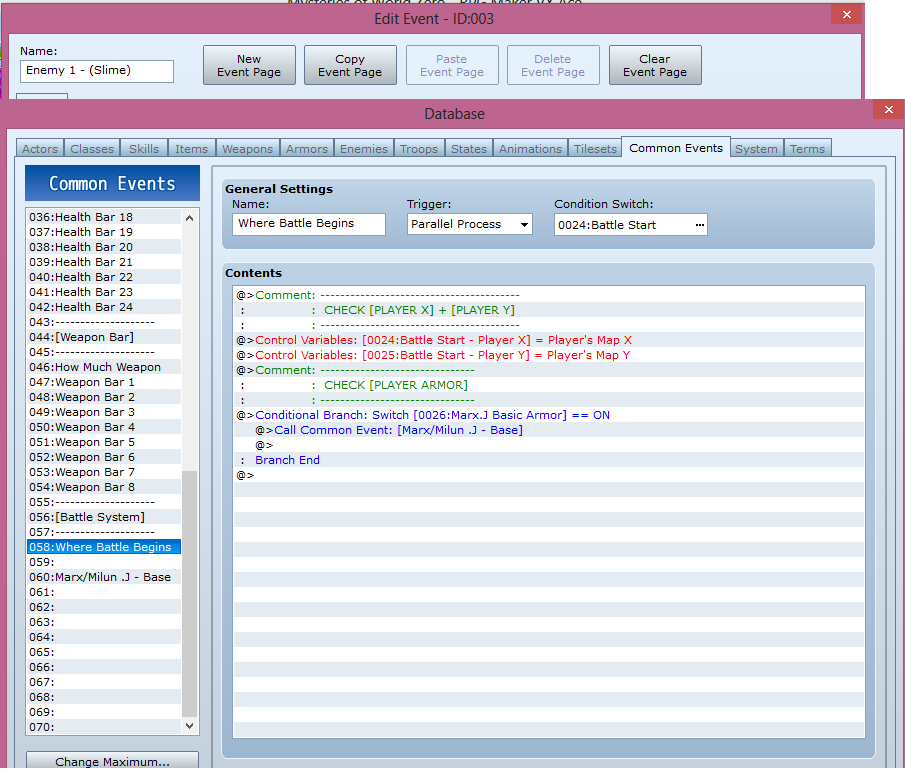
- Next, the common event "Where Battle Begins" grabs the player's current coordinates (X, Y) and then does an if and statement to check which armor the player currently has equipped (so far, I only have one programmed).
- When it detects what armor the player is currently wearing, in this case the starting armor for the character Marx.J/Milun.J (Depending on if you play it in English or French), it sets off a new common event in this case called: "Marx/Milun .J - Base"
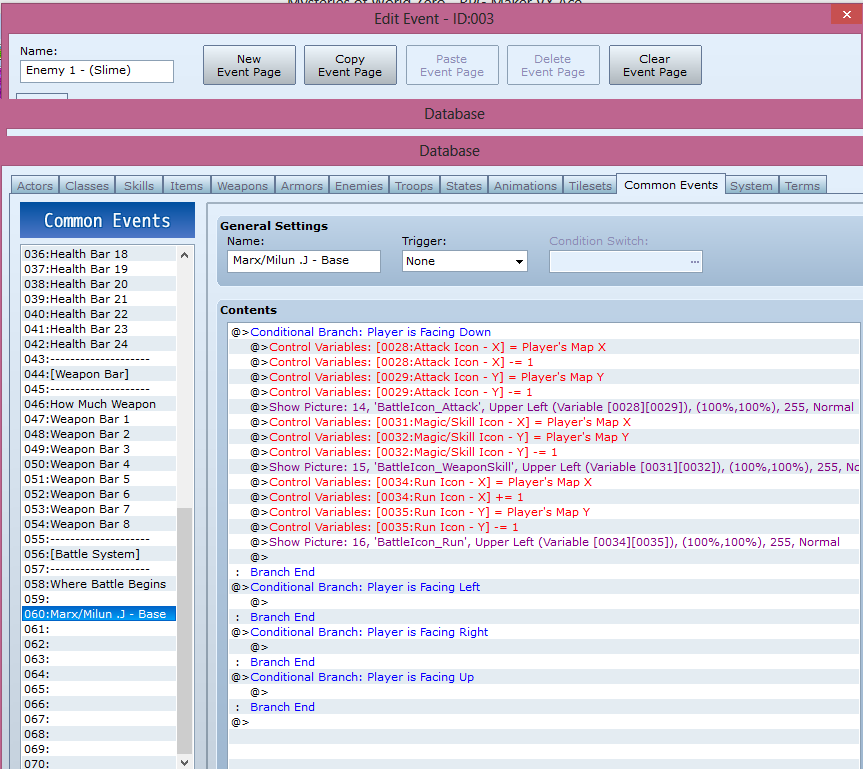
- The Common Event: "Marx/Milun .J - Base" then does various things with several variables to find the coordinates for a picture that is to appear directly 1 up and 1 left from the character, followed by a picture that appears directly 1 up from the character and another that is 1 up and 1 left. (I'm using this as a example because so far, I've only used it for the character facing down. The idea is that if the character were facing up, left or right, the locations for the pictures would chanoge. Either way, the pictures must adapt to appear wherever the character might be at any given time and regardless of facing direction).
- I'll 'elaborate' more by adding some pictures:
The images (in order are):
- Picture of event/enemy that the player has to touch to activate the common event that starts the battle.
Protected download
- Picture of the initial common event. Again, the one that starts the battle.
Protected download
- Picture of the common event that is supposed to place the images.
Protected download
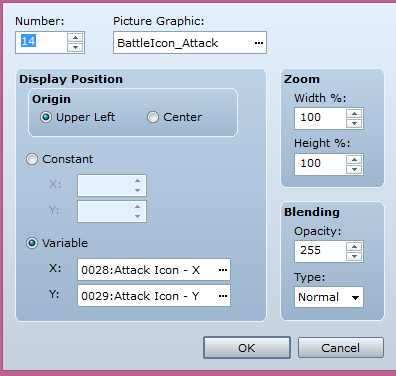
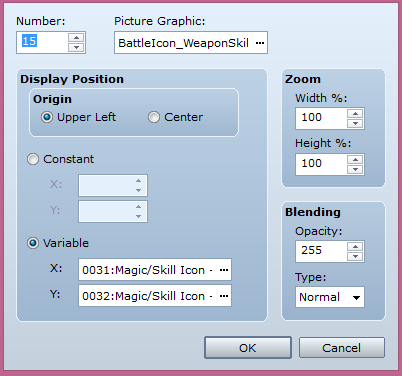
- Picture of the command that is supposed to place the first of the "Show Picture".
Protected download
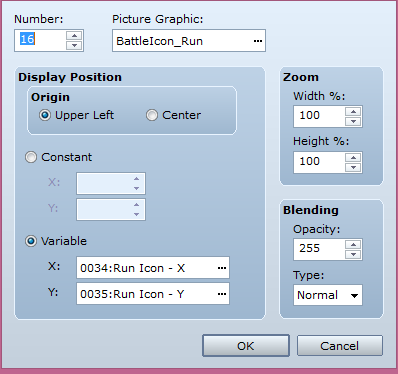
- Picture of the command that is supposed to place the second of the "Show Picture".
Protected download
- Picture of the command that is supposed to place the third picture, also using "Show Picture".
Protected download
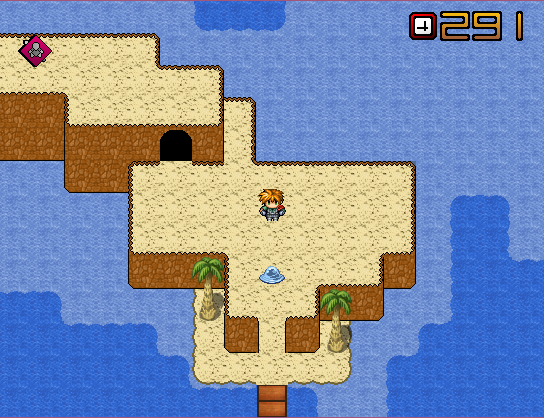
- Picture of the images as they appear in game. They all appear, but above one another instead of how they need to be.
Protected download
- How I want them to appear.
- P = Player, A = Attack Icon, S = Weapon Skill Icon, R = Run Icon
Protected download
Downloads / Referenced Files
Log in, then follow the RPG Maker Developers Group to see these download links.
Log in to downloadReferenced Images / Attachments

Creator Claims / Removal
If you are the original creator and want this listing reassigned, edited, or removed, join BMMPlay and contact the moderators with proof that matches the original RPG Maker Web profile, linked GitHub, itch.io page, or another public creator identity.
Replies (0)
No replies yet.
Topic Summary
Loading summary...

