Preserved forum archive. This topic stores the original first post and locally mirrored RPG Maker Web attachments when available. It is posted by the BMMPlay archive account, not by the original creator.
Source forum path: Game Development Engines > RPG Maker Javascript Plugins > JS Plugin Requests
Summary
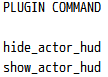
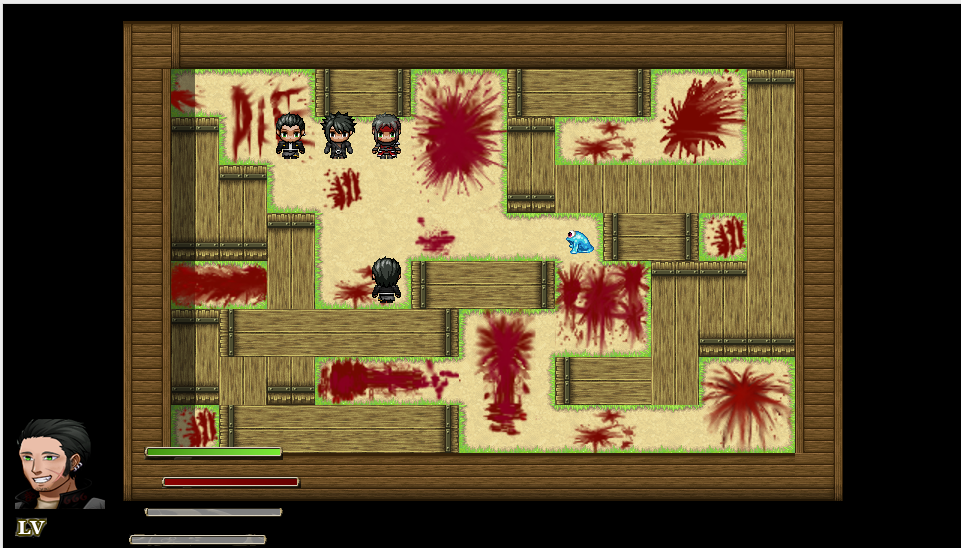
Hey i need to know if there is a feature or a way to activate and Deactivate a plugin like i have a HUD Layer and i want to show when i need to have a quick lock and hide when i dont need, can someone help me with this minor issue? Im using Mog_actorHUD Plug in. Show/Hide Buttom BD Spoiler {
Archived First Post
Hey i need to know if there is a feature or a way to activate and Deactivate a plugin like i have a HUD Layer and i want to show when i need to have a quick lock and hide when i dont need, can someone help me with this minor issue? Im using Mog_actorHUD Plug in.
Show/Hide Buttom BD
Downloads / Referenced Files
RPG Maker Web attachments are mirrored locally when available. Other external links remain hosted by their original creator or third-party service.
Local mirror:16746-1ac222f7220ddf616867abf3b81abfb2.png SHA-256: 253efc5600bb73aa2633921a160d3bceb08a72c202cf31dd0cebfccabfdc3f8b Original attachment URL: https://forums.rpgmakerweb.com/attachments/screenshot_1-png.29188/
Local mirror:16747-8f48d70132a1d286a61e06f024a23df7.png SHA-256: 97b41d3aa9bf89f55c751b8b13cf7f71d5be11cb93df18afe0c727f527d337e4 Original attachment URL: https://forums.rpgmakerweb.com/attachments/screenshot_2-png.29189/
Referenced Images / Attachments
Screenshot_1.pngScreenshot_2.png
Creator Claims / Removal
If you are the original creator and want this listing reassigned, edited, or removed, join BMMPlay and contact the moderators with proof that matches the original RPG Maker Web profile, linked GitHub, itch.io page, or another public creator identity.