

How to skip actor selection when using an item?
BMM_Archive · July 15, 2026

Original Source
- Original title: How to skip actor selection when using an item?
- Original author: WhaleYan
- Original date: April 22, 2025
- Source thread: https://forums.rpgmakerweb.com/threads/how-to-skip-actor-selection-when-using-an-item.177135/
- Source forum path: Game Development Engines > RPG Maker MZ Support
Summary
Hi everyone, I've made myself a fun menu I'm pretty proud of but I realized that consumables expose some of the behind the scenes stuff I've done my best to obscure. Currently everything in my menu is built using SRD's Hudmaker using a variety of script calls and is working great. However when I use an item, it immediately calls upon actor selection. As strange as this sounds, I would like to skip this step as this is handled using common events. I am not using any VS item plugins...
Archived First Post
Currently everything in my menu is built using SRD's Hudmaker using a variety of script calls and is working great. However when I use an item, it immediately calls upon actor selection.
As strange as this sounds, I would like to skip this step as this is handled using common events. I am not using any VS item plugins or any other item plugins as its creating some weird issues when using the item menu script call.
This is my menu. When the variable is set to 4 it calls the menu selection. EZ PZ
Basic item menu.
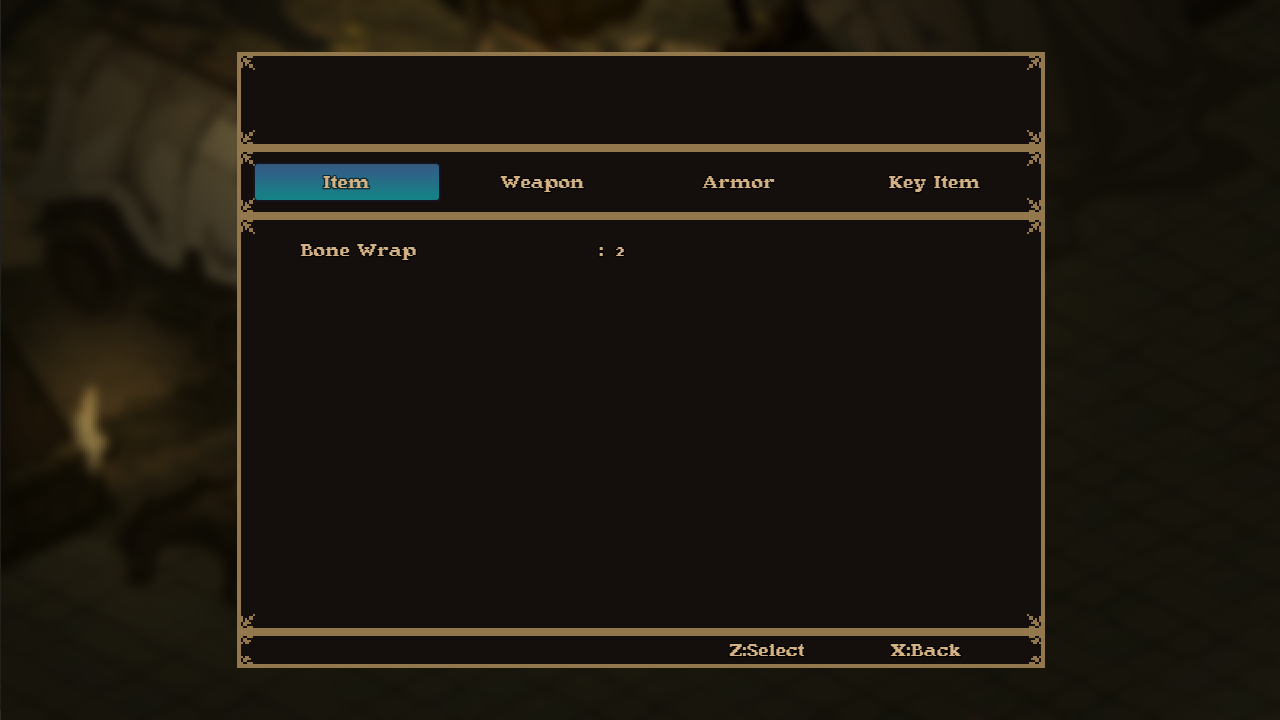
I would like this part skippable with a script if possible(?) Or is there a work around?
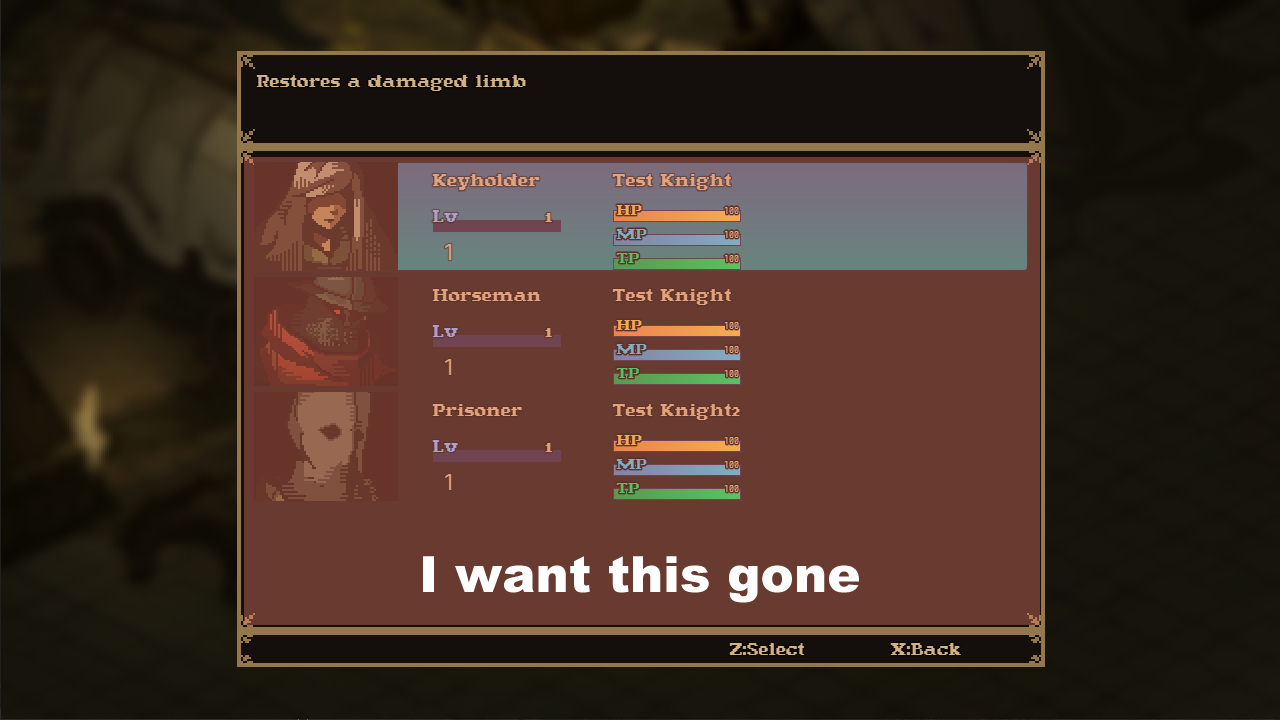
This is what this leads to (there's multiple limb selections beyond this page that work well)
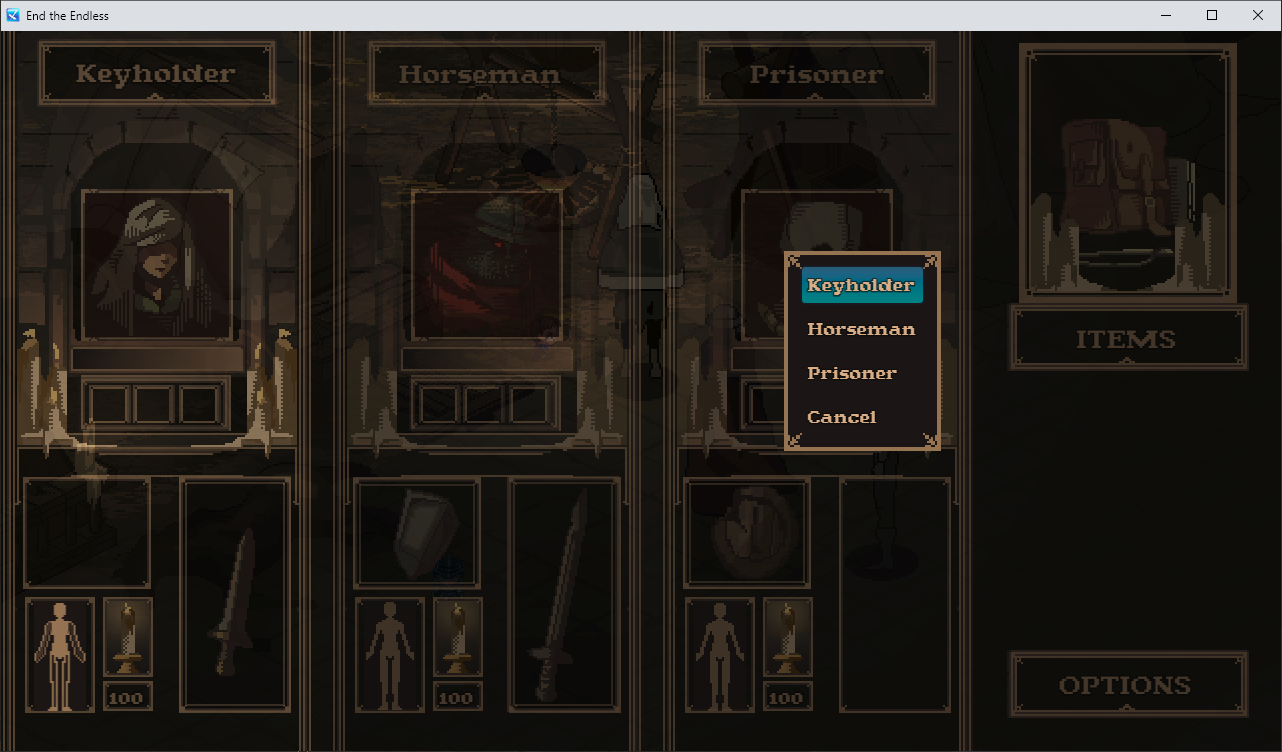
Thank you!
Downloads / Referenced Files
RPG Maker Web attachments are mirrored locally when available. Other external links remain hosted by their original creator or third-party service.
- Local mirror: 317389-eee0e99a6766f0dbbe859fd9999be9e0.png
SHA-256:940d443006a5e14e8fefeec8ce71e08ba5c4586ee36cc4e5011c656c58329885
Original attachment URL: https://forums.rpgmakerweb.com/attachments/item_02-png.338309/ - Local mirror: 317390-a1767ca3422dd839d2dcc0582b3bfad9.png
SHA-256:5f7fd7f50bf356b672839e059c7cc3f1ec4f0be6a289923c82f96c4356c341b1
Original attachment URL: https://forums.rpgmakerweb.com/attachments/item_03-png.338310/ - Local mirror: 317391-82bfd622d81386bfa931eff308702506.png
SHA-256:ab5ac692acedb2e5e6fdd756f3d3d3d4b7171f5f3bf100cd85d8efd949e8e92f
Original attachment URL: https://forums.rpgmakerweb.com/attachments/1745283269524-png.338311/
Referenced Images / Attachments
Creator Claims / Removal
If you are the original creator and want this listing reassigned, edited, or removed, join BMMPlay and contact the moderators with proof that matches the original RPG Maker Web profile, linked GitHub, itch.io page, or another public creator identity.
Replies (0)
No replies yet.
Topic Summary
Loading summary...