


Estirole patch not working(MOG_Wallpaper_EX - NOTEBOOK)
BMM_Archive · July 15, 2026

Original Source
- Original title: Estirole patch not working(MOG_Wallpaper_EX - NOTEBOOK)
- Original author: Yappy Monoxide
- Original date: October 25, 2016
- Source thread: https://forums.rpgmakerweb.com/threads/estirole-patch-not-working-mog_wallpaper_ex-notebook.70102/
- Source forum path: Game Development Engines > Ruby Game System (RGSS) Scripts > RGSSx Script Support
Summary
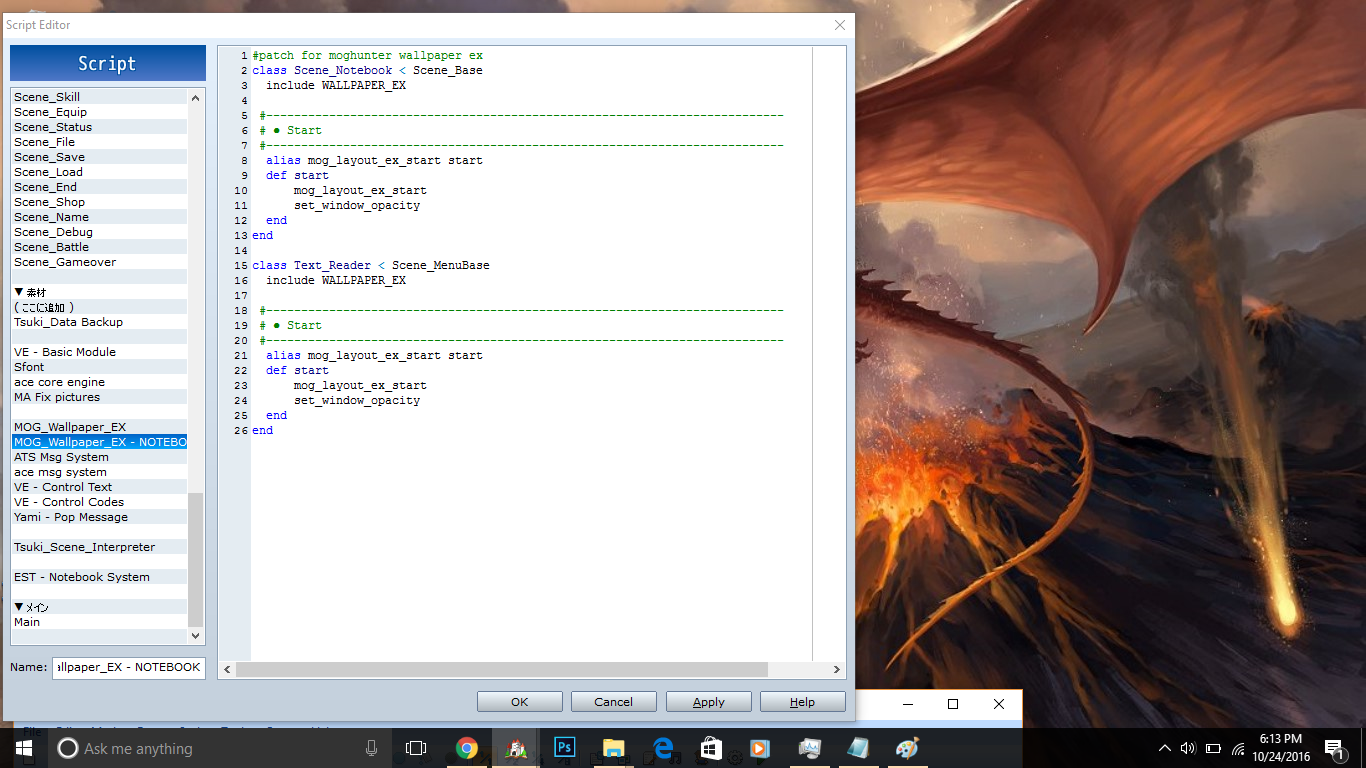
Hi everyone. So I've been changing scripts a lot of scripts today, including adding some new ones. I also decided to tackle this problem I've been having for awhile. But unfortunately, I couldn't fix it myself. I'm currently trying to make these two scripts work together. (EST NOTEBOOK SYSTEM) and (MOG WALLPAPER EX ). Great scripts (Although one is really hard to use ) and they work together fine in Estriole's Demo via a patch they made: Spoiler
Archived First Post
I'm currently trying to make these two scripts work together. (EST NOTEBOOK SYSTEM) and (MOG WALLPAPER EX ).
Great scripts (Although one is really hard to use ) and they work together fine in Estriole's Demo via a patch they made:
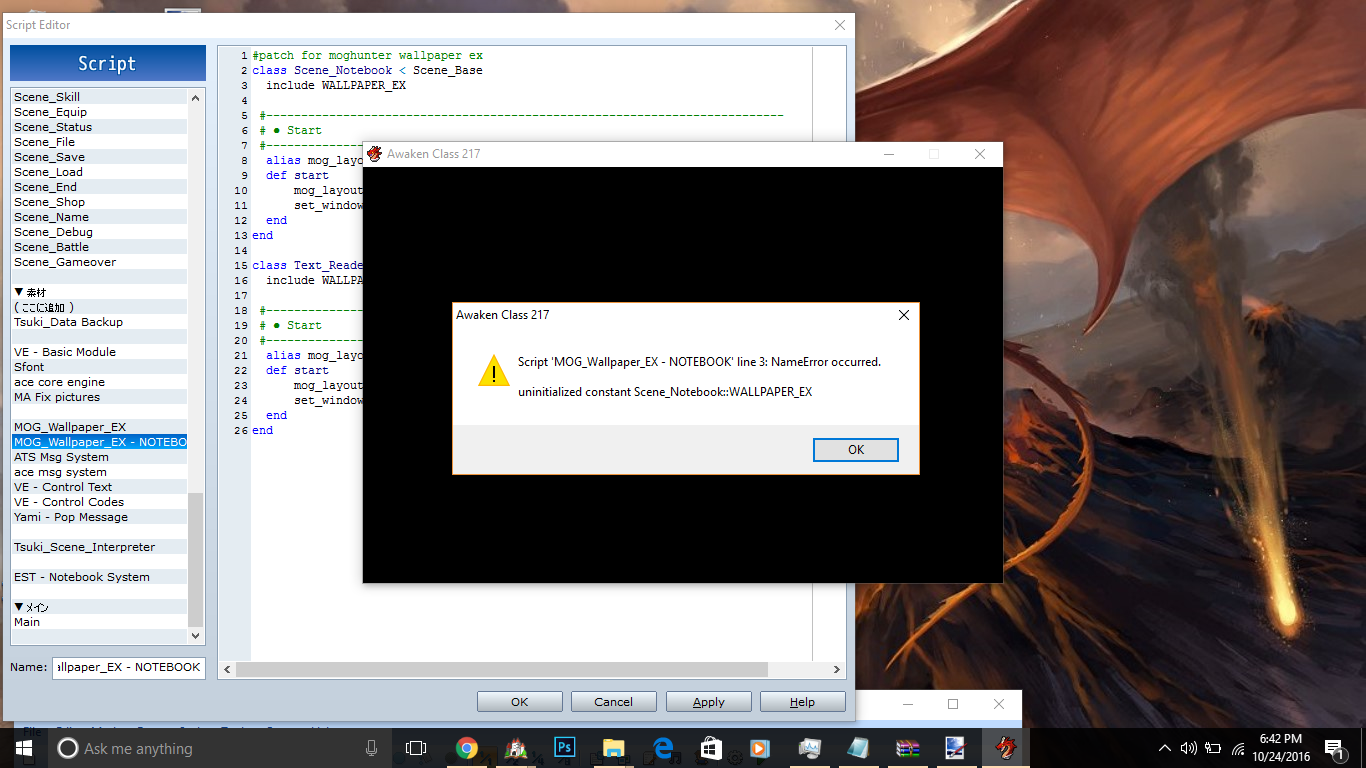
But when importing them into my project with the patch I get this error:
Without the patch they work fine but I can't get it to work in the notebook scene. (Hence the reason the patch exists)
I've tried but I just can't figure out what to do. I'm sure the answer is right in front of my face but I just can't see it.
Scripts that I am using that alter the menu:
Yanfly Engine Ace - Ace Status Menu v1.02
Yanfly Engine Ace - Ace Save Engine v1.03
Ru - Volume Control
Yanfly Engine Ace - Ace Shop Options v1.01
Yanfly Engine Ace - Ace Item Menu v1.02
Yanfly Engine Ace - Ace Menu Engine v1.08 (I think this is the most likely candidate for causing the error)
Shaz - SUPER SIMPLE MOUSE SCRIPT v1.10 (Heavily altered. Details)
Downloads / Referenced Files
Log in, then follow the RPG Maker Developers Group to see these download links.
Log in to downloadReferenced Images / Attachments
Creator Claims / Removal
If you are the original creator and want this listing reassigned, edited, or removed, join BMMPlay and contact the moderators with proof that matches the original RPG Maker Web profile, linked GitHub, itch.io page, or another public creator identity.


Replies (0)
No replies yet.
Topic Summary
Loading summary...
