






public

Rpg Maker Developers Group

Simple enough for a child, powerful enough for a developer

2 Followers

I have a problem with the tittle screen command window

BMM Archive · July 15, 2026

Preserved forum archive. This topic stores the original first post and locally mirrored RPG Maker Web attachments when available. It is posted by the BMMPlay archive account, not by the original creator.

Original Source

  • Original title: I have a problem with the tittle screen command window
  • Original author: Juanxpeke
  • Original date: November 26, 2016
  • Source thread: https://forums.rpgmakerweb.com/threads/i-have-a-problem-with-the-tittle-screen-command-window.71491/
  • Source forum path: Game Development Engines > Ruby Game System (RGSS) Scripts > RGSSx Script Support

Summary

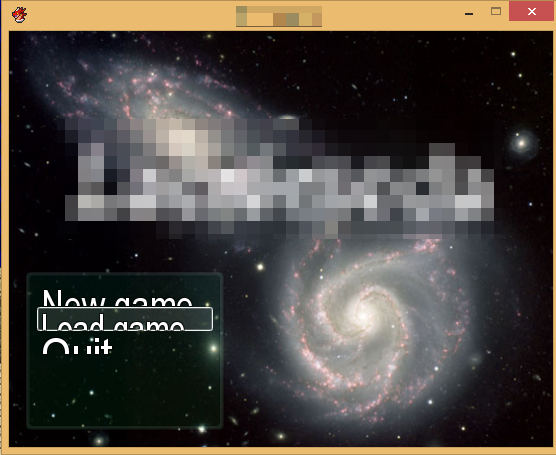
Hello everyone, how are you? c:  this is my first post and I'm really just learning how to use the RPG Maker VXAce, and now I had a problem and I didn't find any solution in intenet. The problem is related with the options window that appears in the tittle screen (command window I believe), specifically with the size of the letters and the separation between options With a small size font like 15 I don't have any problems, but when I change the size this happens: {

Archived First Post

Hello everyone, how are you? c:  this is my first post and I'm really just learning how to use the RPG Maker VXAce, and now I had a problem and I didn't find any solution in intenet.


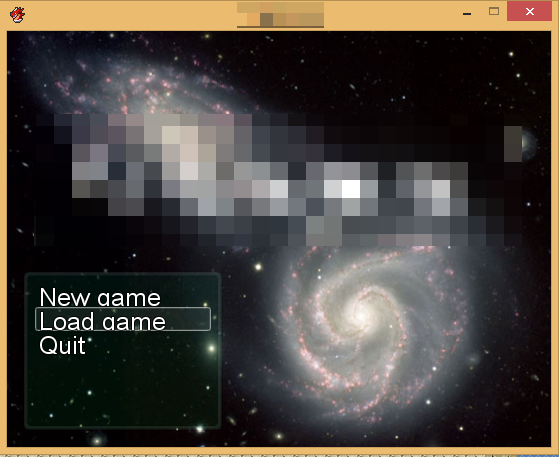
The problem is related with the options window that appears in the tittle screen (command window I believe), specifically with the size of the letters and the separation between options


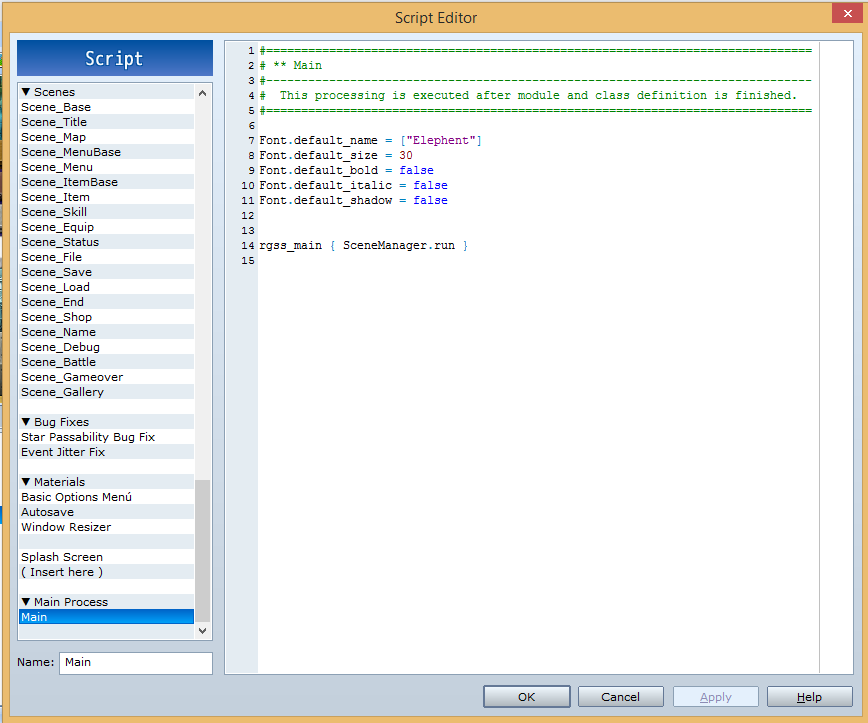
With a small size font like 15 I don't have any problems, but when I change the size this happens: Protected downloadProtected downloadProtected download


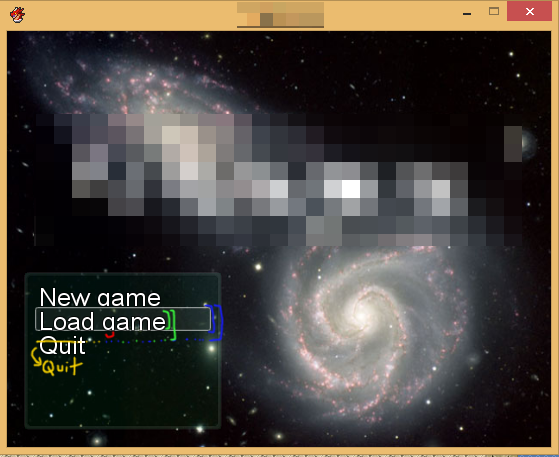
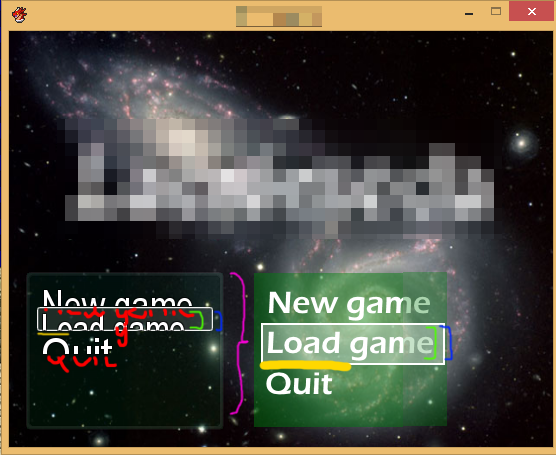
As I said before, I don't have any idea of the things or variables that are involved in this "problem" I'm new :c, but i believe that I have 3 problems (which are possibly related): the first is the size of the font space (in green), the second the size of the selection space (in blue) and finally the space o separation between options (in yellow).


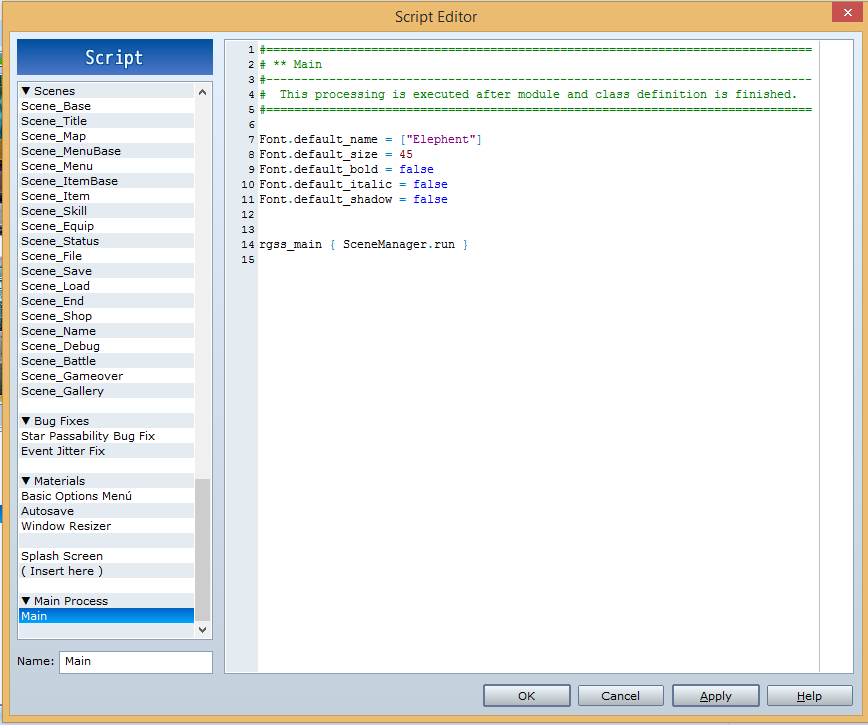
This is another example


:Protected downloadProtected downloadProtected download


As you can see the problem is the same, and next to the first window with the problem I drew a window that I want with problems solved


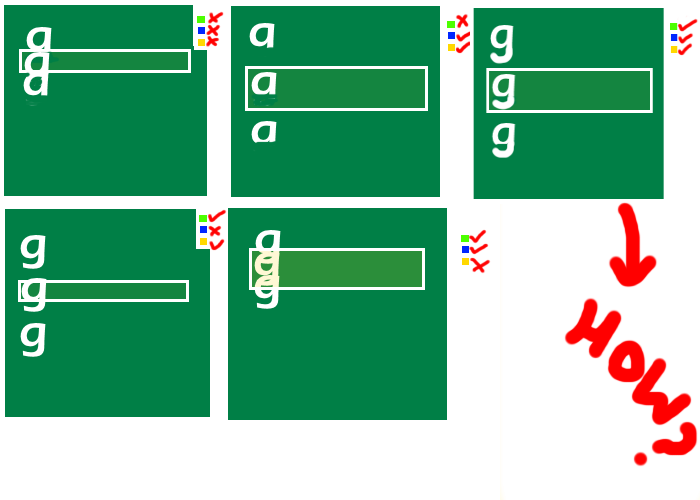
If you did not understand well how to explain me here is another idea of how I think it is my problem D:


Protected download


If someone knows how to solve this problem with a new script or modifying the game's default scripts I would appreciate it if you took some time to explain how the change works so that I can manage to modify the window as I want and I could learn more about this program


Sorry for my english, I'm Chilean :C and thanks for took your time reading this noob post XD

Downloads / Referenced Files

Log in to download

Log in, then follow the RPG Maker Developers Group to see these download links.

Log in to download

Referenced Images / Attachments

Changed Script.png
Changed Script.png
Changed Menu 1.png
Changed Menu 1.png
Good Changed Menu 1.png
Changed Script 2.png
Changed Menu 2.png
Changed Menu 2.png
Good Changed Menu 2.png
Explication.png
Explication.png
Creator Claims / Removal

If you are the original creator and want this listing reassigned, edited, or removed, join BMMPlay and contact the moderators with proof that matches the original RPG Maker Web profile, linked GitHub, itch.io page, or another public creator identity.

#039#rpg-maker-archive#rgss-support

Replies (0)

No replies yet.

0 replies 1 view

Log in to reply.

User Avatar