public

Rpg Maker Developers Group

Simple enough for a child, powerful enough for a developer

2 Followers

Constant On-Screen Clickable Options - Will this cause problems?

BMM Archive · July 15, 2026

Preserved forum archive. This topic stores the original first post and locally mirrored RPG Maker Web attachments when available. It is posted by the BMMPlay archive account, not by the original creator.

Original Source

  • Original title: Constant On-Screen Clickable Options - Will this cause problems?
  • Original author: ZombieKidzRule
  • Original date: December 30, 2022
  • Source thread: https://forums.rpgmakerweb.com/threads/constant-on-screen-clickable-options-will-this-cause-problems.153618/
  • Source forum path: Game Development Engines > RPG Maker MZ Support

Summary

Hello, everyone and Happy Holidays! I have been experimenting with the idea of having clickable options on every map that allows the player to access different things, such as a Party Menu where they can see details of each party member, a Beastiary, a Quest log, a Journal, things like that. The only Plugins I am using right now are the TextPicture and ButtonPicture plugins to make this work. Essentially, when the player clicks on an option, it will open up a new picture window with all the information that...

Archived First Post

Hello, everyone and Happy Holidays!

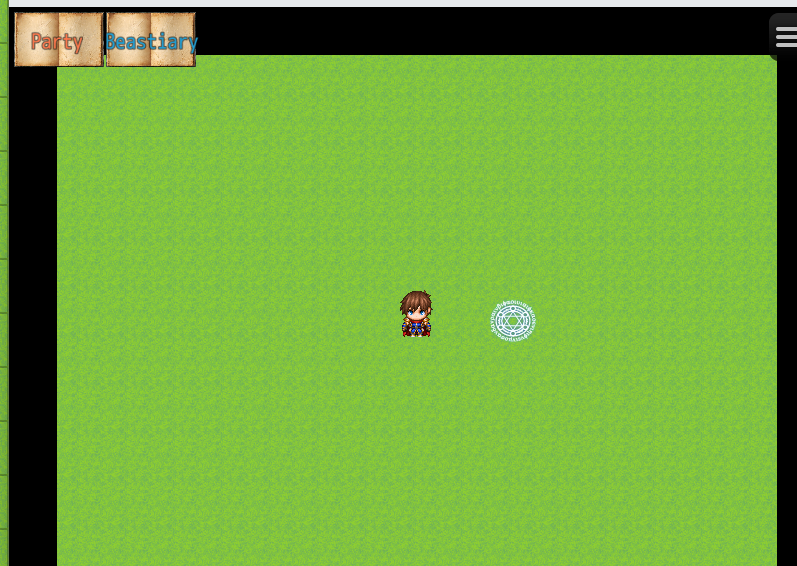
I have been experimenting with the idea of having clickable options on every map that allows the player to access different things, such as a Party Menu where they can see details of each party member, a Beastiary, a Quest log, a Journal, things like that.

The only Plugins I am using right now are the TextPicture and ButtonPicture plugins to make this work.

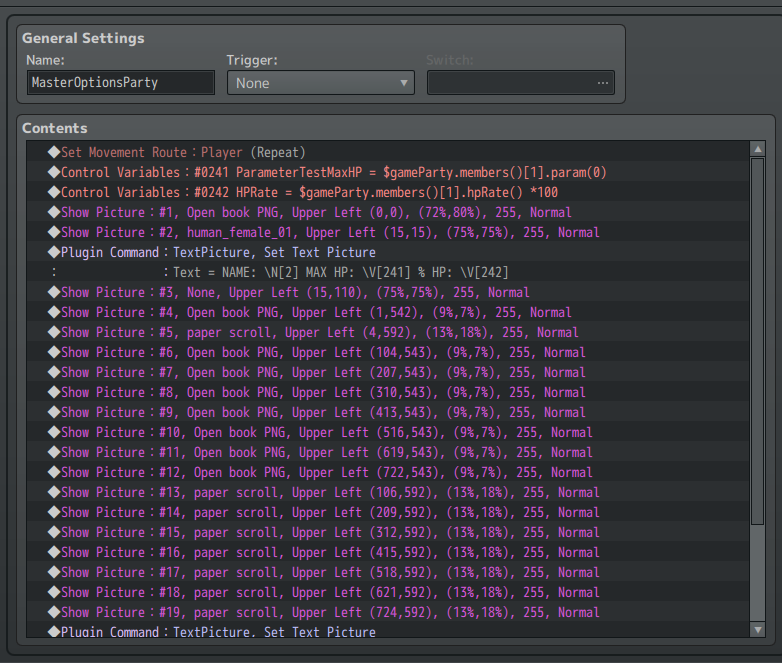
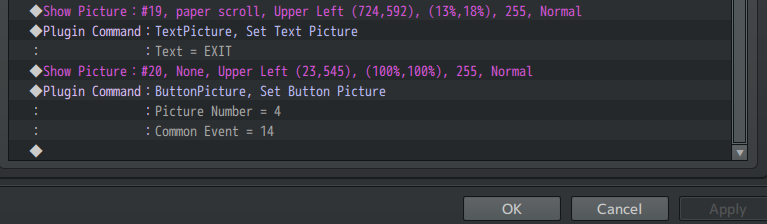
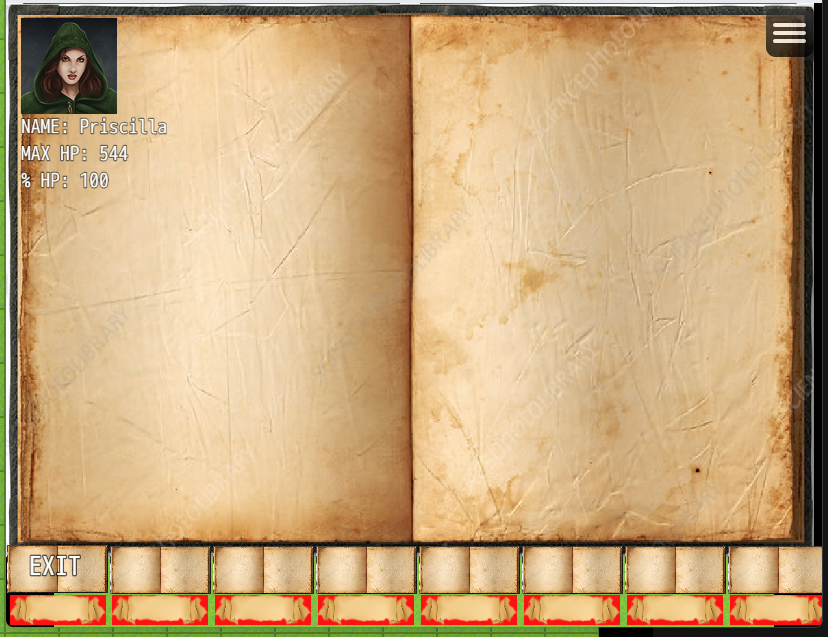
Essentially, when the player clicks on an option, it will open up a new picture window with all the information that is relevant. At the bottom of the new window will be clickable choices so they can navigate to other areas or cycle through information about individual party members, etc.

I have made a partial mock up...not pretty, I know...conceptualizing what I am experimenting with. Again, this is just experimenting to see what I can do and what information I can show and not necessarily what I plan to implement.

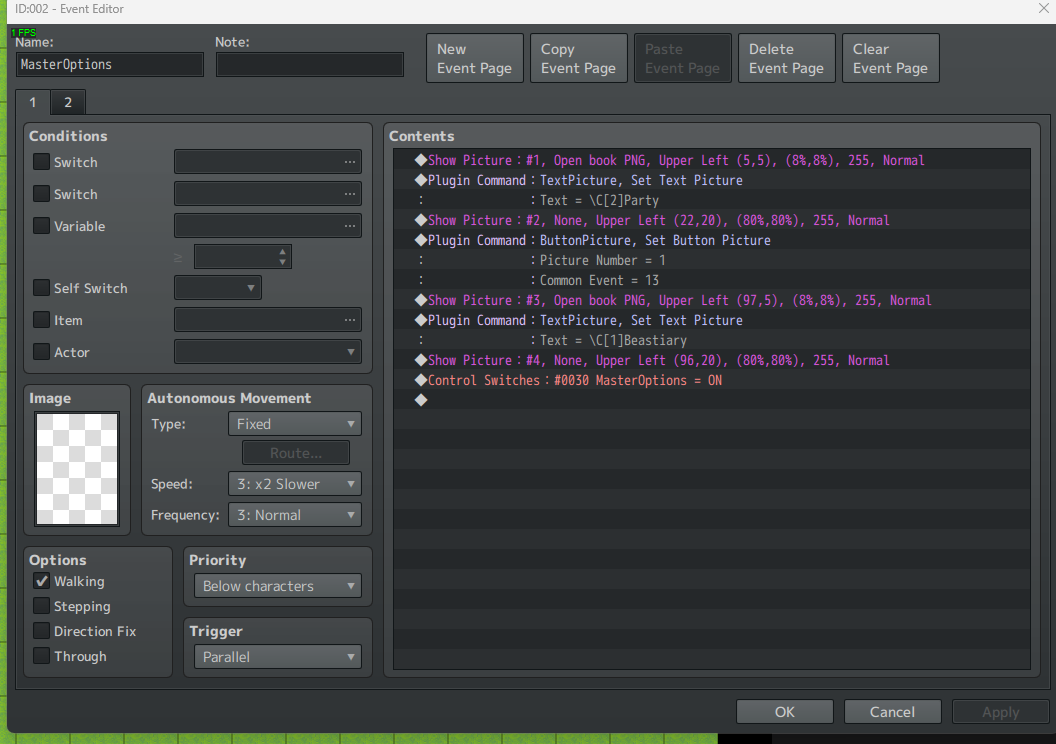
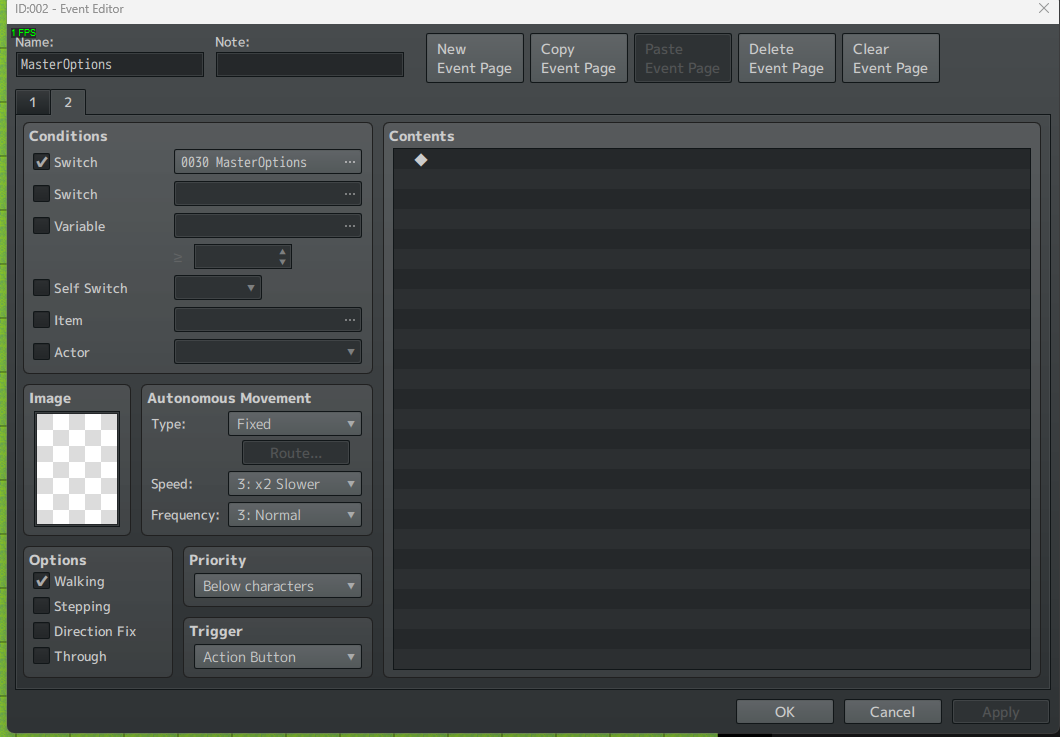
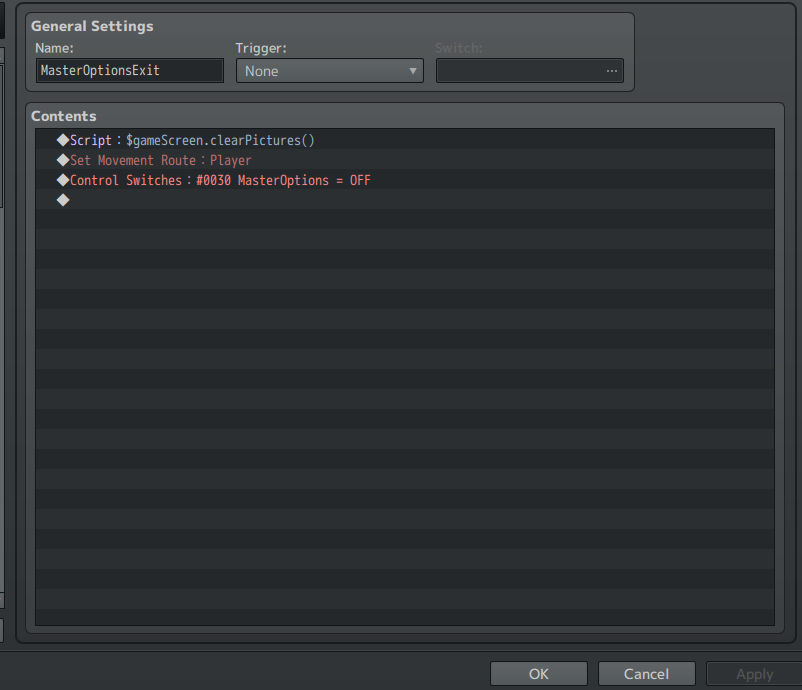
I set it up so a Parallel Event displays the clickable options as soon as the player enters the map, then the event switches pages so it is not longer a parallel event, then when a Common Event erases all the pictures on the screen, the necessary switch is also turned off so the Parallel Event on the map will run again to replace the clickable options so they can be used again.

My biggest question is will this cause performance issues in a final game or any other unintended consequences that I should consider?

I am attaching screenshots of what the mock up looks like in game and the partial events to just see the approach.

I am trying to use the SPOILER option, which I haven't used before, so I hope I do it correctly.

Thanks for any advice you might have.
Protected downloadProtected downloadProtected downloadProtected downloadProtected downloadProtected downloadProtected download

Downloads / Referenced Files

Log in to download

Log in, then follow the RPG Maker Developers Group to see these download links.

Log in to download
Referenced Images / Attachments

MasterOptionsIn-Game.png
MasterOptionsPartyIn-Game.png
MasterOptionsParallelEventPage1.png
MasterOptionsParallelEventPage2.png
MasterOptionsPartyCEPart1.png
MasterOptionsPartyCEPart2.png
MasterOptionsExitCE.png
Creator Claims / Removal

If you are the original creator and want this listing reassigned, edited, or removed, join BMMPlay and contact the moderators with proof that matches the original RPG Maker Web profile, linked GitHub, itch.io page, or another public creator identity.

#rpg-maker-archive#mz-support

Replies (0)

No replies yet.

0 replies 1 view

Log in to reply.

User Avatar