




public

Rpg Maker Developers Group

Simple enough for a child, powerful enough for a developer

2 Followers

Resizing the menu?

BMM Archive · July 15, 2026

Preserved forum archive. This topic stores the original first post and locally mirrored RPG Maker Web attachments when available. It is posted by the BMMPlay archive account, not by the original creator.

Original Source

  • Original title: Resizing the menu?
  • Original author: CharismaticGamer
  • Original date: March 14, 2016
  • Source thread: https://forums.rpgmakerweb.com/threads/resizing-the-menu.58630/
  • Source forum path: Game Development Engines > Ruby Game System (RGSS) Scripts > RGSSx Script Support

Summary

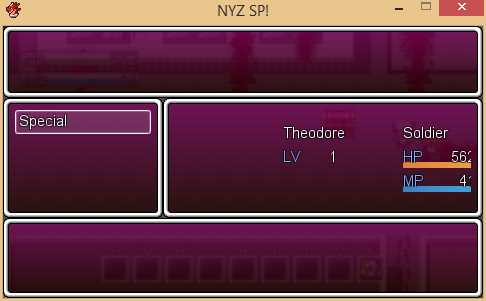
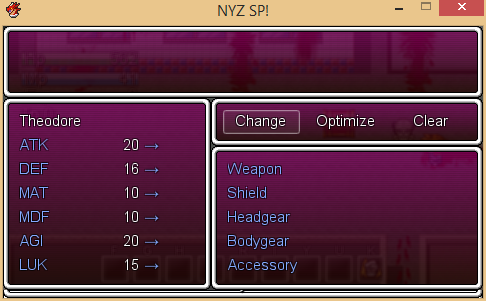
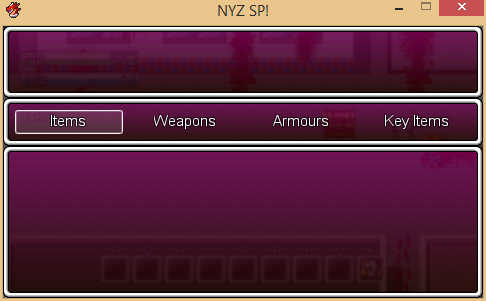
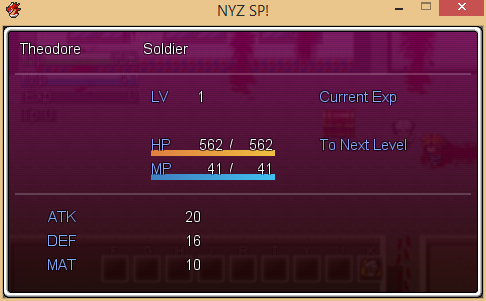
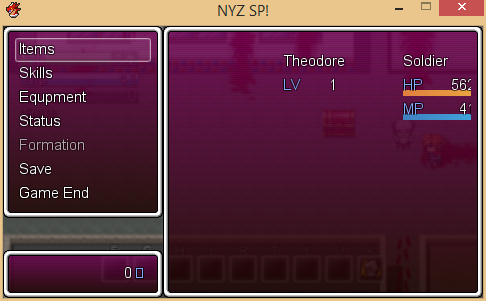
Ok so heres the problem :/ I'm trying to make a game and the progress is going splendid. I'm doing it in this resolution Graphics.resize_screen(480, 272) . The only problem I have is making the menu fit. I realize this was a problem when I was trying to change my weapon. I couldn't see it. So i thought it was a problem with a script im using or something. But no it isn't. Its the size of the menu that is TOO big for the game resolution (480, 272). So i'm...

Archived First Post

Ok so heres the problem :/ I'm trying to make a game and the progress is going splendid. I'm doing it in this resolution Graphics.resize_screen(480, 272) . The only problem I have is making the menu fit. I realize this was a problem when I was trying to change my weapon. I couldn't see it. So i thought it was a problem with a script im using or something. But no it isn't. Its the size of the menu that is TOO big for the game resolution (480, 272). So i'm wondering how I can make this fit for my resolution so i can see everything on the menu. How can I do this. Can you guys help me? Its there a script where the menu window changes base on resolution or no? Please help. I have a deadline for this :c Thank you.


(Btw, Why does the coins/currency/Gold look like a rectangle and not a "G" and where can I change that?


Here are some pictures of how the menu looks right now:


Protected download


Protected download


Protected download


Protected download


Protected download

Downloads / Referenced Files

Log in to download

Log in, then follow the RPG Maker Developers Group to see these download links.

Log in to download

Referenced Images / Attachments

Capture.PNG
Capture.PNG
Main Menu Equipment.PNG
Main Menu Items.PNG
Main Menu Items.PNG
Main Menu Status.PNG
Main Menu.PNG
Main Menu.PNG
Creator Claims / Removal

If you are the original creator and want this listing reassigned, edited, or removed, join BMMPlay and contact the moderators with proof that matches the original RPG Maker Web profile, linked GitHub, itch.io page, or another public creator identity.

#039#rpg-maker-archive#rgss-support

Replies (0)

No replies yet.

0 replies 1 view

Log in to reply.

User Avatar
