public

Rpg Maker Developers Group

Simple enough for a child, powerful enough for a developer

2 Followers

Implementing Parallax Mapping for the first time: Problem with Galv's Layer Graphics Plugin

BMM Archive · July 15, 2026

Preserved forum archive. This topic stores the original first post and locally mirrored RPG Maker Web attachments when available. It is posted by the BMMPlay archive account, not by the original creator.

Original Source

  • Original title: Implementing Parallax Mapping for the first time: Problem with Galv's Layer Graphics Plugin
  • Original author: Venex
  • Original date: September 3, 2022
  • Source thread: https://forums.rpgmakerweb.com/threads/implementing-parallax-mapping-for-the-first-time-problem-with-galvs-layer-graphics-plugin.151051/
  • Source forum path: Game Development Engines > RPG Maker MZ Support

Summary

Hey, I'm new to parallax mapping and I have the following issue: A building in my game is getting destroyed at some point in the story. I didn't know how to do ruins with pixel art, so I just covered some parts of the map with black color. Now I'm trying to bring the map back into the editor and I'm using GALV_LayerGraphicsMZ to do this. Here are the maps: { "lightbox_close": "Close", "lightbox_next": "Next",

Archived First Post

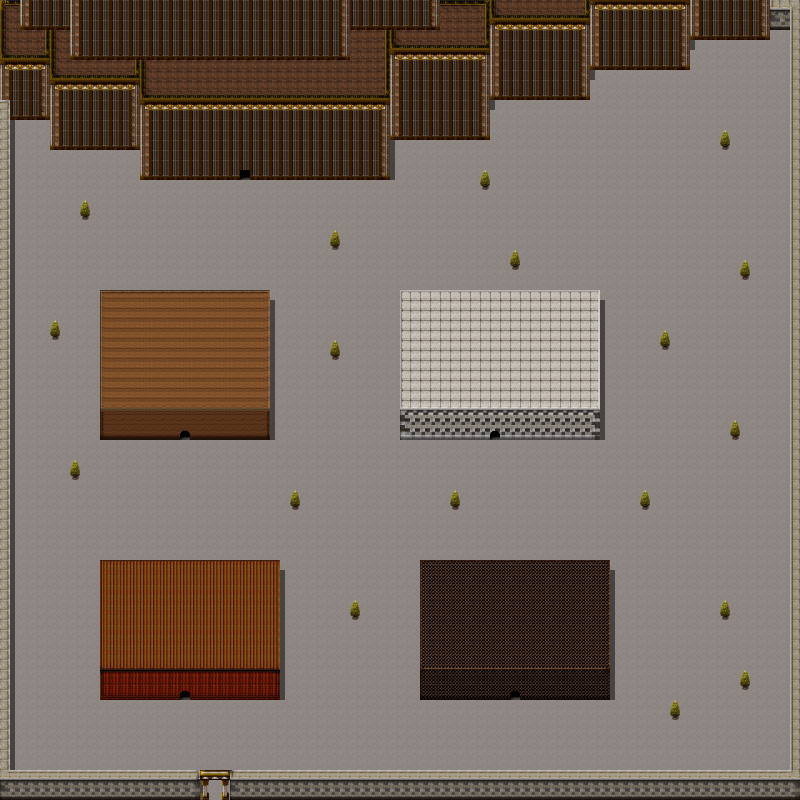
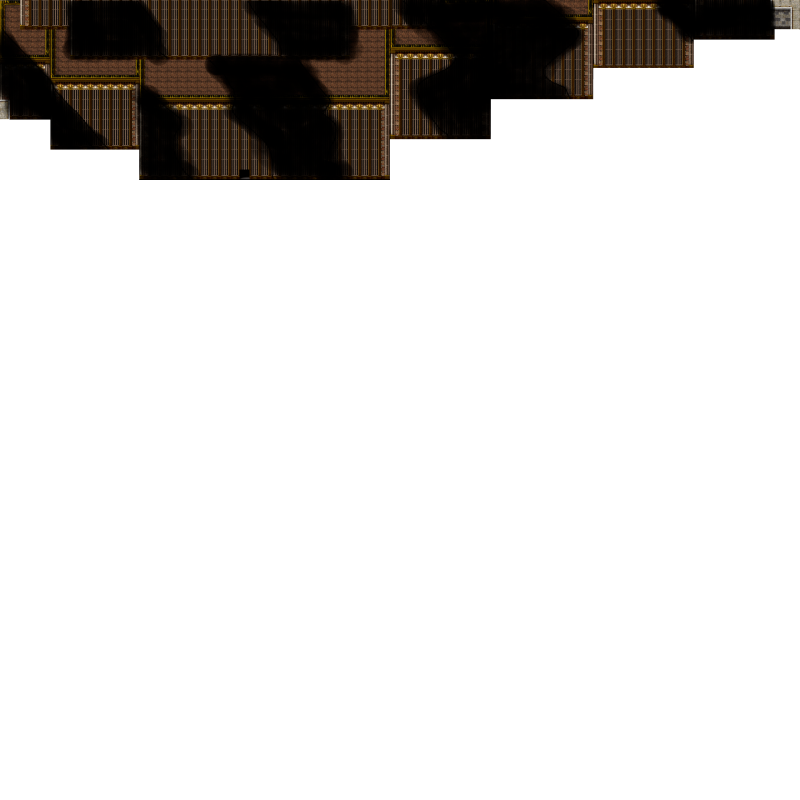
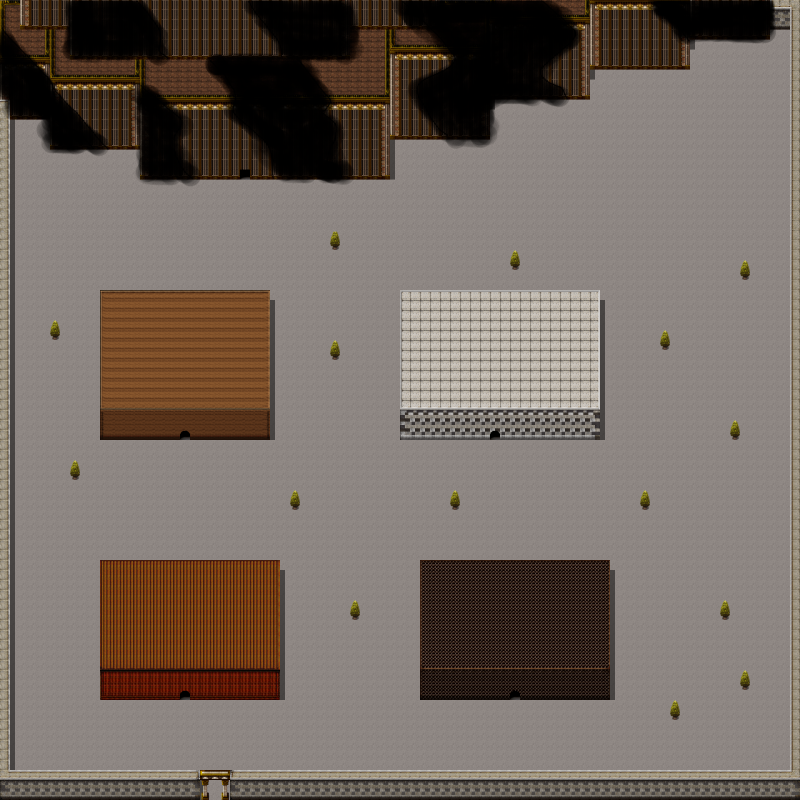
Hey, I'm new to parallax mapping and I have the following issue: A building in my game is getting destroyed at some point in the story. I didn't know how to do ruins with pixel art, so I just covered some parts of the map with black color. Now I'm trying to bring the map back into the editor and I'm using GALV_LayerGraphicsMZ to do this. Here are the maps:

Protected download
This is my city map. The building at the top is getting destroyed:

Protected download
These are the ruins of the building. (The bottom is completely transparent.) At the end it should look like this:

Protected download

I insert the partly transparent image as a layer and add the following text in the note field:

LAYER_S 0 Monolith_City_Trees_Transparent 0 0 255 4 0 0 0 0 0

The image is loaded in the top left corner, but it is smaller than the original. When playtesting, I see the following:

Unbenannt.png


I highlighted the layer that is imported into the map in red. If it would be bigger, it would just cover the building it was supposed to replace. I don't know what to change to make it work. There is no field to declare the size of the image in the properties. Any ideas?


Downloads / Referenced Files

Log in to download

Log in, then follow the RPG Maker Developers Group to see these download links.

Log in to download

Referenced Images / Attachments

Map007.png
Map007.png
Monolith_City_Trees_Transparent.png
Monolith_City_Trees.png
Creator Claims / Removal

If you are the original creator and want this listing reassigned, edited, or removed, join BMMPlay and contact the moderators with proof that matches the original RPG Maker Web profile, linked GitHub, itch.io page, or another public creator identity.

#039#rpg-maker-archive#mz-support

Replies (0)

No replies yet.

0 replies 1 view

Log in to reply.

User Avatar