






public

Rpg Maker Developers Group

Simple enough for a child, powerful enough for a developer

2 Followers

Neo Gauge Ultimate Ace Help

BMM_Archive · July 15, 2026

Preserved forum archive. This topic stores the original first post and locally mirrored RPG Maker Web attachments when available. It is posted by the BMMPlay archive account, not by the original creator.

Original Source

  • Original title: Neo Gauge Ultimate Ace Help
  • Original author: BleachBummer
  • Original date: December 1, 2015
  • Source thread: https://forums.rpgmakerweb.com/threads/neo-gauge-ultimate-ace-help.51935/
  • Source forum path: Game Development Engines > Ruby Game System (RGSS) Scripts > RGSSx Script Support

Summary

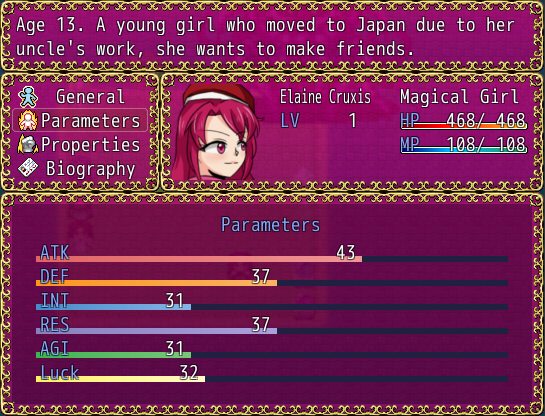
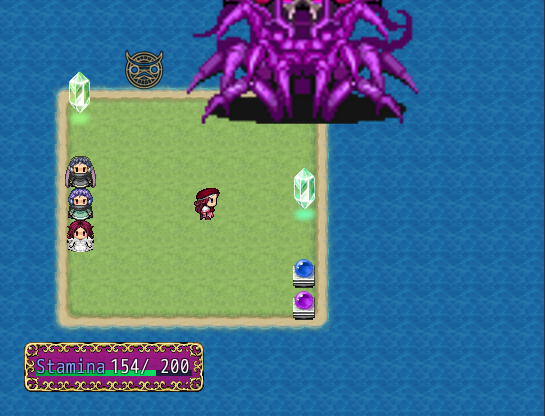
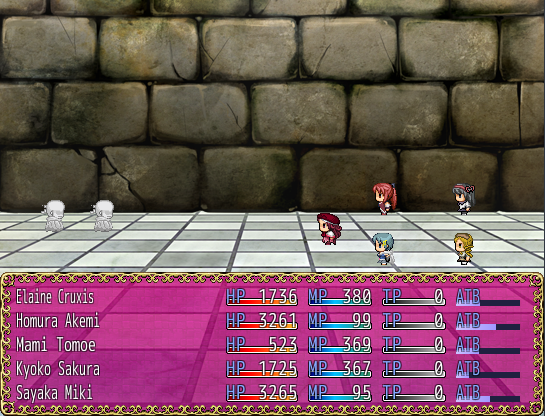
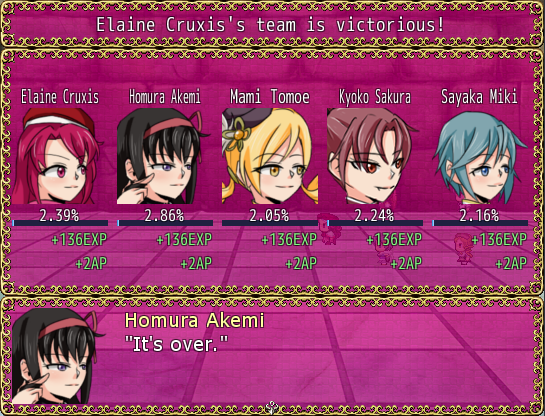
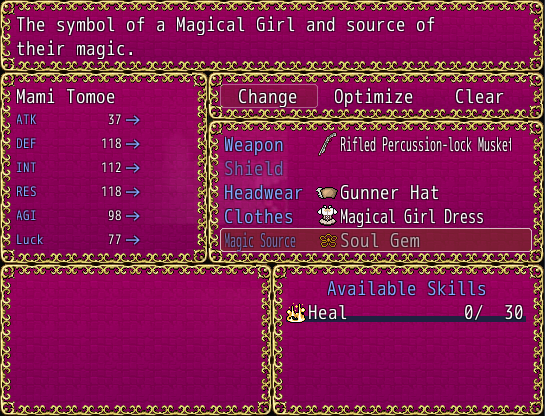
I was wondering how can I make it change how gauges from other scripts are drawn. Mainly the ones listed in the images and in the description below, color I can worry about later, just like them drawn in the way this script draws the other scripts. If anyone can edit the script to do such or help me figure out how to add it, I'd appreciate the help as I am trying to make all the gauges in the RPG I am working on as fancy as the HP,...

Archived First Post

I was wondering how can I make it change how gauges from other scripts are drawn. Mainly the ones listed in the images and in the description below, color I can worry about later, just like them drawn in the way this script draws the other scripts. If anyone can edit the script to do such or help me figure out how to add it, I'd appreciate the help as I am trying to make all the gauges in the RPG I am working on as fancy as the HP, MP and TP gauges.

Neo Gauge Ultimate Ace script:

http://forums.rpgmakerweb.com/index.php?/topic/1246-neo-gauge-ultimate-ace/

Scripts with other gauges I am using:

Yanfly's Ace Status Menu

Yanfly's Victory Aftermath

Yami's Equipment Learning

Yami's Dash Stamina

Victor's Active Time Battle

Protected download

Protected download

Protected download

Protected download

Protected download

Downloads / Referenced Files

Log in to download

Log in, then follow the RPG Maker Developers Group to see these download links.

Log in to download

Referenced Images / Attachments

screen1.png
screen1.png
screen2.png
screen2.png
screen3.png
screen3.png
screen4.png
screen4.png
screen5.png
screen5.png
Creator Claims / Removal

If you are the original creator and want this listing reassigned, edited, or removed, join BMMPlay and contact the moderators with proof that matches the original RPG Maker Web profile, linked GitHub, itch.io page, or another public creator identity.

#039#rpg-maker-archive#rgss-support

Replies (0)

No replies yet.

0 replies 1 view

Log in to reply.

User Avatar