Hello everyone, I am desperately in need of some help with figuring out how to work these sprites. So basically when you set up battle processing with a "side view sprite" you are supposed to include the tag: so that the enemy sprite (lets say from the monster3 sprite sheet) will show up. But when you use an imported or created sprite it does not show anything? i have included the link to the script, pictures of normal sprite sheet mobs working, the non-working invisible sprite mobs from imported sheets,...
Hello everyone,
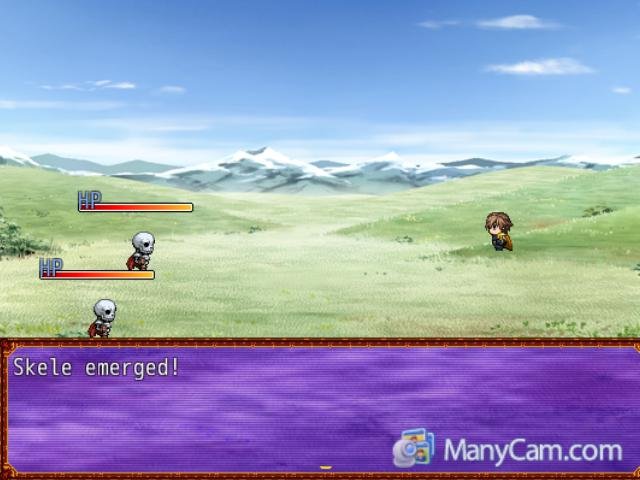
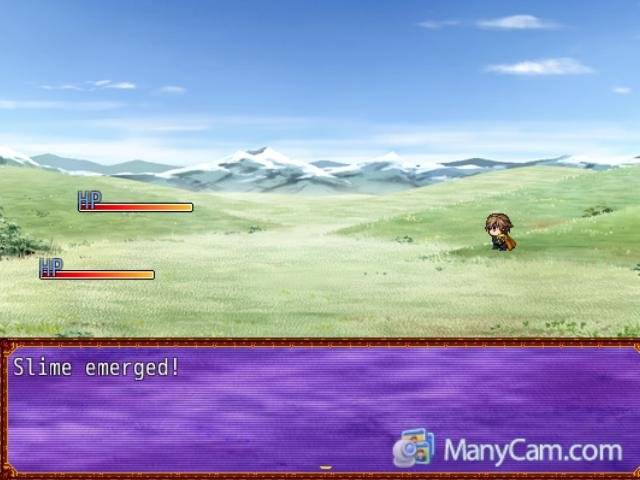
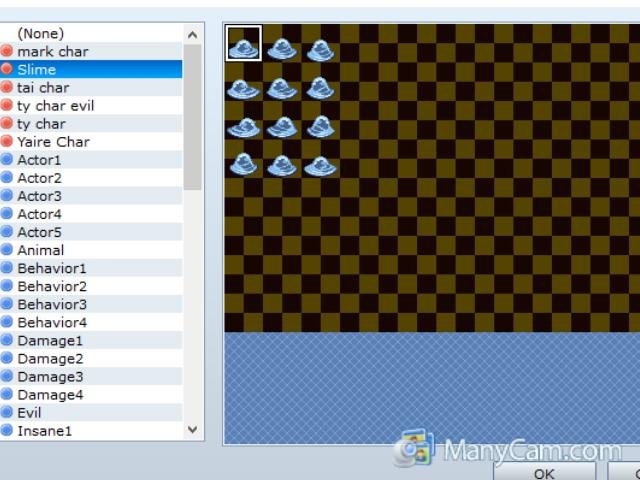
I am desperately in need of some help with figuring out how to work these sprites. So basically when you set up battle processing with a "side view sprite" you are supposed to include the tag: <sprite: ImageName, 0> so that the enemy sprite (lets say from the monster3 sprite sheet) will show up. But when you use an imported or created sprite it does not show anything? i have included the link to the script, pictures of normal sprite sheet mobs working, the non-working invisible sprite mobs from imported sheets, and finally an example of a "slime" sprite that i wanted to use as an imported sprite.
http://forums.rpgmakerweb.com/index.php?/topic/3358-viewed-battle-system/
P.S I have tried putting $Slime as the .png file name so that the engine will read it as a single sprite on the sheet however it does not
work.
Protected download
Protected download
Protected download





 Antlion Audio ModMic USB Attachable Microphone
Attachable USB microphone that turns favorite headphones into a stream or chat headset.
View on Amazon
Antlion Audio ModMic USB Attachable Microphone
Attachable USB microphone that turns favorite headphones into a stream or chat headset.
View on Amazon