

 OXS 2.0 TV Sound Bar
Compact sound bar pick for boosting TV, movie, and console audio.
View on Amazon
OXS 2.0 TV Sound Bar
Compact sound bar pick for boosting TV, movie, and console audio.
View on Amazon
Bmmplay may earn a commission from qualifying purchases made through these links.
No products in the cart.


Simple enough for a child, powerful enough for a developer
BMM_Archive · July 15, 2026
Spoiler: For moderators and author Hi! I have sent an email for MRTS a long time ago, but I never get an answer. Although I think it's okay to release an extension of his plugin, because of his terms of use. Here is the email:
OXS 2.0 TV Sound Bar
Compact sound bar pick for boosting TV, movie, and console audio.
View on Amazon
Bmmplay may earn a commission from qualifying purchases made through these links.

//============================================================================
// Eli_RevealDarkCovers.js
//============================================================================

/*:
@plugindesc v1.0 - Dynamically reveals regions.
@author Eliaquim || Hakuen Studio

@help

==============================================================================
Requirements
==============================================================================

You need to use the Dark Room Covers plugin from MR. Trivel above this plugin.

Link: https://forums.rpgmakerweb.com/index.php?threads/dark-room-covers.57057/

==============================================================================
Introduction
==============================================================================

Inspired by the Fatal Labirinty game I tried in so many ways to make a
system where the player walks and reveals the map as it moves. Using images
to make this progression, depending on the size of the map can get very lag.
Using events too, plus a lot of work.
It was then that I found the Mr. trivel plugin (Mrts) that makes the tiles
that have regions become dark. Through a plugin command, the tiles of a
specific region can be revealed.
However, doing this by events can become tiresome and repetitive.
Finally I had an idea that made this process viable and easy!
So this plugin came up!

==============================================================================
Features
==============================================================================

This plugin offers the following:
• Enable or disable tile disclosure.
• Two ways to reveal the map: Progressive and Unique
• A variable that determines the range of the view in tiles, to reveal the
dark regions.

==============================================================================
How to use
==============================================================================

To use it, you need to understand how the Mrts plugin works.
By default, once activated in your project, it will make all
regions placed on the map darken the tiles where they are and will be in
a layer above the player.
You can use plugin commands to make regions
revealed. As well as to make them dark again.
It is important to know that the plugin works on all maps. That is if you
reveal a region on map 1, it will also be revealed on map 2 (unless
that you execute the command to darken them before reaching map 2).

Now we can talk about this plugin!

• There are two modes:

• Unique - Reveals only the region the player is in and deletes all others.
It means that only one region will be revealed at a time.

• Progressive - Reveal regions as the player moves, and keep them
revealed.
More details below about Progressive mode.

It is possible to store a value in a variable that is responsible for
the range of the player's vision. The greater this reach, the more regions
will be revealed around you.
If the reach is 1, all regions that are within the distance of a tile will
be revealed. Now we must remember the MRTS plugin: If a region is
revealed, it will be for the entire current and later map. So if that same
region is elsewhere on the map, even if away from the player, it will have
been revealed. The way to avoid this is to put the regions on the map
progressively and not spread regions of the same number across places
different from the map.
The numerical order of the regions is not important.
If the value of the range variable is equal to zero, only the region
that the player is stepping on will be revealed.

• Plugin commands

You can use the commands to enable or disable the above modes:

ENABLE_REVEAL
DISABLE_REVEAL

==============================================================================
Terms of Use
==============================================================================

1. It is mandatory to give the credits to Mr. Trivel (Mrts) in the
credits section of your game. Credit for me is optional (Eliaquim or Rakuen
Zero).
2. Can be used in free and commercial games.
3. Do not sell or say that you made this plugin.
4. Do not redistribute this plugin. Instead, give this link to the download:

==============================================================================
Special thanks
==============================================================================

Thanks to:
Mr. Trivel (Mrts).

==============================================================================
Contact
==============================================================================

RM Web - https://forums.rpgmakerweb.com/index.php?members/eliaquim.123037/
Centro Rpg Maker - https://centrorpg.com/index.php?action=profile
Instagram - https://www.instagram.com/hakuenstudio
Twitter - https://twitter.com/hakuen_studio
Facebook - https://www.facebook.com/hakuenstudio

==============================================================================
Updatelog
==============================================================================
Version 1.0 04/19/2020
- Plugin release!


@param enable
@text Enable plugin
@type boolean
@desc Enable or disable the plugin.
@default true

@param mode
@text Select mode
@type select
@option Only on Player
@value Only on player
@option Progressively
@value Progressively
@default Only on player

@param range
@text Line of sight
@type variable
@desc Choose a variable to set the range value.
@default 0


*/

/*:pt
@plugindesc v1.0 - Revela regiões dinâmicamente.

@author Eliaquim || Rakuen Zero

@help

==============================================================================
Requerimentos
==============================================================================

É necessário usar o plugin Dark Room Covers da Mr. Trivel.
Coloque esse plugin abaixo do Mrts.

Link: https://forums.rpgmakerweb.com/index.php?threads/dark-room-covers.57057/

==============================================================================
Introdução
==============================================================================

Inspirado no jogo Fatal Labirinty eu tentei de muitas formas fazer um
sistema onde o player anda e revela o mapa conforme avança.
Usar imagens para fazer essa progressão, dependendo do tamanho do mapa, pode
ficar muito lag. Usar eventos também, além de muito trabalhoso.
Foi então que encontrei o plugin de Mr. trivel (Mrts) que faz os tiles que
tem regiões ficarem escuros. Através de um comando de plugin, os tiles de
uma região específica podem ser revelados. Entretanto, fazer isso por eventos
pode se tornar cansativo e repetitivo.
Finalmente tive uma ideia que tornasse esse processo viável e fácil!
Assim surgiu esse plugin!

==============================================================================
Funcionalidades
==============================================================================

Esse plugin oferece o seguinte:
• Ativar ou desativar a revelação dos tiles.
• Dois modos de revelar o mapa: Progressivo e Único
• Uma variável que determina o alcance da visão em tiles, para revelar as
regiões escuras.

==============================================================================
Como usar
==============================================================================

Para usá-lo é necessário entender como o plugin do Mrts funciona.
Por padrão, assim que ativado em seu projeto, ele fará com que todas as
regiões colocadas no mapa escureçam os tiles onde se encontram e ficarão em
uma camada acima do jogador.
Você pode usar comandos de plugin para fazer com que as regiões sejam
reveladas. Como também para torná-las escuras de novo.
É importante saber que o plugin funciona em todos os mapas. Ou seja, se você
revelar uma região no mapa 1, ela também estará revelada no mapa 2(a não ser
que você execute o comando de escurecê-las antes de chegar ao mapa 2).

A partir disso podemos falar desse plugin!

• Existem dois modos:

• Único - Revela somente a região que o player está, e apaga todas as outras.
Quer dizer que somente uma região ficará revelada por vez.

• Progressivo - Revela as regiões conforme o jogador se move, e as mantém
reveladas.
Mais detalhes abaixo sobre o modo Progressivo.

É possível armazenar um valor em uma variável a qual é responsável pelo
alcance da visão do jogador. Quanto maior esse alcance, mais regiões serão
reveladas ao seu redor.
Se o alcance for 1, todas as regiões que estão na distância de um tile serão
reveladas. Agora devemos lembrar do plugin do MRTS: Se uma região é revelada,
ela será para todo o mapa atual e posterior. Portanto se essa mesma região
está em outro lugar do mapa, mesmo que longe do player, ela terá sido
revelada. A maneira de evitar isso é você colocar as regiões no mapa
progressivamente e não espalhar regiões do mesmo número por lugares
diferentes do mapa.
A ordem numérica das regiões não é importante.
Se o valor da variável do alcance for igual a zero, somente a região que o
player estiver pisando será revelada.

• Comandos de plugin

Você pode usar os comandos para ativar ou desativar os modos acima:

ENABLE_REVEAL
DISABLE_REVEAL

==============================================================================
Termos de uso
==============================================================================

1. É obrigatório dar os créditos para Mr. Trivel (Mrts) na seção
de créditos do seu jogo. O crédito para mim é opcional (Eliaquim ou Rakuen
Zero).
2. Pode ser usado em jogos gratuitos e comerciais.
3. Não venda e nem diga que foi você que fez esse plugin.
4. Não redistribua esse plugin. Ao invés disso, dê este link para o download:

==============================================================================
Agradecimentos especiais
==============================================================================

Agradecimentos a:
Mr. Trivel (Mrts).

==============================================================================
Contato
==============================================================================

RM Web - https://forums.rpgmakerweb.com/index.php?members/eliaquim.123037/
Centro Rpg Maker - https://centrorpg.com/index.php?action=profile
Instagram - https://www.instagram.com/hakuenstudio
Twitter - https://twitter.com/hakuen_studio
Facebook - https://www.facebook.com/hakuenstudio

==============================================================================
Log de atualizações
==============================================================================
Versão 1.0 19/04/2020
- Plugin lançado!


@param enable
@text Ativa o plugin
@type boolean
@desc Ativa ou desativa o plugin.
@default true

@param mode
@text Seleção de modo
@type select
@option Único
@value Only player
@option Progressivamente
@value Progressively
@default Only player

@param range
@text Campo de visão
@type variable
@desc Escolha uma variável para determinar o campo de visão em tiles.
@default 0

*/

"use strict";

var Imported = Imported || {};
Imported.Eli_RevealDarkCovers = true;

var Eli = Eli || {};
Eli.RevealDarkCovers = Eli.RevealDarkCovers || {};

Eli.RevealDarkCovers.checkMrts = function(){
    for(let l = $plugins.length - 1;l--;){
        console.log($plugins[l].name)
        if($plugins[l].name === "MrTS_DarkRoomCovers" && $plugins[l].status){
            return true;
        }
    }
};

Eli.RevealDarkCovers.needMrts = function() {
        window.alert(`MrTS_DarkRoomCovers.js was not found.
Please download the mrts plugin`);
        if(confirm) {
            window.open('https://forums.rpgmakerweb.com/index.php?threads/dark-room-covers.57057/');
        }
};

if(!Eli.RevealDarkCovers.checkMrts()) {
    Eli.RevealDarkCovers.needMrts();
};

Eli.RevealDarkCovers.Parameters = PluginManager.parameters('Eli_RevealDarkCovers');
Eli.RevealDarkCovers.Param = Eli.RevealDarkCovers.Param || {};

    Eli.RevealDarkCovers.Param = {
        enable: JSON.parse(Eli.RevealDarkCovers.Parameters['enable']),
        mode: String(Eli.RevealDarkCovers.Parameters['mode']),
        range: Number(Eli.RevealDarkCovers.Parameters['range']),
    };

Eli.RevealDarkCovers.reveal = function(mode) {
    if(!Eli.RevealDarkCovers.Param.enable) return;
    if(mode === "Only on player"){
        const playerRegion = $gamePlayer.regionId();
        $gameMap._openRegionIds = [playerRegion];
    } else if(mode === "Progressively"){
        const vision = $gamePlayer.regionId();
        const range = $gameVariables.value(Eli.RevealDarkCovers.Param.range);
            for(let i = 0; i < range; i++) {
                $gameMap.addToCurrentlyOpenRegions(vision + i);
            }
        }
};

Eli.RevealDarkCovers.Game_Player_executeMove = Game_Player.prototype.executeMove;
Game_Player.prototype.executeMove = function(direction) {
    Eli.RevealDarkCovers.Game_Player_executeMove.call(this, direction);
    Eli.RevealDarkCovers.reveal(Eli.RevealDarkCovers.Param.mode);
};

Eli.RevealDarkCovers.Scene_Map_start = Scene_Map.prototype.start;
Scene_Map.prototype.start = function() {
    Eli.RevealDarkCovers.Scene_Map_start.call(this);
    Eli.RevealDarkCovers.reveal();
};

Eli.RevealDarkCovers.Game_Interpreter_pluginCommand = Game_Interpreter.prototype.pluginCommand;
Game_Interpreter.prototype.pluginCommand = function (command, args) {
Eli.RevealDarkCovers.Game_Interpreter_pluginCommand.call(this, command, args);
let cmd = command.toUpperCase();
    if (cmd === "ENABLE_REVEAL") {
        Eli.RevealDarkCovers.Param.enable = true;
        $gameMap._openRegionIds = [$gamePlayer.regionId()]
    } else if(cmd === "DISABLE_REVEAL"){
        Eli.RevealDarkCovers.Param.enable = false;
    }
};Log in, then follow the RPG Maker Developers Group to see these download links.
Log in to downloadI have sent an email for MRTS a long time ago, but I never get an answer. Although I think it's okay to release an extension of his plugin, because of his terms of use. Here is the email: { "lightbox_close": "Close",
If you are the original creator and want this listing reassigned, edited, or removed, join BMMPlay and contact the moderators with proof that matches the original RPG Maker Web profile, linked GitHub, itch.io page, or another public creator identity.
No replies yet.
Loading summary...
Bmmplay creator tools
Log in or create an account to use this creator tool.
Join the conversation
Your reaction is ready. Log in and you will return to this page to add it.
Are you sure you want to close this music player?
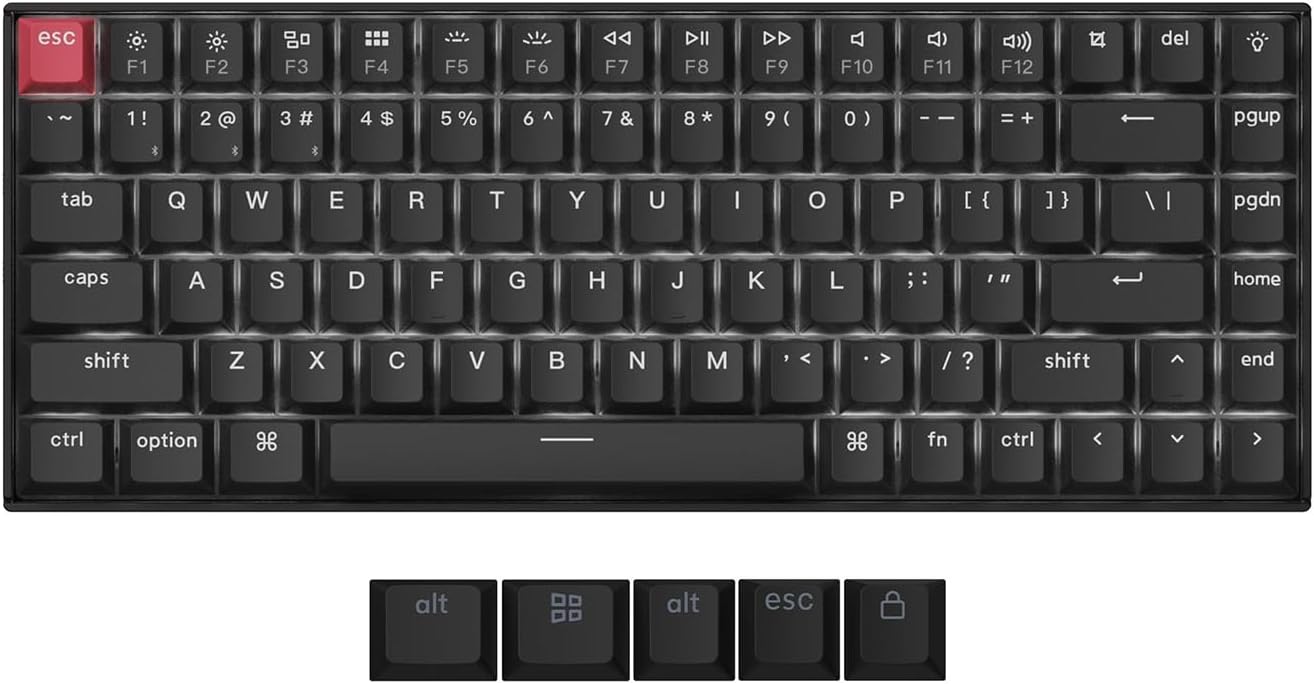 Keychron K2 QMK Wireless Mechanical Gaming Keyboard
Compact wireless mechanical keyboard for office work, gaming, and desk upgrades.
View on Amazon
Keychron K2 QMK Wireless Mechanical Gaming Keyboard
Compact wireless mechanical keyboard for office work, gaming, and desk upgrades.
View on Amazon
Bmmplay may earn a commission from qualifying purchases made through these links.
Community safety