Preserved forum archive. This topic stores the original first post and locally mirrored RPG Maker Web attachments when available. It is posted by the BMMPlay archive account, not by the original creator.
Original Source
- Original title: Window scripts
- Original author: ZeroVirusXIII
- Original date: July 24, 2014
- Source thread: https://forums.rpgmakerweb.com/threads/window-scripts.30317/
- Source forum path: Game Development Engines > Ruby Game System (RGSS) Scripts > RGSSx Script Support
Summary
Hey all, I'm new to these forums as well as scripting. I was just wondering if I could get a hand with a few problems I'm having. I'm mainly changing window sizes to begin with but I have some other ideas in mind, if they're at all possible. { "lightbox_close": "Close", "lightbox_next": "Next",
Archived First Post
Hey all, I'm new to these forums as well as scripting. I was just wondering if I could get a hand with a few problems I'm having. I'm mainly changing window sizes to begin with but I have some other ideas in mind, if they're at all possible.
Protected download
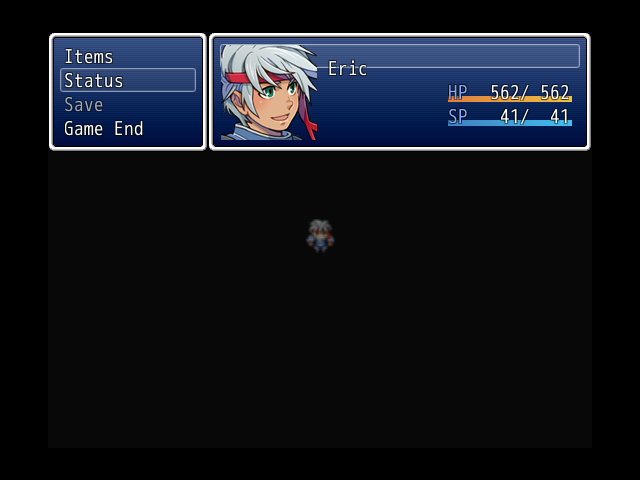
First up on the actor status select, I am wanting to change the size of the selection box, I resized that window as best I could and then the above, in attachment one, happened.
Also I'm wondering is it possible to have the actors status permanently on screen without hindering game play? Without the menu of course.
Ideally having it take up that whole top row and when the menu is present to just shift over where it is in the first attachment or even to just take up the space seen.
Protected download
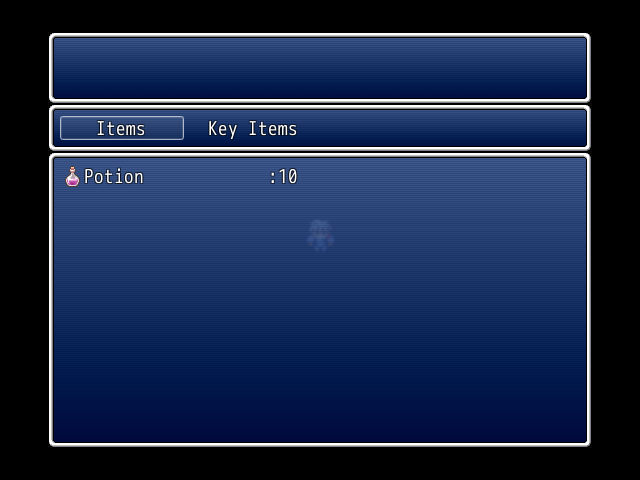
Secondly I'm wanting to change the window size of both the items and key items list. I just can't seem to find the right code to edit.
Any help would be greatly appreciated.
Protected download
First up on the actor status select, I am wanting to change the size of the selection box, I resized that window as best I could and then the above, in attachment one, happened.
Also I'm wondering is it possible to have the actors status permanently on screen without hindering game play? Without the menu of course.
Ideally having it take up that whole top row and when the menu is present to just shift over where it is in the first attachment or even to just take up the space seen.
Protected download
Secondly I'm wanting to change the window size of both the items and key items list. I just can't seem to find the right code to edit.
Any help would be greatly appreciated.
Downloads / Referenced Files
Log in to download
Log in, then follow the RPG Maker Developers Group to see these download links.
Log in to downloadReferenced Images / Attachments
Creator Claims / Removal
If you are the original creator and want this listing reassigned, edited, or removed, join BMMPlay and contact the moderators with proof that matches the original RPG Maker Web profile, linked GitHub, itch.io page, or another public creator identity.
Replies (0)
No replies yet.
0
replies
1
view
Topic Summary
Loading summary...