public

Rpg Maker Developers Group

Simple enough for a child, powerful enough for a developer

2 Followers

Khas Awesome Lighting Effects Resolution Problem

BMM Archive · July 15, 2026

Preserved forum archive. This topic stores the original first post and locally mirrored RPG Maker Web attachments when available. It is posted by the BMMPlay archive account, not by the original creator.

Original Source

  • Original title: Khas Awesome Lighting Effects Resolution Problem
  • Original author: RAMacindux
  • Original date: July 25, 2014
  • Source thread: https://forums.rpgmakerweb.com/threads/khas-awesome-lighting-effects-resolution-problem.30322/
  • Source forum path: Game Development Engines > Ruby Game System (RGSS) Scripts > RGSSx Script Support

Summary

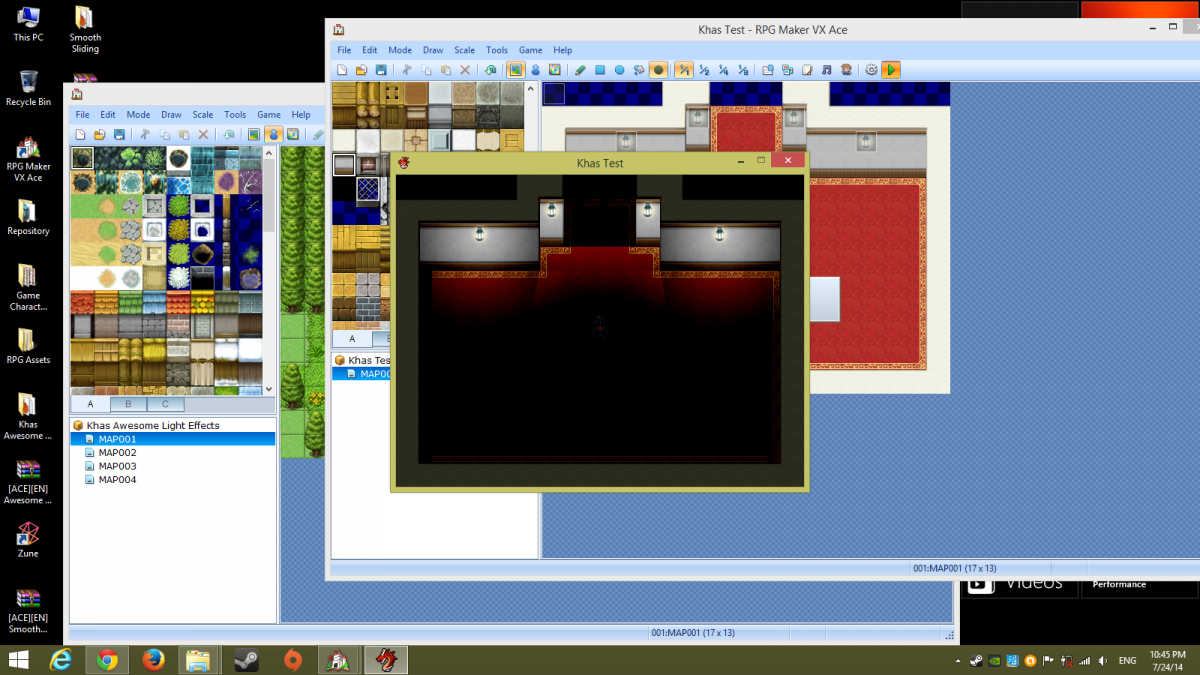
Hi, new to the forums here. So basically I have a problem involving Khas' script for lighting. It all has to do with the change in resolution using Ace's Core Engine. I have it set at 640x480 from 544x416. So here it is without the resolution change: {

Archived First Post

Hi, new to the forums here.

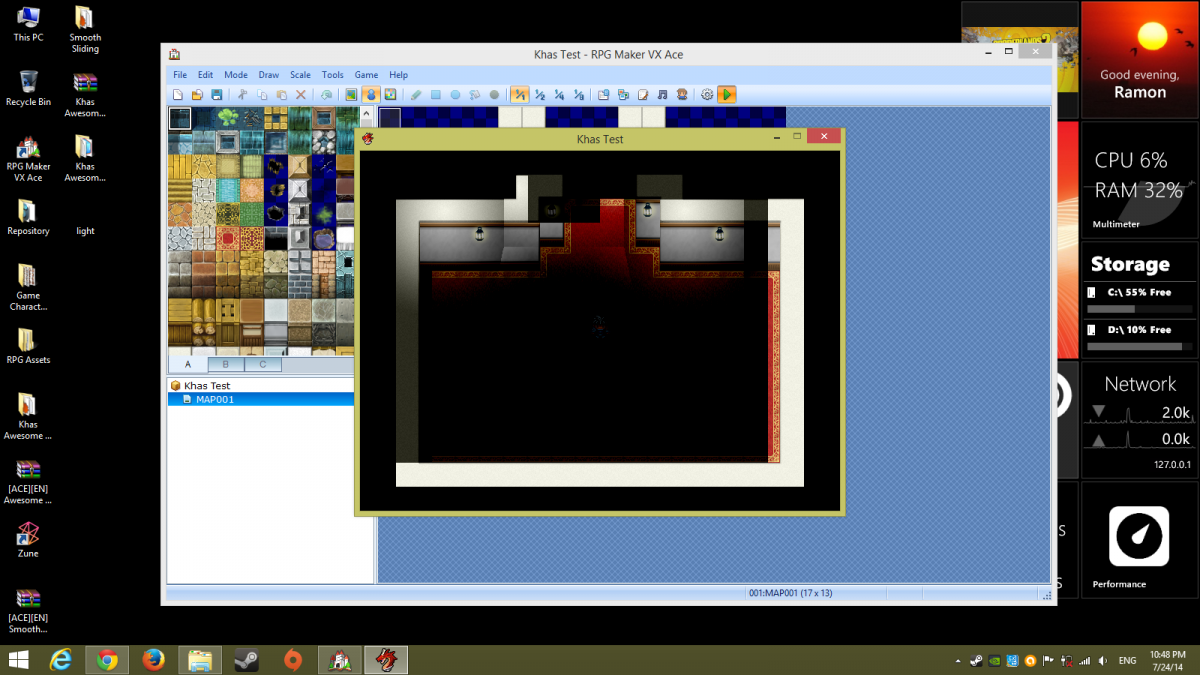
So basically I have a problem involving Khas' script for lighting. It all has to do with the change in resolution using Ace's Core Engine. I have it set at 640x480 from 544x416.

So here it is without the resolution change:

Protected download

and then this with the resolution change:

Protected download

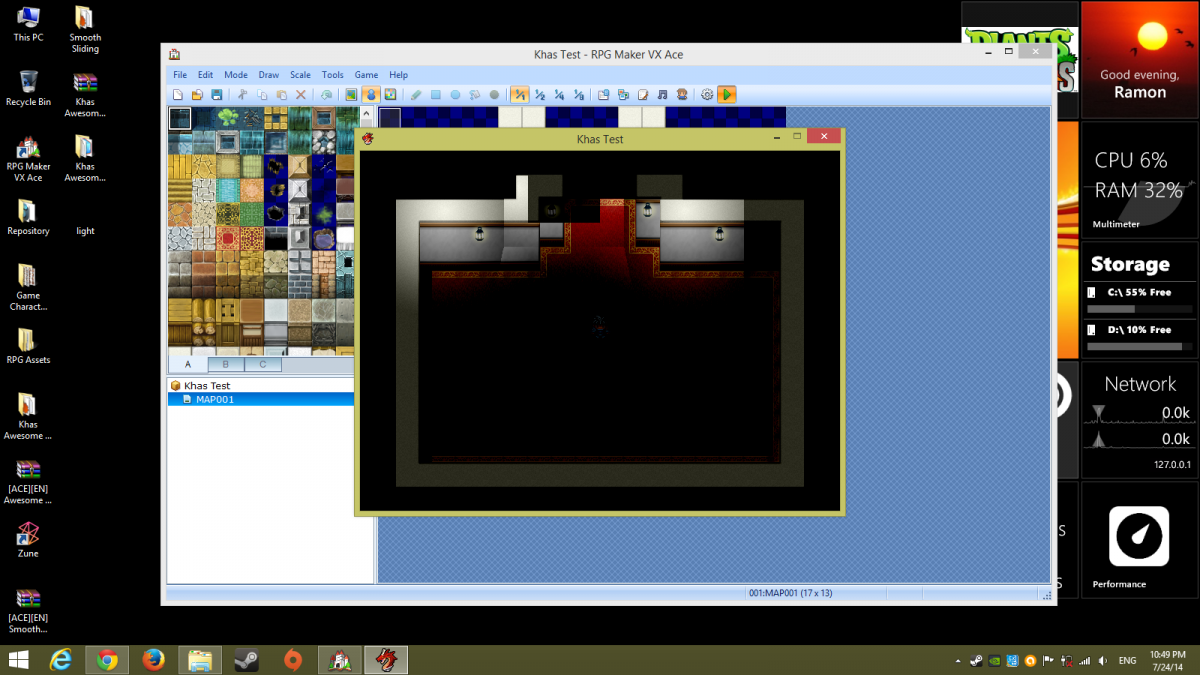
So I figured that I'd change all instances of "544" and "416" in the script, and then this happens:

Protected download

It's as if the lights themselves have not adjusted at all. If anyone has a solution of sorts for this, please do. Thanks.

Khas Awesome Light Effects:

http://forums.rpgmakerweb.com/index.php?/topic/4917-khas-awesome-light-effects/

Ace Core Engine:

http://yanflychannel.wordpress.com/rmvxa/core-scripts/ace-core-engine/


Downloads / Referenced Files

Log in to download

Log in, then follow the RPG Maker Developers Group to see these download links.

Log in to download

Referenced Images / Attachments

Screenshot (10).png
Screenshot (10).png
Screenshot (11).png
Screenshot (11).png
Screenshot (12).png
Screenshot (12).png
Creator Claims / Removal

If you are the original creator and want this listing reassigned, edited, or removed, join BMMPlay and contact the moderators with proof that matches the original RPG Maker Web profile, linked GitHub, itch.io page, or another public creator identity.

#039#rpg-maker-archive#rgss-support

Replies (0)

No replies yet.

0 replies 1 view

Log in to reply.

User Avatar